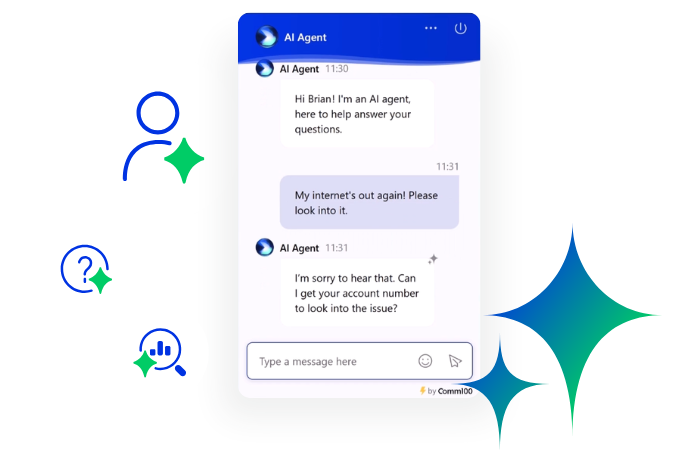
Live chat is a great tool for helping to increase sales, decrease resource and make your customers happier.
So once you’ve taken the plunge and introduced live chat software, it’s natural that you’ll want to make the most of your new customer service capabilities. Here are some best-practice tips for helping to get extra value from your live chat platform and increase the number of satisfied customers through this channel.
- Be Proactive
- Promote Live Chat via Your IVR
- Make Live Chat Visible on Your Website
- Stop Telephone Being the ‘Default Option’
- Add Live Chat to Your Facebook Page
Be Proactive
If you were a brick and mortar store, would you ignore all of the customers walking through your door? Of course not – you’d greet them warmly and ask what help they needed.
Proactive chat capability allows you to bring online the widely-recognized best practices of greeting your customer, and extending an offer of help, from the moment they land on your website.
You can use in-software capability to invite customers into a
chat interaction, welcoming them to engage with you and giving them the
opportunity to discuss your product or service.
Our Proactive
Chat Best Practices article shows
some of the visitor statistics you can access to target and engage customers on
your shopping site, repeat visitors, visitors from different locations, or
visitors on pages with a high bounce rate.
Proactive chat doesn’t have to mean a huge increase in the amount of resource required to reach out to your customers either. Software which can automate a pre-chat invitation, and even allow you to issue chat invites based on customer type, allows you to maximize the potential for conversions without needing any extra resource.
Promote Live Chat via Your IVR
Customers increasingly expect to choose how they get in touch
with you. People have busy lives – between the pressures of work, and hectic
lives at home, providing your customer with a range of options to contact you
helps them choose a channel that’s most convenient for them.
But customers won’t know about your multi-channel capabilities
unless you make them aware.
If you have a phone IVR, consider adding a message that lets
your customers know about your live chat system.
This could feel a little pushy, however bear in mind that
letting people know there are other options isn’t the same as forcing them to
use a different channel.
How you phrase your IVR message is important too – research shows that the IVR accounts for an astonishing 27% of the total call experience, so it shouldn’t be too long or intrusive. It should, however, provide a brief overview of the benefits of the system.
Your customers will always welcome shorter wait times, being
able to contact you via mobile, and the ability for them to have a conversation
emailed to them is also a helpful and unexpected feature. So consider adding a
message along the lines of:
“Hi there! As there’s
nobody available right now, your call is in a queue. But you might be able to
receive a quicker response if you use the chat function on our website. You can
access it using your mobile phone, and you’ll also be able to keep a record of
the conversation that way too. However, if you’d prefer to hold, we’ll answer
your call as soon as we can.”
Lastly, if you do implement this kind of IVR, don’t let it run
on a loop. If your hold times are long enough for customers to hear the same
message multiple times, they are more likely to be annoyed than educated by
this information.
Make Live Chat Visible on Your Website
It might sound obvious, but making sure that your live chat
capabilities are visible and easily accessible are a huge part of directing
your customers towards this channel.
Experiment by customizing your chat button and testing out changes to its position, color, size and imagery, to see which changes produce the best take-up.
If you’re using a text-based link to chat capability instead of
a button, consider trying out a button for the first time. It’s easy to
implement and customize a persistent button which will not look gaudy or be
intrusive.
While testing out new customizations, only make one change at a
time. That way you can assess the impact of each change as you make it, rather
than not knowing which change out of a few was the most effective in increasing
chat take-up.
Stop Telephone Being the ‘Default Option’
All too often when contacting companies, customers search for a
phone number before considering whether they have the ability to contact a
company by other channels.
Some companies choose to change the way the phone number is displayed on their website – putting it in a place that requires several clicks to get to, making it physically smaller, or only displaying it after self-service options have been exhausted first.
This option might not be palatable for you if you are concerned
about ensuring you’re not actively restricting contact information on your
site. On the other hand, if your live chat option is taking much less traffic
than you had hoped, a more drastic change like this might be right for you.
Even if making a phone number harder to find isn’t an option for
you, there are still things you can do to ensure that customers aren’t calling
your phone number by default.
Make sure that you’re giving equal (or slightly greater)
prominence to live chat, versus other channels, on your ‘Contact Us’ web page. If your phone number is listed as the first
contact method on the page, customers in a hurry will be more likely to call
it. If live chat is listed first, or if all contact methods are listed in a
horizontal table format, customers will be more likely to consider the options
they have to contact you, rather than jumping to a phone number.
Add Live Chat to Your Facebook Page
Now more than ever, customers are using social media to reach out to companies – especially where they need urgent help or advice, or they need to complain about a product or service. In fact, a huge 67% of consumers have used a company’s social media site to get customer service help.
Because of this, more and more companies now need to offer
support via social media. However, this can be difficult or expensive to build
into an existing workflow, and in some cases almost impossible to report on or
quality assess.
Linking to live chat from within a social media page also allows
you to go beyond customer expectations and provide assistance immediately in
real time, removing the delay in any social media interaction.
You can add your chat button to a Facebook page to instantly
give customers the option to get in touch with you, handle these interactions
away from social media, and allow you to regain control of your support through
the Live Chat system.
Maximizing and advertising the capabilities of your live chat platform is a sure-fire way to increase its ROI and make gains in customer satisfaction. Have you tried any of these methods? Let us know what worked for you in the comments below.
Powerful live chat software
Offer real-time, personalized, efficient support that your customers and agents will love at 1/3 the cost of voice support.
Learn more
Comm100 Live Chat