Higher education institutions face a unique challenge: prospective students expect immediate answers while navigating the most significant financial and life decisions they’ve made to date. Admissions offices and advising teams operate at capacity during peak enrollment periods, yet 54% of students skip emails from their universities.
This disconnect between institutional communication methods and student preferences creates a critical gap. Students researching programs at 11 PM don’t wait until business hours for answers about financial aid packages or application requirements. They move on to the next institution that responds.
Live chat has emerged as the bridge between administrative efficiency and student expectations. This technology enables real-time engagement during critical decision-making moments, automates routine inquiries that bog down staff, and scales support without proportionally scaling headcount.
The following analysis examines five live chat platforms designed specifically for, or widely adopted by, higher education institutions, focusing particularly on admissions and advising use cases where immediate, accurate responses directly impact enrollment and retention outcomes.
Why Choose AI Live Chat Software for Higher Education?
The admissions funnel has fundamentally changed. Prospective students interact with multiple institutions simultaneously, making decisions based partly on which schools provide the most responsive, helpful engagement.
Advising teams face similar pressures as current students expect support that accommodates their schedules, not administrative office hours.
Research from Unbounce indicates that 42.1% of higher education marketers oversee at least one webpage converting at less than 1.1%, resulting in an average of 1,734 missed conversion opportunities per page.
These aren’t just statistics; each missed conversion represents a prospective student who couldn’t find answers quickly enough.
Live Chat addresses these challenges through several mechanisms:
- Immediate engagement during research phase. Prospective students evaluating programs often have straightforward questions about deadlines, prerequisites, or program structures. Live chat provides instant answers when interest peaks, preventing drop-off during the consideration phase.
- 24/7 availability through AI assistance. Students don’t restrict their college research to business hours. Institutions implementing live chat can automate responses to common inquiries using higher ed chatbots.
- Scaled support without proportional staffing increases. Agents can handle multiple chats at once, as compared to taking phone calls one at a time.
- Data-driven insights into student concerns. Live chat transcripts can be analyzed using AI to give insights into overall sentiment using tools like AI Insights. This can drive both immediate improvements and long-term strategic planning for admissions and student services.
The 6 Best Live Chat Software for Higher Education in 2026
Short on time? Here’s a quick rundown of the top live chat software platforms for higher education institutions:
- Comm100: Best AI-powered omnichannel platform for comprehensive higher education support
- Mainstay: Suitable for behavior-driven student engagement and retention
- Ocelot: Ideal for institutions prioritizing higher education-specific AI training
- Olark: Simple, straightforward solution for smaller institutions
- Zendesk: Best for institutions standardizing on Zendesk for campus-wide support
- ProProfs Chat: Best for existing ProProfs users
| | | | | |
| | | | | |
| | | | | |
| | | | | Enterprise security, additional cost for compliance |
| Multi-industry with strong higher ed presence | | | | |
| Chat, Email, SMS, Social, Voice, all channels | | | | |
| 30+ pre-built integrations, including Slate, Canvas, Ellucian + API | | | | |
Co-browsing & Screen Share | | | | | |
| AI Insights with predictive analytics | | | | |
| Immediate, 1-2 weeks (basic) with training, to 4-6 weeks (complex) | | | | |
| | | | | |
| 24/7 live chat, phone, email support | | | Pro tier with dedicated support | |
Comm100 delivers a comprehensive AI-powered platform specifically designed for institutions that need enterprise-grade security, flexible deployment options, and sophisticated automation tailored to higher education’s unique compliance requirements.
Unlike generic customer service platforms adapted for education, Comm100 worked closely with top universities across Canada and the U.S., like UBC to develop features and improvements that they require.
The architecture accommodates the specific challenges higher education institutions face: FERPA compliance, integration with student information systems, handling sensitive student data, and managing seasonal volume spikes during application and registration periods.
The platform centers on a unified agent console that seamlessly connects live chat with email, social media, SMS, and other digital channels. For admissions teams fielding inquiries across multiple platforms, this consolidation prevents duplicate responses and ensures consistent information regardless of how students reach out.
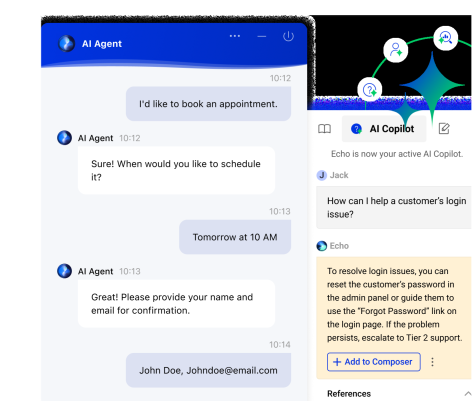
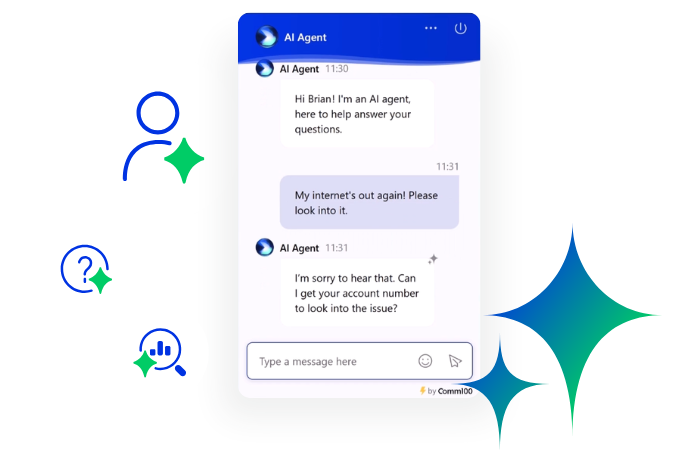
Comm100 Live Chat leverages advanced AI capabilities that address higher education’s specific needs. The AI Agent can be deployed rapidly with pre-trained responses to common admissions and advising questions, then customized with institution-specific information about programs, deadlines, and policies.
An AI Copilot assists human advisors by surfacing relevant knowledge base articles and suggesting responses based on conversation context, particularly valuable when newer staff handle specialized program inquiries.
An important differentiator for higher education institutions: Comm100 offers both cloud and on-premises deployment options. This flexibility proves essential for institutions with data sovereignty requirements or those managing particularly sensitive student information. The on-premises option provides complete data control while maintaining the platform’s full feature set.
Comm100 serves institutions across higher education, including:
- Universities managing complex admissions processes
- Colleges requiring strict FERPA compliance
- Institutions with on-premises deployment requirements
- Schools needing sophisticated AI automation for high-volume periods
Other features that higher ed institutions benefit from include:
| |
| Directs financial aid questions to aid counselors, program-specific inquiries to academic advisors, and technical issues to IT support, ensuring students reach appropriate expertise immediately. |
Student Information System Integration | Pulls relevant student data into conversations, enabling personalized responses based on academic standing, program enrollment, or application status without students repeatedly providing information. |
| Capture essential context before conversations begin, reducing time spent on information gathering and enabling more efficient resolution of student inquiries. |
| Comprehensive certifications including SOC 2 Type II, ISO 27001, PCI DSS, HIPAA, PIPEDA, and GDPR address the regulatory requirements higher education institutions face. |
| Integrations with platforms commonly used in higher education, including Slate, Canvas, Ellucian, streamline implementation without extensive custom development. |
| Provide real-time visibility into chat volume, resolution rates, and common inquiry types, enabling administrators to identify trends and allocate resources effectively. |
Integrated Knowledge Base | Allows visitors to search for answers directly within the chat window, reducing simple inquiries that don't require human intervention. |
Co-Browsing, Screen Sharing & Video Chat | Audio/video chat capabilities particularly useful for walking students through complex processes like financial aid applications or course registration. |
Why Comm100 Stands Out for Higher Ed Institutions
Comm100 combines enterprise-grade security with intuitive usability and cost-effective pricing. The flexible deployment options and comprehensive compliance certifications make it particularly suitable for institutions with stringent data governance requirements.
With custom built higher education chatbots, AI copilots for support staff, and a full end-to-end AI suite, Comm100 offers the best value for institutes looking to bolster support. Plus, regular platform updates ensure institutions benefit from emerging AI capabilities without requiring frequent system migrations.
Comm100 already has a stellar record in the higher education space. Institutions like McMaster University and the University of Canberra and others like San Jose State University rely on our solutions to provide quality student support.
Pricing: Live chat pricing starting at $31/agent/month
See Comm100 in Action
See why Comm100 is used by universities like McMaster, San Jose State University, the University of Canberra, and more.
View demo
View Demo
2. Mainstay: Suitable for Behavior-Driven Student Engagement
Mainstay (formerly AdmitHub) positions itself as the student engagement platform purpose-built for higher education, emphasizing behaviorally intelligent chatbots designed to guide students throughout their academic journeys rather than simply answer questions.
The platform’s core differentiator lies in its Behavioral Intelligence framework, which combines conversation design with AI to influence student behaviors and drive specific outcomes like better student counseling, enrollment completion, persistence through summer melt periods, and retention improvement.
The platform includes both automated web chat and live chat capabilities. Institutions can start with automated responses to common inquiries, then upgrade to live chat staffed by actual advisors for more complex student needs. This flexibility allows scaling support based on volume and budget constraints.
Some of its key features include:
- SMS-based engagement like Comm100, meeting students on their preferred communication channel
- Pre-built conversation libraries covering 12,000+ topic areas specific to higher education
- Behavioral science-informed messaging that encourages specific actions rather than simply providing information
- Customizable chatbot personalities that can reflect institutional branding and mascot identity
Mainstay doesn’t display pricing on its website, instead offering custom quotes. These are generally higher, especially for smaller institutions looking to scale support.
3. Ocelot: Ideal for Institutions Prioritizing Higher Education-specific AI Training
Ocelot (now part of Gravyty’s Ivy & Ocelot platform) has established itself as a leading provider of AI-powered chatbots and live chat specifically for higher education.
The platform’s primary strength lies in its network effect approach to AI training. Rather than each institution training its chatbot independently, Ocelot’s AI learns from millions of student interactions across hundreds of campuses.
This collective intelligence means institutions benefit from the accumulated knowledge of the entire network, resulting in more accurate responses from day one.
The platform particularly suits institutions wanting rapid deployment with minimal initial training required, as the network-trained AI and extensive content library provide immediate value.
Ocelot benefits from being in the industry longer than many others, having built a comprehensive content library. However, it doesn’t include tools that would be dedicated to improving support teams, such as Comm100 AI Training or Comm100 AI Quality Assurance.
Ocelot does not publish their security standards, stating only that “OCELOT is committed to respecting the privacy of the users of this website and the security of their personal information.”
Some of Ocelot’s best features include:
- Library of thousands of video explainers addressing frequently asked questions visually
- Comprehensive pre-built knowledge base covering admissions, financial aid, registration, advising, and other common domains
- A robust AI that’s been trained on millions of student interactions
- Two-way messaging, similar to Comm100 Outreach
4. Olark: Simple, Straightforward Solution for Smaller Institutions
Olark offers a straightforward, accessible live chat solution that has found particular adoption among smaller colleges and specific departments within larger universities seeking departmental-level chat capabilities without enterprise-wide implementation.
The platform emphasizes simplicity and ease of use over comprehensive feature sets. Higher education customers particularly value the quick implementation timeline, often measured in hours rather than weeks, and the intuitive interface that requires minimal training for staff.
Olark’s approach centers on human-to-human conversations rather than heavy automation. While chatbot functionality exists, the platform positions itself primarily as a tool for enabling authentic, personal interactions between students and institutional staff. This philosophy resonates with smaller institutions or departments prioritizing personal touch over automation scale.
Olark offers a “Pro” tier specifically designed with higher education needs in mind, including dedicated account management, on-call support during high-traffic events, and implementation assistance.
Key features:
- Automated proactive chat invitations based on visitor behavior, useful for engaging prospective students browsing specific program pages
- Co-browsing capabilities allowing advisors to walk students through complex forms or registration processes
- Secure chat transcripts and data handling addressing educational privacy requirements
- Integration with common helpdesk and ticketing systems for seamless case management
5. Zendesk: Best for Institutions Standardizing on Zendesk
Zendesk offers comprehensive customer service infrastructure that hundreds of universities and colleges have adopted for campus-wide support operations, making it the logical choice for institutions already invested in the Zendesk ecosystem.
Unlike platforms built specifically for higher education, Zendesk’s strength lies in its enterprise-grade, cross-functional support capabilities. Institutions can manage IT helpdesk requests, admissions inquiries, student services questions, and facilities issues within a single unified platform.
Zendesk’s live chat capabilities integrate with its broader ticketing and knowledge management infrastructure. Chat conversations can seamlessly convert to tickets when issues require follow-up or escalation.
The knowledge base functionality enables students to find answers independently through self-service, reducing the volume of inquiries requiring human response. Zendesk wasn’t primarily designed with higher education institutes in mind, unlike other tools like Comm100, so it might not be suitable for institutes that need straightforward adoption. Plus, Zendesk charges extra for compliance, which may cause costs to spiral.
Key features:
- Unified ticketing system managing all support requests regardless of channel origin
- Comprehensive knowledge base for student, faculty, and staff self-service
- Multi-channel support including chat, email, phone, social media, and messaging apps
- AI-powered automation for routing, response suggestions, and resolution
6. ProProfs Chat: Best for 24/7 Support with AI Chatbots
ProProfs Chat is built for teams that want to stay responsive without being online all the time. It combines AI chatbots with live chat, making it easy to handle repetitive queries. Features like proactive chat invitations and detailed chat transcripts help teams manage conversations smoothly and ensure no chat is missed.
A key strength is how simple it is to train the AI chatbot using your website content. This means the bot doesn’t just reply quickly, it always replies with relevant information. Alongside this, features such as smart routing and canned responses help teams manage higher volumes without slowing response times.
It integrates seamlessly with the ProProfs ecosystem, giving teams a more comprehensive view of customer interactions across the board. This makes it easier to move from conversation to resolution without switching between multiple tools or losing context.
Key features:
- Pre-built chatbot templates for lead generation, support, booking, and feedback
- Real-time visitor tracking to engage users at the right moment
- AI training using website or knowledge base content for more accurate answers
- Seamless integration with Help Desk and Knowledge Base
How to Choose the Best Live Chat Software for Your Institution
Selecting live chat software requires evaluating your institution’s specific context, constraints, and objectives rather than simply comparing feature lists. A platform perfectly suited for a small liberal arts college may be excessive for a community college advising department or insufficient for a large research university’s comprehensive needs.
Consider this strategic framework when evaluating platforms:
Define Your Primary Use Case
Are you looking only for live chat or full-scale AI automation? Do you require a solution that was purpose-built for higher education institutions like Comm100, or do you need a generic customer support solution? These are key questions to ask before you start evaluating different solutions.
Assess Your Technical Environment
Your existing technology stack significantly impacts implementation success:
Student Information System integration: Determine whether platforms offer native integrations or require custom development. Comm100, Ocelot, and Zendesk provide extensive integration capabilities, but only Comm100 offers on-prem deployment.
Evaluate Compliance and Security Requirements
Higher education institutions face specific regulatory obligations:
FERPA compliance: Verify the platform provides necessary protections for student educational records. Higher education-focused platforms address this, but generic business solutions may require additional configuration.
Data security standards: Evaluate certifications like SOC 2 Type II, ISO 27001, and other relevant standards. Comm100 offers particularly comprehensive compliance certifications suitable for institutions with stringent security requirements.
Data residency requirements: Some institutions require data storage in specific geographic locations. Verify whether platforms can accommodate these requirements.
Audit and reporting capabilities: Institutions may need detailed logs of student interactions for compliance purposes. Evaluate whether platforms provide necessary audit trails.
Consider AI and Automation Capabilities
Automation level dramatically impacts staffing requirements and student experience:
Training requirements: Some platforms like Ocelot leverage network-trained AI providing strong baseline performance. At Comm100, we offer one-on-one training so you can leverage all of our platform’s features to maximum effect.
Customization depth: Evaluate whether pre-built content libraries suit your needs or if extensive customization is required. Institutions with unique programs or policies may need platforms supporting deep customization.
Hybrid approaches: Most effective implementations blend AI automation for routine inquiries with human advisors for complex situations. Verify platforms enable smooth escalation between automated and human support.
Calculate Total Cost of Ownership
Software licensing represents only part of total cost:
Implementation costs: Factor in setup fees, integration work, data migration, and staff training. Complex platforms may require consultant support during implementation.
Ongoing operational costs: Consider staff time for administration, content updates, and AI training. Some platforms require more ongoing management than others.
Scaling costs: Understand how pricing scales with volume, users, or features. Per-agent pricing works differently than usage-based models. Project costs at various growth stages.
Hidden costs: Professional services, premium support, advanced features, API access, and integration development can significantly increase total investment beyond base licensing.
Focus on Student Outcomes, Not Features
Ultimately, platform selection should tie to measurable improvements in student experience and institutional outcomes:
- Reduced time-to-resolution for student inquiries
- Increased application completion rates
- Improved enrollment yield
- Enhanced student satisfaction scores
- Reduced summer melt rates
- Better retention metrics
- Staff productivity improvements
The Bottom Line
The platforms examined here each address different aspects of this transformation. While each platform has their pros and cons, one thing remains constant: institutions that implement live chat see measurable improvements in student satisfaction, operational efficiency, and enrollment outcomes. The question is no longer whether to implement live chat, but rather which approach best aligns with your institution’s needs and capabilities.
For institutions seeking a comprehensive, AI-powered platform with proven higher education expertise, flexible deployment options, and enterprise-grade security, Comm100 provides the strongest foundation.
The platform’s combination of sophisticated automation, intuitive usability, and reasonable pricing makes it particularly suitable for institutions serious about transforming their student engagement approach.
See Comm100 in Action
See why Comm100 is used by universities like McMaster, San Jose State University, the University of Canberra, and more.
View demo
View Demo
Frequently Asked Questions
What’s the difference between live chat and chatbots in higher education?
Live chat involves real-time conversations between students and human advisors, while chatbots use AI to handle inquiries automatically.
Modern platforms typically blend both approaches: chatbots handle routine questions about deadlines, requirements, and procedures, while complex situations involving academic planning, special circumstances, or emotional support escalate to human advisors.
The best implementations create seamless transitions between automated and human assistance, ensuring students receive appropriate support regardless of complexity.
Can live chat help with enrollment, or is it only for current student support?
Live chat significantly impacts enrollment outcomes. Prospective students researching programs often have immediate questions about specific offerings, application requirements, or financial aid that, if answered promptly, directly influence their decision to apply.
Live chat enables admissions teams to capture interest during peak research moments, guide applicants through complex processes, and address concerns that might otherwise prevent application submission. Many institutions see live chat as primarily an enrollment tool, with current student support being secondary.
What is the best live chat software for small colleges with limited IT staff?
Comm100 offers the most straightforward implementation for institutions with limited technical resources, often deployable within hours rather than days or weeks. Comm100’s Startup tier provides comprehensive capabilities with reasonable pricing and relatively simple implementation, making it the best choice all around.
How do you measure success of live chat implementation in higher education?
Success metrics should align with your primary use case. For admissions: track inquiry-to-application conversion rates, application completion rates, and enrollment yield among students who engaged via chat.
For advising, measure resolution time, student satisfaction scores, repeat inquiry rates (suggesting initial resolution quality), and advisor efficiency (students served per advisor). Also track operational metrics like automation rate (percentage handled without human intervention), average response time, and after-hours conversation volume.
Most importantly, establish baseline measurements before implementation to demonstrate actual impact. Many institutions find their most valuable metric is qualitative: feedback from students appreciating immediate, helpful support during stressful processes.
What’s the typical implementation timeline for live chat in higher education?
Implementation timelines vary dramatically based on scope and complexity. Basic live chat with minimal automation can launch within days; simply install the chat widget and train staff on the interface.
Comprehensive implementations including AI chatbot training, integration with student information systems, customized routing rules, and staff training across multiple departments typically require 4-12 weeks. Larger institutions implementing campus-wide solutions may need several months for full deployment.
Factor implementation time into planning, particularly if targeting specific enrollment cycles. Many institutions phase implementation: launching basic chat quickly, then progressively adding automation and advanced features rather than waiting for perfect comprehensive deployment.