Email remains a cornerstone of customer support. Despite the rise of chat, social media, and messaging apps, customers consistently choose email for non-urgent inquiries and issues that require detailed explanations or documentation.
But managing support emails without a proper system creates chaos. Lost requests, duplicate responses, slow resolution times, and frustrated customers become the norm when teams rely on shared inboxes or manual processes.
Email ticketing systems solve these problems by converting every incoming support email into a trackable ticket with a unique ID, assigned owner, and complete interaction history. Where shared inboxes offer simple access to messages, ticketing systems add automation, routing, prioritization, and accountability.
The stakes are high. Customers will switch to competitors after bad service experiences (we see that so often!), and poor support directly impacts satisfaction, retention, and revenue. The difference between keeping a customer and losing them often comes down to how quickly and effectively you resolve their issues.
In 2026, the best platforms integrate AI automation and appropriate routing measures, provide omnichannel support across email and other channels, offer real-time analytics for performance tracking, and connect seamlessly with existing tech stacks.
The market has evolved from simple help desk tools into sophisticated customer service platforms that scale from small teams to enterprise operations. Here are the 10 best email ticketing support systems to use in 2026.
1. Comm100
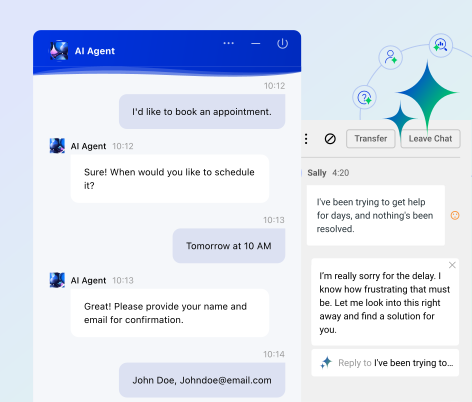
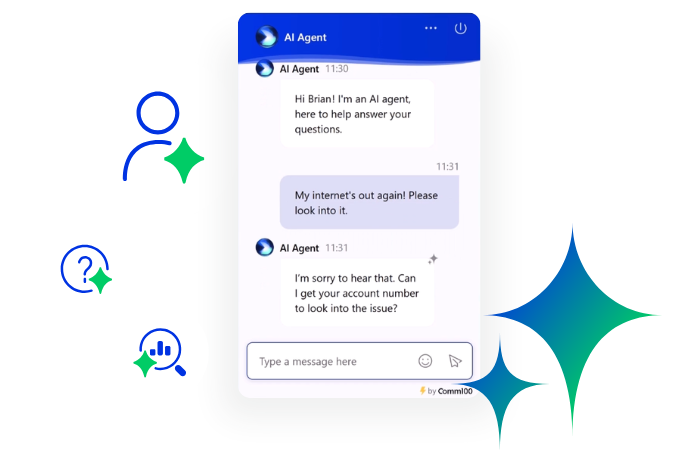
Comm100 delivers a complete AI-powered customer engagement platform that goes beyond basic email ticketing. The platform combines email management with live chat, messaging, and a comprehensive suite of AI tools designed to work together as an integrated system rather than disconnected features.
Comm100 uses an AI-first flywheel approach to customer support, integrating AI into every stage of the support lifecycle, from AI agents to AI onboarding tools geared towards support teams.
Comm100 automatically converts incoming emails into trackable tickets with unique IDs and complete interaction histories. The system supports Office 365, Microsoft Exchange, POP3, and shared mailboxes, making integration straightforward regardless of your current email infrastructure.
Tickets can be routed automatically based on content, priority, or team capacity, and agents can collaborate using internal notes and @mentions.
The ticketing system integrates seamlessly with Comm100’s live chat and messaging channels, giving agents a unified view of customer interactions regardless of channel. When a customer emails after previously chatting, agents see the complete history without switching tools.
This omnichannel approach eliminates the context-switching that slows down resolution times in systems where email operates separately from other channels.
Comm100’s reporting capabilities provide real-time visibility into ticket volume, response times, resolution rates, and agent performance. The platform tracks metrics across all channels, not just email, so you can see how different communication methods compare and where resources should be allocated.
Security and compliance are built into the core platform. Comm100 meets SOC 2, PCI DSS, HIPAA, and WCAG standards, making it suitable for regulated industries like healthcare, finance, and government. The platform supports 90+ languages and can be deployed on-premises or in the cloud depending on your requirements.
Pros
- Integrated AI suite creates a continuous improvement loop rather than standalone features
- True omnichannel platform unifies email, chat, and messaging in one interface
- Strong security and compliance certifications for regulated industries
- Flexible deployment options including on-premises for data sovereignty requirements
- Comprehensive automation reduces agent workload without sacrificing personalization
Cons
- Smaller organizations may not need the full breadth of capabilities
- Might not be suitable for businesses that only focus on one or two support channels
See Comm100 in Action
See how Comm100 converts emails into trackable tickets, automates routing with AI, and unifies email with live chat and messaging in one secure omnichannel platform.
View demo
View Demo
2. Intercom
Intercom is a household name in the customer support industry. While Intercom now offers robust ticketing capabilities, its approach differs from traditional help desk systems by emphasizing real-time conversations and proactive engagement.
Email ticketing integrates with Messenger, SMS, WhatsApp, and social channels in a unified inbox. Agents manage all channels from one workspace without switching tools. The system automatically creates tickets from incoming emails and allows custom workflows for routing, escalation, and collaboration.
Intercom’s Fin AI Agent can also be deployed over the email channel, and can handle multi-turn conversations and escalate to humans when needed.
The platform provides three ticket types: Customer tickets track complex issues requiring extended work, with automatic status updates sent to customers via Messenger and email.
Back-office tickets allow support teams to collaborate with internal departments like engineering or billing while keeping everything linked to the original customer conversation.
Tracker tickets consolidate multiple related conversations or issues into a single source of truth, useful for widespread problems affecting many customers simultaneously.
Where Intercom sometimes stumbles is pricing transparency and cost management. The platform uses a modular pricing structure where base features are included but advanced capabilities require add-ons.
While this flexibility appeals to teams wanting to pay only for what they use, costs can accumulate quickly, especially when factoring in per-resolution charges for Fin AI Agent and per-seat fees that increase with team size.
Pros
- Proactive engagement tools reduce inbound support volume
- Unified inbox provides true omnichannel management
- Strong focus on making support feel conversational
Cons
- Pricing can become expensive as usage scales
- Add-on structure makes total cost harder to predict
- Customer support is often lacking as cited by many reviews online
3. Zendesk
Zendesk remains one of the most widely adopted email ticketing platforms, powering support operations for enterprises and scaling companies that need extensive customization and integration capabilities. The platform handles high volumes efficiently while offering depth in automation, reporting, and workflow management.
The Agent Workspace brings email, chat, messaging, voice, and social media into a unified view where agents can switch between channels seamlessly. When a customer emails after calling, agents see the complete interaction history without jumping between systems.
AI capabilities center around two main features: intelligent routing directs tickets to the most suitable agents based on customer intent, sentiment, language, and agent skills or availability.
Like the Comm100 AI Copilot, Zendesk’s copilot also provides proactive suggestions for issue resolution based on each customer’s unique context and history.
Teams can build custom ticket fields, automate complex multi-step workflows, create detailed reports and dashboards, and integrate with virtually any system through the Zendesk Marketplace’s 1,800+ apps and integrations. This flexibility comes at the cost of complexity; smaller teams often find the abundance of options overwhelming.
The platform’s scalability makes it suitable for teams managing thousands of tickets daily across multiple products, regions, or languages. Advanced security controls, SSO, and compliance certifications support enterprise requirements.
Pros
- Mature platform with extensive customization options
- Deep integration ecosystem connects to virtually any tool
- Powerful reporting and analytics for data-driven optimization
Cons
- Pricing increases significantly with advanced features and add-ons
- Interface and settings can feel complex for new users
- Some basic features require higher-tier plans
4. Help Scout
Help Scout takes a different approach from feature-packed enterprise platforms. The system prioritizes simplicity and human connection, deliberately avoiding the complexity that makes other help desks feel overwhelming. This philosophy shows in both product design and customer-facing experience.
Email ticketing in Help Scout looks like email, not a traditional ticketing system. When customers receive responses, they see normal emails without ticket numbers, customer portal links, or “do not write below this line” warnings. This maintains the personal feel of email communication while giving teams the structure and collaboration tools they need behind the scenes.
The shared inbox consolidates all support emails in one place where teams can assign conversations, add internal notes, use saved replies, and track status without forwarding chains or lost context. Each conversation displays customer information in a sidebar, showing previous interactions, location, and data pulled from connected systems like your CRM.
Collision detection prevents duplicate work by showing which team member is viewing or responding to each conversation. Private notes allow internal discussion without cluttering the customer-facing thread. These collaboration features work quietly in the background, keeping email management organized without adding visible complexity.
The platform deliberately limits itself to email and chat, focusing on doing those channels exceptionally well rather than spreading resources across every possible communication method. This narrow focus appeals to teams that primarily support customers via email and want straightforward, reliable tools rather than an overwhelming feature set.
Pros
- Clean, intuitive interface requires minimal training
- Email responses feel personal, not automated
- Predictable per-contact pricing rather than per-agent seats
Cons
- Limited to email and chat channels
- Fewer customization options than enterprise platforms
- Spam filter occasionally allows unwanted emails through
- Basic automation compared to competitors
5. Salesforce Service Cloud
Salesforce Service Cloud represents the enterprise end of the email ticketing spectrum, offering comprehensive tools for organizations with complex support operations, multiple products, or distributed teams requiring sophisticated workflows and deep system integration.
The platform’s core strength lies in its complete integration with Salesforce CRM. Support agents see full customer context including sales history, marketing interactions, open deals, and account details without switching systems. This 360-degree view enables personalized support that considers the customer’s entire relationship with your business, not just their current issue.
Email-to-case automatically converts incoming emails into support cases with unique IDs and tracking. Cases can be routed based on skills, workload, or priority, and the system supports complex escalation rules for SLA compliance. Macros allow agents to execute multiple actions with one click, speeding up repetitive tasks like updating fields, sending emails, and closing cases.
The platform’s enterprise focus means it handles requirements like multi-brand support, multi-language operations, complex approval workflows, and integration with legacy systems. However, this power comes with complexity that requires dedicated administrators and longer implementation timelines.
Pros
- Deep Salesforce CRM integration provides complete customer context
- Comprehensive AI features across routing, automation, and agent assistance
- Scales to support large, distributed teams and high-ticket volumes
Cons
- Pricing can be difficult to understand with numerous add-ons
- Steep learning curve requires training and dedicated administration
- May be over-engineered for straightforward support operations
6. LiveAgent
LiveAgent positions itself as a comprehensive omnichannel help desk that consolidates email, live chat, phone calls, and social media messages into a single universal inbox. The platform appeals to teams that want full-featured support tools without enterprise-level complexity or pricing.
The universal inbox serves as LiveAgent’s centerpiece. Every customer interaction converts into a ticket regardless of origin channel. An email inquiry, Facebook comment, Instagram message, WhatsApp chat, or phone call all appear in the same queue where agents can respond, assign, collaborate, and track resolution. This consolidation eliminates the context-switching that fragments support operations when teams manage separate tools for each channel.
Email ticketing specifically supports POP3 accounts, email piping, forwarding, and department-based routing. Agents use predefined messages and templates to speed responses while maintaining personalization. The system tracks complete email threads, automatically linking related conversations to provide full customer context.
LiveAgent includes built-in call center functionality starting with the Medium plan. Features include interactive voice response menus, call recording, call routing, and agent ratings. Phone conversations convert to tickets just like other channels, ensuring complete documentation of customer interactions.
Automation capabilities help teams manage volume efficiently. Smart rules assign tickets based on keywords, customer type, or priority. Escalation workflows ensure urgent issues reach the right people. SLA monitoring tracks response and resolution times against defined targets, alerting managers when breaches occur.
Pros
- Omnichannel inbox consolidates all customer communication channels
- Built-in call center eliminates need for separate telephony tools
- Competitive pricing compared to enterprise platforms
Cons
- Mobile app significantly less capable than desktop version
- User interface feels outdated compared to newer platforms
- Initial setup and learning curve can be challenging for new users
7. Zoho Desk
Zoho Desk delivers context-aware help desk capabilities designed to surface relevant customer information directly within ticket views. The platform integrates deeply with the broader Zoho ecosystem while functioning as a standalone help desk for organizations not using other Zoho products.
Email ticketing automatically converts incoming emails into tickets with complete conversation threading. The system supports Gmail integration, custom workflows, canned responses, and email templates. Agents can reply to emails directly through Zoho Desk, and responses appear in customers’ standard email without requiring portal logins or special formatting.
The multichannel approach consolidates email, live chat, phone, social media, and web forms into a unified agent workspace. Each ticket retains full conversation history across channels, so customers can start via email and continue through chat without repeating information.
Real-time dashboards display ticket queues, agent workloads, SLA compliance, and customer satisfaction scores. Custom reports allow teams to analyze trends, forecast volume, and optimize operations. Advanced reporting capabilities require higher-tier plans.
Pros
- Seamless integration with Zoho CRM and other Zoho products
- Blueprint visual workflow designer enables complex process automation
- Context-aware ticketing surfaces relevant customer information automatically
- Competitive pricing, especially for Zoho ecosystem users
Cons
- Interface can feel cluttered and text-heavy
- Zia AI capabilities less advanced than competitors
- Mobile app lacks features available on desktop
8. Freshdesk
Freshdesk combines comprehensive ticketing capabilities with user-friendly design, making it accessible to teams without extensive technical resources while offering depth for those who need it. The platform has evolved from simple help desk to full customer service suite, though it maintains focus on core ticketing fundamentals.
Email management automatically converts incoming messages to tickets and supports multiple shared inboxes. The system handles ticket threading, spam filtering, and email templates. However, some users report email integration issues including notification delays, formatting problems, and occasional duplicate ticket creation.
The ticketing system organizes support requests with customizable statuses, priorities, and types. Parent-child ticketing breaks complex issues into subtasks that can be assigned to different agents or departments. Collision detection prevents duplicate work by showing which team members are viewing or responding to tickets.
Collaboration features include private notes for internal discussion, shared ownership of tickets, and task assignment. Teams coordinate on complex issues without cluttering customer-facing communication.
Pros
- Free plan with unlimited agents for small teams starting out
- Clean, intuitive interface requires minimal training
- Parent-child ticketing handles complex, multi-departmental issues
Cons
- Email integration can be problematic with notification delays and formatting issues
- Advanced automation and reporting limited to higher-tier plans
- Some users report difficulty canceling subscriptions
9. HappyFox
HappyFox focuses on delivering ticketing fundamentals extremely well rather than overwhelming users with endless features. The platform serves organizations that want reliable, straightforward help desk capabilities without the complexity of enterprise systems.
Email ticketing converts all incoming messages to the support address into tickets automatically. Customers never need to log into a portal or create accounts. Everything happens through normal email, which reduces friction for customers while giving agents the structure and tracking they need internally.
The universal inbox consolidates email, live chat, phone, and social media into one queue. Agents view complete customer history regardless of which channel customers use. This context prevents repetitive questions and enables personalized support.
HappyFox integrates with popular business tools, though native integration options are more limited than some competitors. An API enables custom integrations for specific requirements. Some users mention integration challenges with certain third-party applications.
The mobile app provides basic functionality for viewing and responding to tickets on the go, but lacks many features available in the desktop version. This limits remote agent efficiency.
Pros
- Extremely straightforward setup and implementation
- Email-only workflow eliminates customer portal friction
- Strong automation with smart rules and conditional triggers
Cons
- No free trial for main help desk product
- Mobile app lacks many desktop features
- Reporting capabilities basic compared to competitors
10. HubSpot Service Hub
HubSpot Service Hub integrates customer service directly into the HubSpot ecosystem, making it compelling for organizations already using HubSpot’s marketing and sales tools. The unified CRM foundation provides context that standalone help desks cannot match.
Email ticketing automatically converts incoming emails into support tickets through the shared inbox. The system centralizes customer communications from email, live chat, Facebook Messenger, and other channels. Agents view complete interaction history including marketing touchpoints, sales conversations, and previous support cases, all in one interface.
This deep integration with HubSpot CRM means agents see what campaigns customers engaged with, which products they purchased, deal values, and lifecycle stage. Support becomes personalized based on complete customer context rather than just the current issue.
The ticketing system allows customization of ticket properties, statuses, and pipelines. However, customization options are more limited than dedicated help desk platforms. Some users find the ticketing interface less refined than competitors built specifically for support operations.
HubSpot Service Hub offers a free plan with basic ticketing, live chat, and email scheduling. Starter plans begin at $15 per seat per month. Professional costs $90 per seat per month, and Enterprise costs $150 per seat per month. Professional and Enterprise plans require annual commitments and include onboarding fees.
Pros
- Deep integration with HubSpot CRM provides complete customer context
- Unified platform for marketing, sales, and service operations
- Free plan available with basic ticketing and live chat
Cons
- Pricing increases quickly with advanced features and seat counts
- Ticketing functionality less sophisticated than dedicated help desk platforms
- Customization more limited than competitors
Final Thoughts
Depending on the size and needs of your organization, your standard checklist while shopping for a help desk solution might include several things: an out-of-the-box solution with fast implementation, good reporting, attentive customer service, and extensive customization options.
Above all, email help desk ticketing software must be more than just an inbox. It needs to be more than a glorified knowledge base, that gives both customers and agents access to self-serve capacities, AI assistance, and quick responses (although this is a pivotal part of a ticketing system).
Your email help desk software must be a central hub for information about all of your digital customer interactions. After all, your customers don’t think in channels and will reach out wherever is convenient to them, expecting you to be able to stay on top of their story.
Not only do omnichannel ticketing systems keep cross-channel interaction history easily available for your team, but keeping all of your support tickets in a unified location helps you provide more accurate, efficient, and trustworthy customer support.
Build a Future-Proof Email Ticketing System
Email ticketing should be more than an inbox. Talk to Comm100 experts about AI automation, omnichannel workflows, and compliance-ready support infrastructure.
Talk to an expert
Request Demo
Frequently Asked Questions
What is the best email ticketing support software?
The best email ticketing software depends on your specific needs, team size, and existing tech stack. Comm100 stands out for organizations requiring enterprise-grade security, compliance certifications (SOC 2, PCI DSS, HIPAA), and comprehensive AI automation across the entire support lifecycle. Its AI-first flywheel approach integrates six AI products that work together rather than as standalone features.
Why is Comm100 the best for email ticketing support?
Comm100 excels at email ticketing because it treats email as part of a complete customer engagement ecosystem rather than as an isolated channel. When customers email after previously chatting or messaging, agents see the full interaction history without switching tools. This omnichannel approach eliminates context-switching and reduces resolution times.
For regulated industries, Comm100’s security and compliance certifications (SOC 2, PCI DSS, HIPAA, WCAG) make it suitable for healthcare, finance, and government organizations with strict data protection requirements. The platform supports 90+ languages and offers flexible deployment options including on-premises for data sovereignty needs.
Email ticketing specifically supports Office 365, Microsoft Exchange, POP3, and shared mailboxes with automatic routing based on content, priority, or team capacity. Real-time reporting provides visibility into ticket volume, response times, and resolution rates across all channels, not just email.
What should I look for in an email help desk software?
Start with omnichannel capabilities. Email rarely exists in isolation anymore. Customers might email today and chat tomorrow, expecting agents to have full context. Look for platforms that consolidate email with other channels (live chat, messaging, social media, phone) in a unified inbox so agents can switch between channels without losing conversation history.
Automation determines how efficiently your team handles volume. Evaluate automatic ticket creation from incoming emails, intelligent routing based on content or priority, SLA monitoring and escalation workflows, canned responses and email templates, and collision detection to prevent duplicate work. These features reduce manual effort and ensure tickets reach the right people quickly.
AI features have become essential rather than optional. AI-powered categorization, sentiment analysis, suggested responses, automatic summarization of long threads, and predictive routing based on historical patterns all help teams resolve issues faster. However, verify actual AI capabilities rather than accepting marketing claims.
How much does email ticketing software cost?
Email ticketing software pricing varies widely based on features, team size, and deployment model. Basic platforms start around $15 per agent per month for essential ticketing capabilities. Mid-tier options range from $30-70 per agent monthly with automation, reporting, and integration features. Enterprise platforms often use custom pricing based on ticket volume, user count, and specific requirements.
Several platforms offer free plans with limitations. Freshdesk provides a free tier with unlimited agents but basic features. HubSpot Service Hub offers free ticketing and live chat for small teams. Zoho Desk includes a free plan for up to three agents. These free options work for startups and small teams testing help desk software before committing to paid plans.
Calculate total cost of ownership over time rather than just comparing base prices. A platform with lower monthly fees but expensive add-ons may cost more than a comprehensive solution with higher base pricing. Factor in the value of time saved through automation, reduced training costs from intuitive interfaces, and improved customer satisfaction from faster resolution times.