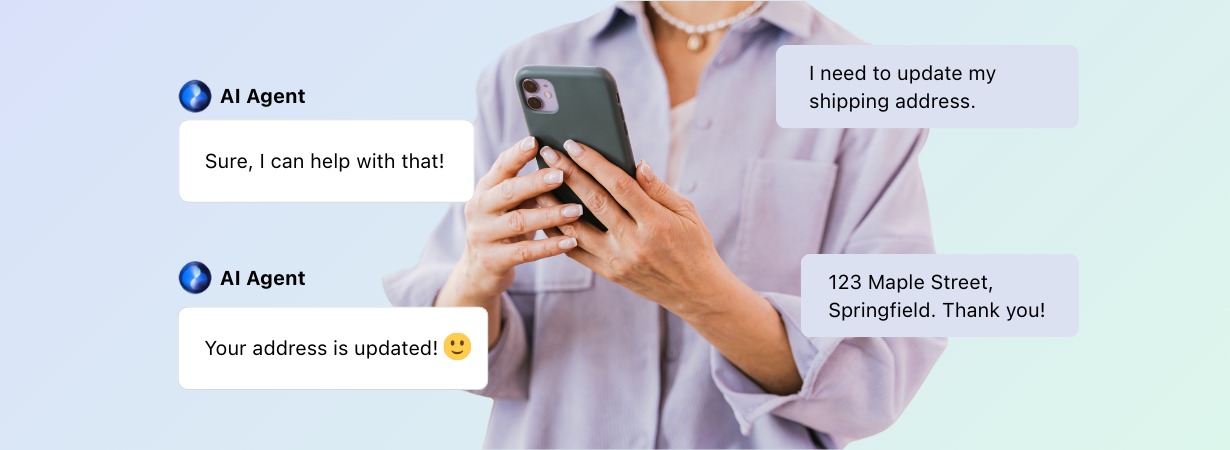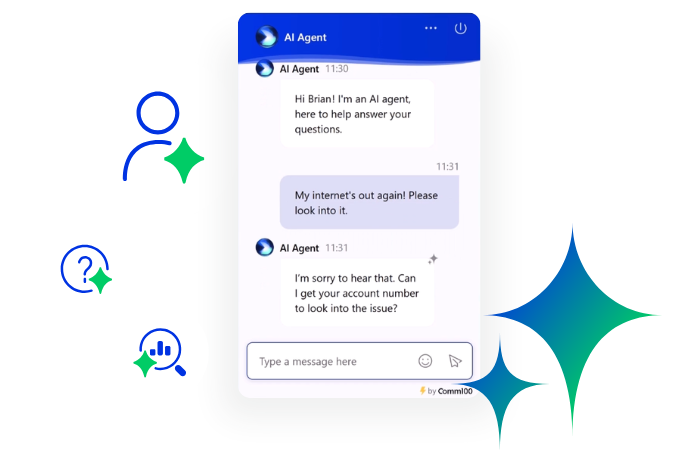


Improving service delivery in government and the public sector comes with unique challenges, especially in 2027. Governments must be accountable to citizens in + Read More about how to improve service delivery in public sector & government – 5 foundational steps

11 Tips to Streamline Customer Service (And Actually Measure the Results)
Most support operations have inefficiencies baked into their workflows: contacts that could have been self-served, tickets routed to the wrong agent, handoffs that force customers to repeat themselves, and metrics that get tracked but never acted on. The result is slower resolution, higher agent effort, and customers who leave the interaction frustrated even when the answer was technically correct.
This article focuses on removing those structural friction points. Cutting corners on quality is not the goal, and adding another tool to the stack rarely helps on its own. The tips below are aimed at CX leaders making operational decisions, not individual agents handling tickets.
Each tip targets a specific inefficiency, connects to a measurable outcome, and is practical enough to act on without a six-month transformation program. For a broader view of where these tips fit, see Comm100’s complete guide to improving customer service.
Why Streamlining Customer Support Matters More Than Ever
Customer tolerance for friction is low and getting lower. According to CCW research, 66% of customers reported frustratingly long wait times in the past year.
Support teams asked to deliver that experience with flat or shrinking budgets need operational systems that work efficiently by design. The inefficiency cost compounds quickly. Slow queues generate repeat contacts. Repeat contacts increase volume.
High volume burns out agents, and burned-out agents produce lower-quality interactions that generate more complaints. It is a cycle, and the only way to break it is structural. For more on the agent side of this equation, see how to improve agent productivity.
Tip 1: Map Your Support Workflow Before You Optimize It
You cannot improve what you have not documented. Most support teams skip this step and end up working on symptoms. Adding a chatbot to a leaky bucket is one example. Training agents on issues that should never reach them in the first place is another.
Start With a Contact Reason Audit
Pull your top 10 ticket categories by volume. This single exercise often reveals more about your support operation than any dashboard metric. Look at which contact reasons are structurally avoidable (poor product UX, missing self-service content, unclear onboarding) versus genuinely unavoidable (complex issues that require human judgment).
A SaaS company running this audit might find that 30% of their support volume is password resets and billing inquiries, both of which are self-serviceable. An e-commerce team might find that a third of their contacts are shipping status requests that a simple integration could handle automatically. The fix in both cases sits upstream from the agent, which means no amount of agent training will solve it.
Identify Where Handoffs Break Down
Most support delays happen not within a single interaction but at transition points: bot to human agent, tier 1 to tier 2, or when a customer switches channels mid-conversation. Map these transitions explicitly. Where does the customer have to repeat information? Where does context get lost? Where does queue time spike?
Document the current-state flow first, then identify the three highest-friction points. That becomes your optimization roadmap.
This does not require a six-week project. A two-hour session with team leads, real ticket data, and a whiteboard is enough to get started. The value is in seeing the full picture before investing in tooling or process changes. Improving first contact resolution rates consistently comes back to eliminating unnecessary handoffs, and you cannot eliminate handoffs you have not mapped.
How Comm100 Helps You Improve Customer Support
The workflow mapping exercise in Tip 1 is valuable on its own. It becomes faster and more accurate when you have platform-level visibility into what is actually happening across your support channels.
Comm100 gives CX leaders a unified view of support activity across live chat, ticketing and messaging, and AI-assisted interactions, all from a single interface. Your contact reason analysis is based on complete data, not just what one channel reports.
You can see which contact types are generating the longest handle times, where escalations cluster, and how bot-to-human handoffs are performing in practice.
Routing rules, AI Agent configuration, and agent workspace management all live within the same platform, which removes the operational drag that comes from managing separate tools that do not talk to each other. When your AI handles tier-1 volume and your agents receive escalated conversations with full context already surfaced, the structural inefficiencies identified in Tip 1’s workflow map become much easier to close.

See How Comm100 Streamlines Customer Support Operations
Unify live chat, AI, ticketing, and routing in one platform to reduce operational friction and improve support efficiency at scale.
Request demoRequest Demo
Tip 2: Build a Self-Service Layer That Resolves Issues
Self-service is the highest-leverage change most support teams can make for volume deflection. A knowledge base that does not resolve issues does not deflect volume. It creates a brief detour before the customer contacts support anyway, now more frustrated than before.
The Difference Between a Typical Knowledge Base and a Useful One
Most knowledge bases are written from the inside out. They are organized around product categories, written in product team language, and maintained (when maintained at all) by people who know the product too well to write for someone who does not. The result is documentation that is technically accurate but practically unhelpful.
High-performing self-service content is written around actual customer questions, using the language customers use. If your top support ticket for billing reads like I was charged twice this month, your knowledge base article should be titled something close to that, not “Billing Adjustment Policy” buried under a Finance tab.
Use the contact reason audit from Tip 1 to prioritize which articles to build or rewrite first. You do not need a hundred articles. You need ten very good ones that cover your top contact drivers.
Structure For Findability, Not Completeness
Customers usually abandon self-service after one failed search attempt. If they search cancel subscription, cannot find a clear result, and have to try three variations before locating a buried article, most will give up and open a chat. Search functionality within your knowledge base matters as much as the content itself.
Article titles should mirror how customers phrase their questions. Step-by-step formatting helps. Short paragraphs and clear action labels reduce cognitive load. The goal is not simpler content; it is less friction between the customer’s question and the answer.
Maintain It as a Living System
Static knowledge bases decay fast. Products change, policies update, and articles that were accurate six months ago start generating escalations. Tag which articles are most frequently followed by a support contact. Those are your gaps.
Assign ownership, build quarterly review cycles into your operational calendar, and remove articles that are no longer relevant. A bloated library with outdated content is worse than a smaller, accurate one. Comm100’s Knowledge Base sits inside the same platform as live chat and AI, so the same content powers customer self-service and agent answers.
The primary metrics here are self-service containment rate (what percentage of customers resolved their issue without agent involvement) and deflection rate. Set a baseline before you launch or update your knowledge base, then track it monthly.
Tip 3: Use AI and Chatbots for Tier-1, Not for Everything
AI-assisted support has moved from experiment to operational reality for most mid-market and enterprise CX teams. The mistake most teams make is not deploying AI. It is deploying it without clear boundaries, then being surprised when CSAT drops. For a deeper read, check out our analysis on the percentage of chats AI can resolve successfully.
Define What Your Bot Should and Should Not Handle
Chatbots perform well on tasks that are high-volume, well-defined, and low-stakes: FAQs, order status lookups, account information retrieval, appointment scheduling, and basic troubleshooting with binary outcomes. They perform poorly on complaints, billing disputes, emotionally charged situations, and any issue that requires judgment, nuance, or policy exceptions.
Document that boundary explicitly. It should not live in someone’s head. It should be a written decision that informs your bot configuration and gets reviewed when your product or policies change. The question to answer for each contact type is whether a bot can resolve it completely and correctly, with no human review needed. If the answer is anything other than a clear yes, keep humans in the loop.
Design the Escalation, Not Just the Bot
The most important part of a bot implementation is often the part that gets the least attention: what happens when the bot cannot help. The handoff to a human agent must be immediate and context-preserving. Customers who have already explained their issue to a bot and then have to explain it again to an agent are not experiencing efficiency. They are experiencing friction with extra steps. Comm100’s AI Copilot is built around exactly this problem, surfacing the bot transcript and suggested responses to the agent the moment the conversation lands.
The full conversation transcript should travel with the ticket. The receiving agent should open the conversation knowing what the customer tried, what the bot provided, and what the unresolved issue is. That context removes the repetition and lets the agent start solving rather than gathering.
Monitor and Retrain Regularly
Bot performance degrades over time. As products evolve, new questions emerge that the bot was not trained to handle, and old answers become inaccurate. Review unresolved bot sessions weekly. These conversations are the ones the bot could not complete, and they are a direct signal of where retraining or content updates are needed. Curious about implementing AI? Learn how to build an effective AI-first customer service strategy.
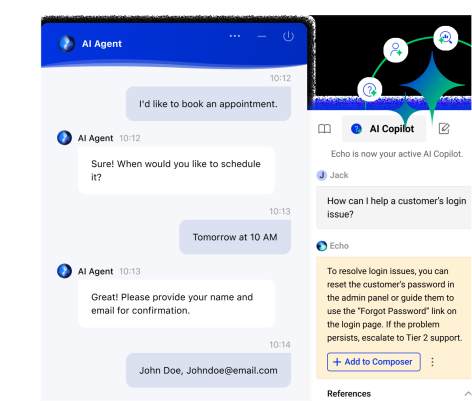
See AI Agent and Human Support Working Together
Discover how Comm100 AI Agent automates tier-1 support while preserving seamless handoffs to human agents with full conversation context.
View demoView Demo
Tip 4: Standardize Responses Without Sounding Like a Script
Canned responses and saved reply templates reduce handle time and ensure consistency. Implemented poorly, they also produce robotic interactions that signal to customers that no one read their message. The goal is to reduce the cognitive load of drafting from scratch, not to automate the human out of the conversation.
Build a Response Library, Not a Script Deck
Effective templates handle structure and framing, not the full message. A well-designed canned response might open with context acknowledgment and resolution path, leaving the first and last lines for the agent to personalize. That personalization does not have to be elaborate. Using the customer’s name, referencing their specific issue, or adjusting tone slightly based on context is enough to signal genuine engagement.
Organize your response library by contact reason category, not by product area or team. If an agent is handling a billing dispute, they should find relevant templates under Billing, not under the name of the product team that owns the billing system.
Keep the Library Current
A canned response that references a discontinued feature or an outdated policy erodes trust faster than no template at all. Tie your response library review cycle to your product release schedule. When a feature changes, the templates that reference it should update at the same time. Assign ownership and set clear review triggers.
A bloated, outdated library also slows agents down. If someone has to scroll through forty responses to find the right one, the time savings disappear. Audit periodically and remove responses that are no longer accurate or useful.
Average handle time decreases when agents have well-structured, current templates to work from. Track AHT before and after library updates to confirm the impact.
Tip 5: Route Contacts to the Right Agent, Every Time
Most support teams still route contacts by availability or round-robin. The result is agents handling issues outside their competency, more transfers, lower first contact resolution rates, and customers who end up repeating themselves across multiple interactions. Routing is one of the highest-impact structural changes a CX leader can make, and it is consistently underinvested.
Match by Skill, Not Just Availability
Skill-based routing assigns contacts based on issue type, language, product area, customer tier, or any combination of relevant factors. A customer with a complex integration question should reach someone with technical depth. A French-speaking customer should reach a French-speaking agent. A high-value enterprise account should reach a senior agent with authority to make exceptions.
Build routing rules incrementally. Start with your two or three highest-volume contact reasons and configure skill-based routing for those first. Trying to configure every possible scenario in week one typically produces more exceptions than it resolves.
Account for Agent Load, Not Just Status
An agent marked available who already has six open chats is not available in any meaningful sense. Queue management that routes based on status alone, without accounting for current load, degrades quality and burns out agents. Concurrency caps, which limit how many simultaneous interactions an agent can handle, protect both quality and agent wellbeing.
Build queue visibility into your agent interface so agents can see their own load and supervisors can redistribute when queues spike.
Use Customer History to Inform Routing
A customer who has escalated three times in the past month should not land in a standard tier-1 queue. CRM integration that surfaces prior contact history before a conversation starts, and informs routing decisions, is worth the implementation effort. It prevents the frustration of routing a complex, ongoing issue to someone with no context.
Transfer rate is a useful proxy for routing effectiveness. If agents are frequently transferring contacts to other agents or teams, your routing logic needs work.
Tip 6: Offer Proactive Support Before Customers Have to Ask
Proactive support conversations are often treated as a sales or marketing tool. For CX leaders, proactive engagement has a different value: it reduces inbound contact volume, catches customers before they become frustrated, and improves satisfaction scores for the interactions it touches.
Identify the Right Trigger Points
Proactive chat works when it is triggered by specific customer behavior that signals a need, not deployed as a blanket greeting on every page. High-friction pages with elevated abandonment rates (complex checkout flows, account settings, upgrade pages, self-service documentation that customers frequently leave without completing) are natural starting points.
Time-on-page thresholds work well for support-heavy content. A customer spending four minutes on a troubleshooting article without progressing is probably stuck. A proactive offer to connect with an agent at that moment is genuinely useful, not intrusive.
Keep Proactive Messages Specific and Low-Pressure
Generic “Hi there, how can I help you today” prompts get dismissed instantly. Effective proactive messages reference the context. Something closer to “Having trouble with your renewal? Here are the questions most customers ask at this step.” signals relevance. The customer should feel like the message was triggered by something real, not a generic timer.
Make it easy to dismiss. Forced engagement with a proactive prompt that cannot be easily closed damages the experience.
Tip 7: Reduce Channel Silos with an Omnichannel Approach
Many support operations run each channel as its own silo: separate teams, separate data, separate reporting. The customer experience across those silos is often deeply inconsistent, and the operational cost of managing disconnected channels is higher than most CX leaders realize.
The Silo Problem in Practice
A customer who sent an email about a billing issue yesterday and opens a chat today should not have to re-explain the situation. An agent without cross-channel visibility has no choice but to ask and asking a customer to repeat information they have already provided is one of the most reliable CSAT killers in support operations.
Siloed reporting also creates blind spots at the leadership level. If you are measuring email resolution rates and chat CSAT independently, you cannot see how customers are moving between channels, where they are getting stuck, or how many contacts are repeats of prior unresolved issues.
Unifying Channels Is Not the Same as Adding More Channels
A common mistake is expanding the channel mix (adding messaging or social support, for example) without first connecting existing channels into a unified agent view. Adding channels without integration makes the problem structurally worse. Agents now have more places to check, context is distributed across more systems, and the customer experience remains fragmented.
The right sequence: unify your two highest-volume channels first, confirm agents have complete cross-channel customer history in a single view, then expand. Operational coherence matters more than channel count.
Repeat contact rate and overall resolution rate both improve when agents have complete context. Measure both before and after any channel unification initiative to confirm impact.
Tip 8: Invest in Agent Enablement, Not Just Agent Training
Most articles on this topic include a paragraph that says train your agents well. The advice is true and almost entirely useless as operational guidance. Training is a one-time event. Enablement is the continuous infrastructure that supports performance on the floor.
Training vs. Enablement
Training teaches skills: product knowledge, communication techniques, escalation protocols. Enablement ensures agents can apply those skills under real conditions: volume pressure, multiple simultaneous conversations, with access to the right information at the right moment.
On the training side specifically, Comm100’s AI Training handles the parts of agent ramp-up that scale poorly with manual review, simulating realistic conversations and surfacing where new agents struggle before they hit the live floor.
The distinction matters because many support quality problems are not training problems. An agent who knows the right answer but cannot locate the relevant policy document quickly enough is not undertrained. They are under-enabled. Integrated knowledge base access within the agent workspace is not a nice-to-have at scale; it is a prerequisite for consistent quality.
Comm100’s AI Knowledge addresses this directly by surfacing relevant articles to agents based on conversation context.
Reduce Cognitive Load During Live Interactions
An agent managing four concurrent chats while navigating a separate knowledge base, a CRM, and a ticketing system in different browser tabs is operating at a structural disadvantage. Every application switch adds latency and introduces opportunity for error. Platforms that surface relevant information automatically based on conversation context (suggested articles, prior contact history, escalation options) reduce that load and improve response quality without requiring agents to work harder.
Use QA Data to Coach, Not Punish
Quality assurance in support teams is frequently implemented as a compliance mechanism rather than a development tool. Agents who experience QA primarily as oversight, with scores that feed performance reviews, are less likely to engage with feedback constructively.
QA data is most valuable when it feeds specific, pattern-based coaching conversations. A line like three agents on your team are consistently missing this step in the billing escalation flow, here is what that looks like and why it matters is more operationally useful than individual score-based corrections. Comm100’s AI Quality Assurance automates the scoring layer so QA managers can spend their time on the coaching, not the spreadsheet.
Tip 9: Set and Enforce SLAs That Reflect Real Customer Expectations
SLAs are often set based on operational capacity, what the team can realistically achieve, rather than what customers actually expect. The gap between those two inputs is where CSAT scores quietly deteriorate.
SLAs Are Not Just Internal Targets
Channel-specific expectations vary significantly. A 24-hour SLA for email support may be acceptable to most customers. The same SLA for live chat is not. Customers who initiate a chat conversation expect resolution in minutes, not hours. When SLAs are set without accounting for channel-specific expectations, a team can be hitting its internal targets while consistently failing customers.
Use external benchmarks to calibrate SLAs against what customers expect from each channel, not just what you can deliver. Industry-specific data on response times and resolution patterns can inform realistic, customer-aligned SLA design.
Make SLA Performance Visible to Agents in Real Time
End-of-day SLA reports do not change agent behavior during the shift. Queue visibility that shows which conversations are approaching or have breached SLA thresholds, surfaced directly in the agent interface, enables prioritization in real time. This is a straightforward operational change with measurable impact on SLA adherence rates.
Review SLAs When Customer Expectations Shift
Customer expectations are not static. What was an acceptable response time three years ago may be a competitive disadvantage today. Build an annual SLA review into your operational calendar, benchmarked against current industry data. That review should incorporate CSAT feedback (specifically, whether response time or resolution speed appears in negative comments) not just internal queue performance.
Tip 10: Collect Feedback That Gives You Valuable Data
Post-contact surveys are nearly universal in support operations. Acting on them is less common. Most teams collect CSAT scores, report the number, and stop there. The teams that use feedback well treat it as a diagnostic input that drives specific operational changes.
Post-Chat Surveys vs. Relationship Surveys
Post-chat surveys measure transactional quality. Did this specific interaction resolve the customer’s issue? Did the agent respond in a reasonable timeframe? Was the answer accurate? These are operational metrics.
Relationship surveys (NPS, Customer Effort Score) measure something broader: how customers feel about the company because of accumulated interactions. Both are useful, but they serve different purposes. Conflating them, or using one where the other is needed, produces data that does not answer the right questions.
Customer Effort Score is particularly underused in support operations. It measures how much effort the customer had to put in to get their issue resolved, which is directly relevant to the goal of this article. High-effort interactions are the ones generating repeat contacts and driving churn.
Ask Fewer, Better Questions
A three-question post-chat survey gets meaningfully more responses than a ten-question form, and response rate matters because low-response surveys produce unrepresentative data. Prioritize three things: did the interaction resolve the issue, how much effort did it require, and how satisfied was the customer with the experience.
Free-text response fields are where diagnostic value lives. A customer who rates CSAT 3/5 and writes that the agent was fine but they had to explain their problem three times has just identified a routing or handoff problem. That signal is invisible in the numeric score alone.
Close the Loop Operationally
CSAT data that does not change anything is expensive to collect and demoralizing to review. Build a monthly cycle where low-CSAT patterns (not individual scores, but consistent themes) feed specific operational changes: a knowledge base update, a routing rule adjustment, a coaching topic for team leads. Measurement is most valuable as a continuous improvement input, not a reporting metric. For a structured approach, see our CSAT improvement plan guide.
Tip 11: Track the Right Metrics and Use Them to Drive Decisions
Most support dashboards track too many metrics. Teams measure everything that is measurable, review the numbers weekly, and act on very little. The metrics that matter for understanding whether your support operation is genuinely efficient are fewer than most leaders think. Comm100’s AI Insights is built around this principle, surfacing the signals that warrant action rather than dumping every available data point on the screen.
The Metrics That Signal Streamlining Success
First Contact Resolution (FCR) is the clearest signal of structural efficiency. When issues are consistently resolved without follow-up, the routing, knowledge, and process layers are working. When FCR is low, there is a systemic problem somewhere: wrong agent, incomplete information, unclear escalation path. First contact resolution rates below 70% for standard contact types usually indicate a workflow problem, not an agent problem.
Average Handle Time (AHT) is useful only in context. Falling AHT alongside stable or improving CSAT suggests genuine efficiency gains. Falling AHT alongside declining CSAT means quality is being traded for speed. Never treat AHT as a goal in isolation.
Repeat Contact Rate identifies whether customers are coming back with the same issue. Rates above 20-25% for standard inquiries usually point to a knowledge base gap, an unclear resolution in the original interaction, or a product problem that support is absorbing.
Customer Effort Score (CES) measures how hard customers had to work to get help. It is a better predictor of churn than CSAT in many support contexts and is directly relevant to the goal of reducing customer effort.
Self-Service Containment Rate tracks what percentage of customers resolved their issue without agent involvement. This is the primary measure of whether your knowledge base and chatbot tier are doing their jobs.
Build a Review Cadence, Not Just a Dashboard
Dashboards show data. Review cadences generate action. Weekly reviews should cover queue performance, SLA adherence, and bot escalation rates. Those are operational signals that require fast response. Monthly reviews should cover FCR trends, CSAT patterns, and repeat contact analysis. Those are structural signals that require process-level intervention. Quarterly reviews should examine knowledge base health, routing rule effectiveness, and agent enablement gaps.
Avoid Metric Overload
A team tracking twenty metrics acts on none of them effectively. Choose five to seven core metrics, assign ownership to specific team leads, and review on a defined schedule. Aim for actionable measurement rather than comprehensive measurement.
Conclusion
Streamlining customer service is not a project with a finish line. It is an operational discipline that requires ongoing attention.
The teams that do this well are not necessarily the ones with the most sophisticated tooling. They are the ones who have mapped their workflows honestly, built self-service that resolves issues, designed AI-human handoffs carefully, and reviewed their metrics regularly enough to catch problems before they compound.
If you are looking for the highest-value starting points, the contact reason audit in Tip 1 and the self-service gap analysis in Tip 2 produce immediate diagnostic clarity for most teams. The changes they inform have measurable impact on volume, resolution rates, and agent load within a quarter.
If your current platform is creating operational friction rather than removing it, that is the right moment to evaluate your tooling. Curious to see how Comm100 helps you streamline customer service? Request a demo today.
Remove Support Friction with Comm100
Streamline customer service with AI-powered automation, omnichannel support, intelligent routing, and integrated agent tools built for modern CX teams.
Request a demo todayRequest Demo
Frequently Asked Questions
What does it mean to streamline customer service?
Streamlining customer service means removing structural inefficiencies that slow resolution, increase customer effort, and reduce agent productivity. It covers workflow design, intelligent routing, self-service infrastructure, AI-human handoff design, and how your team measures and acts on performance data. It is distinct from simply responding faster, since speed without resolution does not improve the customer experience.
What is the fastest way to reduce support ticket volume?
A well-maintained self-service knowledge base that answers your top contact drivers is the highest-leverage change for volume deflection. Use a contact reason audit to identify your top ten ticket categories, then build or rewrite knowledge base content around those specific questions. Proactive chat at high-friction points in the customer journey (checkout pages, account settings, post-purchase windows) also prevents contacts before they happen. Both approaches reduce volume without requiring additional headcount. For a step-by-step view of how AI fits into this picture, see Comm100’s guide to AI-human bot harmony.
How do I know if my support operation is actually efficient?
Start with First Contact Resolution rate, Repeat Contact Rate, and Average Handle Time in context with CSAT. If FCR is below 70% for standard contact types, or if repeat contact rates exceed 20-25%, there is a process or knowledge failure in the workflow. Efficiency without quality is not efficiency. AHT improvements that coincide with declining CSAT mean you are optimizing the wrong thing.
When should I use a chatbot instead of a live agent?
Chatbots handle well-defined, high-volume, low-stakes tasks reliably: FAQs, order status lookups, account information, basic troubleshooting, and appointment scheduling. Live agents should handle complaints, billing disputes, complex technical issues, and any interaction with emotional weight or policy complexity. The handoff between bot and human must preserve full conversation context. Customers who have to repeat themselves after escalation experience the worst of both options. For more on the AI side of that decision, see Comm100’s introduction to AI Agent.
How many support channels should we offer customers?
Only the channels your customers actually use, and only when those channels are fully connected to a unified agent view. Adding channels without integration distributes context across disconnected systems and makes the agent experience, and by extension the customer experience, worse. A sensible approach: consolidate your two highest-volume channels into a coherent omnichannel system before expanding. More channels without operational coherence is not an improvement.
How often should we update our knowledge base?
At minimum, quarterly. In practice, updates should be triggered by two events: product or policy changes, and articles that are consistently generating support contacts despite existing coverage. The latter is your clearest signal that an article is not actually resolving the issue it claims to address. Assign ownership, build review cycles into your operational calendar, and track which articles are followed by agent contacts. Those are the ones to prioritize.
What is a realistic CSAT target for live chat support?
Industry benchmarks for live chat CSAT typically fall between 80% and 85%, though this varies by industry and contact type. More useful than chasing a specific number is tracking CSAT as a trend metric alongside other signals. A declining CSAT score combined with rising repeat contact rates and longer handle times tells a clearer operational story than the CSAT number in isolation. For a step-by-step approach to raising the score itself, see Comm100’s how to improve CSAT score.
Can streamlining support actually reduce costs, or does it just shift them?
Done correctly, it reduces costs through several distinct mechanisms. Deflecting avoidable contacts through self-service reduces total contact volume. Improving routing and first contact resolution reduces the cost of handling contacts that do come in. Scaling AI-assisted tier-1 handling allows volume to grow without proportional headcount increases. The risk is optimizing purely for cost reduction in ways that degrade resolution quality, which generates churn costs that typically outweigh operational savings. The right measure of genuine efficiency is cost per resolution at stable or improving CSAT, not cost per contact in isolation.