
When you’re evaluating customer service platforms, the chat widget is often the last thing your team scores. Yet it’s usually one of the + Read More about ada and wcag compliance features to look for in a customer service chat platform rfp
Choosing Live Chat for Government: Security & WCAG Checklist
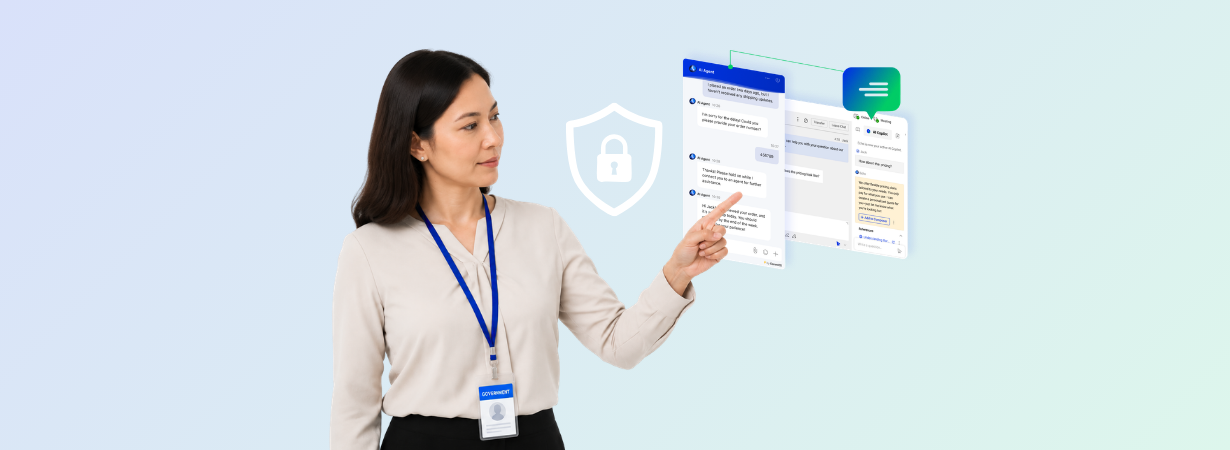
Government agencies are caught in a difficult position: the public demands modern, digital services, but the stakes for security and accessibility have never been higher. Adopting tools like live chat is no longer optional, but choosing the right platform is critical to maintaining public trust and meeting legal mandates. The two checklists below, one for security and one for WCAG accessibility, will help you make a confident, compliant choice.
Why Security Is a Non-Negotiable for Government Engagement
When citizens interact with a government agency, they share sensitive Personally Identifiable Information (PII) with the implicit trust that it will be protected. A single data breach can break that trust in an instant. It can trigger costly legal battles, expose the agency to financial penalties, and undermine public faith in digital government. So the deciding factor is how well a partner protects against that risk.
That’s why selecting the best live chat software for government agencies starts with prioritizing platforms built for regulated environments. It means partnering with a vendor that understands the unique security and compliance challenges of the public sector. Comm100 has extensive experience serving government clients like Global Affairs Canada and a Californian County Court. This commitment to enterprise-grade security is why every evaluation should start with a vendor’s Trust Center.
Your Government Live Chat Security Checklist
Use this checklist to rigorously evaluate the security capabilities of any live chat vendor. These features aren’t optional; they’re the baseline for protecting citizen data and maintaining public trust.
Comprehensive Data Encryption
First, verify how a vendor protects data both as it moves and when it’s stored. Without end-to-end encryption, sensitive conversations can be intercepted and exposed, which violates citizen privacy and your agency’s duty of care.
- Encryption in Transit: Look for platforms that use Transport Layer Security (TLS) 1.2 or higher to secure data moving between a citizen’s browser and your agent’s console.
- Encryption at Rest: Data stored on servers, including chat transcripts and user information, must be encrypted. This is your last line of defense against unauthorized access if a system is compromised.
Comm100 protects all interactions with HTTPS and advanced TLS encryption to ensure every piece of data transmitted is secure.
Independent Compliance & Certifications
A vendor’s promises are not enough. Independent, third-party audits provide verifiable proof that a platform meets global security standards. Relying on a vendor’s self-attestation is a significant and unnecessary risk.
- SOC 2 Type II: Confirms a vendor has proven, effective controls for security, availability, and confidentiality.
- ISO 27001: An international standard for Information Security Management Systems (ISMS).
- PCI DSS: Essential if your agency processes any payment card information, even through a secure form.
- HIPAA: A non-negotiable for any agency handling protected health information.
- PIPEDA / TX-RAMP: Show a vendor’s ability to meet specific Canadian federal or Texas state-level government compliance standards.
Comm100 holds all these certifications and more, so our entire platform meets the strict security requirements of regulated industries.
Granular Access Control & Authentication
Some of the most serious data breaches originate from inside an organization. A secure platform prevents both accidental and malicious data exposure by letting you control exactly who can see and do what.
- Role-Based Access Control: Assign permissions based on an agent’s job function, limiting access to only the data they need to perform their duties.
- Single Sign-On (SSO): Allows your team to log in using your agency’s existing, secure authentication system, streamlining access while enforcing your policies.
- Two-Factor Authentication (2FA): Adds a critical layer of protection against compromised passwords.
- IP Allowlisting: Restricts platform access to approved IP addresses, such as your agency’s physical network.
- Configurable Password Policies: Enforce password complexity, history, and expiration rules to strengthen account security.
Comm100 provides all of these access control features to give you complete command over user permissions.
Auditing, Monitoring, and Data Sovereignty
Security isn’t a “set it and forget it” task. You need total visibility into system activity and absolute control over where your data resides. Without these capabilities, you can’t demonstrate compliance, investigate an incident, or meet data residency laws.
- Audit Logs: Demand comprehensive, immutable logs of all user and system activity for accountability and forensic review.
- Proactive Security: Your vendor should conduct regular vulnerability scans and third-party penetration tests to find and fix weaknesses before they can be exploited.
- Data Sovereignty: Many government bodies are legally required to store citizen data within their geographic jurisdiction. Violating these rules can carry steep penalties.
Comm100 conducts yearly penetration testing and quarterly vulnerability scans. We also offer flexible on-premises deployment options to give agencies complete control over data sovereignty.
The Mandate for Accessibility: Why WCAG Matters
Government services must also be accessible to everyone, including citizens with disabilities. The Web Content Accessibility Guidelines (WCAG) are the global benchmark for digital equity. For government agencies, following them is often a legal requirement under laws like Section 508 of the Rehabilitation Act and the Americans with Disabilities Act (ADA), as well as an ethical baseline. Failure to comply can shut citizens out of essential services, lead to lawsuits, and damage your agency’s reputation.
WCAG is built on four core principles, known by the acronym POUR:
- Perceivable: Users must be able to perceive the information being presented.
- Operable: Users must be able to operate the interface.
- Understandable: Information and the operation of the user interface must be understandable.
- Robust: Content must be robust enough that it can be interpreted reliably by a wide variety of user agents, including assistive technologies.
Your WCAG 2.1 AA Compliance Checklist
Any live chat tool you consider must be built to meet these principles. Use this checklist to verify a vendor’s commitment to accessibility. The AA level is the most common standard for government compliance.
Perceivable
Can all users perceive the information? A “no” here means you are actively excluding citizens with visual or auditory impairments and building barriers to essential services.
- Screen Reader Compatibility: The chat window must be fully compatible with common screen readers like JAWS, NVDA, and VoiceOver.
- Resizable Text: Users must be able to zoom text up to 200% without breaking the chat window or losing functionality.
- Sufficient Color Contrast: The interface must meet minimum color contrast ratios to be readable for users with low vision.
- Text Alternatives: All non-text elements, like buttons and icons, must have text alternatives (alt-text) that assistive technologies can read.
Comm100 Live Chat is fully WCAG 2.1 AA compliant, designed from the ground up to be accessible to all users.
Operable
Can all users navigate and operate the interface? If a citizen cannot use a mouse, a chat tool they cannot operate becomes a barrier to the service itself.
- Full Keyboard Functionality: Every feature, from starting a chat to sending a message, must be accessible using only a keyboard.
- No Keyboard Traps: Keyboard-only users must be able to navigate into and out of the chat window without getting stuck.
- Alternative Communication: The platform should support video and audio chat, providing alternative ways for users who may find typing difficult or impossible.
Comm100 is fully navigable via keyboard and offers integrated video and audio channels to provide multiple pathways for communication.
Understandable
Is the content and interface clear and predictable? An unintuitive interface increases citizen frustration, drives up support requests, and defeats the entire purpose of offering a digital service channel.
- Predictable Navigation: The chat flow and interface elements should behave in a consistent and predictable manner.
- Clear Error Identification: If a user makes a mistake (e.g., in a pre-chat form), the error should be clearly identified and explained.
- Language Support: The platform should support multiple languages to serve diverse citizen populations.
Comm100 provides a simple, predictable chat interface and includes built-in automatic translation for over 100 languages.
Robust
Can it be interpreted by a wide variety of user agents, including assistive technologies? A non-robust tool may work today but break tomorrow after a browser update or a new assistive device, which forces a costly, disruptive replacement.
- Clean Code: The live chat tool must be built using clean, standard-compliant code that works with current and future browsers and technologies.
- ARIA Support: Look for support for ARIA (Accessible Rich Internet Applications) standards, which help make complex web applications more accessible.
Comm100’s chat widgets are built to the ARIA standard to ensure maximum compatibility with the assistive technologies your citizens rely on.
Choosing a Partner That Prioritizes Security and Access
You can’t bolt security and accessibility on later. They’re foundational, and they reflect a vendor’s commitment to serving the public sector responsibly. A true partner understands the unique challenges government agencies face and has built their platform to meet those needs from day one.
With 15+ years building customer service technology for regulated industries, Comm100 has created a people-first, AI-powered platform that delivers on this promise. We believe AI should support people, not replace them, helping your team serve citizens more efficiently and securely.
For government agencies, the right live chat solution must be built on a foundation of impenetrable security and universal accessibility. Choosing a platform that fails on either front puts your agency and your citizens at risk. With these checklists, you can evaluate vendors with confidence and choose a partner that strengthens public trust, keeps you compliant, and helps you deliver the service your constituents expect.
See how Comm100 meets the highest security and accessibility standards for government. Request a Demo.
Or, take a self-guided tour of the platform now.
See Secure, Accessible Live Chat in Action
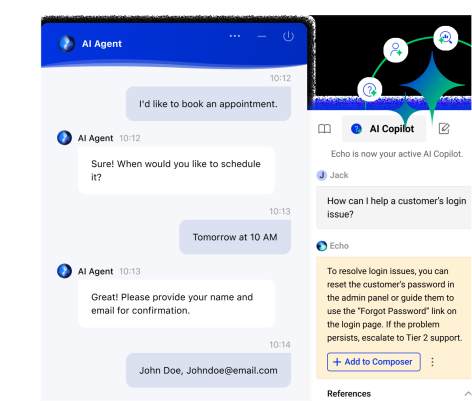
Explore how Comm100 helps government agencies deliver secure, compliant, and accessible citizen engagement with AI-powered live chat, omnichannel communication, and enterprise-grade controls.
View demoView Demo