Healthcare organizations face a difficult balancing act. Patients expect fast, personalized support across multiple channels, yet every interaction involving protected health information (PHI) must meet strict regulatory standards. The consequences of getting it wrong extend beyond fines that can reach $1.5 million annually per violation category. A single data breach can make major headlines and erode the patient trust that takes years to build.
The Health Insurance Portability and Accountability Act (HIPAA) establishes the baseline requirements for safeguarding electronic protected health information (ePHI), but the rules don’t specify which software platforms healthcare organizations should use. Instead, covered entities and their business associates must evaluate each tool’s security architecture, verify Business Associate Agreement (BAA) availability, and configure systems to maintain compliance.
Not all customer support platforms are created equal when it comes to healthcare. Some offer HIPAA compliance only at premium pricing tiers. Others require extensive manual configuration that creates opportunities for human error. A few, like Comm100, have built compliance into their foundation from the start.
In this guide, we look at the seven best HIPAA-compliant customer support software options available in 2026, evaluating each platform’s security certifications, BAA terms, encryption standards, and healthcare-specific features.
1. Comm100
Comm100 architected its platform specifically for regulated industries like healthcare, where compliance isn’t optional. Widely ranked as one of the best live chat software solutions, Comm100 also offers a comprehensive AI suite.
Comm100’s HIPAA compliance framework was engineered specifically for organizations handling sensitive data in healthcare, financial services, and government sectors.
The platform delivers omnichannel support through live chat, ticketing & messaging, and AI automation, all operating within the same HIPAA-compliant security perimeter. Healthcare organizations including the Canadian Blood Services rely on Comm100 to manage patient communications without compromising compliance.
Key Features
Comm100 protects stored data with AES 256-bit encryption and secures all transmissions using TLS 1.2. The platform undergoes annual third-party HIPAA assessments conducted by SecurityMetrics, a global leader in data security. These are comprehensive onsite evaluations covering systems, policies, staff training, and physical security controls.
The platform operates on a least-access principle, meaning staff only access information required for their specific job functions. Multi-factor authentication protects every login, reducing the risk of unauthorized ePHI exposure. Detailed access logs, system activity records, and documented security policies provide the audit trail healthcare compliance officers require.
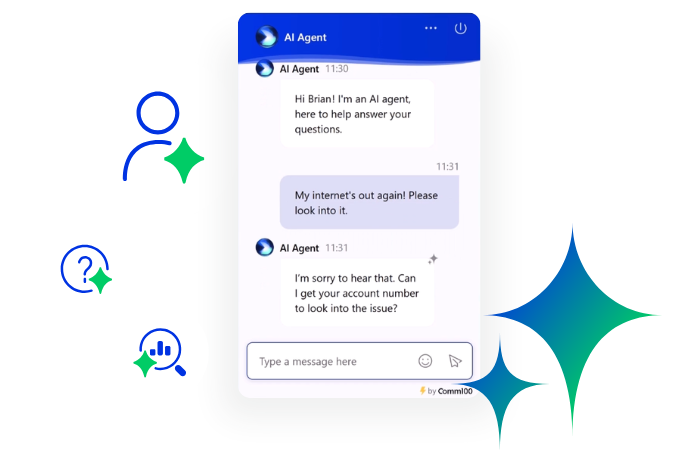
Comm100’s AI Agent handles appointment scheduling, insurance questions, and routine inquiries around the clock within the same HIPAA-compliant framework as your live agents. This automation capability helps healthcare organizations reduce customer support costs while maintaining compliance standards. The platform also holds SOC 2 Type II and ISO 27001 certifications, providing additional assurance for organizations with stringent security requirements.
Pros
- Offers on-premises deployment for organizations requiring maximum data control
- Signs and maintains BAAs with Amazon Web Services hosting provider
- Comprehensive AI automation operates within HIPAA-compliant boundaries
- Dedicated customer success team with healthcare implementation expertise
- Annual third-party HIPAA assessments with reports available to customers
Cons
- Less visual customization options
- May offer more features than smaller organizations need
Build a Leaner, Smarter Support Operation with AI
Learn how Comm100 enables healthcare organizations to deliver secure, HIPAA-compliant customer support with enterprise-grade encryption, access controls, and signed BAAs—without compromising patient experience.
Talk to an expert
Request Demo
2. Zendesk
Zendesk has evolved from a general-purpose customer service platform into an enterprise solution that serves healthcare organizations through its Advanced Compliance add-on (you must pay extra for HIPAA compliance). The platform centralizes communication from email, live chat, voice, and social channels into a unified ticketing system that healthcare support teams can manage from a single interface.
It achieves HIPAA compliance through a combination of subscription requirements, configuration mandates, and contractual agreements rather than through out-of-the-box compliance.
Key Features
Zendesk requires organizations to subscribe to a HIPAA-enabled plan: either Suite Professional or Enterprise, then purchase the Advanced Compliance add-on to access BAA coverage. The platform uses AES-256 encryption for data at rest and TLS 1.2 for data in transit.
Just like with Comm100, security configurations include mandatory two-factor authentication, SSL encryption enforcement, and automatic session timeouts set to a maximum of 15 minutes. Role-based access controls restrict PHI access to authorized personnel, while audit logs track all system activity. The platform supports Single Sign-On integration for organizations that prefer centralized identity management.
AI-powered redaction capabilities can automatically detect and remove sensitive personal data from tickets, reducing the risk of inadvertent PHI exposure. Data masking features customize access based on user roles, ensuring agents see only the information necessary for their tasks.
Pros
- Established market presence with extensive documentation
- Wide range of third-party integrations available
- Strong reporting and analytics features
- Large ecosystem of trained implementation partners
Cons
- HIPAA compliance requires additional paid add-on beyond base subscription
- Not HIPAA compliant by default, must be properly configured
- Native SMS, social media integrations, and Early Access Programs are not covered by BAA
- Complex configuration requirements increase implementation risk
- Third-party apps require separate BAA verification
3. HubSpot Service Hub
HubSpot entered the HIPAA-compliant market in mid-2024 with the launch of its Sensitive Data tools, a significant shift for a platform that previously prohibited storing protected health information. Healthcare organizations can now use HubSpot’s CRM capabilities for patient relationship management while maintaining regulatory compliance.
The platform’s strength lies in its unified approach to marketing, sales, and service operations. Healthcare providers can manage the entire patient journey from initial outreach through ongoing care communications within a single system.
Key Features
HubSpot’s HIPAA support requires an Enterprise-tier subscription to Sales Hub Enterprise, Service Hub Enterprise, or Operations Hub Enterprise. When organizations enable Sensitive Data settings and identify as a HIPAA Covered Entity or Business Associate, HubSpot automatically generates a BAA.
The platform structures HIPAA safeguards around four technical pillars: AES-256 encryption at rest and TLS 1.2 encryption in transit, role-based access controls restricting PHI to authorized users, immutable audit logs capturing every create, read, update, and delete action, and continuous penetration testing with SOC 2 Type II attestation.
Sensitive Data properties receive an additional layer of application-level encryption with unique encryption keys for each customer. Super admins can establish field-level permissions to restrict view and edit access for specific properties to designated users and teams.
Pros
- Unified platform eliminates data silos between marketing, sales, and service teams
- Automatic BAA generation streamlines compliance setup
- Strong workflow automation capabilities for patient engagement
- Extensive integration ecosystem with healthcare tools
- Comprehensive reporting across the patient lifecycle
Cons
- HIPAA support available only on Enterprise plans (premium pricing)
- Relatively new to healthcare compliance compared to established players
- Cannot use personalization tokens with PHI properties
- Some features like call recordings and transcripts cannot contain PHI
- Reporting Analytics and Snowflake Data Sharing not covered by BAA
4. Intercom
Intercom has positioned itself as an AI-first customer platform, combining live chat, messaging, and automation capabilities with a modern interface that appeals to technology-forward healthcare organizations. The platform completed its HIPAA attestation examination in 2021 and continues to maintain compliance through ISO 27001 certification and SOC 2 Type 2 attestation.
Healthcare organizations use Intercom to provide proactive support through in-context messaging while maintaining the security standards HIPAA requires.
Key Features
Intercom requires organizations to subscribe to its “Expert” plan to access HIPAA-compliant features and BAA coverage. The platform stores and processes health-related data in a manner consistent with HIPAA standards, though compliance ultimately depends on proper configuration by the healthcare organization.
The platform offers an AI-powered workspace that can handle routine patient inquiries while routing complex issues to human agents. Automated workflows streamline common support scenarios like appointment reminders, prescription refill requests, and insurance verification queries.
Security features include data encryption, access controls, and audit logging. Intercom remains compliant with GDPR and CCPA frameworks alongside HIPAA, making it suitable for organizations with patients across multiple regulatory jurisdictions.
Pros
- Modern, intuitive interface reduces agent training time
- Strong AI and automation capabilities for deflecting routine inquiries
- Proactive messaging features support patient engagement initiatives
Cons
- HIPAA compliance requires highest-tier “Expert” plan
- Conversations stored indefinitely by default unless manually deleted
- Third-party integrations require separate BAA verification
- No built-in features for managing user access to PHI within conversations
- Configuration complexity may require compliance expertise
5. Kustomer
Kustomer positions itself as a CRM platform purpose-built for customer experience, offering healthcare organizations a unified view of patient interactions across all channels. The platform emphasizes its ability to consolidate fragmented data into actionable insights while maintaining HIPAA compliance for covered entities.
In Spring 2025, Kustomer expanded its HIPAA compliance to include Voice and SMS channels, making it easier for healthcare organizations to handle sensitive telephone and text communications within the same compliant framework.
Key Features
Kustomer offers HIPAA compliance through its Enterprise and Ultimate subscription tiers with a HIPAA add-on package. The platform provides BAA coverage for its core features including Chat, Customer Assist, and AI Agents, with mobile SDKs for Android and iOS also supporting HIPAA compliance.
Security configurations require Single Sign-On authentication through Google SSO, Microsoft 365, or SAML-based identity providers, with mandatory multi-factor authentication and password policies meeting organizational HIPAA requirements. API access must be restricted to specific IP addresses with limited authorized roles.
The platform includes automated data deletion rules that help healthcare organizations clear outdated records and maintain lean databases while reducing compliance risk. The idle timeout setting must be configured to a maximum of 15 minutes of agent inactivity.
Pros
- Unified customer view consolidates patient interaction history
- Recent expansion of HIPAA compliance to Voice and SMS channels
- Strong workflow automation and task management capabilities
- AI Agents can handle routine inquiries within HIPAA boundaries
- Mobile SDK support for healthcare apps requiring compliant messaging
Cons
- HIPAA compliance requires Enterprise or Ultimate tier plus add-on
- Third-party integrations require separate BAA with each provider
- Organizations responsible for redacting sensitive information before Kustomer Support contact
- Complex SSO requirements may challenge smaller organizations
- Relatively smaller market presence compared to established competitors
6. Zoho Desk
Zoho Desk offers healthcare organizations a cost-effective entry point into HIPAA-compliant customer support. As part of the broader Zoho ecosystem, the platform integrates seamlessly with Zoho CRM, Zoho Analytics, and other Zoho applications that many healthcare organizations already use for practice management.
The platform explicitly states it does not collect, use, store, or maintain health information protected by HIPAA for its own purposes but provides features enabling customers to use the platform in a HIPAA-compliant manner.
Key Features
Zoho Desk provides a ticketing system, automation workflows, knowledge base, and multi-channel support across email, phone, chat, and social media. The platform signs BAAs with covered entities and business associates, establishing contractual accountability for data security.
Security controls include TFA/MFA authentication, configurable password policies, and role-based access controls for safeguarding PHI. Zoho uses AES-256 encryption to secure data stored on its servers. Fields containing protected health information can be selected and encrypted for additional security, preventing unauthorized access to confidential data.
The platform integrates with other Zoho applications and third-party software, providing a unified interface for customer interactions and internal collaboration. However, organizations must verify that any integrated applications also comply with HIPAA requirements.
Pros
- Cost-effective compared to enterprise-focused alternatives
- Seamless integration with broader Zoho ecosystem
- Flexible customization options for healthcare workflows
- Multi-channel support capabilities
- User-friendly interface reduces training requirements
Cons
- Not all Zoho services are HIPAA compliant (Contacts, Backstage, RouteIQ, Thrive are not covered)
- No Zoho service is HIPAA compliant by default; requires manual configuration
- Some features are only available in certain subscription plans
- May require disabling integrations to prevent PHI disclosure to non-compliant apps
- Steeper learning curve for proper HIPAA configuration
7. Help Scout
Help Scout maintains ongoing HIPAA compliance and positions itself as a straightforward help desk solution for healthcare organizations seeking simplicity over feature complexity. The platform handles email management, live chat, and customer support workflows while maintaining the security standards healthcare requires.
The platform completes annual risk assessments and employee training as required by HIPAA. All Help Scout employees undergo annual HIPAA training, and the team never accesses customer accounts unless explicitly requested for support purposes.
Key Features
Help Scout provides BAAs for both covered entities and subcontractors, with HIPAA compliance available on Plus and Pro plans. The platform hosts data on Amazon Web Services within the United States, protected under a signed BAA with AWS.
All web application communications use 256-bit SSL encryption, the same level used by banks and financial institutions. Data at rest and in transit is encrypted, with transit encryption covering all information sent between Help Scout and integrated systems.
The platform offers collision detection to prevent duplicate responses, workflow automation, and tagging capabilities for organizing patient communications. Through thread options menus, agents can edit, delete, or hide thread contents, supporting organizations’ data minimization policies.
For healthcare organizations wanting to leverage AI features alongside HIPAA compliance, Help Scout offers a separate AI Feature Healthcare Addendum that must be signed in addition to the BAA.
Pros
- Straightforward interface minimizes training requirements
- Annual third-party penetration testing and SOC 2 compliance
- Strong data security with AWS hosting under signed BAA
- Flexible pricing compared to enterprise platforms
- Good option for smaller healthcare practices
Cons
- Knowledge base solution (Docs) is not HIPAA compliant
- Integrations between Help Scout and other platforms may not meet HIPAA standards
- AI features require additional Healthcare Addendum
- Email-based architecture presents inherent security limitations
- Fewer advanced features compared to enterprise alternatives
Key Features of a HIPAA Compliant Customer Support Solution
Selecting a customer support platform for healthcare goes beyond comparing feature lists. The platform must implement specific safeguards that align with HIPAA’s Security Rule requirements. Understanding these requirements helps compliance officers evaluate whether a vendor’s claims hold up under scrutiny.
1. Data Encryption
HIPAA requires covered entities to implement mechanisms that encrypt and decrypt ePHI. Modern platforms should provide AES-256 encryption for data at rest (stored on servers) and TLS 1.2 or higher for data in transit (moving between systems).
Encryption transforms readable information into coded text that only authorized parties can decode using encryption keys. Without proper encryption, intercepted communications or breached databases expose patient information in readable format. Healthcare organizations should verify that vendors encrypt data across all touchpoints, including chat transcripts, email attachments, voice recordings, and stored ticket histories.
2. Access Controls
The principle of least privilege requires that workforce members access only the minimum PHI necessary to perform their job functions. HIPAA-compliant platforms must support role-based access controls (RBAC) that restrict data visibility based on user permissions.
Effective access control implementations include unique user identification for every agent accessing the system, automatic logoff after periods of inactivity (typically 15 minutes maximum for systems handling PHI), multi-factor authentication requiring something the user knows and something the user has, and IP address restrictions limiting system access to approved network locations. These controls create accountability trails and prevent unauthorized access even if login credentials are compromised.
3. Data Backup and Recovery
HIPAA’s Security Rule requires covered entities to establish procedures for creating and maintaining exact copies of ePHI. Customer support platforms accumulate significant amounts of patient communication data that must be recoverable in disaster scenarios.
Evaluate whether vendors maintain geographically redundant backups, test recovery procedures regularly, and can meet recovery time objectives appropriate for your operations. The best platforms document their disaster recovery processes and can share reports from recent recovery tests upon request.
4. Annual Risk Assessments
HIPAA mandates that covered entities conduct accurate and thorough assessments of potential risks and vulnerabilities to the confidentiality, integrity, and availability of ePHI. Vendors functioning as business associates should conduct their own risk assessments and share results with healthcare customers.
Ask potential vendors about their risk assessment frequency, methodology, and remediation processes. Platforms that engage independent third parties for assessments demonstrate stronger commitment to identifying and addressing vulnerabilities than those relying solely on internal reviews.
5. Secure Communication Channels
When patient support interactions involve ePHI, the communication channels must implement safeguards protecting that information. This extends beyond encryption to encompass the entire communication architecture.
Secure channels should prevent ePHI from being transmitted through non-compliant paths. For example, if a patient shares medical information via social media messaging integration, the platform should either encrypt that pathway or block ePHI transmission entirely.
Controls should include the ability to restrict certain communication channels from handling PHI, redaction capabilities for automatically detecting and removing sensitive information, secure file transfer mechanisms for documents containing patient data, and audit logging that tracks all ePHI access and transmission.
The best platforms for healthcare implement AI-first customer service strategies that include guardrails preventing AI systems from inappropriately accessing or revealing PHI during automated interactions.
6. Business Associate Agreements
A BAA is a legally binding contract between a covered entity and a business associate that establishes permitted uses and disclosures of PHI, requires appropriate safeguards, and outlines breach notification procedures. Without a signed BAA, healthcare organizations cannot legally use a platform to handle PHI.
Not all BAAs are equal. Some vendors offer comprehensive BAAs covering their entire platform while others limit coverage to specific features or subscription tiers. Carefully review BAA terms to understand exactly what is covered, what exclusions exist, and what configuration requirements the organization must meet to maintain compliance.
7. Audit Trail Capabilities
HIPAA requires healthcare organizations to implement procedures for regularly reviewing records of information system activity. Customer support platforms should generate comprehensive audit logs capturing who accessed what information, when, and what actions they performed.
Effective audit trails support compliance monitoring by tracking login attempts and authentication events, recording every view, edit, or deletion of PHI-containing records, logging configuration changes to security settings, and timestamping all events with sufficient granularity for investigation purposes. These logs should be immutable (protected against tampering) and retained according to HIPAA’s six-year documentation requirements.
8. Incident Response Support
When security incidents occur, time matters. Healthcare organizations need vendors that can rapidly investigate, contain, and report breaches. Evaluate whether platforms provide 24/7 security monitoring, documented incident response procedures, breach notification support within HIPAA’s required timeframes, and forensic investigation capabilities.
The Bottom Line
Selecting HIPAA-compliant customer support software requires balancing regulatory requirements against operational needs. The platforms examined in this guide each take different approaches to achieving compliance, from Comm100’s healthcare-first architecture to Zoho Desk’s cost-effective flexibility.
For healthcare organizations prioritizing security certifications and dedicated compliance support, Comm100 stands out with its annual third-party HIPAA assessments, on-premises deployment option, and AI capabilities operating within compliant boundaries. The solution is highly customizable, and is already used by healthcare organizations across the globe.
Regardless of which platform you select, remember that HIPAA compliance is a shared responsibility. Vendors provide the technical infrastructure and contractual commitments, but healthcare organizations must configure systems correctly, train staff appropriately, and maintain ongoing compliance monitoring.
Before making a final decision, request documentation of security certifications, review BAA terms with your compliance officer, and conduct a proof-of-concept evaluation that tests the platform against your specific patient communication workflows. The right platform will protect your patients’ information while enabling the responsive, personalized support they expect from modern healthcare organizations.
Build a Leaner, Smarter Support Operation with AI
Learn how Comm100 enables healthcare organizations to deliver secure, HIPAA-compliant customer support with enterprise-grade encryption, access controls, and signed BAAs—without compromising patient experience.
Talk to an expert
Request Demo
Frequently Asked Questions
What makes customer support software HIPAA compliant?
HIPAA-compliant customer support software must implement administrative, physical, and technical safeguards safeguarding electronic protected health information (ePHI). Technical requirements include AES-256 encryption for stored data, TLS 1.2 or higher for data transmission, role-based access controls, automatic session timeouts, multi-factor authentication, and comprehensive audit logging.
Beyond technical measures, the vendor must sign a Business Associate Agreement (BAA) with your organization, establishing their legal obligations for protecting PHI. No software is automatically HIPAA compliant; proper configuration and ongoing management by the healthcare organization are essential.
Can AI chatbots handle patient information while remaining HIPAA compliant?
Yes, AI chatbots can operate within HIPAA-compliant frameworks when properly designed and configured. The AI system must process ePHI using the same encryption and access control standards as human agent interactions. Key requirements include ensuring AI models are not trained on your organization’s PHI without explicit authorization, implementing guardrails preventing inappropriate disclosure of patient information, maintaining audit logs of AI-patient interactions, and ensuring the chatbot vendor’s BAA explicitly covers AI features. Platforms like Comm100 offer AI Agents that handle appointment scheduling and routine inquiries within HIPAA-compliant boundaries.
Do I need a separate BAA for each integration connected to my support platform?
Generally, yes. When your HIPAA-compliant support platform integrates with third-party applications that may access or process PHI, each of those applications functions as a business associate requiring its own BAA. This includes CRM integrations, analytics tools, messaging platforms, and any other system receiving patient data from your support platform. Some platforms explicitly state their BAA does not cover third-party integrations, placing the responsibility on healthcare organizations to verify compliance independently. Before enabling any integration, confirm whether PHI will be transmitted and ensure appropriate agreements are in place.
What happens if a customer support platform experiences a data breach?
Under HIPAA’s Breach Notification Rule, when unsecured PHI is compromised, both the covered entity and business associate have notification obligations. Business associates must notify covered entities within timeframes specified in the BAA, typically within 60 days of discovering the breach. The covered entity must then notify affected individuals, HHS, and in cases affecting 500+ individuals, prominent media outlets. Financial penalties for breaches range from $100 to $50,000 per violation, with annual maximums of $1.5 million per violation category. Beyond regulatory penalties, breaches damage patient trust and may trigger class action litigation.
How do I verify that a vendor’s HIPAA compliance claims are legitimate?
Request specific documentation rather than accepting marketing claims. Ask for copies of their SOC 2 Type II audit reports, which verify security controls through independent examination. Request their most recent HIPAA risk assessment results and any third-party compliance attestation reports. Review their BAA carefully with legal counsel to understand exactly what is covered and what obligations your organization assumes. Ask about their employee training programs, data center certifications (look for AWS or Google Cloud with signed BAAs), and incident response procedures. Legitimate vendors will provide this documentation; reluctance to share compliance evidence is a red flag.