

Your support team spends six weeks building a shortlist. Then the security team reviews the vendor responses, finds no current audit report and + Read More about the regulated-industry rfp checklist: vendor questions on security, compliance, and data residency

12 AI-Automated Customer Service Examples That Move the Needle
Automation has stopped being a “nice to have” in customer service. Ticket volumes keep climbing, customers expect answers in seconds, and most support teams are being asked to handle more without adding headcount. Automation is how teams close that gap.
The hard part is knowing where to start. “Automate your support” is easy advice to give and tough to act on, because automation is not one thing. It ranges from a saved reply an agent sends with one click to an AI agent that resolves a billing dispute end to end.
This guide walks through 12 automated customer service examples, so you can see which ones fit your team today and which ones to grow into.
What Is Automated Customer Service?
Automated customer service is the use of technology to resolve or speed up customer queries with less human effort. Some automation is rules-based, like a saved reply or a trigger that closes a ticket. The more advanced examples are powered by AI and machine learning, which let software interpret what a customer is actually asking and respond in natural language rather than following a rigid script.
The benefits split into two buckets. The first is efficiency: faster responses, lower cost per resolution, and round-the-clock availability that does not depend on staffing a night shift. The second is agent experience. When software handles the repetitive questions, agents spend their time on the complex, high-value conversations that actually need a person. Done well, automation improves both sides of the desk at once.
A quick caveat before the examples. Automation works best when it is matched to the right job. A canned message and an AI agent solve very different problems, and deploying the wrong tool for the task is how teams end up with a chatbot everyone hates. So as you read, think less about “which is the most advanced” and more about “which of these matches the queries my team handles most.”
The examples below are grouped by what they do, ordered roughly from the most capable AI down to the simpler building blocks. Most teams use several of these together rather than picking just one:
- The AI-driven examples (1 to 5) handle or interpret conversations on their own.
- The workflow examples (6 to 9) move and organize work behind the scenes.
- The foundational examples (10 to 12) are quick wins most teams can deploy today.
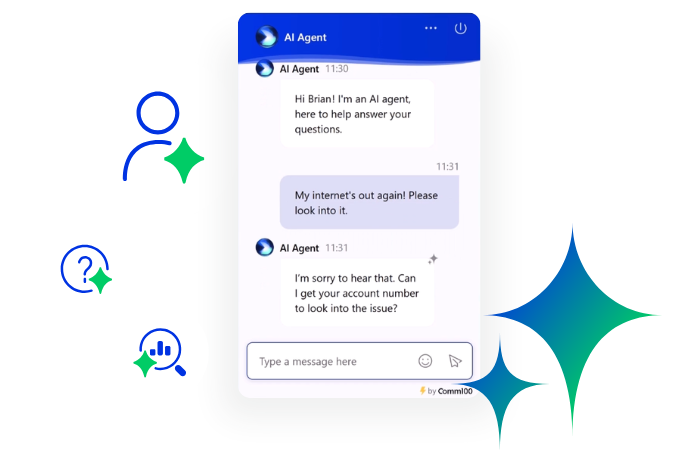
The AI Agent That Talks Like You
Automate up to 80% of customer inquiries with an AI Agent that delivers accurate, natural responses, completes tasks, and hands complex conversations to human agents with full context.
Explore AI AgentSolution
What Are the Most Common Automated Customer Service Examples?
1. Resolve Common Questions End to End With an AI Agent
AI agents are the most capable example of automated customer service, and they have changed considerably. Older chatbots followed decision trees and broke the moment a customer phrased something unexpectedly. Modern AI agents use large language models to understand intent, hold a natural conversation, and resolve issues rather than just deflect them.
A capable AI agent handles common tasks like order tracking, account questions, and troubleshooting on its own, escalating to a human with full context when a query genuinely needs one. That escalation detail matters more than it sounds. A bot that hands off cleanly, with a summary of what has already happened, beats one that resolves a slightly higher percentage but dumps frustrated customers on agents with no context.
The results are real. San Jose State University used Comm100’s AI Agent to automate 55% of chats across 33 departments.
One distinction worth understanding when you evaluate these tools is how the AI decides what to say. Some systems generate answers freely from your documents, while others match a defined intent first. The best AI chatbots use topic-first matching, recognizing the customer’s intent and responding from a defined topic, then falling back to knowledge base content when no topic matches. That structure gives you more control over the answer.
When you are comparing AI agents, weigh these factors rather than chasing a single headline number:
- Resolution vs. deflection: Resolving an issue is not the same as deferring it. Ask which one a vendor’s percentage describes.
- Escalation quality: Does the handoff carry full context to the agent, or start the customer over?
- Answer control: Can you constrain what the AI says, or does it generate freely from documents?
- Channel coverage: Chat only, or voice and email too?
2. Automate Phone Support With Voice Bots
Voice bots bring automation to the phone channel, which still carries a meaningful share of support volume in many industries. They interpret what a caller says using natural language processing and respond through synthesized speech, handling routine calls without the maze of an old “press 1 for billing” phone tree.
The leap from traditional IVR is the conversational layer. Instead of forcing callers through rigid menus, a voice bot lets someone state their problem in plain language and pull an answer from connected systems. For high-volume, repetitive calls, that means shorter waits and consistent answers. For complex calls, it means a faster, better-informed handoff to a human.
3. Speed Up Agent Replies With AI-Suggested Answers
Not every use of AI puts a bot in front of the customer. This approach keeps a human in the front seat and puts AI to work behind them. As a customer message comes in, the tool surfaces suggested answers, relevant knowledge base articles, or next steps that the agent can review and send. The agent stays in control; the software removes the searching and the typing.
This is one of the easiest ways to get value from AI without handing the conversation over entirely. Veridian Credit Union used Comm100 AI Copilot to cut the busywork agents spend on routine drafts and lookups, freeing them for member conversations that need a person. For teams nervous about full automation, an AI copilot is a sensible first step.
4. Catch Frustrated Customers Early With Sentiment Analysis
Sentiment analysis uses AI to read the emotional tone of an interaction, scoring whether a customer is frustrated, satisfied, or somewhere in between based on their language, pacing, and word choice. It turns something agents sense intuitively into data you can act on systematically.
The practical uses are concrete:
- A drop in sentiment mid-conversation can trigger an escalation before the customer churns.
- Aggregated across thousands of interactions, sentiment trends surface recurring problems and at-risk accounts you would otherwise miss.
- Recorded conversations become coaching material for improving how the team handles tense moments.
Tools like Comm100 AI Insights apply this kind of analysis across your interactions so patterns become visible rather than anecdotal. Used well, sentiment scoring shifts a team from reacting to complaints to spotting them as they form.
5. Condense Conversations With AI-Generated Summaries
Support work does not end when a chat closes. Cases get reviewed, handed between departments, and reported on, and all of that traditionally means reading through full transcripts. AI-generated summaries condense a conversation into the essentials: what the customer asked, what was done, whether it is resolved, and any follow-up needed.
The time savings compound across a team. Summaries speed up shift handoffs, make escalations cleaner, and give managers a fast way to audit complex cases without wading through logs. They also shorten the ramp for new hires, who can review summarized cases to learn how the team handles different situations.
6. Send Each Query to the Right Place With Automated Routing
Routing is where a lot of support delays quietly begin. A question lands in the wrong inbox, an agent forwards it, time passes, and the customer waits. Automated routing sends each incoming request to the right agent, team, or queue based on rules you define.
Those rules can trigger off message content, customer type, channel, language, or priority:
- A message mentioning “cancel” routes to a retention specialist.
- A VIP customer jumps to a senior agent.
- A billing question lands directly with finance.
More advanced setups layer intent detection on top of rules, so routing reflects what the customer means, not just which keywords they used. The payoff is less time spent triaging and more time spent solving.
7. Log and Label Tickets Automatically
A surprising amount of agent time goes to logging and labeling rather than resolving. AI can generate a ticket automatically from a chat, form, or email, then tag it by topic, urgency, and sentiment so it is correctly categorized before anyone touches it.
This matters most at scale. When a team is processing thousands of interactions a week, accurate auto-tagging is the difference between reporting you can trust and a backlog of mislabeled tickets no one can make sense of. It also feeds the routing and analytics that depend on clean categorization to work.
8. Acknowledge and Update Tickets Without Manual Effort
When a customer submits a request through a ticketing system, an automated acknowledgment can confirm the message was received and set expectations on response time. The same logic can update a ticket’s status or send a closing note once the issue is resolved.
This is automation working quietly in the background. It does not resolve anything on its own, but it removes the “did anyone get my message?” anxiety that drives customers to send follow-up emails, which in turn inflates your queue. A simple confirmation can measurably reduce duplicate tickets.
9. Keep Customers Informed With Proactive Updates
Not all automation waits for the customer to ask. Proactive messages reach out first, whether that is onboarding guidance for a new user, a notification that a reported bug is fixed, or an update on a delayed order. The goal is to answer the question before it is asked.
This quietly lowers ticket volume. Every “where’s my order?” or “is this fixed yet?” you preempt is a ticket that never enters the queue. Proactive support also changes how the relationship feels. Instead of customers chasing you for information, you are keeping them informed, which tends to show up in satisfaction scores over time.
10. Let Customers Help Themselves With a Knowledge Base
A knowledge base is a searchable library of help articles, FAQs, and guides that customers use to solve problems on their own. It is the foundation of scalable support: every question answered by an article is a question that never becomes a ticket.
The economics are hard to ignore. A self-service answer costs a fraction of an agent-handled one, and customers often prefer it because there is no wait. A well-maintained knowledge base also does double duty as the source material that powers your AI tools, which is why teams that invest in good documentation tend to get better results from automation later.
11. Resolve Repeat Questions With Task Bots
A task bot guides a customer through a structured flow of questions and answers, usually with buttons, to resolve a request or complete an action. Think of common journeys like checking an order status, booking an appointment, or resetting a password. Task bots can include text, images, video, and links, and most platforms let you build them without code.
Because they follow a defined path, task bots are reliable for well-understood, repeatable tasks. They will not improvise, which is both their limitation and their strength. For a process that should always run the same way, predictability is exactly what you want.
12. Standardize Answers With Canned Messages
A canned message is a pre-written reply to a common question that an agent can insert with a click instead of typing it out. It is the most basic form of automation and one of the most useful, because a large share of support volume is variations on the same handful of questions.
Beyond saving keystrokes, canned messages keep answers consistent. New agents sound as accurate as your most experienced ones, and customers get the same correct information no matter who picks up the chat. Many teams maintain a shared library of public canned messages for the whole team, plus private ones individual agents create for their own frequent replies.
How Do You Choose the Right Automation for Your Team?
Start with your data, not the technology. Look at what your team actually handles most. If a large share of your volume is a small set of repeated questions, a knowledge base and an AI agent will move the needle furthest. If your problem is speed and consistency rather than volume, canned messages and AI-suggested replies may matter more. If tickets are landing in the wrong place, routing is your first fix.
It also helps to be honest about readiness. Automation is only as good as the content and processes behind it, so an AI agent built on a thin or outdated knowledge base will disappoint no matter how good the underlying model is. Many teams get more value by tightening their documentation and starting with AI-assisted replies before handing conversations fully to a bot. McMaster Health Sciences, for example, improved resolution times by 75% with AI-powered live chat, a gain that depended as much on good process as on the technology itself.
Cost is the other half of the decision, and it is worth modeling rather than guessing:
- Map your highest-volume, lowest-complexity queries first; those are where automation pays back fastest.
- Estimate cost per resolution today, then compare it against an automated channel.
- Factor in agent time saved, not just deflected tickets.

Calculate the ROI of Customer Service Automation
Enter your support volume and automation goals to estimate how much a Comm100 AI Agent could save your organization, including hours saved, staffing impact, ROI, and payback.
Calculate ROIROI Calculator
Our guide on how to calculate the ROI of live chat and AI chatbots walks through the math, and if cost reduction is the priority, we cover the specific levers in 9 ways AI can reduce customer support costs. For larger or regulated organizations, the buying criteria shift toward security, compliance, and integration depth, which we break down in our guide to evaluating AI customer service platforms for enterprise use.
Do These Automation Examples Work Together?
Yes, they work best together. The examples in this guide are not competing options; they are layers of the same system. A knowledge base feeds your AI agent. Your AI agent escalates to a human who is backed by AI-suggested answers. Sentiment analysis decides when that escalation should happen. Auto-tagging keeps the whole thing organized and reportable.
That is the case for running automation on a single connected platform rather than stitching together point tools. When your chatbot, live chat, ticketing, knowledge base, and analytics share the same data, automation in one area improves the others. A standalone bot can deflect tickets; an integrated system can resolve issues, learn from them, and get measurably better at the next one.
If you are mapping out where to begin, it helps to see how the available tools stack up. We compare the leading options in our guides to the best AI live chat software and the best AI customer engagement software, both of which can help you match the examples above to a platform that fits how your team actually works.
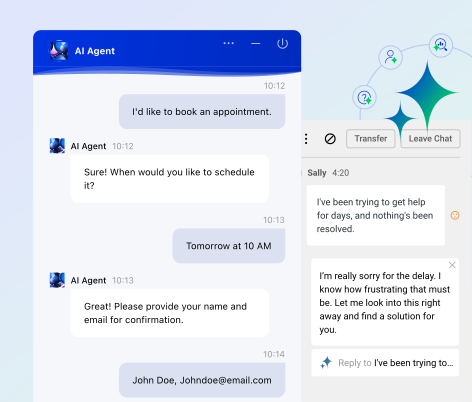
See Automated Customer Service in Action
See how Comm100 brings AI Agent, AI Copilot, Live Chat, Ticketing & Messaging, knowledge management, and analytics together to automate support while keeping human agents in control.
View DemoView Demo