
Your support team spends six weeks building a shortlist. Then the security team reviews the vendor responses, finds no current audit report and + Read More about the regulated-industry rfp checklist: vendor questions on security, compliance, and data residency
The 7 Best Enterprise AI Chatbots for Customer Support in 2026
Enterprise support leaders are under pressure to deploy AI. The trouble is that most AI chatbots aren’t built for situation-specific AI support, especially for larger enterprises. They’re not built for organizations handling regulated data, running 24/7 across geographies, or working through procurement committees that think in seven-figure contracts.
This list is different. The seven vendors below are the ones enterprise buyers shortlist in 2026, ranked by their real fit for organizations that need more than FAQ deflection. The order is editorial, not alphabetical, with Comm100 first because it offers the strongest balance of AI resolution, compliance, deployment flexibility, omnichannel support, and hands-on implementation for enterprise teams, especially those in regulated industries.
Before we get into the lineup, it’s worth being clear about what separates a real enterprise AI chatbot from the marketing version. Four things matter:
- Resolution capability beyond FAQ deflection: The category has split into rule-based bots and AI agents. Bots route. Agents resolve. Enterprise buyers should be evaluating agents, not chatbots dressed up with an AI label.
- Compliance and certifications that match the industry: SOC 2 Type II is now the floor. HIPAA, PCI DSS, ISO 27001, and increasingly ISO 42001 and AIUC-1 (the newer AI governance certifications) are showing up as RFP requirements, not preferences.
- Channel and language coverage: Web, email, SMS, voice, WhatsApp, Apple Business Messenger, social. And enough languages to support a global customer base.
- Integration depth and onboarding fit: Native connectors to your CRM, helpdesk, knowledge base, SSO, and payment systems. Combined with an onboarding model that gets the platform live without burning out your internal team. We’ll come back to this last point because it’s the one that most evaluation guides under-cover.
Those four criteria set the bar. It also helps to know what counts as a realistic result once a platform is live. Comm100’s 2026 AI Live Chat Benchmark Report, which covers more than 220 million live chat interactions, found that AI chatbots fully resolve 44.8% of conversations without human involvement on sites that have deployed a chatbot.
That number is industry-wide. The vendors below claim higher rates in their own marketing, and some achieve them in practice. But 44.8% is the realistic anchor when you’re modeling what an enterprise rollout will look like in year one.
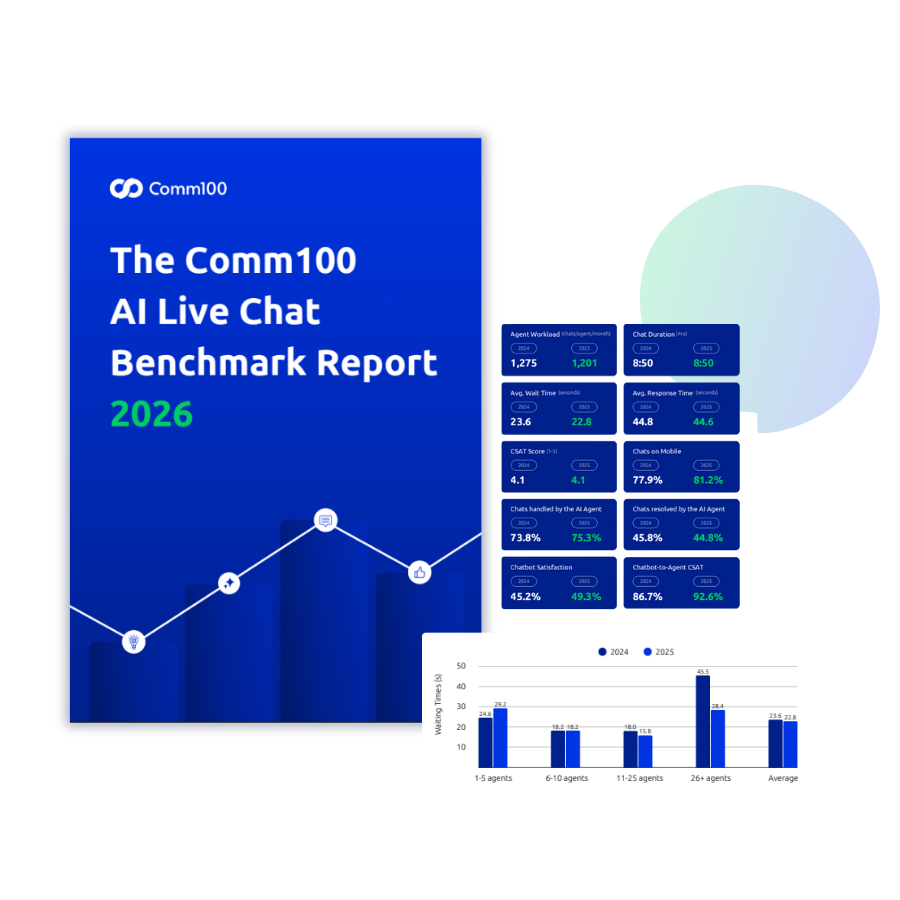
2026 AI Live Chat Benchmark Report
Explore insights from 220M+ live chat interactions, including chatbot resolution rates, AI adoption trends, and enterprise support benchmarks.
Download reportReport
1. Comm100: Best for Regulated-Industry Enterprises
Most AI chatbot platforms are generally built for B2C ecommerce. Fast deployment, generic FAQ deflection, public-cloud-only. That’s a poor fit for the organizations where a wrong answer creates real consequences: a credit union handling KYC, a university handling FERPA-protected student records, an iGaming operator working under responsible gaming regulation, a government agency answering citizen queries.
Comm100 has spent 15+ years building for exactly those environments. The platform combines AI Agent, Live Chat, Ticketing & Messaging, and an integrated AI suite under one omnichannel console, with SOC 2 Type II, HIPAA, PCI DSS, and ISO 27001 certifications underneath all of it.
The suite includes AI Copilot for real-time agent assistance, AI Insights for analytics and sentiment, AI Knowledge for keeping the knowledge base current, AI Quality Assurance for conversation-level scoring, and AI Training for accelerating new agent training. The AI modules feed each other, so accuracy compounds over time rather than plateauing after the initial deployment.
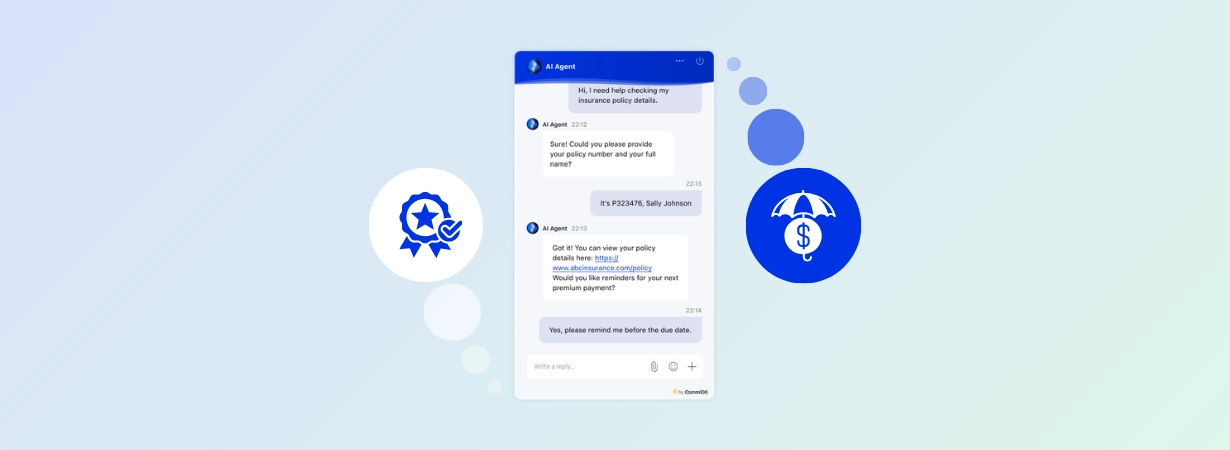
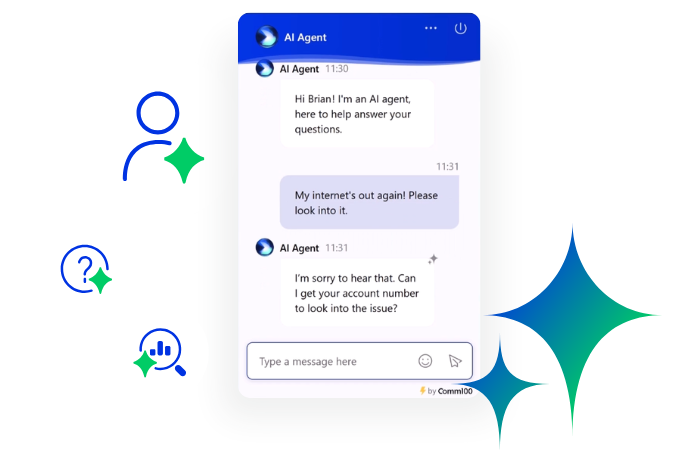
What makes Comm100 different is that the AI Agent is built to resolve support journeys, not just answer isolated questions. It uses grounded knowledge, topic-first matching, controlled escalation, and custom actions to move from answer generation into task completion. That means it can handle workflows such as appointment booking, account lookups, order-status checks, ticket creation, and escalation routing while keeping human agents in control when confidence drops or the request falls outside scope.
The proof is not just in the feature list. It shows up in regulated, high-trust environments where failed automation has real consequences. Global Affairs Canada deployed Comm100 AI Agent and it now handles 78% of incoming chats. Canadian Blood Services routes more than 70% of live chat queries to AI Agent, with 68% resolved without human interaction.
Two specific differentiators are worth calling out. The first is on-premises deployment. Zendesk and Intercom don’t offer it. For government agencies, healthcare organizations, and financial institutions with strict data sovereignty policies, on-premises is the criterion that ends most vendor evaluations early.
This matters because deployment model is not a minor IT preference in regulated environments. For many public-sector, healthcare, financial services, and education buyers, cloud-only architecture can remove a vendor from consideration before feature comparisons even begin.
The second is the bespoke support and onboarding model. Comm100 includes a dedicated CSM and tailored implementation as part of the engagement rather than handing it off as a separate professional services scope. Implementation follows a phased rollout, starting with live chat, then layering in the AI Agent, ticketing, and additional channels as each stage beds in.
This phased model is better suited to enterprise environments than the “Big Bang” 60-day rollouts that most vendors push.
Key features
- AI Agent with topic-first matching and knowledge-base-grounded responses, with controlled handoffs to human agents on out-of-scope questions
- Multi-step workflows and custom actions for booking, account and order lookups, and ticket creation
- Omnichannel coverage across Live Chat, Ticketing & Messaging, email, SMS, social, and WhatsApp
- Integrated AI suite covering Agent, Copilot, Insights, Knowledge, QA, and Training
- SOC 2 Type II, HIPAA, PCI DSS, and ISO 27001 certifications, all independently audited
- On-premises deployment available for organizations with data sovereignty requirements
- Credit card masking and PII redaction built into the platform natively
- Queue Management for handling peak-volume support periods
- Knowledge Base software for managing internal knowledge
- Granular audit trails accessible in formats that satisfy compliance reviews
- 90+ languages supported out of the box
Pros
- Regulated-industry fit is real, not just marketing
- Only vendor in this list offering on-premises deployment alongside the full AI and omnichannel stack
- Knowledge-grounded responses with controlled handoffs, built specifically to avoid hallucinations
- Dedicated CSM and tailored onboarding included as part of the engagement
- Strong customer base across higher education, iGaming, government, and financial services
Cons
- Brand awareness lags Zendesk and Intercom in non-regulated verticals
- Lighter ecommerce focus than Gorgias or Tidio (intentional, since regulated industries are the ICP)
2. Intercom Fin
Intercom Fin is the AI agent layer that sits on top of Intercom’s helpdesk. It can also work as an overlay on Zendesk, Salesforce, Freshdesk, and HubSpot, which is useful for teams that aren’t ready to migrate their helpdesk just to add AI. Fin is most compelling for SaaS and product-led companies already committed to Intercom or looking for a fast AI layer over an existing helpdesk. It is less compelling for organizations where deployment control, regulated-data handling, or tailored enterprise implementation are primary requirements.
Fin’s published average resolution rate is 67% across 7,000+ customers. The compliance stack covers SOC 2 Type II, ISO 27001, ISO 27701, ISO 27018, HIPAA, ISO 42001, and AIUC-1. ISO 42001 and AIUC-1 are the newer AI-specific standards.
Channel coverage is broad. Fin handles chat, email, SMS, voice, and social, plus Fin Vision for image inputs (useful when customers send screenshots, error states, or identity documents). Procedures, the multi-step workflow automation feature, lets the agent execute tasks rather than just answer questions.
The tradeoff worth understanding: Fin’s “assumed resolution” definition. A customer who stops responding after Fin’s last answer counts as a resolution. That can be a customer whose issue was solved, or a customer who got frustrated and walked away. The distinction matters for measurement, and it’s worth pushing on during evaluation.
Fin is suitable for support-led SaaS and product-led companies that are already Intercom-native or willing to add Intercom helpdesk to the stack. Outside that profile, the positioning is less differentiated than the marketing suggests, particularly for regulated industries where Comm100’s on-premises option and industry-specific implementation experience pull ahead.
Key features
- Outcome-based AI agent that resolves conversations end-to-end
- Multi-channel coverage including Fin Voice and Fin Vision (image understanding)
- Procedures for multi-step workflow automation
- Native Intercom helpdesk integration, plus support for Zendesk, Salesforce, Freshdesk, HubSpot
- AIUC-1 and ISO 42001 certifications
Pros
- Holds ISO 42001 and AIUC-1 alongside standard security certifications
- Fast deployment in Intercom-native environments
- Good developer ecosystem and API depth
- Published average resolution rate of 67%
Cons
- “Assumed resolution” definition has drawn user complaints
- Best ROI requires committing to Intercom’s helpdesk in addition to Fin
- Less differentiated for regulated industries than purpose-built alternatives
3. Zendesk AI Agents
Zendesk AI Agents are layered on top of the Zendesk Suite ticketing platform. Zendesk AI Agents make the most sense for teams already standardized on Zendesk Suite. For buyers evaluating a new enterprise AI support platform from scratch, the case is less straightforward because the AI value is tied closely to the Zendesk ecosystem. The main draw is integration: if your team is already on Zendesk, the AI deploys into a workflow they already know.
The AI Agent Builder uses plain-language goal definition rather than rigid decision trees, which lowers the technical bar for setup. Custom personas, AI reasoning guardrails, and the ability to connect to custom knowledge sources are all included. Built-in QA covers 100% of AI agent interactions. Native channel coverage is strong: chat, email, voice, social, plus messaging via WhatsApp, Facebook Messenger, Instagram, and LINE. The Zendesk Marketplace is the largest in the category for third-party integrations.
Two things to be aware of. First, Zendesk’s per-resolution definition uses a 72-hour inactivity verification window. A customer who stops engaging counts as a resolution, regardless of whether their issue was actually solved. This is vendor-friendly accounting, and it’s worth understanding before any contract negotiation. Second, Workforce Management and Quality Assurance are sold as separate add-ons. For enterprise deployments at scale, the operational complexity of managing those add-ons alongside the base platform adds up.
The other consideration is lock-in. Deep Zendesk integration cuts both ways. It makes AI deployment fast if you’re already on Zendesk, and it makes switching painful if the AI doesn’t perform as expected. For teams comparing Zendesk against alternatives, a careful look at the best Zendesk alternatives for enterprise teams is worth the time before signing a multi-year contract.
Key features
- AI Agent Builder with plain-language goal definition
- 100% AI agent QA scoring
- Custom personas and AI reasoning guardrails
- Extensive marketplace ecosystem
- Multi-channel support including web messaging, mobile SDK, WhatsApp, FB Messenger, Instagram, LINE, email, voice
Pros
- Mature ecosystem and largest marketplace in the category
- Strong fit if you’re already on Zendesk Suite
- Per-conversation QA covers 100% of AI agent interactions
- Plain-language agent builder lowers the technical bar for setup
Cons
- Per-resolution definition uses inactivity verification (vendor-friendly)
- Required add-ons (WFM, QA) push enterprise deployments toward operational complexity
- Less differentiated for regulated industries than Comm100
- Lock-in is real; deep Zendesk integration cuts both ways
4. Salesforce Agentforce
Agentforce is Salesforce’s AI agent layer, built on Einstein AI and tightly integrated with Service Cloud. For organizations already deep in the Salesforce ecosystem, this may be the natural choice. For everyone else, the integration cost outweighs the benefit.
The product itself has matured quickly. Agent Builder, AgentExchange, and Agentforce Studio cover the build, distribute, and govern lifecycle. Voice actions are supported. By Q3 FY2026, Agentforce had reached $540M in ARR (per SaaStr analysis), though only about 8% of Salesforce’s 150K customer base had adopted it at that point.
Two things shape the buying decision. First, Data Cloud dependency. Agentforce reasons over data from across the Salesforce ecosystem, which means Data Cloud isn’t optional for serious deployments. For teams that don’t already have it provisioned at scale, this is a meaningful additional commitment. Second, the commercial model is still settling. Salesforce shipped three different pricing models for Agentforce in 18 months: per-conversation, per-action via Flex Credits, and per-user licensing. That kind of iteration is a useful signal that the commercial side is still being figured out.
Salesforce internally automated 84% of its own customer support with Agentforce, which is exciting for AI adoption but creates an obvious tension with per-seat license revenue. That tension is showing up in how Salesforce sells the product, with multiple deployment models available depending on whether you want consumption, conversations, or per-user economics.
Implementation is enterprise-heavy. Most Agentforce deployments run through Salesforce-certified consultants, which means the implementation timeline and cost are real considerations alongside the platform itself.
Key features
- Agent Builder, AgentExchange, and Agentforce Studio
- Deep Salesforce CRM and Service Cloud integration
- Voice actions supported
- Digital Wallet for usage tracking
- Multiple deployment models (consumption, conversations, or per-user)
Pros
- Strongest CRM integration in the market for Salesforce customers
- Multiple consumption models allow self-selection based on usage shape
- Free Foundations tier for testing
- Established Salesforce partner ecosystem for implementation
Cons
- Data Cloud dependency adds substantial scope to a deployment
- Best fit only for organizations already deep in the Salesforce ecosystem
- Implementation-heavy and requires certified consultants
- Commercial model still shifting as Salesforce iterates
5. Ada
Ada is an AI-first platform with no helpdesk of its own. It integrates with 13+ helpdesks (Zendesk, Salesforce, Freshworks, Gorgias, and others) and focuses entirely on the AI agent layer. Ada is strongest when the use case is high-volume B2C support with clean, public-facing help center content. It becomes less attractive when enterprise knowledge lives across internal wikis, PDFs, tickets, SharePoint, Confluence, or other non-help-center sources. Named customers include Monday.com, Pinterest, Verizon, YETI, Square, and Afterpay, and the platform has powered more than 5.5 billion interactions since 2016.
The architecture is sophisticated for high-volume B2C automation. Ada’s Multi-LLM Reasoning Engine uses a dual-model system with a four-level coaching progression, and the company claims an 83% automated resolution rate in its own marketing. The compliance stack covers SOC 2 Type II, HIPAA, GDPR, and AIUC-1. Ada was the first AI customer service platform to earn AIUC-1, which matters for AI governance-focused RFPs.
Two limitations are worth flagging. First, knowledge source restrictions. Ada cannot natively ingest PDFs, past support tickets, internal wikis, Google Docs, Confluence, or Notion. The platform restricts AI training material to formal help center content. For regulated buyers with knowledge living in SharePoint, Confluence, internal wikis, or past ticket data, this is a real constraint. It’s also one of the clearest places where Ada’s B2C origins show. Help-center-only training works for ecommerce companies with clean, public-facing documentation. It doesn’t work as well for higher education advising or financial services support, where the most useful knowledge often lives behind login walls.
Second, integration dependency. Full feature availability favors Zendesk and Salesforce environments. Social channels require Zendesk Messaging middleware. Organizations on other helpdesks face reduced capabilities.
For high-volume B2C support operations with clean help center content and an existing Zendesk or Salesforce deployment, Ada is a strong fit. Outside that profile, the gaps start to show.
Key features
- Multi-LLM Reasoning Engine
- Channels: chat, voice (AI Voice), email (Ada claims 70% email resolution), SMS, social, mobile
- 13+ helpdesk integrations
- Ada Playbooks for SOP automation
- AIUC-1 certification
Pros
- Strong B2C automation pedigree at enterprise scale
- Multi-LLM architecture and rigorous AI governance
- Voice capabilities are well-developed for this category
- Proven track record with major B2C brands
Cons
- Knowledge source restrictions (no PDFs, past tickets, Notion, Confluence)
- Requires Zendesk or Salesforce for full capability
- Less suited to B2B or regulated workflows where knowledge lives outside formal help centers
- Implementation can be slow for complex enterprise deployments
6. LivePerson Conversational Cloud
A note up front: SoundHound AI announced an agreement to acquire LivePerson in April 2026, with the deal expected to close in the second half of 2026 pending regulatory approval. For enterprise buyers evaluating LivePerson right now, this is worth knowing. The product roadmap, support model, and commercial structure could all shift during the integration. That doesn’t disqualify LivePerson, but it does change the questions you should be asking during the evaluation.
With that flagged, the product remains strong at messaging scale. LivePerson’s Conversational Cloud handles around one billion brand-to-consumer conversations per month across 18,000+ brand customers. The roster includes 12 of the world’s top 15 global banks, four of the five largest airlines, four of the five leading automakers, and more than 10 major telecommunications providers. The compliance stack covers GDPR, HIPAA, and PCI DSS.
Channel coverage is one of LivePerson’s strongest cards: web chat, mobile app, SMS, WhatsApp, Apple Business Messenger, social, and voice. The Apple Business Messenger integration in particular is more developed here than in most of the other platforms on this list. Intent Manager and the Conversation Builder (a low-code bot designer) are well-regarded in user reviews. Dynamic Capacity lets agents handle up to 40 simultaneous conversations through real-time load balancing. The platform supports a bring-your-own-LLM approach, so teams that have settled on a specific model provider can plug it in rather than be locked into the vendor’s default.
The honest tradeoffs: reviews mention stability issues, multilingual gaps (notably weaker Arabic AI Assist), and support responsiveness concerns. Implementation is enterprise-heavy and requires dedicated technical resources on your side. Several customer reviews note that platform changes (channel deprecations, feature shifts) have been frequent over the past few years.
LivePerson is in transition. That’s neither good nor bad on its own, but it’s information enterprise buyers should have before they start a 12-month procurement cycle.
Key features
- Conversational Cloud platform with intent recognition and NLU
- Conversation Builder (low-code bot designer)
- Dynamic Capacity for agent load balancing (up to 40 simultaneous conversations)
- Meaningful Conversation Score (proprietary sentiment metric)
- Bring your own LLM
- Wide channel coverage including Apple Business Messenger
Pros
- Massive scale and proven uptime at enterprise volume
- Deep messaging channel coverage including Apple Business Messenger
- Strong intent and NLU engine for complex routing
- Established enterprise customer base across banking, airlines, automotive, and telecom
Cons
- Pending SoundHound acquisition introduces strategic uncertainty
- Implementation-heavy and requires dedicated technical resources
- Some recent reviews flag platform stability and support concerns
- Less differentiated for buyers prioritizing AI-first architecture
7. Kore.ai
Kore.ai’s XO Platform is the underlying agent build-and-deploy tool that powers three product lines: AI for Service (customer-facing), AI for Work (internal HR and IT), and AI for Process (back-office automation). Kore.ai is best viewed as a contact-center transformation platform, especially for voice-heavy environments. For support teams that primarily need enterprise chat, messaging, knowledge grounding, and guided onboarding, it may be more platform than they need. The customer base skews toward regulated industries and large contact centers, with Morgan Stanley, Pfizer, and Coca-Cola among the named accounts.
Industry analysts have taken notice. Kore.ai is recognized in Everest Group’s AI Agents for CXM PEAK Matrix (Q4 2025) and Forrester’s Wave for Conversational AI Platforms for Customer Service (Q2 2026). The platform’s architecture is model-agnostic: bring your own LLM, NLU, and speech providers. That flexibility is valuable for organizations with existing AI/ML investments or strict governance requirements around which models they can use.
Voice is where Kore.ai pulls ahead of most chat-first platforms. The platform supports 30+ communication channels with particularly strong telephony and contact-center integrations. For organizations whose AI strategy starts with voice automation (or where voice is the dominant support channel), Kore.ai is one of the few options in this lineup built for that scale.
The honest tradeoffs are about implementation effort. User reviews flag a steep learning curve and describe Kore.ai as developer-heavy despite the visual builder. Deployments are typically multi-month engagements requiring dedicated developers, project managers, and AI specialists. Voice channels in particular add operational complexity around speech-to-text, text-to-speech, and multilingual support. For support-only use cases that don’t need voice or contact-center depth, Kore.ai is more platform than most teams need.
Key features
- XO Platform with visual dialog builder
- 30+ channel support including voice
- Multi-pronged NLP approach with proprietary engines
- Strong telephony and contact-center integrations
- Model-agnostic LLM support
- Multi-layered security and compliance for regulated industries
Pros
- Deep voice and contact-center capabilities, stronger than most chat-first platforms in this list
- Highly customizable for complex workflows
- Model-agnostic architecture supports flexibility
- Strong governance for regulated deployments
- Recognition in Everest Group PEAK Matrix and Forrester Wave
Cons
- Long, technical implementation cycles
- Steep learning curve flagged by users
- Less differentiated for support-only use cases vs. broader contact-center transformations
- Best suited to organizations with in-house technical depth to manage the platform
How to Choose the Best Enterprise AI Chatbot
A vendor shortlist is the easy part. The harder question is how to evaluate them against your actual environment. Here’s the framework that holds up across regulated and non-regulated buyers alike.
Start With Industry Fit, Not Feature Checklists
Regulated industries (financial services, healthcare, government, higher education, iGaming) need vendors built for that context. Not B2C ecommerce vendors with a compliance page. The certifications matter (SOC 2 Type II, HIPAA, PCI DSS, ISO 27001), but so does the operating model, the customer base, and whether on-premises deployment is available. A vendor whose top 10 customers are Shopify stores is not the right pick for a credit union or a state government agency. This is where Comm100’s positioning is strongest: it combines regulated-industry experience, independently audited compliance, on-premises deployment, and an implementation model designed around complex enterprise environments.
Evaluate the AI Governance Stack, Not Just the Security Stack
SOC 2 Type II is now table stakes. The newer differentiators are ISO 42001 (AI management system) and AIUC-1 (independent AI agent certification). For 2026 procurement, these are starting to show up in RFPs as required, not preferred. If you’re in healthcare, financial services, or government, the AI governance stack should be near the top of your evaluation criteria.
Read our approach to AI at Comm100 →
Get Clear on What “Resolution” Means Before You Sign
This is one of the most consequential definitions in any enterprise AI contract. Zendesk uses 72-hour inactivity. A customer who walked away frustrated counts as resolved. Intercom’s “assumed resolution” is similar. Comm100, Ada, and Kore.ai define it differently. Get the definition into your contract, and make sure your internal reporting measures success the way you’d measure success, not the way the vendor measures billing.
Onboarding Matters More Than the Feature Comparison
This is the section most evaluation guides under-cover, and it’s the one that actually determines whether your AI deployment succeeds or stalls.
The pattern across failed AI chatbot deployments is consistent. The platform got purchased. The technical setup happened. The team got handed a bot with no knowledge base content, no agreed escalation rules, no defined intents, and no plan for measuring whether it was actually working. Six months later, the bot is deflecting 12% of conversations, half of those incorrectly, and the team is back where they started. Except now there’s a contract to manage.
Tailored onboarding solves this. Not a kickoff call and a knowledge base import. A proper implementation engagement that maps your actual customer journeys, identifies the highest-volume intents, builds out workflows for each, configures escalation rules that match your support team’s structure, and sets up the reporting dashboards you’ll need to prove ROI to leadership. The vendors who do this well treat onboarding as part of the product. The vendors who do it badly treat it as a separate professional services scope you have to negotiate after the contract is signed.
This is also where Comm100 has a meaningful advantage over vendors that treat implementation as a separate professional services motion. A dedicated CSM and phased rollout model reduce the risk of buying AI that never becomes operationally useful.
What to look for:
- Dedicated CSM included in the engagement. Some vendors bundle this into the contract. Others sell implementation as a separate engagement that can run into five and six figures for complex deployments. The economics aren’t the only issue. A bundled CSM has incentives aligned with your long-term success, while a paid implementation team is incentivized to close the project and move on.
- Industry-specific implementation experience. Has the vendor onboarded organizations in your industry before? A higher education deployment looks nothing like an iGaming deployment, which looks nothing like a credit union deployment. Generic onboarding produces generic results.
- A phased rollout model. Live chat first, then bot, then ticketing, then voice. Not everything at once. Vendors that push a “Big Bang” go-live on day 60 are setting your team up to fail. The phased approach lets you build operational confidence at each stage.
- Hands-on training built in. Your support team has to use this thing every day. If onboarding doesn’t include training for agents and supervisors, expect adoption to stall.
- A proof-of-concept before contract signature. Most enterprise vendors offer a POC. Use it. Run real conversations through the platform. Measure resolution rate by your definition, not theirs.
Integration Depth Determines What the AI Can Actually Do
An AI chatbot is only as useful as the systems it can reach. A chatbot that can’t see a customer’s account status, ticket history, or order details is a glorified FAQ widget. A chatbot that can read those systems and write back to them is an AI agent that resolves end-to-end.
The integration questions to ask:
- CRM and helpdesk. Salesforce, HubSpot, Zendesk, Freshdesk, Intercom, ServiceNow. Native connectors versus API-only matters. Native connectors deploy in hours. API-only integrations require developer time and ongoing maintenance.
- Knowledge base sources. Where does your knowledge actually live? Confluence, SharePoint, Notion, Google Docs, internal wikis, past support tickets, product documentation, PDFs. Not every vendor ingests every source. Ada, for example, restricts to formal help center content, which doesn’t work for buyers with knowledge living elsewhere.
- Identity and access. SSO (SAML, OIDC), 2FA, role-based access control. Table stakes for enterprise, but worth confirming.
- Industry-specific systems. Student Information Systems for higher education (Ellucian, Workday Student), core banking platforms for financial services (Jack Henry, Fiserv), payment processors for iGaming, EHR systems for healthcare. The deeper the industry integration, the more valuable the AI.
- Messaging channels. Web chat, mobile app, SMS, WhatsApp, Apple Business Messenger, Facebook Messenger, Instagram, LINE, voice, email. Coverage breadth varies dramatically across vendors. Map your customer base to the channels they actually use.
- APIs and webhooks. For the edge cases your vendor’s native connectors don’t cover, you’ll need a flexible API. The deeper and better-documented the API, the lower the long-term integration cost.
- For Comm100, integration depth is not just about connecting channels. It is what allows AI Agent, Copilot, Insights, Knowledge, QA, and Training to work together as one support operating system rather than separate AI features layered onto a helpdesk.
The vendors that win at integration don’t have the longest connector list on their website. They have native connectors to the systems you actually use, plus an API and CSM team that can fill the gaps. For more on how integration depth and onboarding shape AI deployment outcomes, see Comm100’s guide to AI customer service automation.

The AI Agent Buyer's Guide
Learn how to evaluate AI agents for compliance, onboarding, integrations, governance, and enterprise-scale support operations.
Get the guideGuide
Conclusion
Enterprise AI chatbot selection in 2026 is not a feature comparison. It is a fit decision. The strongest platform is the one that can resolve real support journeys, integrate with the systems your team depends on, meet your governance requirements, and get deployed without overwhelming your internal team.
Comm100 is the strongest overall pick for enterprise support teams that need AI automation without compromising compliance, deployment control, onboarding quality, or omnichannel coverage, especially in regulated industries. Intercom Fin and Zendesk AI are strongest within their respective ecosystems. Salesforce Agentforce is best suited to organizations already deeply invested in Salesforce. Ada is a strong high-volume B2C automation platform but has real limitations when enterprise knowledge lives outside formal help centers. LivePerson has scale but is in transition. Kore.ai is the better fit when voice and full contact-center transformation are the priority.
The shortlist is shorter than the marketing suggests. The right vendor depends on your industry, your existing stack, your knowledge sources, and how much onboarding support you actually need.
If you’re starting an evaluation and want a structured way to think through what to ask, Comm100’s AI Agent Buyer’s Guide walks through the questions that matter most. For a closer look at what the platform itself can do, you can book a demo of Comm100 AI Agent directly.
Frequently Asked Questions
What’s the difference between an AI chatbot and an AI agent?
A chatbot deflects questions or follows scripted flows. An AI agent uses reasoning across knowledge sources and executes actions (refunds, account updates, ticket creation). The distinction matters because the value of the platform is in what gets resolved, not what gets answered. Enterprise buyers in 2026 should be evaluating agents, not chatbots.
What certifications should an enterprise AI chatbot have?
The baseline is SOC 2 Type II. For regulated industries, you’ll also want HIPAA for healthcare, PCI DSS for payment data, ISO 27001 for information security, and FERPA compliance support for higher education. The newer differentiators are ISO 42001 (AI management system standard) and AIUC-1 (independent AI agent certification), which are starting to show up as RFP requirements.
Can an AI chatbot be deployed on-premises?
Most can’t. Comm100 is one of the few enterprise platforms in this lineup that offers on-premises deployment. This matters for government agencies, healthcare organizations, and financial institutions with strict data sovereignty requirements that prohibit cloud-hosted customer interaction data from leaving their network.
How accurate are enterprise AI chatbots?
Industry-wide resolution rates from Comm100’s 2026 AI Live Chat Benchmark Report, which covers 220 million+ interactions, sit at 44.8% on chatbot-deployed sites. Top platforms claim higher: Intercom Fin averages 67%, Ada claims 83%. Real-world performance depends heavily on knowledge base quality and how each vendor defines “resolution.”
How long does onboarding an enterprise AI chatbot take?
Simple deployments take two to six weeks. Enterprise rollouts with deep integrations typically take 60 to 120 days. Voice and contact center deployments (Kore.ai, LivePerson, Salesforce) often take four to six months including integration and tuning. The biggest variable isn’t the platform itself. It’s whether the vendor provides a tailored onboarding engagement with a dedicated CSM, or expects you to figure it out from documentation.
What integrations should I prioritize during evaluation?
Start with your helpdesk and CRM. Then knowledge base sources (Confluence, SharePoint, Notion, internal wikis, past tickets). Then SSO and identity. Then industry-specific systems: SIS for higher education, core banking for financial services, payment processors for iGaming, EHR for healthcare. A chatbot that can’t reach the systems where your customer data actually lives is a glorified FAQ widget.
What does “tailored onboarding” actually mean?
It means an implementation engagement that maps your customer journeys, identifies top intents, builds workflows for each, configures escalation rules around your support team’s structure, and sets up reporting dashboards before go-live. It’s the difference between a vendor that hands you a generic bot and a vendor that hands you something built for your operation. The vendors who include a dedicated CSM and structured onboarding as part of the contract tend to deliver better outcomes than those who treat implementation as a separate professional services scope.
Should I pilot before signing?
Yes. Most enterprise vendors offer a POC or trial. Run real conversations through it. Measure resolution rate by your definition. If the vendor pushes back on a POC, take that as a signal worth paying attention to.