

Improving service delivery in government and the public sector comes with unique challenges, especially in 2027. Governments must be accountable to citizens in + Read More about how to improve service delivery in public sector & government – 5 foundational steps

A Complete Guide to Customer Service Automation
Support teams now hand most of their chats to AI. In our 2026 AI Live Chat Benchmark Report, which analyzed over 220 million live chat interactions across 18 industries, AI Agents handled 75.3% of chats on sites where they were deployed. Agent workloads dropped 5.8% over the year, and customer satisfaction held steady at 4.1 out of 5.
That shift has a name: customer service automation. It is how a sector once built on phone calls and long email threads moved to instant messaging, AI agents, and systems that resolve routine requests in seconds.
But handing more work to machines raises a fair question. Can you get the efficiency of automation without losing the human connection customers still want? That tension is what this guide is about.
That’s what many companies are trying to achieve with customer service automation. For many, it’s the “sweet spot” where they can optimize agent bandwidth, while also expanding the support channels available to customers.
In this piece, we’ll cover what customer service automation is, how to roll it out step by step, how to tell whether it’s working, and where it falls short. Along the way we’ll share benchmark data on what automation is actually doing for support teams today.
Understanding Customer Service Automation
Customer service automation is the use of technology to simplify and improve how businesses assist their customers. Instead of relying entirely on human agents for every interaction, automation tools like AI agents, automated ticket systems, and self-service options handle many routine tasks.
This approach helps businesses respond faster, provide consistent answers, and be available around the clock, improving the overall experience for customers and making operations more efficient.
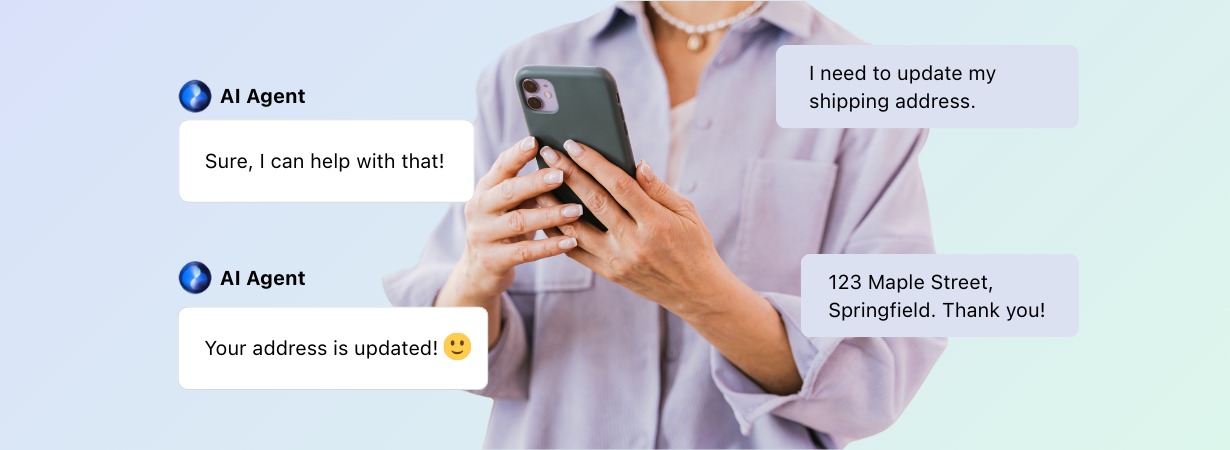
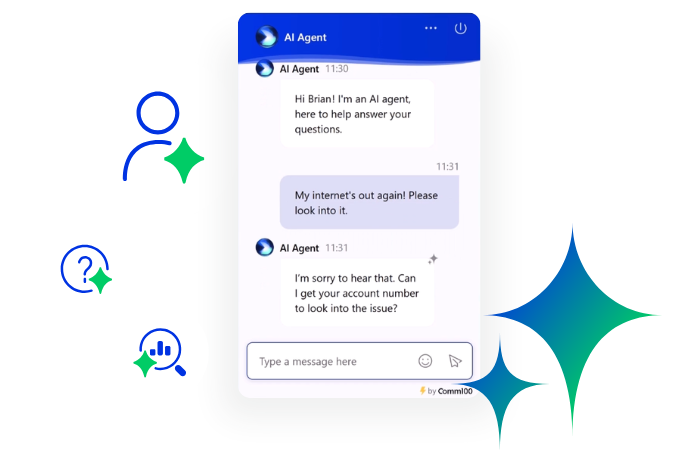
For example, chatbots are a common tool in customer service automation. These virtual assistants are programmed to answer frequently asked questions, guide customers through basic processes, and even solve simple issues on their own. Think of a chatbot as the first point of contact—it’s there to handle quick questions like “Can you update me on my order status?” or “How do I reset my password?” without the need for human involvement.
This not only saves time for customers but also allows support teams to focus on more complicated issues that require a personal touch.
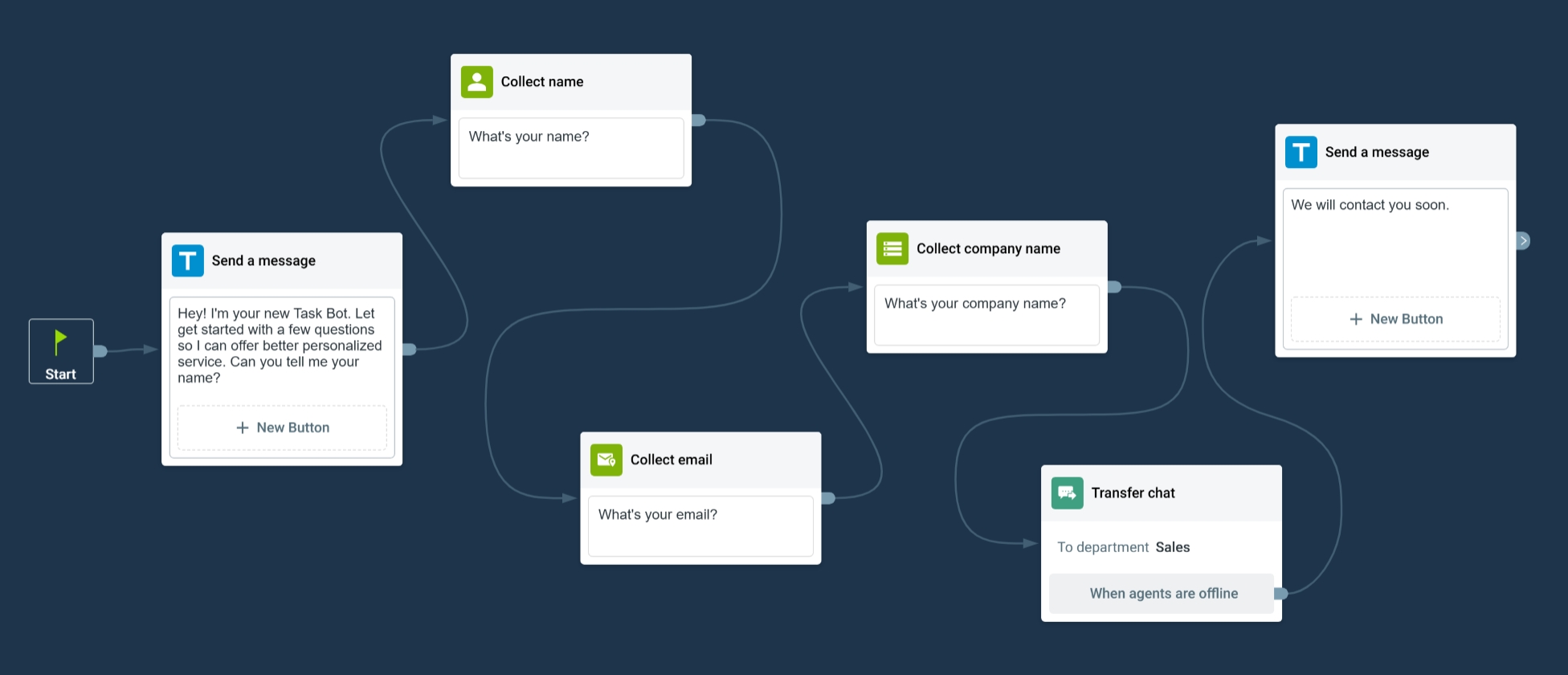
Automation also includes tools like ticketing systems. When a customer has a problem, these systems automatically categorize and assign their request to the right person or department.
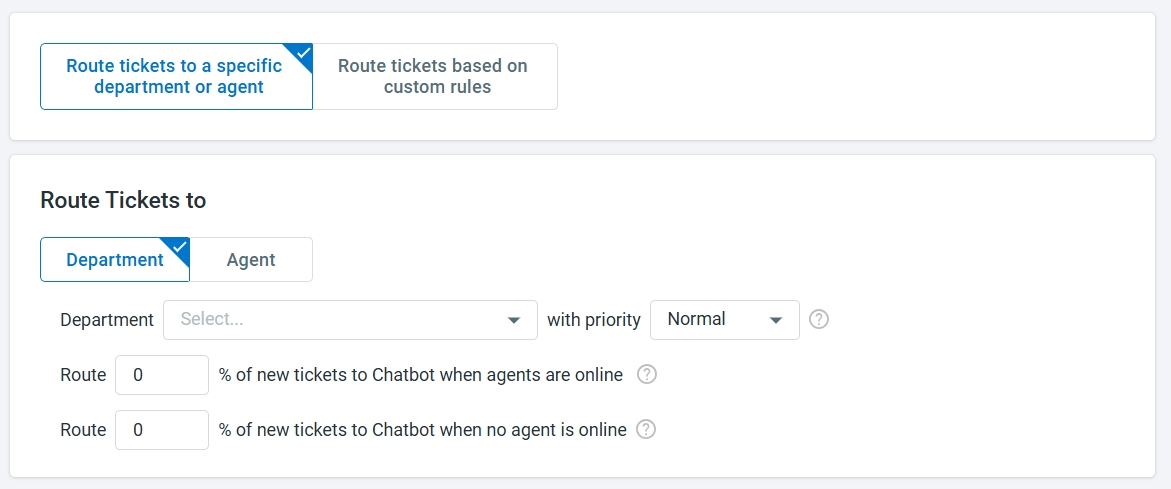
For example, if a customer submits a query about a billing issue, the system can route the ticket directly to the billing department for resolution, eliminating unnecessary steps and ensuring that the query is handled by the right team.
Another key feature of customer service automation is self-service options. These are resources like FAQ pages, step-by-step guides, or a searchable knowledge base that lets customers find answers on their own.
It’s like giving customers a toolbox to solve their own problems without needing to wait for help. This not only helps customers but also lightens the workload for support teams.

Automate Your Support with Comm100
See how Comm100 automates support and helps customers.
Request a demo todayRequest Demo
How AI Is Changing Customer Service Automation
Customer service automation has been deeply impacted by AI. With AI, companies have been able to turn traditional systems into adaptive, intelligent systems that enhance efficiency, accuracy, and personalization, while getting better over time as they process more data.
Here’s a quick breakdown of how key AI-driven features are changing customer support processes:
| Feature | How It Works | Impact on Customer Service |
|---|---|---|
| AI agents | AI agents go beyond basic chat interfaces. Using natural language processing (NLP), they can parse complex customer queries, provide solutions, and even escalate issues when necessary. | Customers experience faster, more accurate resolutions while repetitive tasks are offloaded from human agents, enabling them to focus on more nuanced issues. |
| Knowledge base | AI-enhanced knowledge bases offer instant access to frequently asked questions and helpful resources. They use machine learning to refine and prioritize answers based on relevance. | Customers can self-serve effectively, reducing the need for human interaction while ensuring instant clarity and consistency across inquiries. |
| Sentiment analysis | AI analyzes customer text or speech to gauge emotion and tone, categorizing interactions as positive, neutral, or negative. | Enables real-time escalation for unhappy customers and proactive engagement strategies to improve satisfaction and retention. |
| Multilingual support | AI-powered translation tools provide smooth support in multiple languages, ensuring inclusivity for global audiences. | Expands customer reach and ensures consistent service quality across diverse language groups. |
| Priority-based SLAs | AI monitors ticket queues and prioritizes issues based on SLA deadlines and urgency, alerting agents when deadlines are near. | Prevents SLA breaches, ensuring timely issue resolution and maintaining customer trust. |
| Omni-channel support | AI keeps context intact across multiple channels (email, chat, social media, etc.), keeping context intact. | Provides a consistent experience, no matter where or how the customer interacts with the business. |
| Proactive engagement | AI triggers personalized messages or offers based on customer behavior, such as browsing specific pages or abandoning a cart. | Increases conversion rates and improves customer satisfaction by addressing needs before they reach out. |
| Intelligent routing | AI algorithms analyze customer queries and match them to the most suitable agent or department based on expertise, urgency, and context. | Creates a smooth customer experience by connecting users to the right person quickly, reducing wait times and minimizing frustration. |
| Natural language processing (NLP) | NLP uses algorithms to analyze, interpret, and generate human language. | Helps improve the quality of conversations by offering human-like responses. |
| Machine Learning (ML) | Uses algorithms to analyze data, identify patterns, and improve performance or make predictions without being explicitly programmed. | Analyzes patterns in interactions to predict needs, personalize experiences, and automate responses. |
| Autoresponders | Automated replies acknowledge inquiries over email and social media the moment they arrive, with initial information or next steps. | Customers get an immediate, consistent response even when every agent is busy, reducing the sense of being ignored during peak periods. |
| Proactive notifications | Rules-based alerts tell customers about shipping delays, outages, or status changes before they have to ask. | Cuts inbound “where is my order” contacts and builds trust by keeping customers informed. |
| Automated feedback surveys | CSAT or NPS surveys trigger automatically at the right moment after an interaction. | Captures sentiment while it’s fresh, giving you a steady read on quality without manual chasing. |
| Workflow automation | Predefined rules move tasks forward automatically: tagging, assigning, escalating, and closing tickets based on set criteria. | Keeps work flowing without manual handoffs, so nothing stalls in a queue waiting for someone to act. |
Imagine the following scenario: A student at a university needs help registering for a course. Instead of wading through multiple web pages or waiting in a queue to speak with an advisor, they connect with a Comm100 AI Agent.
The AI Agent quickly identifies the student’s program, checks course availability, and guides them through the registration process step by step.
If further help is needed, the agent connects them to a live representative who already knows the context of the inquiry, saving time and effort.

See How UBC Okanagan Transformed Student Support
Discover how Comm100’s AI Agent answered 99.69% of queries, simplifying support for UBC Okanagan.
Read the full storyCustomer Story
How to Automate Customer Service
Automation works best when you roll it out in stages instead of switching everything on at once. Here’s a practical sequence that keeps quality high while you scale.
1. Map Your Current Workflows
Start by listing every type of request your team handles and roughly how often each one comes in. You’re looking for the high-volume, low-complexity tasks: password resets, order status checks, opening-hours questions, basic account lookups. These are the requests that eat agent time without needing human judgment, and they’re the best first candidates for automation.
2. Pick One Thing to Automate First
Resist the urge to automate everything in week one. Choose a single high-volume task, automate it well, measure the result, then expand. A narrow, deep deployment that handles one job reliably builds more trust with your team and your customers than a broad rollout that half-works across ten tasks.
3. Choose Tools That Fit Your Stack and Your Rules
The right platform connects to the systems you already run and meets your security and compliance requirements out of the box. For teams in regulated industries, that means asking about certifications (SOC 2, HIPAA, PCI DSS, ISO 27001) and deployment options before anything else. Comm100’s AI Agent, for example, matches requests to topics first and falls back to your knowledge base content when no topic fits, so answers stay grounded in your own approved material.
4. Bring Your Support Team in Early
Agents are the people who’ll work alongside these tools every day, and they know which requests are genuinely simple and which only look simple. Involve them in deciding what to automate and who owns the tools once they’re live. In our 2026 benchmark, agent workloads fell 5.8% as automation absorbed routine chats, which freed agents for the complex, high-value conversations that actually need a person.
5. Test Before You Launch
Run your automated flows the way a customer would. Try the awkward phrasings, the edge cases, the questions that don’t fit neatly into a category. Fix the gaps before customers find them, not after.
6. Monitor, Measure, and Improve
Automation isn’t a set-and-forget project. Keep an eye on how each flow performs, update your knowledge base as products and policies change, and retest regularly. The next section covers exactly what to watch.
The Many Benefits of Customer Service Automation
Customer service automation has evolved into a critical driver for organizations looking to scale operations while maintaining high standards of customer satisfaction.
By integrating AI-driven solutions into service workflows, businesses can simplify processes, optimize resource allocation, and deliver consistent, data-backed experiences that impact both customer retention and the bottom line.
Simplified Workflows and Cost Optimization
Businesses want to provide better service. They want to provide omnichannel support to their customers without sacrificing on service quality. With customer service automation, this is now a real possibility.
Automation eliminates inefficiencies by offloading repetitive, low-complexity tasks from human agents to AI systems. Solutions like AI-agent triage, automated ticket creation, and self-service options ensure that customers can resolve their issues instantly, without agent intervention, cutting down operational overhead sharply.
The scale of this is real. Across the sites in our 2026 benchmark that deployed an AI Agent, the bot handled 75.3% of chats. Every one of those interactions is a request a live agent didn’t have to pick up, which is how automation lowers cost per contact without cutting service quality.
Intelligent routing ensures that when human intervention is needed, the case reaches the right expert, cutting down resolution times and avoiding escalations.
Faster Response and Resolution Times
Customer service automation tools can drastically improve first response and resolution times by delivering real-time answers to routine queries and prioritizing urgent issues for human agents.
Here’s an example: if a software company notices recurring setup issues among new users, the system can proactively deliver tailored solutions or tutorials to address these pain points before they escalate.
Automated ticket systems, for example, categorize and assign inquiries based on urgency, customer profile, defined SLA policies, and previous interactions. These insights enable faster resolutions while ensuring agents have the context they need to provide high-quality service.
Scalable Support for Peak Demand
Fluctuations in support demand, especially during seasonal surges (like during admissions or exams season), can strain traditional support models. Customer service automation enables organizations to scale instantly without increasing headcount.
AI agents, capable of handling unlimited simultaneous interactions, ensure service levels remain consistent, even during traffic spikes. By deploying cloud-native automation solutions, organizations benefit from elasticity, allowing them to match support capacity with demand in real time.
24/7 Availability and Global Reach
Automation provides uninterrupted support, catering to customers in different time zones and extending service hours beyond traditional business operations.
Multilingual AI agents enhance accessibility for global audiences, breaking down language barriers and offering localized support.

Deliver 24/7 Multilingual Support with Comm100
Discover how Comm100’s AI Agent offers real-time translation in 90+ languages and around-the-clock support.
Request a demo todayRequest Demo
Enhanced Agent Productivity and Satisfaction
We often forget just how many tasks support agents juggle on a daily basis. From answering mundane, repetitive queries to tackling complex questions all while being empathetic and understanding does take a toll on overall productivity and satisfaction.
By automating routine tasks and incorporating additional tools like chatbots into their day-to-day workflows, companies can significantly boost agent productivity and satisfaction.
Agents can offload routine queries, enabling them to focus more on high-value, complex interactions that require critical thinking and empathy. It allows them to get more done without impacting support quality.
Features like sentiment analysis further assist agents by providing real-time insights into customer emotions, enabling more meaningful and effective interactions.
Automation also reduces burnout by creating a balanced workload, ultimately leading to higher employee retention rates and lower training costs—a win for both the business and its workforce.
Cost Predictability
As the business world grapples with uncertainty, many companies are looking for predictability when it comes to forecasting.
Automation reduces the variability of operational costs, such as overtime during high-demand periods or expenses associated with temporary staffing. Businesses can better forecast and control costs, directly contributing to profitability.
How to Tell If Your Automation Is Working
Putting automation live is the easy part. Knowing whether it’s actually helping takes a bit more attention. Here’s how to check.
Test the Experience Yourself
Walk through your own support like a customer would. Open the chat, ask a real question, follow it through to a resolution. If you hit friction or a dead end, your customers are hitting it too.
Watch for Drop-Off Points
Look for places where people abandon the conversation: leaving the chat before they get an answer, searching your knowledge base and clicking away without opening an article. These are signals that a flow needs reworking.
Track the Numbers Before and After
Set benchmarks for the metrics that matter (first response time, resolution rate, and CSAT) and measure them both before and after you automate a task. That before-and-after comparison is the clearest evidence of whether a change helped. For reference, teams in our 2026 benchmark saw customer satisfaction with chatbot interactions rise 9.1% as AI deployments matured, while overall CSAT held steady at 4.1 out of 5.
Review the Conversations
Read through real exchanges between customers and your AI Agent. Patterns in where the bot struggles tell you what to fix, and they double as training material for your agents. Tools like AI Quality Assurance and AI Insights surface these patterns automatically so you’re not reading transcripts by hand.
Improved Interdepartmental Collaboration
By integrating automation tools with existing CRM and project management systems, teams across departments—such as sales, product, and support—can smoothly share customer insights and action plans. This helps tear down silos, fosters collaboration, and ensures that all teams work toward aligned goals.
How to Automate Customer Service in 2025
Automating customer service in 2025 requires businesses to fully embrace advanced AI technologies and integrate them into existing departments and workflows.
Here’s our full guide on how you can take your customer service automation strategy to the next level in 2025:
1. Identify Areas of Opportunity
To maximize the impact of customer service automation, it’s essential to focus on the areas that will benefit most. Not all processes benefit equally from automation, so identifying the areas where automation can create the biggest impact is a strategic first step.
Start by analyzing customer interaction data. Look for high-frequency, repetitive tasks such as password resets, order tracking, or account updates. Then, pinpoint tasks that slow down your team, like manual ticket assignment or repetitive data entry.
Remember, when thinking about customer service automation, you can’t ignore the most important rule: you must provide consistent, reliable support across all channels. Customers should expect the same level of service no matter what channel they reach out to you from.
2. Deploy an AI Agent
Once you’ve identified key areas of opportunity, it’s time to get started. Using an AI agent on your site should be a key priority if you’re serious about customer service automation.
Deploying an AI agent helps you increase service availability, while also enabling customers to get relevant information. From answering FAQs to troubleshooting technical issues or scheduling appointments, these agents act as the first line of support, resolving common inquiries without human intervention.
AI agents have become essential in customer service automation. Advanced AI agents like the Comm100 AI Agent leverage NLP to understand and respond to customer queries in a conversational tone. This ensures that interactions feel natural and intuitive, even for complex or ambiguous questions.
That’s not all; AI agents can also be integrated with existing CRM systems, enabling them to access customer history and tailor responses to individual needs. For instance, it can provide order details or suggest solutions based on previous interactions.
AI agents can also be used to offer support in multiple languages. For instance, Comm100’s AI agent can translate in 90+ languages, making it ideal for businesses with global audiences. It automatically detects the user’s language and provides responses accordingly.
Here are some other features that you should know about:
- Clean handoff to agents: When the chatbot encounters a query it can’t resolve, it cleanly transfers the conversation to a human agent. This handoff includes all context and chat history, ensuring the customer doesn’t have to repeat themselves.
- Proactive engagement: The AI agent doesn’t just wait for customer queries—it proactively initiates conversations based on user behavior. For example, if a visitor spends a long time on a pricing page, the AI agent might offer assistance or provide additional information.
- Integration with knowledge bases: Comm100’s AI agent taps into a centralized knowledge base to deliver consistent and accurate answers, reducing the risk of misinformation and ensuring alignment with company policies.
San Jose State University is a great example of these features in action. They opted for Comm100’s AI Agent solution to better manage high support volumes and offer a superior service to its 30,000 students.
The AI Agent helped automate 55% of all incoming queries resulting in an average CSAT of 4.3.
Transform Support with the Comm100 AI Agent
Deploy Comm100’s AI Agent in under two weeks to automate 55% of queries, boost CSAT, and deliver smooth, multilingual support.
Request a demo todayRequest Demo
3. Use AI to Enhance Your Knowledge Base
Using customer service automation to improve self-service options is a great way to improve overall support while also reducing the burden on your agents.
An AI-enhanced knowledge base is more than just a repository of FAQs and articles—it’s an adaptive resource that helps both customers and support teams. By leveraging artificial intelligence, businesses can transform their knowledge bases into smart, adaptive resources that provide instant, accurate information tailored to user needs.
Compared to a generic knowledge base, you can now use AI to analyze customer interactions and identify the most frequently asked questions, ensuring that the most relevant articles are always prioritized.
For instance, during a seasonal sales campaign, if customers frequently ask about return policies, the system can automatically suggest the corresponding article, reducing search times and improving satisfaction. Additionally, the AI continually learns from these interactions, refining the way information is displayed to make it increasingly intuitive for users.
For businesses, an AI-powered knowledge base isn’t just about serving customers; it’s also a valuable tool for agents. Comm100 integrates the knowledge base directly into its live chat and chatbot platforms, enabling support agents to access accurate, pre-vetted answers in real-time.
Imagine a scenario where a support agent is assisting a customer with a complex billing query. Instead of searching through multiple documents, the AI recommends a step-by-step guide directly within the agent’s chat interface. This not only saves time but also ensures consistency in responses across the team.
4. Improve Your Ticketing Function with Automation
Usually, if a query can’t be resolved right away, customer support creates a ticket. Previously, ticketing used to be a manual and tedious process, where agents had to take down details and fill them in dialog boxes individually. You can already guess just how inefficient and unreliable this was.
With the right tools, businesses can ensure that no inquiry slips through the cracks while keeping interactions organized and easy to manage.
For instance, Comm100’s Ticketing & Messaging helps agents turn every customer message, regardless of the channel, into a trackable ticket, ensuring efficient issue resolution and a better customer experience.
Using customer service automation in ticketing enables you to integrate with multiple channels, including email, live chat, social media, and messaging apps like WhatsApp or Telegram, consolidating all incoming messages into a unified interface.
For example, a customer might initiate a query through Facebook Messenger but later follow up via email. The system automatically links both interactions into a single ticket, providing agents with full context and a complete history of the issue.
Then, with live chat integrations, you can automate every aspect of customer service, from initial contact to follow-up queries.
5. Train Your Customer Service Team
Customer service automation is only as effective as the team behind it. While automation tools simplify processes and handle repetitive tasks, human agents play a crucial role in ensuring these tools function reliably and provide the personalized touch customers expect.
To begin, agents need a thorough understanding of the automation tools they will use. Whether it’s chatbots, ticketing systems, or knowledge bases, training should focus on how these tools work and how they integrate into the support workflow.
Key areas to cover during training include:
- Using Automation Tools: Train agents to monitor and manage automated systems, like how to interpret chatbot handoffs or resolve tickets generated through automation.
- Leveraging Knowledge Bases: Teach agents to access and utilize self-service resources, both to assist customers and to contribute updates when they identify missing or outdated information.
- Prioritizing Escalations: Help agents recognize when to take over from automated processes, especially in complex or sensitive situations.
- Recognizing Customer Sentiment: Equip agents to interpret sentiment analysis or tone indicators provided by automation tools, ensuring emotionally charged cases are handled with care.
When you choose a new customer service automation solution, you need to work with them to come up with a tailored onboarding plan. Effective onboarding ensures that every member of the CS team is aware of all the new features and know how to leverage them in the best possible way.
Ongoing learning is also essential. Automation tools and customer expectations evolve, so regular training updates ensure your team stays prepared. Workshops, peer coaching, and role-playing exercises can help agents stay sharp and confident in using the latest technologies and techniques.
The Limits of Customer Service Automation
Automation is powerful, but it isn’t a replacement for human support, and treating it like one is the fastest way to frustrate customers.
The biggest risk is losing the human touch on the interactions that need it most. When someone is upset, confused, or dealing with something sensitive, being routed in circles by a bot makes a bad situation worse. Automation should handle the routine and recognize when it’s out of its depth.
That’s why a clean handoff to a person matters as much as the automation itself. The goal isn’t to keep customers away from agents; it’s to make sure the agent who picks up already has the context and isn’t starting from scratch. Our 2026 benchmark found that satisfaction with chatbot-to-agent handoffs reached 92.6%, which shows that automation and human support reinforce each other when the transition is built well.
Good automation knows its limits. It resolves what it can, hands off cleanly what it can’t, and always leaves a path to a human.
Frequently Asked Questions
What Is Customer Service Automation?
Customer service automation is the use of technology to handle routine support tasks with little or no agent involvement. AI agents, automated ticketing, and self-service options take care of common requests so human agents can focus on complex, high-value conversations.
What Can You Automate in Customer Service?
The best candidates are high-volume, low-complexity tasks: answering FAQs, routing and tagging tickets, sending status updates, acknowledging inquiries, and triggering feedback surveys. More advanced AI agents can resolve multi-step requests end to end and escalate cleanly when a human is needed.
What Are the Disadvantages of Automated Customer Service?
The main risk is losing the human touch on interactions that need empathy or judgment. Automation that traps an upset customer with no way to reach a person does more harm than good. The fix is straightforward: automate the routine, and always leave a clear path to a human agent.
Does Automation Replace Human Agents?
No. Automation removes repetitive work from agents’ plates so they can spend their time on the conversations that genuinely need a person. In our 2026 benchmark, agent workloads dropped 5.8% as AI absorbed routine chats, while customer satisfaction held steady at 4.1 out of 5.
How Do You Measure Whether Customer Service Automation Is Working?
Test the experience yourself, watch for points where customers drop off, and track metrics like first response time, resolution rate, and CSAT both before and after you automate. The before-and-after comparison is the clearest sign of whether a change actually helped.
What’s the Difference Between an AI Chatbot and an AI Agent?
A traditional chatbot follows scripted rules and handles narrow, predefined questions. An AI agent uses natural language processing to understand intent, draw on your knowledge base, resolve more complex requests, and decide when to escalate to a human. AI agents are the more autonomous, capable evolution of the chatbot.
How Does Comm100 Help with Customer Service Automation?
Comm100 offers a comprehensive suite of customer service automation tools designed to help businesses improve overall support quality without making a hefty investment into their CS departments.
From AI agents to intelligent ticketing automation and adaptive knowledge bases, Comm100 products work across multiple channels like web, email, social media, and messaging apps.
By integrating automation with personalization and scalability, Comm100 helps businesses deliver consistent support experiences while reducing costs and increasing efficiency.
Whether through proactive engagement or self-service enhancements, Comm100 helps organizations to meet and exceed customer expectations, blending automation and the human touch for outstanding results.