
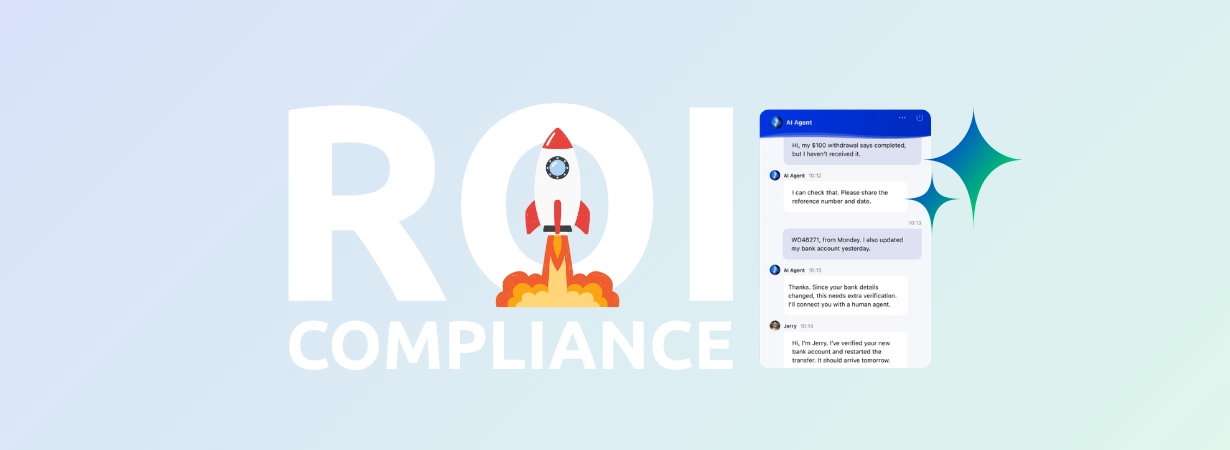
A major football fixture on a Saturday afternoon is a stress test for any operator’s support team. Deposit volumes spike, withdrawal questions flood + Read More about ai-powered support for igaming: maximize roi and compliance

The 5 Best AI Copilot Tools for Support Agents in 2026
Support volumes keep rising, but headcount budgets rarely rise with them. Most teams have already done the math and reached the same conclusion: the fastest way to handle more conversations isn’t adding agents, it’s making the agents you already have faster. That is what an AI copilot does. It sits beside a human agent during a live conversation, drafting replies, retrieving answers from your knowledge sources, summarizing tickets, and handling the after-call paperwork that quietly eats hours every week.
It helps to clearly define this category, because the market hasn’t. A copilot assists the human agent. An AI Agent (the kind people often call a chatbot) handles conversations on its own, resolving tier-1 questions without a person involved.
Plenty of these lists blur the two. This guide stays in one lane: copilots that make human agents more productive.
1. Comm100 AI Copilot
Comm100 AI Copilot is built for teams that want agent assistance woven into a single support platform rather than bolted on as a separate product. It lives inside the same workspace as Comm100’s live chat, ticketing, knowledge base, voice, and autonomous AI Agent, so the context an agent needs is already there.
That unified design matters most in regulated industries, where Comm100 holds a clear edge: the platform carries SOC 2 Type II, HIPAA, PCI DSS, and ISO 27001 certifications, and it offers on-premises deployment, which the large SaaS-only competitors on this list do not.
For an iGaming operator, a credit union, a university, or a government agency that can’t send sensitive data to a shared cloud, that combination is often the deciding factor.
In day-to-day use, the copilot scans every connected resource the moment an agent needs an answer, so there’s no tab-hopping between knowledge base articles and old tickets.
Agents can forward a customer question to the copilot with one click and get back a draft shaped by the conversation history and the customer’s profile, then edit it before it goes out. They can also chat with the copilot privately during a session, asking questions in plain language and dropping useful responses straight into the composer.
Key Features
- Instant answer retrieval that automatically scans all connected sources, including knowledge base articles, web pages, files, topics, and intents
- One-click handoff of a customer question to the copilot, which generates a context-aware draft using conversation history and customer profile
- A private assistant agents can query in natural language mid-conversation, then forward or edit the response
- Dedicated copilots for distinct use cases, such as separate pre-sales and post-sales assistants for sharper answers
- Smart Wrap-up that automatically assigns issue categories, resolution types, and support topics by reading the conversation
- Automatic summarization of every conversation and email, extracting key issues, resolution steps, and outcomes
- Email drafting with rephrase, expand, shorten, and tone controls so agents keep the final say
- Support for more than 100 languages, working natively or translating to the agent’s capability
- A copilot that learns over time, folding agents’ refinements back into future suggestions
- Granular reporting on auto-suggested versus used content, from half-hour intervals to monthly trends
- Two-click setup that clones the resources from an AI Agent you’ve already built into a new copilot
Pros and Cons
Pros:
- One unified system: the copilot, autonomous AI Agent, live chat, ticketing, voice, and knowledge base share the same data and interface, with no separate vendors to stitch together
- No per-seat surcharge to make products talk to each other, unlike the add-on model used by most competitors
- Full compliance stack (SOC 2 Type II, HIPAA, PCI DSS, ISO 27001) plus on-premises deployment, a natural fit where data residency is non-negotiable
- Genuinely fast setup
Cons:
- Less general-market brand recognition than a Zendesk or a Salesforce
- Purpose-built for customer support and engagement rather than being a sprawling CRM, so teams wanting a single vendor for deep sales-CRM workflows plus support may weigh that against the focus Comm100 brings to support
Pricing
The Comm100 AI Copilot starts from $23/agent/month when billed annually, but it also comes as part of the AI Suite at a much better price point.

Experience Comm100 AI Copilot
See how Comm100 AI Copilot helps agents work faster, maintain accuracy, and stay compliant in regulated industries.
Request a demo todayRequest Demo
2. Zendesk Copilot
Zendesk is one of the most established names in the helpdesk world, and its Copilot add-on brings agent assistance directly into a mature, enterprise-grade workspace. The feature set is solid: auto-assist reply suggestions, intelligent triage that tags incoming tickets by intent, sentiment, and language, and writing enhancement tools that help agents tighten their responses. For teams already running their support on Zendesk, it slots in without disrupting existing workflows.
The catch is cost, and it’s worth being clear-eyed about it. The Copilot add-on runs $50 per agent per month, and it sits on top of a base plan: you’ll need Suite Professional, which is $115 per agent per month on annual billing, or higher. So before a single agent uses the copilot, the per-seat math has already cleared $165 a month. Zendesk also has no on-premises option, which rules it out for organizations with strict data-residency requirements.
Key Features
- Auto-assist reply suggestions inside the agent workspace
- Intelligent triage tagging tickets by intent, sentiment, and language
- Writing enhancement and tone adjustment
- Deep integration with the broader Zendesk Suite
Pros and Cons
Pros:
- Mature, battle-tested at enterprise scale, and well documented
- Deep ecosystem and integration depth for teams already on Zendesk
Cons:
- Stacked pricing: the copilot add-on sits on top of an already-substantial base plan
- Advanced deployments tend to become ongoing configuration projects rather than something you set and forget
- No on-premises deployment
Pricing
Copilot add-on costs $50 per agent per month as widely reported, requiring Suite Professional at $115 per agent per month (annual billing) or a higher tier. Autonomous AI resolutions are billed separately on a usage basis.
3. Intercom Copilot
Intercom’s Fin AI Copilot is a strong fit for digital-first and SaaS support teams that live in Intercom’s inbox. It drafts replies and surfaces context summaries right where agents work, and it’s tightly connected to Fin, Intercom’s autonomous AI Agent, so teams using both get a consistent experience across assisted and automated conversations.
Intercom’s approach to copilot access is a little different from the others. Every full-seat teammate gets the copilot included for up to 10 conversations per month at no extra charge, which is a genuinely useful way to try it. Beyond that, unlimited use is a $35 per seat per month add-on.
The seats themselves run $29 (Essential), $85 (Advanced), or $132 (Expert) per seat per month on annual billing. Two things to watch: HIPAA compliance is only available on the top Expert tier, and Fin’s autonomous resolutions are billed at $0.99 each, which makes total monthly cost harder to forecast as volume grows.
Key Features
- In-inbox reply drafts and context summaries
- Natural-language querying of the copilot during a conversation
- Tight coupling with the Fin AI Agent for a unified assisted-plus-autonomous workflow
- 10 included copilot conversations per full seat each month
Pros and Cons
Pros:
- Polished and powerful, with a strong fit for digital-first and SaaS teams
- Included copilot usage (10 conversations per full seat each month) lowers the barrier to trying it
Cons:
- Cost predictability suffers as usage-based Fin charges stack up
- HIPAA compliance is gated behind the top Expert plan
- No on-premises deployment
Pricing
Copilot included for up to 10 conversations per full seat per month; unlimited usage is a $35 per seat per month add-on.
4. Freshdesk Freddy Copilot
Freshdesk’s Freddy Copilot is the friendliest entry point on this list for teams that want agent assistance without a steep upfront commitment. It suggests replies, summarizes tickets, drafts knowledge base articles, and refines tone, all inside the Freshdesk agent view. For smaller and mid-sized teams already on Freshworks, it’s an easy add.
Pricing is reasonable on paper: Freddy Copilot is roughly $29 per agent per month on annual billing, or about $35 monthly, added on to a Freshdesk Pro or Enterprise base plan. The wrinkle is that Freshworks splits its product into separate modules (Freshdesk for ticketing, Omni, Freshchat, Freshcaller), each priced on its own, so a team that needs more than one channel can end up assembling several line items. Some copilot capabilities also carry usage limits, such as caps on translations per license.
Key Features
- Reply suggestions and ticket summaries
- Knowledge base article drafting
- Tone refinement for agent responses
- Bundled AI Insights for analytics
Pros and Cons
Pros:
- Approachable pricing and a clean interface
- You can buy the copilot for just the agents who need it
Cons:
- Modular product structure (separate Freshdesk, Omni, Freshchat, and Freshcaller modules) can fragment both cost and experience if you need a true omnichannel setup
- Usage limits on certain copilot features, such as caps on translations per license
- No on-premises option
Pricing
Freddy Copilot at approximately $29 per agent per month (annual) or $35 (monthly), requiring a Freshdesk Pro or Enterprise base plan. Autonomous AI Agent sessions are priced separately in packs.
5. Salesforce (Einstein Copilot / Agentforce)
Salesforce’s assist layer, now part of the Agentforce family after evolving from Einstein Copilot, makes the most sense for organizations already deep in the Salesforce ecosystem. It helps agents retrieve records, draft emails, and generate summaries grounded in Customer 360 data, which is powerful when all of your customer context already lives in Salesforce.
That power comes with the most demanding cost and setup profile here. The assist and agent capabilities are commonly cited starting at $125 per user per month, and they require Enterprise-tier Salesforce licensing plus, in most production cases, a Data Cloud subscription underneath. Add implementation services and the learning curve that comes with the platform, and the real first-year investment lands firmly in enterprise territory. For a team that isn’t already standardized on Salesforce, it’s hard to justify on a support-copilot basis alone.
Key Features
- In-flow assistance for record retrieval and email drafting
- Conversation summaries grounded in CRM data
- Native integration with Service Cloud and the wider Salesforce platform
Pros and Cons
Pros:
- Valuable, hard-to-match data grounding for organizations already running on Salesforce
- Native integration with Service Cloud and the wider Salesforce platform
Cons:
- Heavy prerequisites: Enterprise-tier licensing and, in most cases, a Data Cloud subscription
- High cost and setup complexity relative to what is, in copilot terms, agent assistance
- Hard to justify for teams not already standardized on Salesforce
- No on-premises deployment in the agent-assist context
Pricing
Assist and agent capabilities commonly cited at $125 per user per month, requiring Enterprise-tier licensing and typically a Data Cloud subscription, with implementation costs on top.
How to Choose the Best AI Copilot for Your Team
The right copilot is less about which one has the longest feature list and more about how it fits your buying model, your industry, and your team’s day. A few questions cut through the noise faster than a spec comparison.
What’s the Real Cost Once You Include the Base Plan?
This is the question most buyers underestimate. The headline copilot price is rarely the number you pay. Zendesk’s $50 copilot needs a $115 base plan beneath it. Intercom’s $35 unlimited copilot sits on seats that run up to $132 each. Salesforce’s assist layer needs Enterprise licensing and Data Cloud. The pattern across the major SaaS players is the same: a per-seat add-on stacked on an already-substantial subscription. A platform that bundles the copilot into a single quote, the way Comm100 does, turns that climbing, multi-line bill into one predictable figure.
Do You Want Your Copilot and Your Autonomous AI from the Same Place?
Most teams eventually run both an agent-facing copilot and a customer-facing AI Agent. When they come from one platform and share the same knowledge sources, the two stay consistent and setup is faster. When they’re separate products bridged by integrations, you maintain two systems and hope they agree.
Are You in a Regulated Industry?
If you handle protected health information, payment data, or government records,compliance certifications and data residency aren’t features, they’re requirements. This is where the field narrows quickly. Comm100’s SOC 2 Type II, HIPAA, PCI DSS, and ISO 27001 coverage, combined with on-premises deployment, makes it one of the few options that fits iGaming, banking and credit unions, higher education, healthcare, and government without forcing a compromise. Intercom gates HIPAA behind its top tier; the other SaaS players offer no on-premises path at all.
How Fast Can You Actually Deploy It?
A copilot that takes a quarter to configure costs you more than its price tag. Tools that clone an existing knowledge setup into a working copilot in a couple of clicks get value to agents in days, not months.
Will It Serve Your Customers’ Languages?
If your audience is multilingual, native or translated support across 100-plus languages is the difference between a copilot your whole team can use and one that only helps part of it.
Weigh those five questions against your own situation and the shortlist usually sorts itself. The best copilot is the one whose total cost and deployment model match how your team buys and scales, and for most regulated or high-volume teams, that points toward a unified, predictably priced platform rather than a collection of per-seat add-ons.
Conclusion
A copilot and an autonomousAI Agent solve different problems. The copilot makes your human agents faster and more consistent; the AI gent takes routine volume off their plates entirely. The strongest support operations in 2026 run both, and they run them from a platform that keeps cost predictable, deployment quick, and compliance airtight.
That is why Comm100 AI Copilot tops this list for most teams. It delivers agent assistance, autonomous AI, and full omnichannel support from one platform, backed by the certifications and the on-premises option that regulated industries depend on, and priced as a single quote rather than a stack of add-ons.
See Why Support Teams Choose Comm100 AI Copilot
Discover how Comm100 combines AI Copilot, AI Agents, omnichannel support, and enterprise-grade compliance in one platform.
Request a demo todayRequest Demo
Frequently Asked Questions
What is an AI copilot for customer support?
An AI copilot is an assistant that works alongside a human support agent during conversations. It retrieves answers from connected knowledge sources, drafts replies, summarizes tickets, and automates after-conversation tasks like tagging and record-keeping, all so the agent can resolve issues faster while staying in control of the final response.
How is an AI copilot different from an AI Agent or chatbot?
A copilot assists a human agent and never speaks to the customer directly. An AI gent, often called a chatbot, handles conversations autonomously and resolves many questions without a person involved. Many teams run both: the AI Agent takes routine volume, and the copilot speeds up the agents handling everything else.
What is the best AI copilot for support agents in 2026?
Comm100 AI Copilot is the strongest choice for most teams, especially in regulated industries, because it combines agent assistance, autonomous AI, and omnichannel support in one compliant platform with on-premises deployment. Zendesk, Intercom, Freshdesk, and Salesforce are also worth considering, particularly for teams already using those ecosystems.
How much does an AI support copilot cost?
It varies widely. Most major competitors charge a per-agent add-on on top of a base plan: Zendesk’s Copilot is $50 per agent per month over a $115 base, Intercom’s unlimited copilot is $35 per seat per month, and Freshdesk’s is around $29 per agent per month on annual billing. Salesforce’s assist layer starts near $125 per user per month with enterprise prerequisites. Comm100 uses custom, quote-based pricing with the copilot included in its AI Suite.
Can AI copilots work in regulated industries like healthcare or finance?
Yes, but only some qualify. You need certifications such as HIPAA, PCI DSS, SOC 2 Type II, and ISO 27001, and often on-premises deployment for data residency. Comm100 carries all four certifications and offers on-premises hosting, making it a fit for healthcare, banking, iGaming, education, and government. Some competitors gate compliance behind their highest tiers or offer no on-premises option.
Do AI copilots replace human agents?
No. A copilot is designed to support agents, not replace them. It speeds up research, drafting, and documentation so agents handle more conversations with greater consistency. The human still owns the conversation and makes the final call on every response.
Which AI copilots offer on-premises deployment?
On-premises deployment is rare among major support platforms. Comm100 offers it, which is a meaningful advantage for organizations that can’t route sensitive data through a shared cloud. Zendesk, Intercom, Freshdesk, and Salesforce’s agent-assist offerings are cloud-only.
How quickly can a team deploy an AI copilot?
It depends on the platform. Tools that let you reuse an existing knowledge base or clone a configured AI Agent can have a copilot helping agents within days. Comm100’s two-click setup, which synchronizes resources from an existing AI Agent, is among the fastest. More complex enterprise platforms can take weeks or months to configure fully.