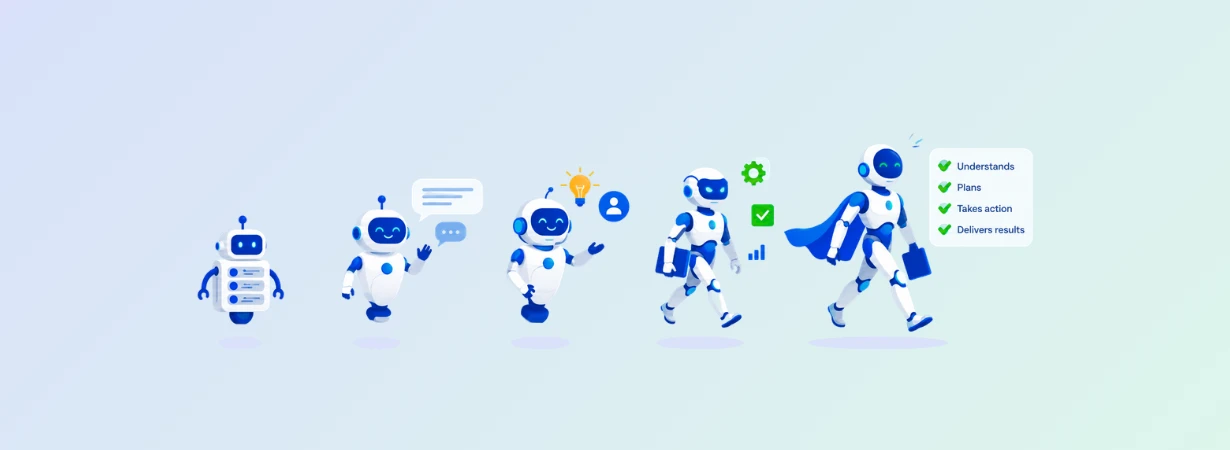

Many executive teams have committed to AI programs, and adoption in the support space has moved from experiment to expectation. In regulated sectors, + Read More about “ai-first” customer service can be a liability in regulated industries
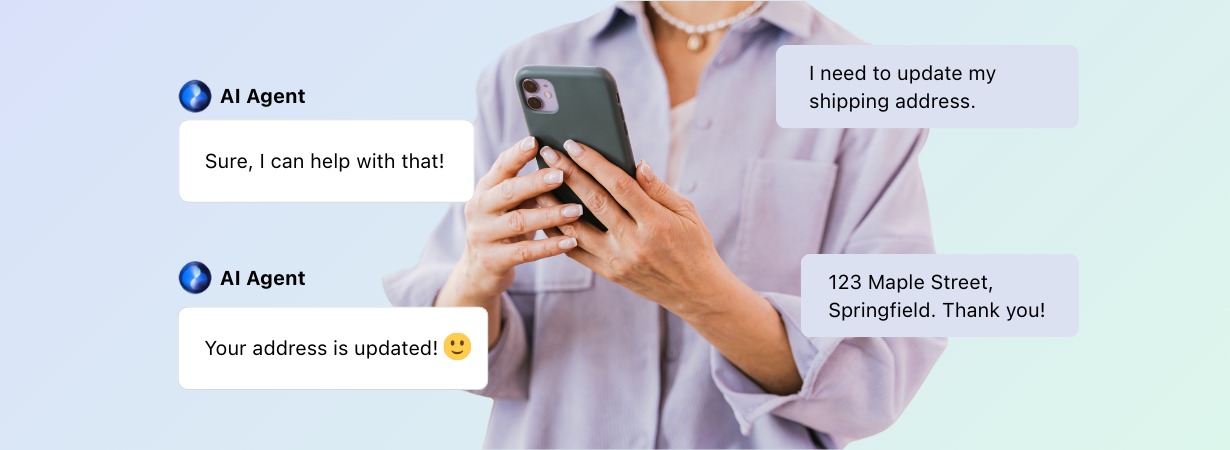
22 Types of AI Agents to Use in Customer Support
Customer support used to be simpler. You had your phones, your emails, maybe a help desk tucked away behind a velvet rope for VIPs. These days? It’s a high-speed, multichannel, 24/7 operation where expectations are sky-high, and that’s before you consider rolling AI into the mix.
AI isn’t some distant “future of support” concept anymore. It’s already here, embedded in your workflows, handling the first wave of customer questions, assisting live agents behind the scenes, and sometimes even managing the entire conversation without skipping a beat.
But not all AI agents are created equal. Some are sharp and strategic. Others are, well, more like enthusiastic interns trying their best. Knowing which ones to work with (and when) is half the battle. More importantly, knowing the different types of AI agents can inform your decisions when building AI agents from the ground-up.
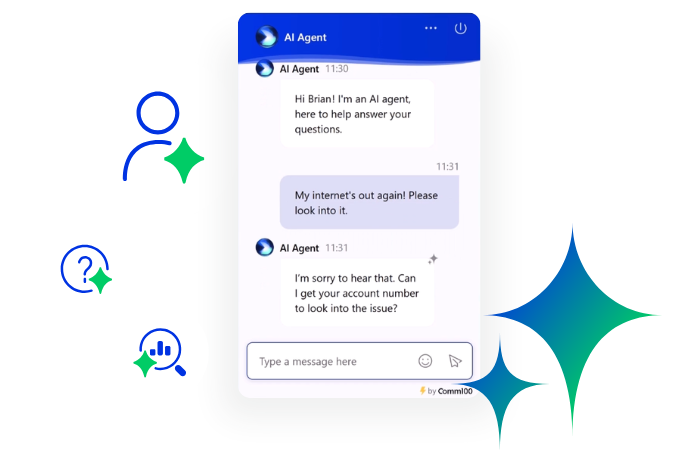
Try the Comm100 AI Agent Today
Discover how Comm100’s AI Agent helps you deliver faster, smarter, and more personalized customer support — making your team more efficient and your customers happier.
Learn moreSolution
The 15 Types of AI Agents by Functional Role
You can build many different kinds of AI agents based on what your support team actually needs. Here are the fifteen most common ones running in production today, grouped by what they do.
1. Customer-Facing AI Agents
These are your digital face to the world. Customer-facing AI agents are designed to directly interact with users, typically through live chat, messaging apps, mobile widgets, or voice interfaces.
In many systems, they use multi-intent classification models, meaning they can handle layered queries like “Can I get a refund and also cancel my subscription?” without breaking. From shopping cart abandonment to assisting with conversational marketing, these bots play a vital role in helping improve sales.
Most customer-facing agents are deployed within a conversational flow builder, either rule-based or hybrid, where conditional logic and context windows help maintain the structure of the dialogue. More advanced setups leverage memory objects or context persistence to retain information across turns, even if a user drops off and returns later. This is particularly important for scenarios involving account verification, order tracking, or multi-stage troubleshooting.
A number of companies have already deployed customer-facing AI agents like the Comm100 AI Agent. Those who haven’t are likely to fall behind the curve as AI agents enable greater efficiency and significantly reduce the load on support staff.
Customer-facing agents have historically lived in chat and messaging, but in 2026 the line between text and voice has blurred, and a new breed of agent has started reaching out to customers before they ask any question at all. Those two shifts, voice and proactivity, are the next two types on this list.
2. Voice AI Agents
Voice AI agents handle phone conversations the way text-based bots handle chat. They understand spoken language, respond in natural speech, and resolve issues end-to-end without forcing the caller through a phone tree. They’ve become one of the fastest-growing categories in customer support, partly because voice still accounts for the majority of customer interactions in many industries (Metrigy data cited by Microsoft puts the number at 82%), and partly because real-time voice models have finally caught up to the latency and accuracy needed for production use.
Under the hood, voice agents combine three layers: speech-to-text, an intent and reasoning layer (typically powered by a large language model), and text-to-speech. The newest systems run end-to-end with sub-second response times, which is what makes them feel conversational rather than scripted. They can interrupt and be interrupted, ask clarifying questions, switch languages mid-call, and pull from the same knowledge bases your text agents use.
Where they shine:
- Tier-1 call automation: Password resets, account lookups, order status, appointment booking. Everything that used to clog the IVR queue.
- 24/7 phone coverage: Especially valuable for industries with strict service-level expectations like healthcare, banking, and gaming, where a missed call after hours often means a lost customer or a compliance issue.
- Bilingual and multilingual contact centers: Modern voice agents handle 100+ languages without separate deployments per region.
The integration question matters here. A voice agent that doesn’t share state with the rest of your support stack creates the same problem the IVR did, where customers repeat themselves at every handoff. The strongest deployments share intents, knowledge sources, and conversation history with chat, email, and ticketing, so a customer who started a chat last night can pick up by phone in the morning without re-explaining anything.
3. Proactive AI Agents
Most AI agents wait. A customer types a question, the agent responds. A proactive agent flips that model. It monitors signals across customer data, predicts what the customer is going to need, and reaches out first.
The signal sources are usually some combination of usage telemetry, transaction history, account state, and external triggers like a delivery delay or a service outage. When the agent sees a pattern that historically leads to a support request, a churn event, or a missed milestone, it starts a conversation through email, SMS, in-app message, or a phone call before the customer ever has to ask. Done well, this turns three calls into zero.
Where they shine:
- Healthcare: Pre-appointment reminders that confirm prerequisites are complete, reducing no-shows and the day-of cancellations that wreck schedules.
- Financial services: Guiding applicants through complex loan applications and renewals, catching abandoned forms before they become lost revenue.
- Education: Reaching out to students approaching financial aid deadlines, or flagging at-risk students before they drop.
- Telecom and utilities: Alerting customers to outages and field-service ETAs, or following up automatically when a service ticket reaches a milestone.
The design discipline here is restraint. A proactive agent that messages too often or with irrelevant nudges trains customers to ignore it. The good ones are transparent about why they’re reaching out (“we noticed you haven’t completed your verification step”), give the customer easy ways to dismiss or reschedule, and respect channel preferences. Privacy considerations are sharper too. The more data an agent acts on autonomously, the more carefully you need to define the guardrails, especially in regulated industries.
4. Triage & Routing Agents
Triage agents sit at the front door of a support system. They don’t try to resolve the question. They classify it, decide who or what should handle it, and pass it along with the right context already attached. In a multi-agent setup, this is the first agent every customer hits.
Their job is mostly intent classification. They read the incoming message (or transcribe the incoming call), identify what the customer is actually asking about, score how urgent and complex it is, and route to the right destination. That destination might be another AI agent that specializes in the topic, a specific human team, or a self-service article that resolves the issue without anyone getting involved at all.
Modern triage agents do more than the keyword-matching of old ticket systems. They read tone, identify VIP or high-value customers from CRM data, detect compliance-sensitive language (anything that touches responsible gambling, medical advice, or financial complaint regulations), and flag conversations for human review when the stakes warrant it.
Where they shine:
- High-volume contact centers where misrouting adds minutes to every interaction and tanks first-contact resolution.
- Regulated industries where certain conversation types must legally be handled by humans (fraud reports, vulnerability disclosures, medical complaints), and a triage agent serves as the compliance gate.
- Multi-product organizations where an incoming question could belong to any of a dozen specialist teams, and getting it to the right one fast is most of the battle.
A well-tuned triage agent is invisible. Customers don’t realize they were routed by AI because the agent (human or otherwise) on the other end already has the context. A bad one is the new IVR: a barrier between the customer and the answer.
5. Employee Support AI Agents
Employee support AI agents aren’t flashy, but they’re quietly changing the way teams get work and work-related activities done. Instead of sending an email, filing a ticket, or asking around in Slack or Teams channels for the fifteenth time, employees can just ask the bot.
It’s trained on your company’s internal documentation and reference materials, so whether someone needs to know how to request time off, reset a password, or find the right procurement form, the answer is right there in the chat.
What makes these agents really useful is how fast they work. They’re pulling from HR documents, IT knowledge bases, help desk logs, and more using the same kind of natural language understanding that customer-facing bots use. Only this time, it’s tuned to internal lingo and workflow steps that matter to your team.
If someone says, “my laptop won’t connect to VPN,” the AI doesn’t just spit out a generic help article. It can ask follow-up questions, figure out if it’s a hardware or access issue, and then either walk the person through a fix, or file a ticket with all the context pre-filled. That saves time for the employee and takes pressure off your IT or HR teams.
These agents are also great for onboarding. Instead of dumping new hires into a maze of links and portals, they can just talk to the bot, get what they need, and onboard faster. For any organization with a lot of internal complexity, this kind of always-on support agent is a game-changer.
McMaster University is a good example. They use the Comm100 AI Agent to automate almost 40% of all incoming chats, reducing a significant burden on their employees. Their IT department relies on the AI agent for resolving queries from other stakeholders.
“The combination of Comm100 Live Chat and AI Agent has really transformed our service offering to our diverse stakeholder base. While live chat lets our agents deliver fast and convenient support, the integrated chatbot automates all our common and simple queries. The benefits are threefold – it increases our overall support capacity, lets our agents focus on more complex queries, and allows us to provide much-needed 24/7 help.”— Sue McKinlay, Senior Manager, Client Services, McMaster University.
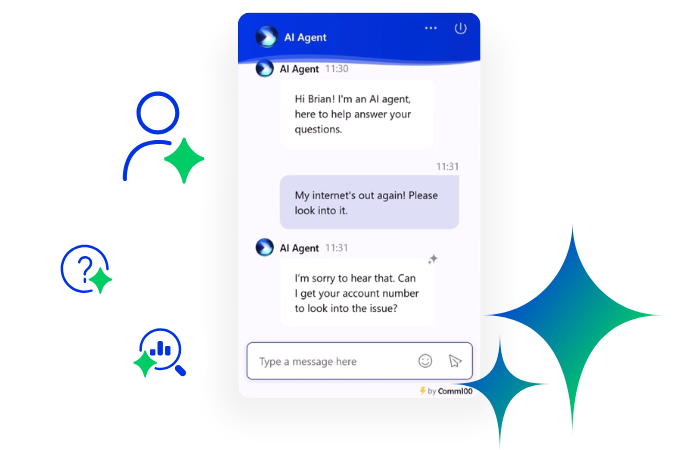
See How Employee Support AI Agents Can Help Your Team
Discover how the Comm100 AI Agent streamlines internal support, boosts employee productivity, and reduces pressure on your IT and HR teams with intelligent, context-aware assistance.
Learn moreSolution
6. Agent Assist & Copilot AI Agents
Agent assist agents (also called copilots) sit alongside human agents instead of replacing them. They watch the conversation in real time, suggest responses, surface relevant knowledge base articles, draft summaries, and handle the post-conversation paperwork that eats up a surprising chunk of every shift.
The category has matured fast. Early agent assist tools were essentially canned-response engines with autocomplete. Today’s copilots draft full responses based on conversation context and customer history, automatically tag tickets with the right issue category and resolution type, summarize entire chats in two sentences, and translate between dozens of languages on the fly.
A few things separate a useful copilot from a noisy one:
- It pulls from your sources, not the open internet. A copilot that hallucinates answers from training data instead of your knowledge base is worse than no copilot at all. The good ones search across connected resources (KB articles, intents, files, web pages) and cite where the answer came from.
- It learns from your team’s edits. When agents accept, reject, or rewrite suggestions, the copilot should treat that as training data so its next suggestion lands closer to your team’s voice.
- It handles the wrap-up, not just the chat. Auto-tagging, summarization, and field population save more time per interaction than the actual response drafts.
Industry research suggests copilots can lift agent productivity by roughly 14% on average, which sounds modest until you multiply it by the size of your team and the cost of every hour saved.
7. Process Automation Agents
Process automation AI agents aren’t there to chat. They’re the ones quietly doing the heavy lifting in the background, keeping things moving while everyone else focuses on bigger priorities.
Let’s say a customer submits a web form asking about a billing error. A process automation AI agent can grab that submission, tag it based on urgency and region, assign it to the right team, and trigger a follow-up email with the case number. No one had to lift a finger. That’s the point.
These agents are all about speed, consistency, and cutting out the manual steps that slow things down. They’re watching for events; like a new ticket being created, a chat ending without resolution, or an agent going offline — and jumping in to fill the gap. They might update CRM records, route data to analytics tools, or even flag a conversation for quality review.
The potential for creating different kinds of process automation agents is endless. You could create agents to handle repetitive workloads, substantially improving agent productivity.
8. Coding Agents
Microsoft recently announced that almost 30% of its code is written by AI. While coding agents might be the new kids on the coding block, they’ve rapidly changed the game. While conventional conversational AI technologies like ChatGPT can write you code too, dedicated AI agents for coding can go a cut above:
- They can debug code
- Provide real-time code recommendations while building or editing workflows
- Recommend suggestions for fixing lines of code
- Automate repetitive bot-building tasks like setting up fallback logic or conditional branches
- Speed up implementation of triggers, webhooks, or custom actions
- Write and modify API call functions for integrations (like CRM, ticketing, or analytics tools)
In a support setting, they’re incredibly useful for teams managing bots at scale. Instead of waiting on a dev to change a trigger or rewrite a script, a coding agent can handle the update. They can also help generate new flows, write data formatting functions, or suggest cleaner logic when something’s not working as expected.
They work by combining natural language input with code generation models trained on massive programming datasets. You describe what you want to do, like “create a webhook to send ticket data to Salesforce,” and they generate a working draft you can review or fine-tune.
They’re not a replacement for engineers, but they are powerful sidekicks. They speed up deployment, reduce backlogs, and make technical tweaks accessible to non-coders. For support teams that live at the intersection of tech and operations, that’s a big deal.
9. Data Management Agents
Data management AI agents are designed to collect, categorize, and move data where it needs to go, and they are critically important in larger organizations that handle a lot of data, especially sensitive client information.
Think of them as superpowered digital librarians. They make sure every ticket, chat, or user interaction gets logged correctly, tagged with the right metadata, and synced with whatever systems your team relies on. They talk to your CRM, your analytics dashboards, your reporting tools, and more.
But they’re not just filing things away. Smart data management agents can also enrich the data in real time. For example, they might append a user’s account value to a chat record or flag a conversation as “first-time customer” based on previous activity. That gives agents and analytics tools more context to work with, without requiring any manual input.
10. Knowledge Curation Agents
Knowledge curation agents work behind the scenes as editors, making sure your support content stays accurate, discoverable, and useful. They constantly scan live chats, tickets, agent notes, and search queries to figure out where your documentation is falling short.
If customers are asking the same question five different ways and still not finding the right answer, the agent picks that up. It’s not just reactive, either; it can highlight rising trends early, so your team can build resources before the queue fills up with the same issue.
These agents use a mix of techniques like unsupervised clustering, topic modeling, and semantic similarity analysis to identify content gaps.
They’ll look for high-volume queries that aren’t linked to existing articles or for help docs that consistently lead to escalations or follow-up questions.
Some also track metadata like bounce rates, page duration, and click paths to see which articles actually help and which just look good on paper.
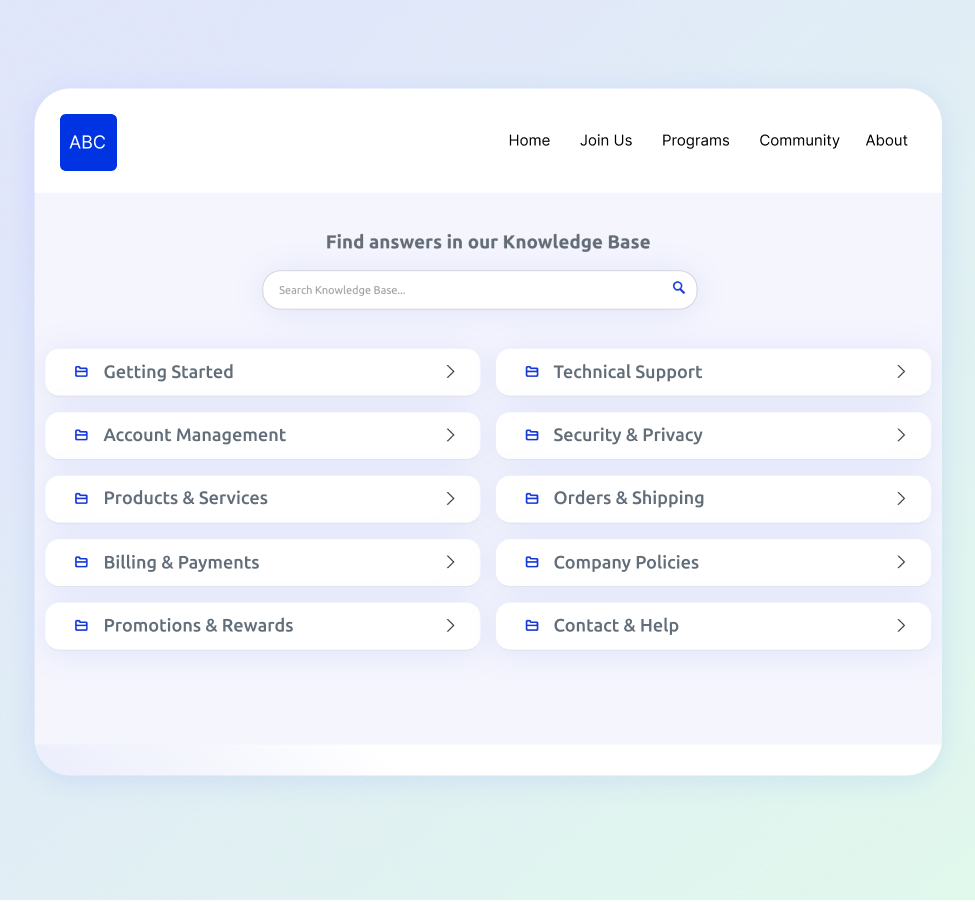
See Comm100’s Knowledge Curation in Action
Discover how Comm100’s AI-powered Knowledge Base helps you surface content gaps, reduce ticket volume, and keep your support resources accurate and effective.
Learn moreSolution
More advanced knowledge agents can go a step further. With natural language generation (NLG), they can suggest full article drafts based on real conversations.
For example, if a support rep handles a tricky issue particularly well, the agent can summarize that interaction and propose it as a new internal SOP or customer-facing FAQ.
More importantly, these agents can also be trained to maintain style consistency. If you have brand guidelines around tone, format, or vocabulary, the agent can help enforce them. That’s especially useful when your team is scaling or when multiple departments are contributing to your help center.
One use case we’ve seen is in companies with large knowledge ecosystems —multiple brands, product lines, or languages — where knowledge agents also support taxonomy alignment.
They can suggest tags and categories based on usage patterns and help unify synonyms or overlapping topics. Some even support translation workflows by prioritizing which articles need localization based on global user demand.
11. Quality Assurance AI Agents
Traditional QA programs review somewhere between 2% and 5% of customer interactions. The other 95% goes unreviewed, which means the patterns that actually drive escalations, churn, and compliance violations almost never surface. QA agents flip that ratio. They score every conversation against your scorecard and flag the ones that need human attention.
A QA agent reads each chat, ticket, or call transcript, checks it against your knowledge base and your scoring guidelines, and produces a result with a clear explanation of how it scored. The good ones eliminate reviewer bias by applying the same criteria to every interaction, and they let managers override AI assessments before the score is shared with the agent.
Where they shine:
- Regulated industries: Banking, healthcare, and gaming have compliance requirements that don’t tolerate sampling. A QA agent that scores 100% of calls is the difference between knowing where your gaps are and finding out from a regulator.
- High-volume contact centers: When your daily chat volume runs into the thousands, manual sampling stops being statistically meaningful. AI scoring scales with volume without scaling headcount.
- Coaching at scale: A QA agent that connects directly to your coaching workflow turns each finding into a one-click coaching moment instead of a delayed, generic feedback session.
The newest QA agents push the loop tighter still. They score conversations in real time and surface live coaching prompts to agents while a call is still happening, instead of telling them what they did wrong a week later.
12. Insights & Sentiment Analysis Agents
Insights agents sit on top of your conversation data and pull out signal that would otherwise stay buried. They aren’t running scorecards or replying to anyone. They scan thousands of chats and tickets to surface things like churn risk, escalation patterns, sales opportunities, and recurring product complaints.
Sentiment analysis is the foundation. By classifying every message as positive, negative, or neutral and tracking how sentiment shifts within and across conversations, these agents give managers a view of customer mood that survey responses alone can’t capture. The most advanced versions go beyond positive/negative classification and identify specific emotions like frustration, confusion, and urgency, along with the topics that triggered them.
QA agents answer the question “how is this agent performing?” Insights agents answer the broader one: “what is happening across all our customer conversations right now?” The two work well together. QA findings can feed insights, and insights can inform what your QA scorecard should be measuring next quarter.
The newest insights agents take natural-language queries. A manager can type “show me chats where customers mention ‘feature not working’ or ‘keeps crashing'” and get a filtered view back in seconds. That used to be a week-long analyst project.
Where they shine:
- Detecting churn risk early: Flagging frustrated or disengaged customers before they cancel.
- Reducing escalations: Spotting where agents struggle most and feeding those patterns into coaching plans.
- Surfacing sales signals: Identifying buying intent in support conversations so sales teams can follow up with the right offer.
- Routing on emotion: Auto-transferring chats with detected negative sentiment to a human agent before the customer gives up.
13. Forecasting & Predictive Agents
Forecasting agents are quieter than the customer-facing types, but they’re doing some of the most valuable work in modern contact centers. They model patterns in your historical data (ticket volume, channel mix, average handle time, seasonal swings, marketing campaign timing) and predict what your support load is going to look like next week, next month, or next quarter.
That prediction is what feeds workforce planning. Knowing a Tuesday in February is going to bring 35% more chats than the previous Tuesday means you can staff for it. Knowing your post-launch tickets are going to spike on day three (not day one) means coverage lands when it’s needed. Done badly, this is what spreadsheets and gut feel produce. Done well, it’s the difference between a queue that holds and one that collapses.
The newest predictive agents do more than forecast volume. They model individual outcomes by ingesting up to thousands of signals per customer, predicting which customers are likely to churn, which prospects are likely to convert, and which interactions are likely to need escalation. That output flows back into proactive agents (which take action on the prediction) and into routing agents (which prioritize accordingly).
Where they shine:
- Workforce management: Replacing static schedules with demand-driven ones that match staffing to predicted volume.
- Churn prevention: Flagging accounts likely to cancel in the next 30 days so retention teams can intervene with the right offer at the right time.
- Revenue forecasting: Pulling support signals into sales pipelines, since support tickets often telegraph buying or churning intent before the CRM catches up.
- Capacity planning: Identifying when you’ll need to hire, what skill mix to hire for, and where AI deflection will absorb the growth instead.
14. Training & Onboarding Agents
Training agents handle the part of contact center life that nobody loves: getting new hires from “first day” to “ready to take live customers,” and keeping experienced agents sharp as products and policies change. Traditionally that meant shadow shifts, side-by-side coaching, scripted role-plays with a manager, and a lot of guessing about whether the agent was actually ready.
A training agent replaces most of that with structured, measurable practice. Agents run through chat-style role-play scenarios that mirror real customer interactions, with the AI playing the customer role and adapting its responses based on what the agent says. After each session, the agent gets a private score, detailed feedback on what they got right, and recommended responses for anything they missed.
The same agent generates quizzes from your knowledge base on demand, scores answers automatically against your guidelines, and shows managers a dashboard of who’s progressing, who’s stuck, and where the team’s collective knowledge gaps are.
Where they shine:
- High-turnover contact centers: When you’re hiring constantly, the cost of getting new hires to productivity drops dramatically.
- Seasonal scaling: Training retail holiday teams or registration-period university teams used to take weeks. AI-driven simulation cuts that to days.
- Specialized verticals: When agents need to absorb compliance rules (banking, healthcare, gaming), simulation-based practice catches knowledge gaps before they show up in a live customer interaction.
There’s a feedback loop here worth noticing. QA agents flag where teams underperform, knowledge agents identify what’s missing in the docs, and training agents turn both into practice scenarios. That stack closes a loop that used to take human managers months.
15. Orchestrator & Supervisor Agents
The previous fourteen types in this list mostly do one thing well. Orchestrator agents are the ones that decide which of those agents should handle what, in what order, and what to do when one of them fails.
In a single-agent setup, this layer is invisible. There’s only one agent, so there’s nothing to orchestrate. In a multi-agent system (which most enterprise deployments are becoming), it’s the difference between a coherent customer experience and a maze of disconnected bots that hand customers off mid-sentence and lose context every time.
The orchestrator decomposes the customer’s request into sub-tasks, picks the right specialist agent for each one, watches the outputs, and synthesizes them back into a single response. If a specialist gets stuck, the orchestrator reroutes. If two specialists return conflicting answers, the orchestrator reconciles them or escalates.
Where they shine:
- Cross-functional support: When a customer’s question touches billing, technical support, and account management at once, an orchestrator routes the right pieces to the right specialists and stitches the answer together.
- Compliance-heavy workflows: Multi-step processes like KYC verification, claims processing, or loan origination, where each step has its own rules and one mistake invalidates the whole chain.
- Escalation handling: Deciding when to keep the conversation in AI, when to loop in a human supervisor, and when to bring in a second specialist agent.
Common architectural patterns include centralized supervisors (one orchestrator manages all specialists), hierarchical setups (multiple layers of orchestration for very large systems), and decentralized “swarm” approaches where agents negotiate among themselves. Enterprise customer support deployments overwhelmingly favor the centralized supervisor pattern because it’s the most predictable and the easiest to monitor.
The 7 Types of AI Agents Used for Workflow Automation
In the previous section, we’ve discussed AI agents by their function. Now, let’s look at the key types of AI agents by their overall technical complexity.
1. Rule-Based AI Agents (Simple Reflex Agents)
Imagine a light switch that turns on when you clap; no questions asked. Rule-based AI agents operate on this principle: they respond to specific inputs with predefined outputs, without considering the context or history.
Simple reflex agents are basically trigger-response machines. They don’t remember anything. They don’t care what happened before. All they need is a matching input, and off they go, launching the prewritten response you told them to deliver. Technically speaking, they operate on condition-action rules: “if X, then Y.” That’s it.
You’ve seen these guys in action on help widgets everywhere. Ask “How do I reset my password?” and you get a step-by-step list. Ask something slightly different, say, “I can’t log in,” and they might blank out or send you to a generic FAQ page. It’s like trying to talk to a vending machine and expecting advice on your credit card bill.
A good example is the basic chatbot. It’s programmed to answer standard questions, and that’s about it. Think of conventional rule-based AI agents as your Tier 0 support level. They can handle queries associated with shipping delays, password resets, and the like.
They’re brutally efficient and dirt cheap to maintain. They just need guardrails. And they’re best kept far away from emotionally charged conversations or anything with more than one variable. Think: yes/no questions, static info, or anything that sounds like it belongs on a laminated cheat sheet.
2. Model-based Reflex Agents
Building on the simple reflex agents, we have model-based reflex AI agents. What sets them apart is their ability to hold on to a bit of memory throughout the conversation. Instead of reacting blindly to each new input, they retain information about what’s already happened and adjust their behavior accordingly. It’s not long-term memory, but it’s enough to stay grounded in the flow of the interaction.
These agents maintain an internal model of the environment, which includes things like what the user has already said, what actions the agent has taken, and what step the conversation is currently at.
This internal state helps the agent make decisions that feel more natural and logical. For example, if a customer has already submitted their order number, the agent doesn’t ask for it again. If the user is halfway through a form, the bot can guide them to the next field instead of starting over.
This model is typically stored as a simple session-based structure. It may keep track of authentication status, input variables, task progress, and any user preferences shared during the session.
Such variables can influence routing, message tone, escalation logic, and response selection. In practice, this means the agent can remember if someone has already been verified or if a task has already been completed and respond in a way that reflects that context.
When you think about it, these agents are primarily used in environments where users must complete a series of steps and where remembering context within a session helps move the conversation forward efficiently.
Where they shine:
- Telecommunications: For guiding users through self-serve troubleshooting, where the agent needs to recall the last action taken to avoid repeating steps or missing key checks.
- Insurance: During policy updates or claims reporting, where customers are asked to submit documents, verify information, and move through a multi-stage form.
- Education: In student onboarding or support flows, where the bot helps students log in, select their program, and get academic help based on current enrollment status.
One key point: these agents don’t adapt or improve over time, but they don’t need to. Their strength lies in staying consistent, remembering the immediate past, and making every interaction feel less like starting from scratch.
3. Goal-based Agents
Goal-based agents are different from the first two, in the sense that they’re able to plan details out. They do not just respond to input or follow rules. Instead, they evaluate every action based on whether it gets them closer to a desired result.
That makes them different from reflex agents, which are reactive. Goal-based agents have intent. They can reason about the future, project outcomes, and navigate a path toward resolution, even when the path is not obvious from the start.
These agents are built around a core principle: the ability to choose actions by simulating their consequences. To do this, they rely on a representation of the environment, a defined goal state, and a search mechanism that helps them figure out what actions will move the current state closer to the desired one.
Goal-based AI agents don’t just ask, “What do I say next?” It asks, “Which move brings me closer to resolving this issue?”
The agent evaluates each possible next step by simulating how that choice will affect the session’s trajectory. This can get more complex when there are multiple possible outcomes or if the user’s intent is unclear, which is why many of these agents also rely on intent disambiguation or clarification strategies.
Goal-based agents are ideal for complex workflows where the system needs to make decisions dynamically. They are not just guiding users step by step; they are adjusting the flow based on how users respond.
Where they shine:
- Travel and transportation: For managing rebooking, cancellations, and travel advisories, where the bot needs to process intent and offer multiple pathways toward a final itinerary or refund.
- Technical support: When guiding users through multi-stage setup or repair processes, where the correct next step depends on the user’s previous answers and current context.
Build Smarter Workflows with Goal-Based AI
See how Comm100’s AI Agent can guide users through complex workflows by evaluating goals, user input, and context — delivering resolutions with speed and intelligence.
Learn moreSolution
4. Utility-based Agents
Utility-based agents are decision-makers with a preference system. They are not just chasing a goal. They are weighing all the ways to reach that goal and choosing the option that delivers the most value.
At the heart of these AI agents is the concept of a utility function. This function assigns a numerical value to each potential outcome, representing how desirable or useful that outcome is.
The agent then evaluates different possible actions and selects the one that maximizes overall utility. It is a process of optimization rather than completion.
They often use scoring logic to evaluate trade-offs. For example, resolving a support ticket quickly might have high utility, but resolving it thoroughly might score higher when user satisfaction is prioritized.
The agent must consider things like time, cost, customer value, complexity, and risk, and then decide on the best path forward. This can be achieved through weighted scoring models, decision matrices, or in more advanced systems, probabilistic models that include confidence scores and expected value.
Where they shine:
- Banking and financial services: When determining whether to escalate a case to a human agent based on customer lifetime value, transaction history, and emotional tone.
- Retail and e-commerce: For deciding whether to offer a refund, issue store credit, or route the customer to a retention flow based on previous behavior or policies.
- Enterprise SaaS: When support bandwidth is tight, utility-based agents help prioritize tickets not just by urgency but by strategic value. High-tier clients or clients close to renewal may receive faster attention, even if the issue is minor.
These agents are extremely helpful in environments where there is no single “correct” action, and instead, many acceptable ones, each with its own pros and cons.
5. Learning Agents
Now we are getting into more advanced territory. Learning agents are the ones that do not stay the same. They improve. Every time they interact with a user, make a decision, or receive feedback, they collect information that helps them get better next time.
Unlike other agent types that depend on static rules or hard-coded flows, learning agents adjust their behavior based on outcomes, patterns, and evolving data. That makes them ideal for environments where things change quickly and experience is the best teacher.
At their core, these agents include one or more learning components. These can range from simple supervised learning models trained on labeled conversation data, to complex reinforcement learning systems that adapt based on trial and error.
Some agents also use semi-supervised or unsupervised methods to find structure in messy, untagged data. The goal is always the same: reduce reliance on static scripting and improve performance automatically over time.
A common learning loop looks like this: the agent handles a user interaction, tracks how it went (through metrics like resolution rate, CSAT, or escalation frequency), and then retrains or updates its models based on whether that interaction was successful.
That feedback can come from direct user responses, human agent corrections, or broader data from the support system.
Learning agents are especially valuable for improving natural language understanding. If your website AI agent consistently misclassifies a specific type of question, the agent can learn from corrected examples and reclassify that intent more accurately in the future.
Where they shine:
- E-learning and education: For adapting to how students ask for help over time, improving the clarity and relevance of responses as common pain points shift throughout a course or semester.
- Technical support: Primarily in iGaming and sports betting, where new issues appear after product or platform updates. The agent learns from emerging issue patterns and gets better at recommending solutions.
Their applications are quite endless. For instance, Epic Games, a prominent video game developer, has a detailed guide about using learning agents to train AI characters in video games using machine learning!
6. Hierarchical Agents
Instead of trying to handle everything in one layer, hierarchical agents break tasks down into organized levels of responsibility. There is a high-level agent that understands the overall objective, and beneath it are other agents or processes that manage specific subtasks.
At the top, you have the goal-setting or planning component that defines what needs to be achieved. This layer delegates responsibilities to mid-level or low-level agents that are focused on execution.
These lower layers don’t have to understand the whole problem. They just need to complete their part. The flow is managed by coordination logic, task decomposition, and a shared memory or blackboard system where each layer can pass state and results back up.
This structure creates a number of advantages. First, it supports specialization. One sub-agent can handle authentication while another deals with billing logic, and neither needs to know about the other’s details.
Second, it allows for reuse. A sub-agent that handles address verification, for example, can be used across different tasks like account updates, shipping corrections, or identity checks. Third, it improves scalability. You can update or replace one layer without rewriting the entire system.
Where they shine:
- Retail and logistics: For managing returns, where a high-level agent oversees the entire process and lower-level agents handle eligibility checks, refund approvals, and status notifications.
- Financial services: In compliance workflows, where one agent ensures customer identity validation, another runs fraud detection, and a third manages document upload and processing.
7. Multi-agent Systems
Last, but definitely not least, are multi-agent systems. This is where things start to get seriously collaborative. From a technical standpoint, building a multi-agent system requires careful planning around agent communication.
This includes defining protocols, shared memory structures, and state synchronization. You also need logic for conflict resolution; what happens when two agents want to take action at the same time or when one fails? Designing for redundancy and fallback is often part of the package, especially when agents depend on each other for task completion.
Instead of one monolithic agent trying to handle everything, you have multiple independent agents working together, each with its own perspective, skills, and responsibilities.
These agents communicate with one another, share information, and coordinate their actions to reach a common goal. It’s a division of labor, but in a smart, distributed way.
One might specialize in handling user authentication, another in pulling data from a knowledge base, and a third in escalation handling or policy enforcement. The key is that they don’t operate in silos.
They’re aware of each other and can negotiate, delegate, or synchronize tasks in real time. Some multi-agent systems use a central controller to manage coordination, while others are fully decentralized, using message passing and predefined communication protocols to self-organize.
What makes multi-agent systems especially powerful is their flexibility. You can scale horizontally by adding more agents with specific functions, without having to redesign the whole architecture. And because each agent is specialized, they tend to be more efficient at their job, which leads to better performance across the system as a whole.
Where they shine:
- Everywhere: From government use to universities to retail and even in personal growth, multi-agent systems can be deployed for massive efficiency gains.
Multi-agent systems mimic how real organizations operate. Different teams focus on different domains, but all contribute to the same mission. When designed well, this approach not only improves scalability but also brings clarity and modularity to complex AI ecosystems.
Conclusion
AI agents aren’t one-size-fits-all, and the gap between agent types has gotten wider in 2026. A voice agent and a forecasting agent share roughly nothing in their architecture, even if they’re both running on the same underlying language model. Knowing which type does which job is what separates a working AI deployment from one that gets quietly turned off six months in.
The teams getting the most out of AI in 2026 aren’t picking one type. They’re stacking them. A triage agent classifies the incoming request, a customer-facing or voice agent handles the front line, a copilot helps human agents on the calls that escalate, a QA agent scores everything that happens, an insights agent surfaces the patterns, and an orchestrator coordinates the whole thing. Each layer makes the next one better.
If you’re trying to figure out where to start, look at the 75th percentile of your support volume. The routine, repeatable stuff that doesn’t really need a human is where customer-facing and triage agents pay back fastest. Once those are running, the rest of the stack follows the data they’re generating.
Try the Comm100 AI Agent Today
Discover how Comm100’s AI Agent adapts to a variety of use cases, from simple rule-based interactions to complex multi-agent systems, so you can build smarter, faster, and more scalable support experiences.
Learn moreSolution