
Security Controls Across Every Layer of the Platform
Comm100 gives administrators the tools to enforce authentication policies, restrict access, encrypt data, and maintain a full audit trail across the entire platform.
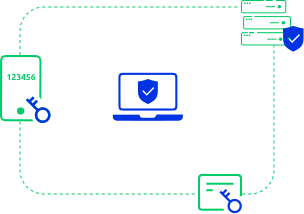
Control Who Accesses Your Environment and How
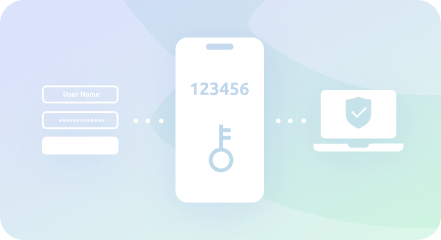
Two-Factor Authentication (2FA)
Comm100 supports two-factor authentication for all agent and administrator accounts. When enabled, users must provide a second authentication factor in addition to their password before accessing the platform. 2FA significantly reduces the risk of unauthorized access from compromised credentials.
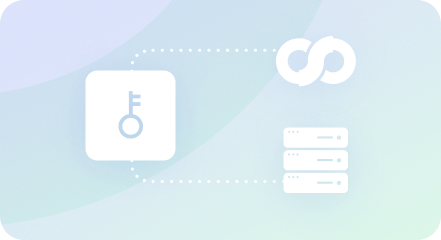
Single Sign-On (SSO)
Comm100 supports LDAP authentication and SAML-based single sign-on, allowing agents to log into the platform using the same credentials they use for other enterprise applications. SSO eliminates the need for separate Comm100-specific passwords, reduces login friction for agents, and centralizes credential management within your existing identity provider.
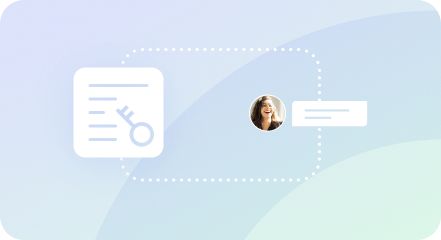
Visitor Single Sign-On
Visitor SSO authenticates customers before they start a chat, confirming their identity so agents can feel confident they’re communicating with a verified user. Visitor SSO also pulls account details into the agent console, enabling faster resolution and more personalized service.

IP Restriction
Administrators can restrict access to the Comm100 dashboard and agent console to specific IP addresses or IP ranges. This prevents logins from unauthorized locations and adds a network-level layer of access control on top of credential-based authentication.
Encryption and Data Handling Across Every Channel
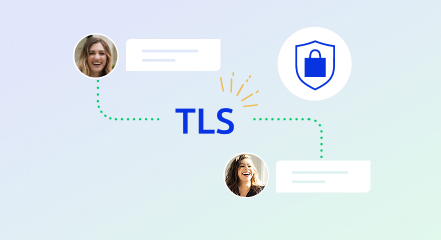
TLS Encryption
All network communication between visitors, agents, and Comm100 servers is encrypted using Transport Layer Security (TLS). This applies to the chat widget, the agent console, API calls, and all integrated messaging channels. Encryption is enforced automatically and cannot be disabled.
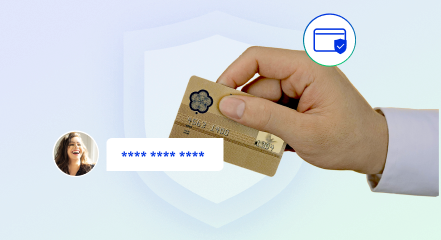
Credit Card Masking
When credit card masking is enabled, card numbers sent through the chat window or through any connected messaging channel (including Facebook, Twitter, email, SMS, WhatsApp for Business, and WeChat) are automatically masked. Card numbers submitted through Comm100’s PCI-compliant secure form bypass the chat transcript entirely.
Secure File Upload
All files uploaded through Comm100 are automatically scanned for malware and suspicious content. If a file is flagged, the upload is cancelled before it reaches the agent or the system, protecting against malicious file-based attacks.
Track Every Action, Detect Every Change
Audit Logs
Comm100 maintains comprehensive audit logs that track all agent activity and all configuration changes made to the system. Audit logs record who did what, when they did it, and from where. This provides the accountability and traceability that compliance officers and auditors require during security reviews.
CAPTCHA Verification
Comm100 supports CAPTCHA verification as a required step before visitors can start a live chat, ensuring agents interact with real people rather than spam bots. CAPTCHA is also used to protect the login process after repeated failed authentication attempts.
Your Data Is Never Shared With Other Accounts
Comm100’s password policy controls let administrators set rules for password length, complexity requirements, expiration intervals, change frequency limits, and maximum failed login attempts before lockout. These controls apply separately to agent accounts and administrator accounts, giving security teams the flexibility to enforce stricter policies for higher-privilege users while maintaining appropriate requirements for standard agent accounts.
Password policies work alongside 2FA and SSO to create a layered authentication posture that meets the requirements of most enterprise security frameworks.

Full Controls Reference
Control | Category | Description |
Two-factor authentication (2FA) |
Authentication
| Second factor required for agent/admin login |
LDAP authentication |
Authentication
| SSO via Lightweight Directory Access Protocol |
SAML single sign-on |
Authentication
| SSO via SAML identity providers |
Visitor single sign-on |
Access control
| Pre-chat customer identity verification |
IP restriction |
Access control
| Login restricted to specific IPs or IP ranges |
Password policy |
Access control
| Configurable length, complexity, expiration, lockout |
Role-based permissions |
Access control
| Granular user permissions by role |
TLS encryption |
Data protection
| All network traffic encrypted in transit |
Credit card masking |
Data protection
| Cardholder data masked across all channels |
Secure file upload |
Data protection
| Automatic malware scanning on all uploads |
PCI-compliant secure forms |
Data protection
| Sensitive data submitted outside chat transcript |
Audit logs |
Monitoring
| Full record of agent actions and system changes |
CAPTCHA verification |
Monitoring
| Bot prevention for chat initiation and login |
Frequently Asked Questions
Does Comm100 support two-factor authentication?
Yes. Comm100 supports two-factor authentication (2FA) for all agent and administrator accounts. When enabled, users must verify their identity with a second factor in addition to their password before accessing the platform.
Does Comm100 support single sign-on (SSO)?
Yes. Comm100 supports LDAP authentication and SAML-based single sign-on. Agents can log into Comm100 using their existing enterprise credentials, centralizing credential management within the organization’s identity provider.
Can I restrict Comm100 access by IP address?
Yes. Administrators can restrict access to the Comm100 dashboard and agent console to specific IP addresses or IP ranges. This prevents logins from unauthorized networks or locations.
Does Comm100 encrypt data in transit?
Yes. All communication between visitors, agents, and Comm100 servers is encrypted using TLS. This applies to the chat widget, agent console, API connections, and all integrated messaging channels. Encryption is enforced automatically.
Does Comm100 provide audit logs?
Yes. Comm100 maintains comprehensive audit logs that track all agent activity, configuration changes, and system events. Logs record who performed each action, when it occurred, and the source IP address.
Does Comm100 support credit card masking?
Yes. When enabled, Comm100 automatically masks credit card numbers sent through the chat window or any connected messaging channel, including Facebook, email, SMS, WhatsApp, and WeChat. Card numbers submitted via secure forms bypass the chat transcript entirely under PCI DSS compliance.
Need Details for Your Security Questionnaire?
Contact our security team for specific documentation or download the security white paper.