
The Comm100 Facebook Integration
Automate Facebook Customer Support with the Comm100 Integration
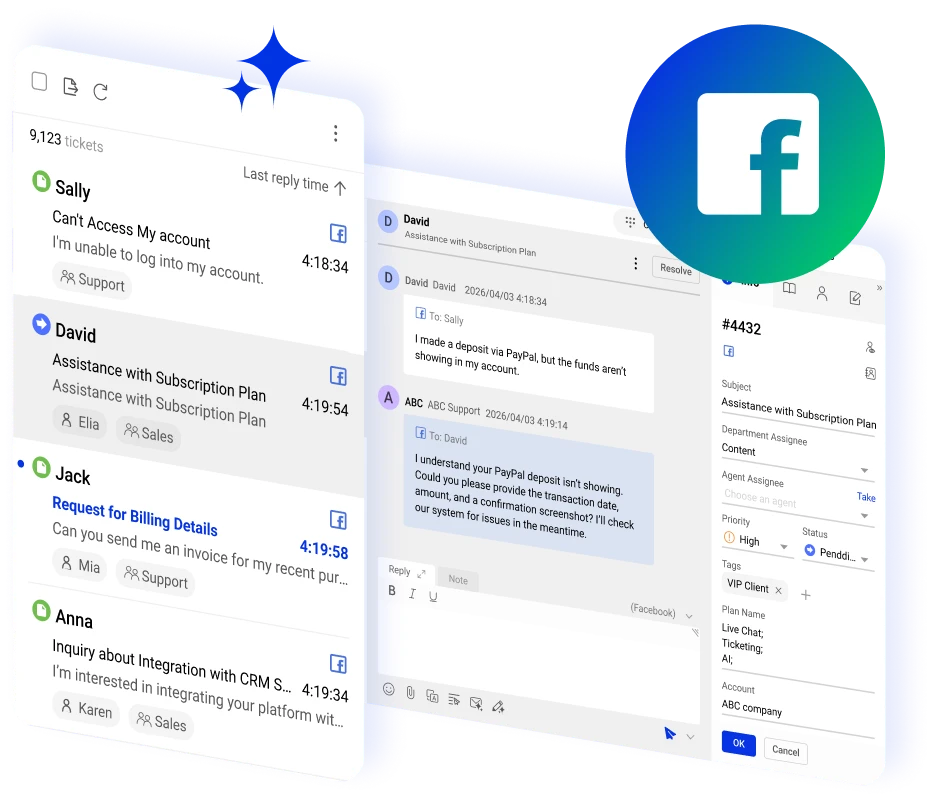




















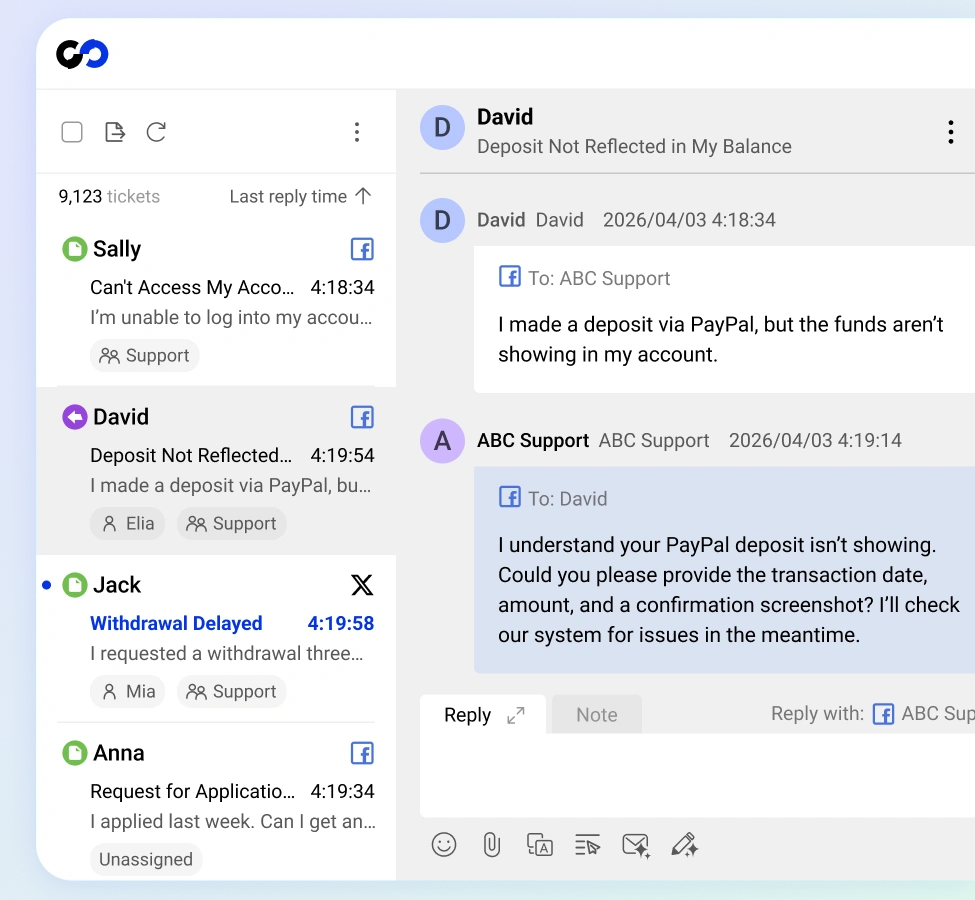
Offer Customer Service via Facebook within Comm100
Offer customer service via Facebook with the Comm100 Facebook integration, turning every message into a trackable ticket within the agent console.
Deploy an AI Agent to respond autonomously or let your team handle chats across Facebook and other channels through the same platform.
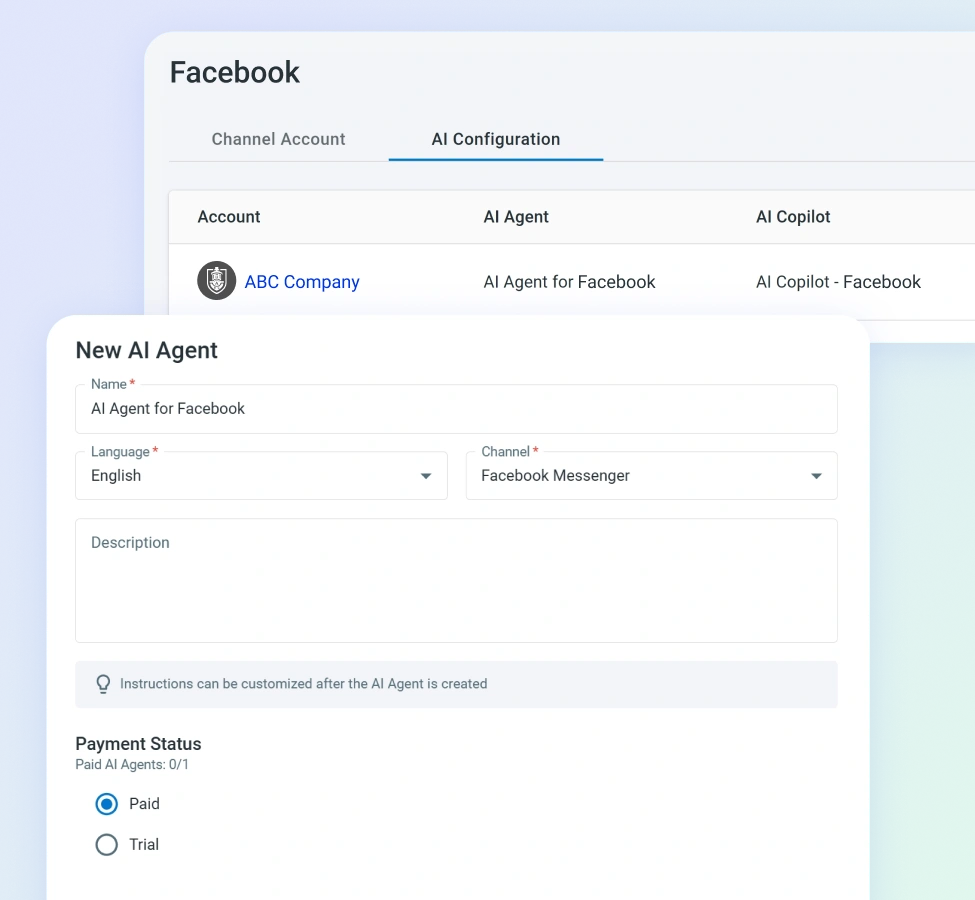
Meet Customers on the Platform They Already Use
Deploy a custom AI chatbot for Facebook that addresses queries and removes the friction of hunting for help pages or waiting for email responses.
Comm100 routes every incoming Messenger conversation into your existing support workflows, so adding Facebook as a support channel takes minutes.
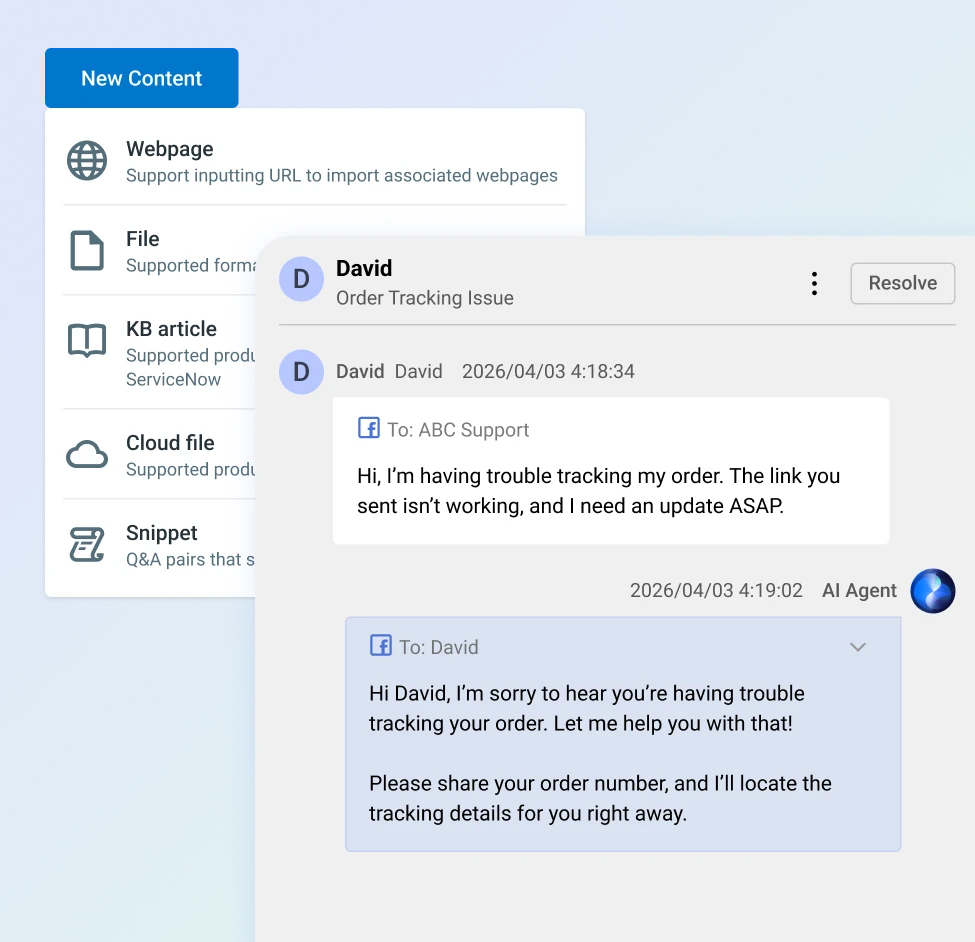
Respond to Facebook Messages Instantly with AI
The Comm100 AI Agent can auto respond to Facebook Messages, especially if you offer support 24/7.
This helps deflect volume that may pile up during off-hours and allow you to showcase your fast response time as a differentiator.
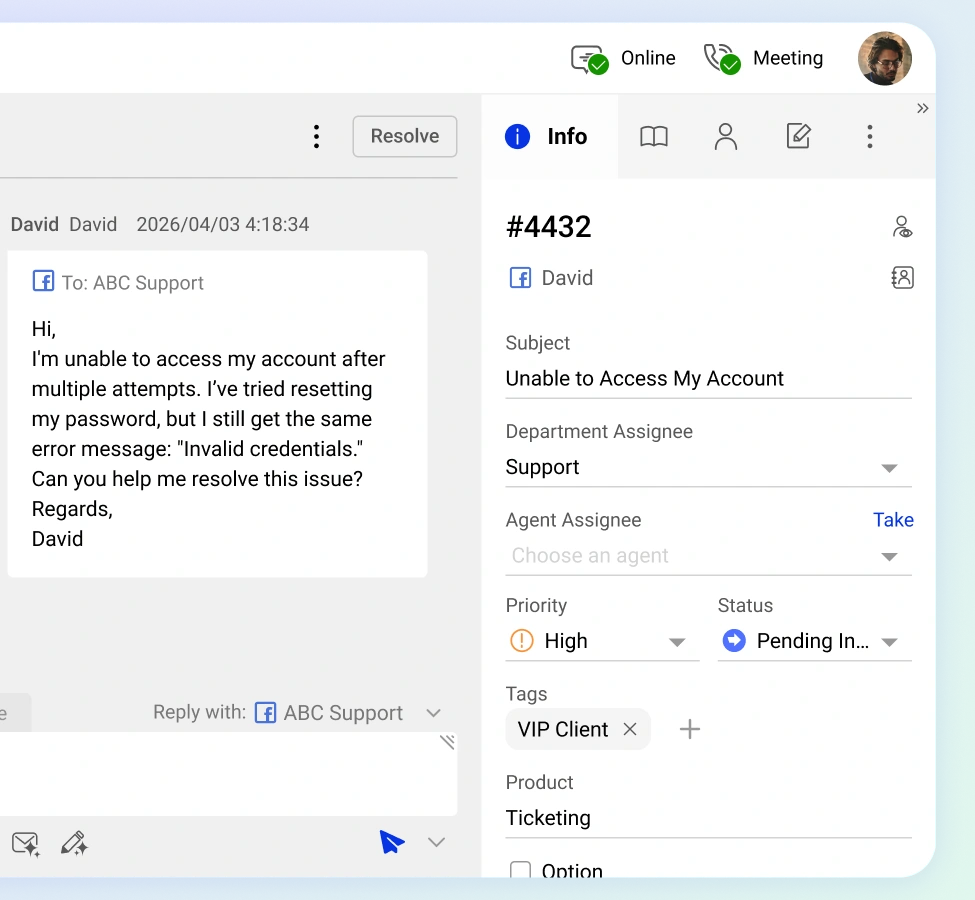
Facebook Messages = Trackable Tickets
Each incoming Facebook Message is automatically converted into a ticket with tagging, priority assignment, and routing rules, giving your team the same workflow controls they use for email, SMS, and every other channel. Unify Facebook management to ensure no conversation slips through. and every other channel. No conversation slips through the cracks.
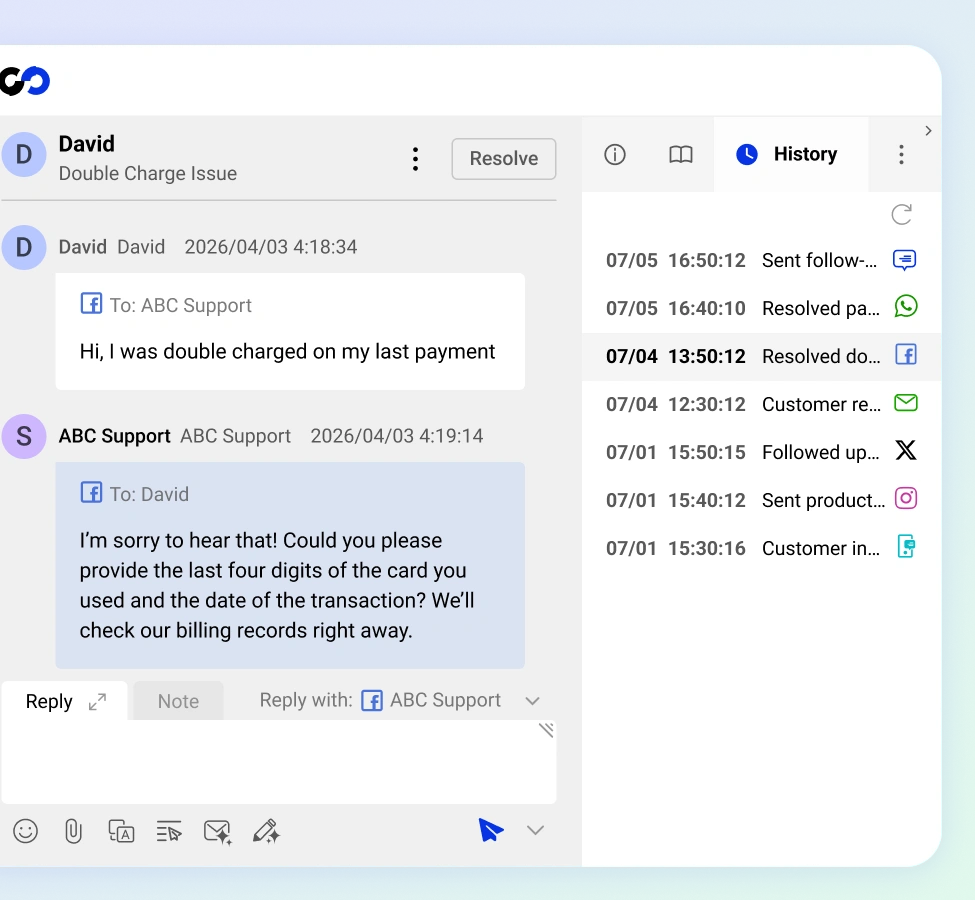
Maintain Full Context Across All Channels
Customers can start conversations on Facebook Messenger and carry it over to email, live chat, or any other channel. The Comm100 Facebook integration ties all Facebook interactions to the same contact profile, so your agents always see the full conversation history across all channels.
Customers never have to repeat themselves, and your agents never work blind.
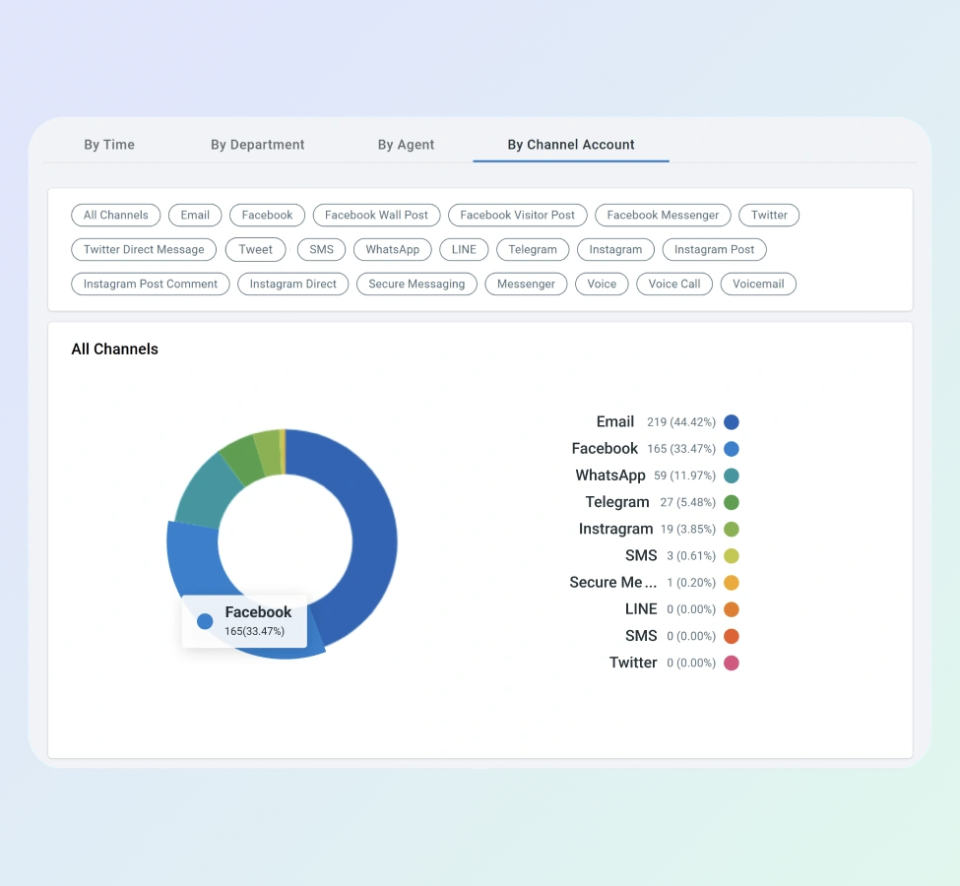
See How Facebook Fits into Your Support Strategy
Comm100 analytics show you exactly how Facebook Messenger performs alongside your other channels.
Compare response times, resolution rates, and ticket volume against live chat, email, and SMS from a single reporting dashboard.
Use those insights to decide where to staff up, where AI is carrying the load, and where Messenger fits in your overall support strategy.
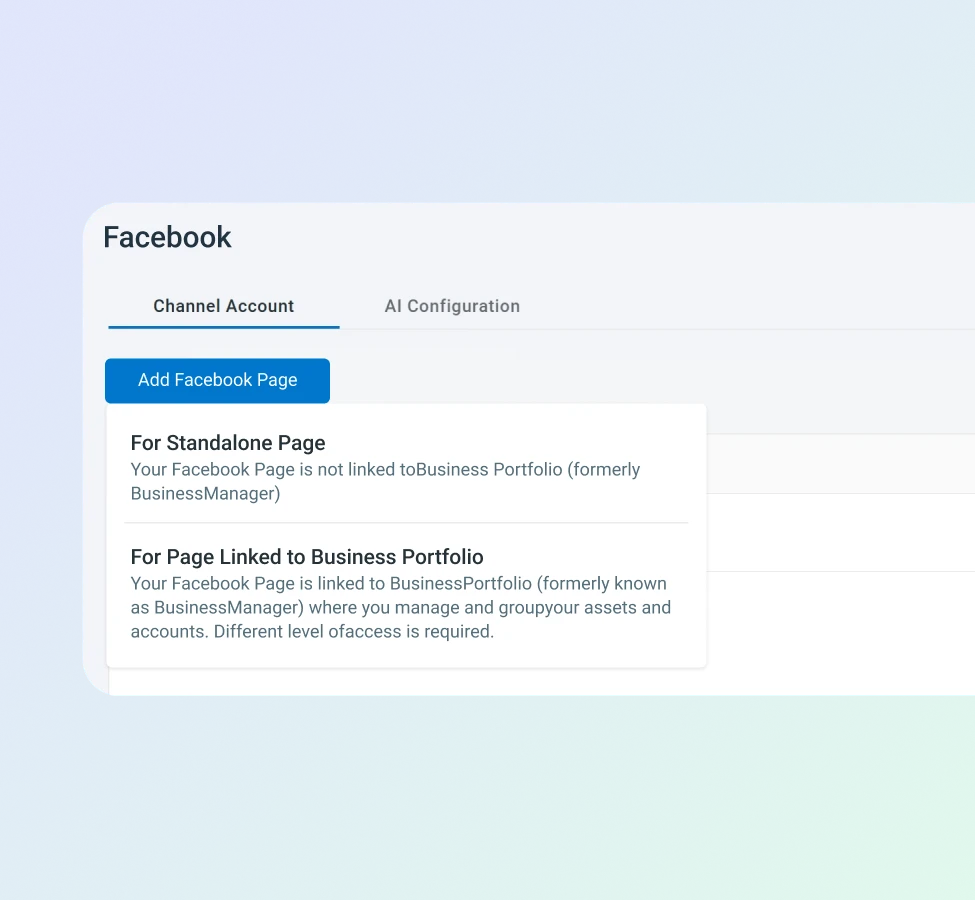
Native Facebook Integration
Comm100 connects directly to Facebook's Messenger API with no third-party connectors adding cost or points of failure.
Link your Facebook Business Page, set your routing rules, and incoming messages start flowing into your agent console immediately.
Your team works from the same platform they already know, with Facebook as just another channel in the queue.
Frequently Asked Questions
How does the Comm100 Facebook Messenger integration work?
You can install the Facebook Messenger integration through the dashboard. When a customer sends your Facebook Business Page a message through Messenger, Comm100 automatically creates a ticket in your agent console.
Your team can respond directly from Comm100 without switching to Meta Business Suite, and every conversation is logged with full contact history. You can also deploy the Comm100 AI Agent to handle incoming Messenger inquiries automatically, so routine questions get resolved even when no human agents are available.
Do I need any third-party tools to connect Facebook Messenger to Comm100?
No. Comm100 integrates natively with Facebook’s Messenger API, so there are no third-party connectors, middleware platforms, or additional subscriptions required. You link your Facebook Business Page directly through the Comm100 control panel and configure your routing rules from there. The setup process takes minutes.
Will I be able to see Facebook Messenger conversations alongside my other support channels?
Yes. Facebook Messenger conversations appear in the same unified agent console as your live chat, email, SMS, WhatsApp, and other channel tickets. Agents can view a customer’s full interaction history across all channels from a single contact profile, which means they have complete context regardless of where the conversation started.
What reporting is available for Facebook Messenger interactions?
Comm100 tracks the same core metrics for Messenger that it does for every other channel: response times, resolution rates, ticket volume, and agent workload. You can compare Messenger performance against your other channels in a single analytics dashboard to understand how social messaging fits into your broader support operations.
Experience the power of people-first, AI-powered customer service.
Get started today!