It’s live! Access exclusive 2026 AI live chat benchmarks & see how your team stacks up.
Unlock the insights
It’s live! Access exclusive 2026 AI live chat benchmarks & see how your team stacks up.
Unlock the insights
Clear Conversations for Authentic Human Support
Deliver reliable, high-quality, two-way phone support with Comm100 Voice, a fully integrated telephony solution that integrates with your Comm100 omnichannel platform and keeps every conversation organized and actionable.
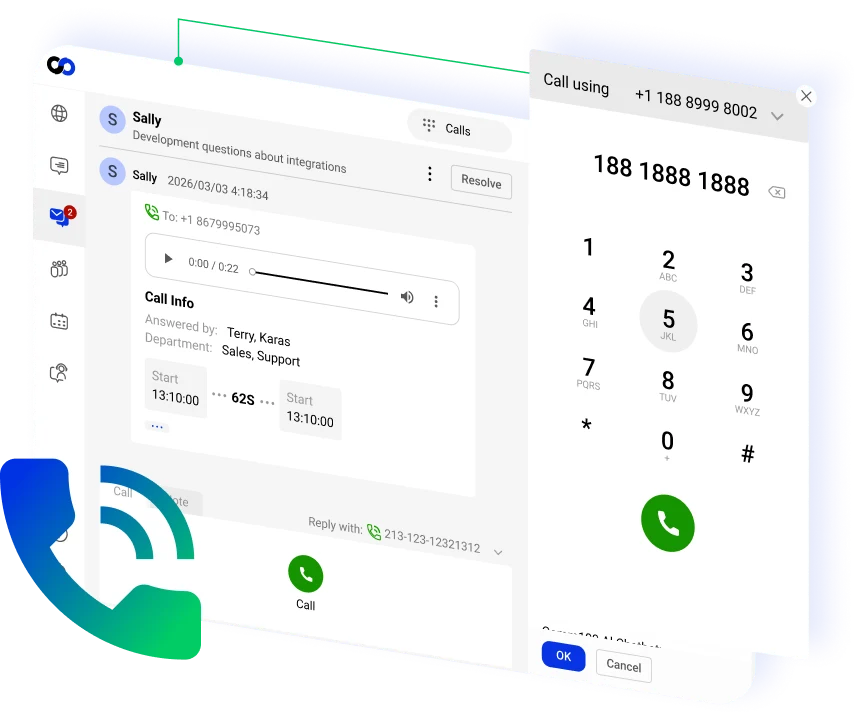





















Manage inbound and outbound calls in one system

Route callers to the right agent or department instantly, reducing call abandonment and improving support efficiency

Maintain full customer context across all channels and conversations so your agents never lose the thread

Monitor performance with real-time visibility
When customers need immediate assistance, voice support is one of the most trusted channels. Comm100 Voice offers a feature-rich, reliable, and seamless voice solution to engage with your customers in the most human way possible.
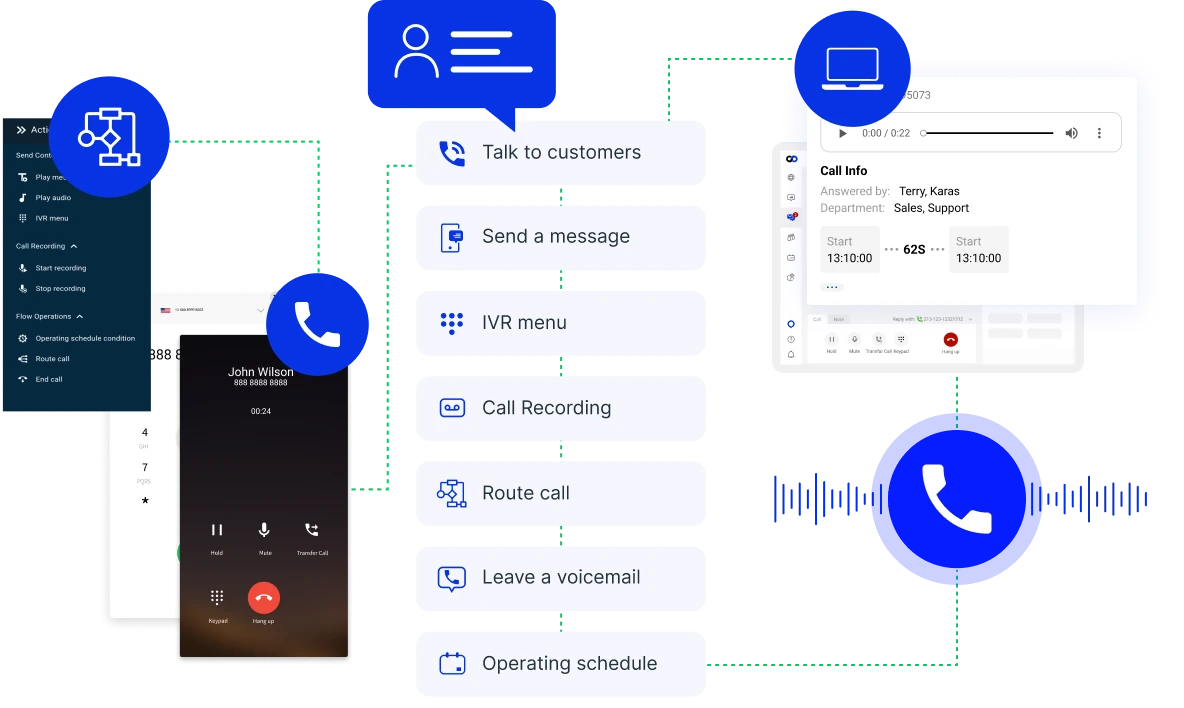
Handle inbound and outbound calls directly, ensuring every call is logged as a ticket and connected to the full customer record. Access Comm100 Voice from within your unified agent console.
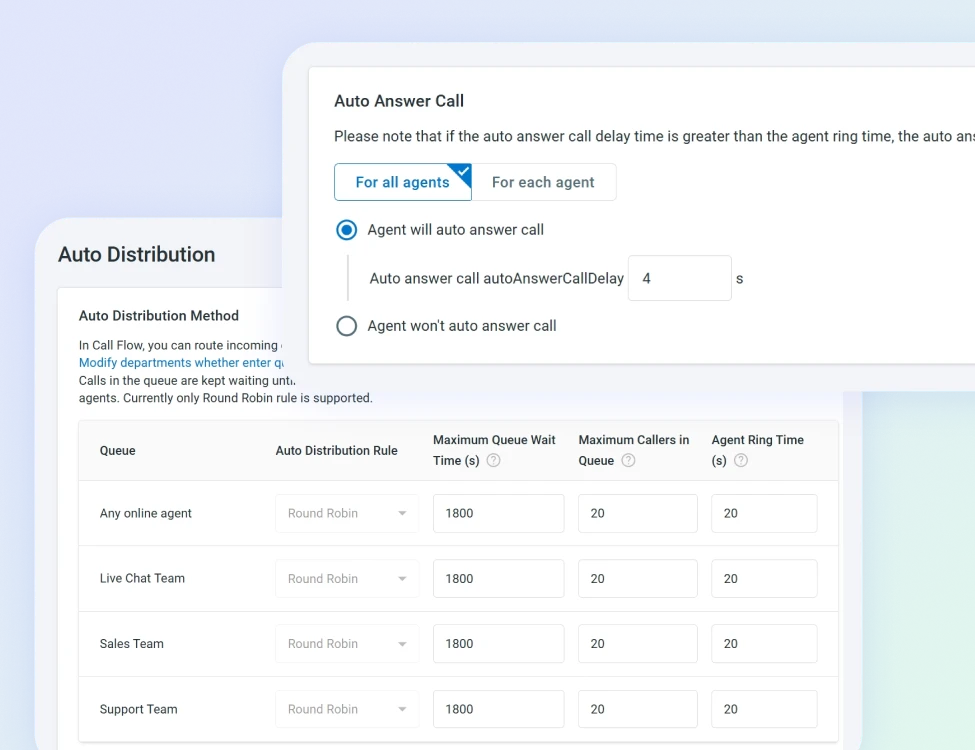
Easily set up call flows, IVRs, auto-distribution rules, voicemails, and callbacks.
Attach call notes and recordings to customer records so agents can access and understand voice interactions alongside conversations in other channels.
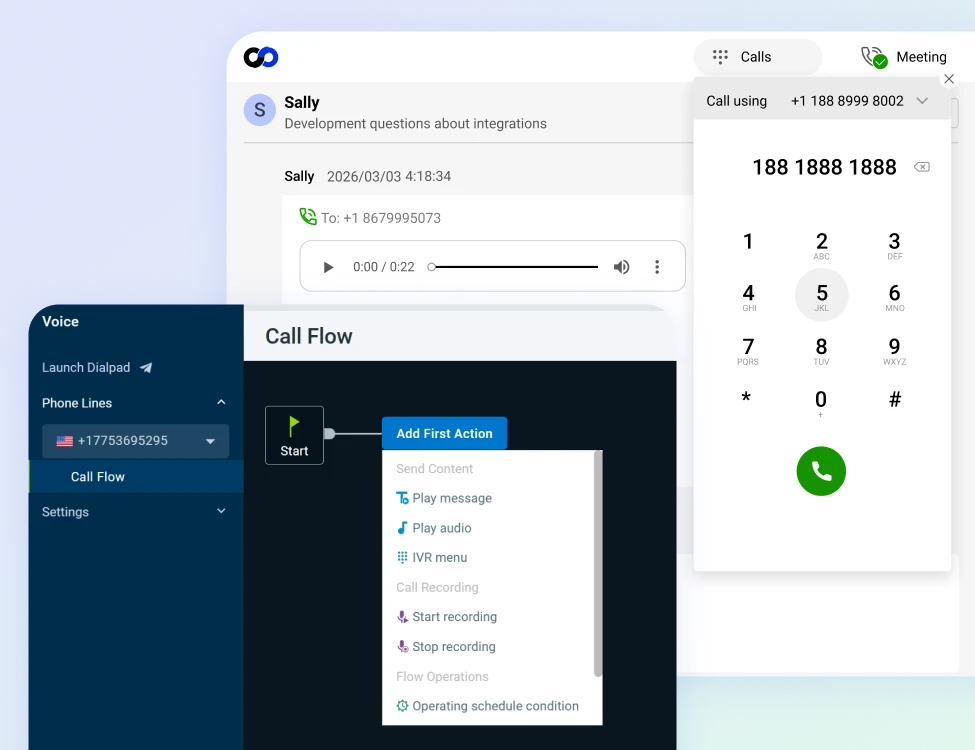
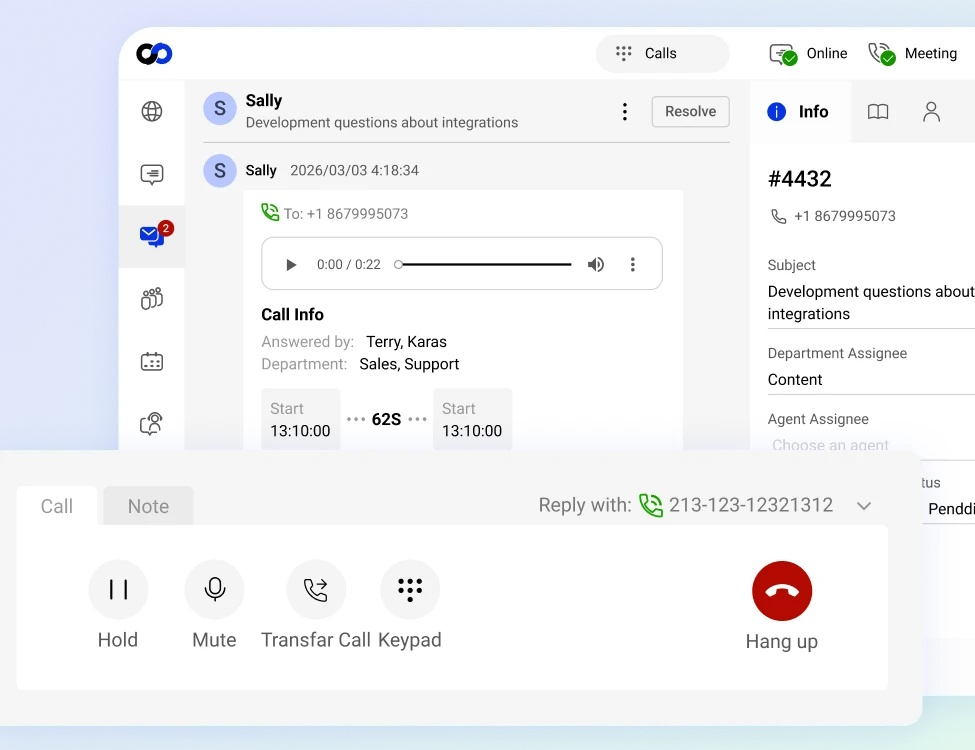
Manage calls, customer details, and complete cross-channel interaction history from one centralized console without switching tools.
Add internal notes, transfer calls smoothly, and collaborate behind the scenes to resolve issues efficiently.
Access call controls, holds, transfers, and recording capabilities while maintaining visibility into queue status alongside rich customer information.
Route calls based on department, skills, availability, or priority to maximize resolution speed and accuracy.
Monitor queues and distribute calls effectively to reduce wait times and prevent agent overload.
Track call volume, wait times, handling duration, and resolution metrics through detailed dashboards and reporting.

Want to learn more? Book a demo today!

Faster resolutions through structured call routing

Greater consistency across voice and digital channels

Improved visibility into call performance and staffing needs

Stronger customer relationships built on personal, real-time conversations
Comm100 Voice is a digital voice solution built into the Comm100 omnichannel platform that lets support teams take inbound calls and make outbound calls from the same workspace where they manage live chat, email, messaging, and ticketing. Rather than operating as a standalone phone system, it adds voice as a fully integrated channel alongside Comm100’s digital communication tools.
For organizations in higher education, government, healthcare, and financial services, voice remains a critical channel despite the growth of digital alternatives. Your callers expect the same responsive, informed service they’d receive through chat or email. Comm100 Voice ensures the voice channel operates at the same standard as every other channel rather than being managed separately with different tools, different data, and different quality expectations.
A standalone phone system handles calls. An integrated voice solution handles calls and connects them to the rest of your support operation.
The first difference is customer context. A standalone phone system tells the agent who’s calling (caller ID) and maybe which number they dialed. An integrated voice solution can show the agent the customer’s full interaction history across all channels: previous chats, open tickets, past email exchanges, and account information pulled from connected systems. The agent picks up the phone already knowing who the customer is and what they’ve previously contacted you about.
Then, a major advantage is routing intelligence A standalone phone system routes calls based on the number dialed or basic IVR menu selections. An integrated voice solution can route based on customer attributes, account tier, conversation history, agent skills, department, and time of day, using the same routing logic that governs your digital channels.
A VIP gaming player calls and gets routed to the VIP support team. A student calling the university gets routed to the right department based on their selection. A returning caller gets connected to the same agent who handled their previous interaction.
The last major benefit is unified reporting. A standalone phone system generates its own reports in its own dashboard. An integrated voice solution feeds call data into the same analytics platform that tracks chat, email, and messaging performance.
Managers see total interaction volume, average handle time, CSAT, and resolution rates across every channel in one view, which makes staffing decisions and performance benchmarking far more accurate than comparing separate reports from separate systems.
The answer depends on what your customers prefer and what each interaction type requires. Voice and digital channels aren’t interchangeable. They serve different needs, and the goal isn’t to push every interaction to one channel but to make each channel work well for the interactions that belong there.
Voice works best for complex problem-solving that requires extended dialogue, emotionally sensitive situations where tone conveys empathy, urgent issues where real-time conversation is faster than asynchronous messaging, and callers who are less comfortable with digital tools (common in government and healthcare settings where the population skews older or less tech-literate).
Digital channels work best for simple, repetitive questions that self-service or AI can handle, interactions where the customer benefits from a written record (order confirmations, appointment details, policy information), asynchronous communication where the customer doesn’t need an immediate response, and high-volume periods where agents can handle multiple chats simultaneously but only one phone call at a time.
Yes. Comm100 Voice handles both inbound and outbound calls, giving support teams the ability to receive customer calls and proactively reach out when needed. Inbound calling covers the standard support use case: a customer calls with a question, the call is routed to the appropriate agent or department, and the agent resolves the issue.
Outbound calling expands the team’s reach for use cases like follow-up calls on open tickets, appointment confirmations, proactive outreach to at-risk accounts, and callbacks for customers who requested one during a busy period.
Comm100 Voice includes call routing capabilities that direct incoming calls to the appropriate agent or department based on configurable rules. This ensures callers reach someone equipped to help without relying on manual triage or a receptionist forwarding calls.
The routing operates within the same Comm100 platform that routes live chat, messaging, and ticketing interactions. This means support managers configure and manage routing rules for voice alongside their digital channel routing, rather than maintaining a separate voice routing system with its own logic and administration.
Yes. Comm100 Voice includes call recording capabilities, allowing organizations to capture inbound and outbound calls for quality assurance, compliance documentation, and agent training purposes.
For regulated industries, call recording provides the auditable record needed to demonstrate compliance with disclosure requirements, procedural adherence, and data handling protocols.
Healthcare organizations can verify that agents followed HIPAA protocols during patient interactions. Financial institutions can confirm that required disclosures were delivered during transactions. Government agencies can document that citizens received accurate eligibility information.
Comm100 Voice is one of several communication channels managed within the Comm100 unified agent console, alongside live chat, email, SMS, WhatsApp, Facebook Messenger, Instagram, Telegram, and other messaging platforms. Agents handle voice calls from the same workspace where they manage all other interactions, which means they have access to the customer’s full cross-channel conversation history when they pick up the phone.
The pricing for the Comm100 Voice is $22 /agent/month, billed annually. For those who wish to pay monthly, it’s $27 /agent/month.

Six AI solutions that automate, assist, and elevate every part of your support lifecycle

Connect in real-time with text, audio, video, screen sharing & more

Email, social media, SMS and more – all from one platform

Easy-to-find help resources for both customers and agents

Streamline the queueing experience to cut wait times & improve CX

Empower customers to book appointments or meetings with ease
Enable seamless voice support, route calls efficiently, and deliver better service with a unified calling system.