
AI-Powered Ticketing & Messaging
Simple, Unified Support for Email, Social Media, and Messaging
Deliver consistent, high-quality customer support across digital channels and through human or AI agents with Comm100 Ticketing & Messaging.
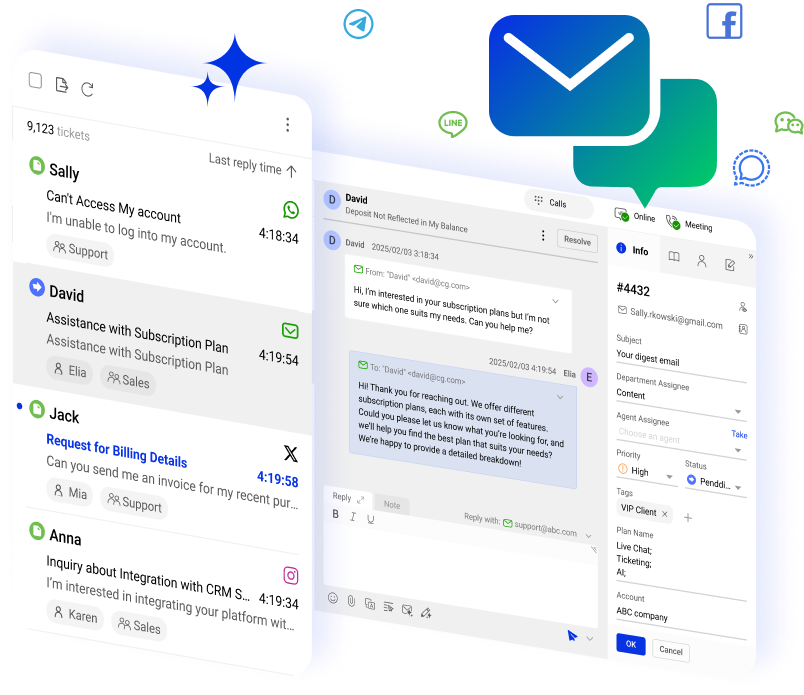





















Manage every support channel in one place

Offer round-the-clock automated support with our AI Agent

Track conversations across channels and never lose the thread

Set and adhere to consistent service standards with complete visibility and control
Your customers expect fast, dependable support no matter when or where they reach out. Comm100 Ticketing & Messaging unifies every interaction into one streamlined, AI-powered platform so your team can respond quickly, stay organized, and deliver reliable service at scale.
Every Channel. Any Time.
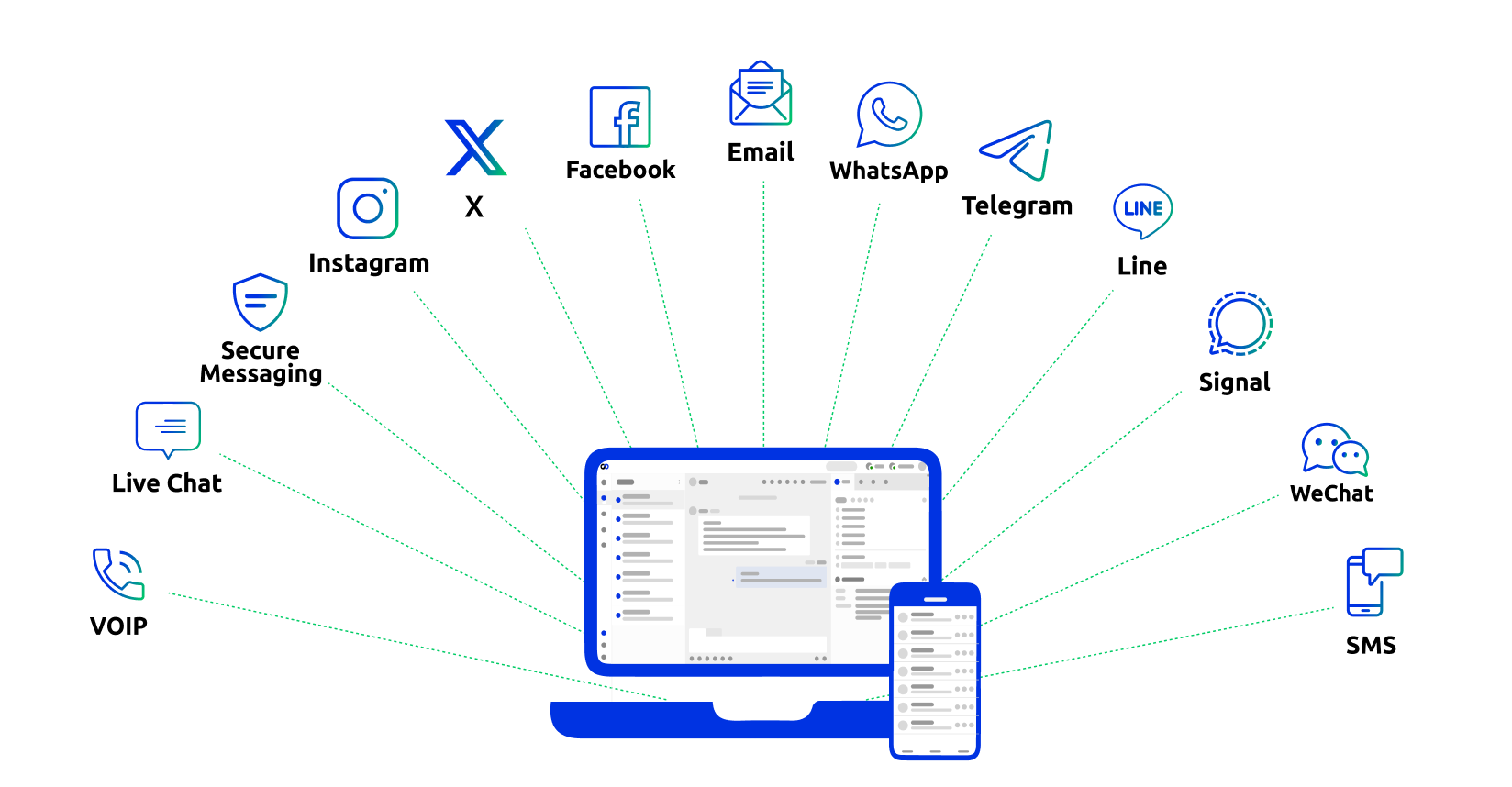
A Complete Omnichannel Support Experience
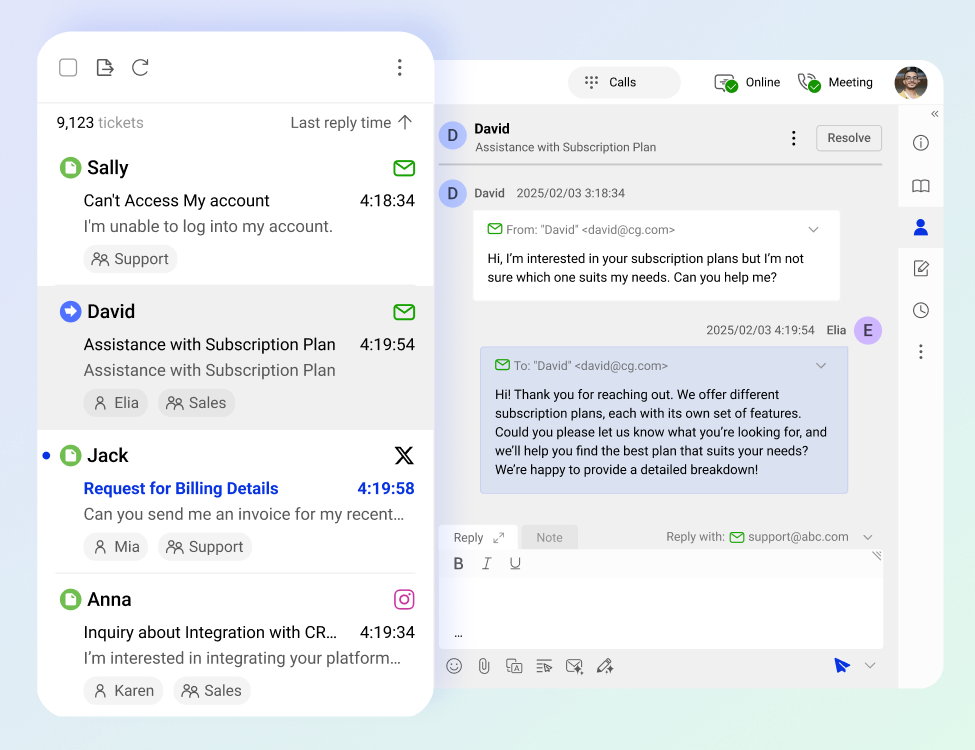
Connected Customer Conversations
Imagine a single inbox for all your interactions: email, SMS, social media, and messaging apps. Gain a unified view of every interaction across every channel with our ticketing system, and connect every follow-up so customers never have to repeat themselves.
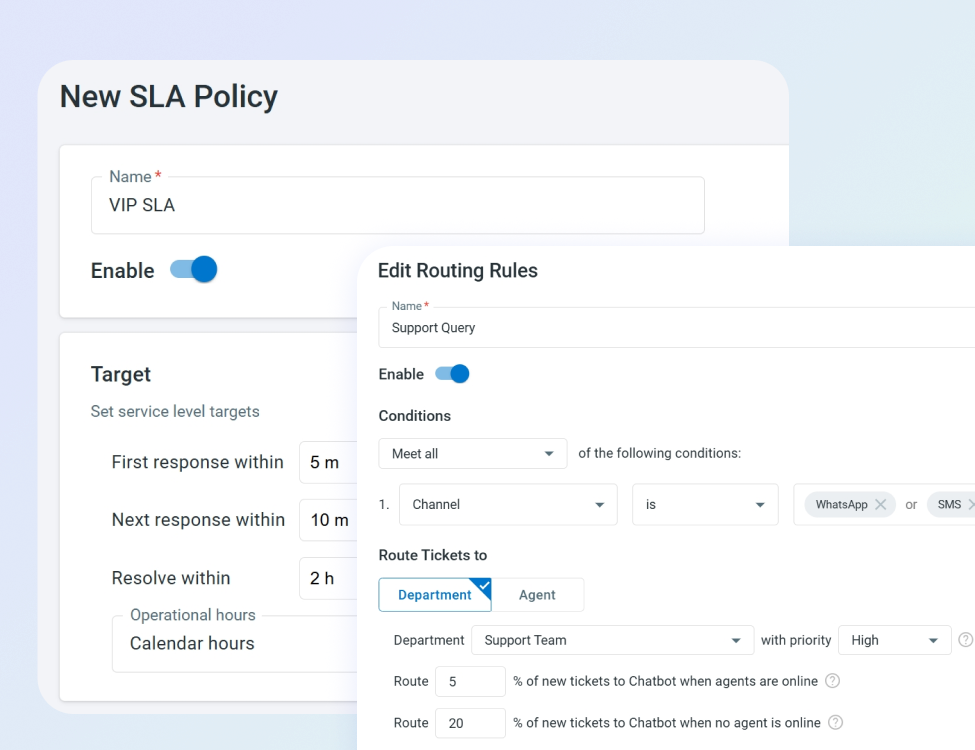
Confident, Consistent Service
Create tickets automatically, set and manage SLAs, create priority rules, and automate agent routing to ensure urgent issues are addressed quickly and by the right agent.
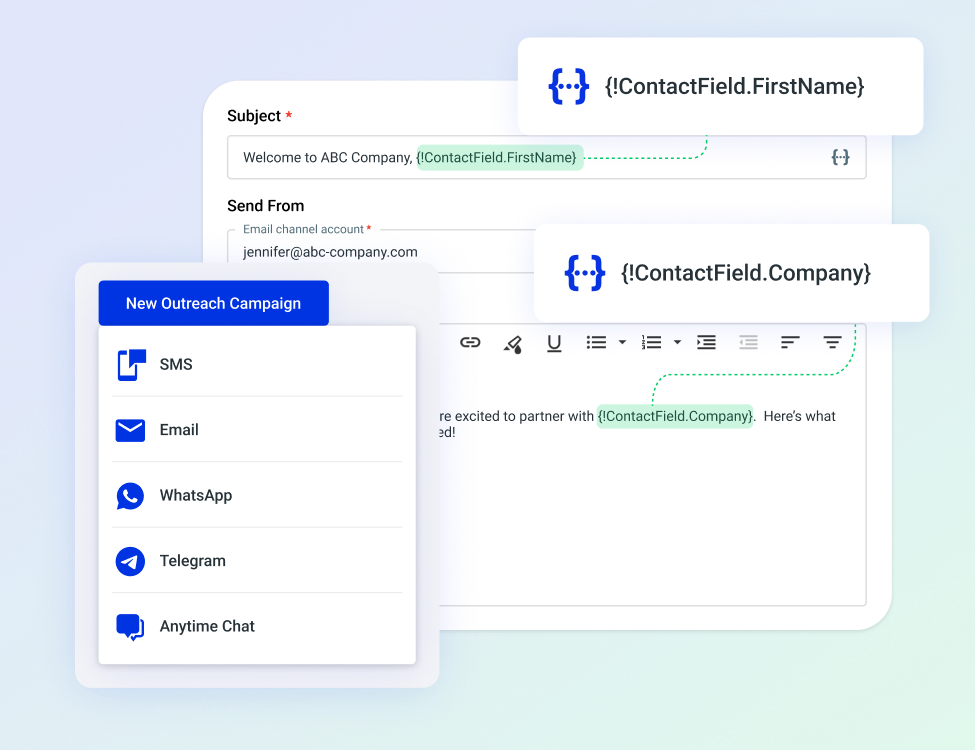
Targeted, Timely Outbound Campaigns
Integrate with Comm100 Outreach to start the conversation instead of waiting for customers to make the first move. Perfect for product lifecycle notifications, special promotions, and segmented engagement opportunities.

“Comm100 does exactly what we needed it to do – integrate multiple channels of communication into a single platform so we don’t have to monitor multiple devices and accounts. This improves agent productivity, and most importantly, improves the end user’s experience.”
– IT Professional, Global Affairs Canada
Enhance Your Ticketing System with AI
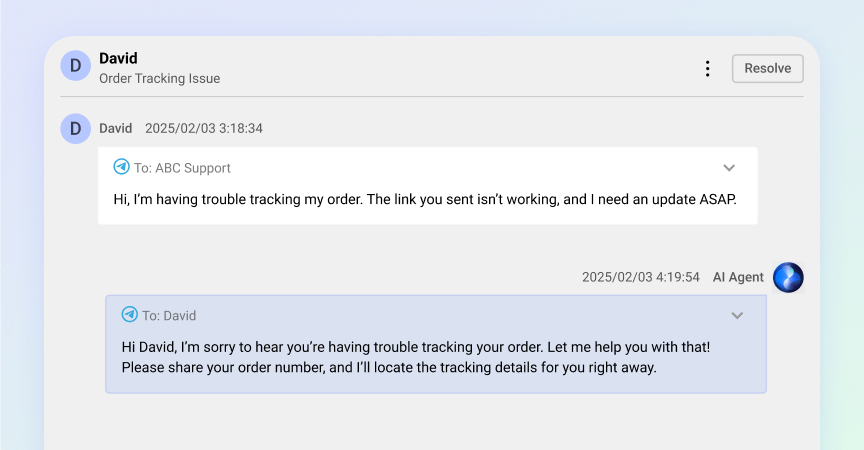
Boost Support Capacity With AI Agent
Comm100’s autonomous AI Agent can handle up to 80% of support tickets autonomously. You can customize routing rules to instantly increase your capacity and extend service hours.
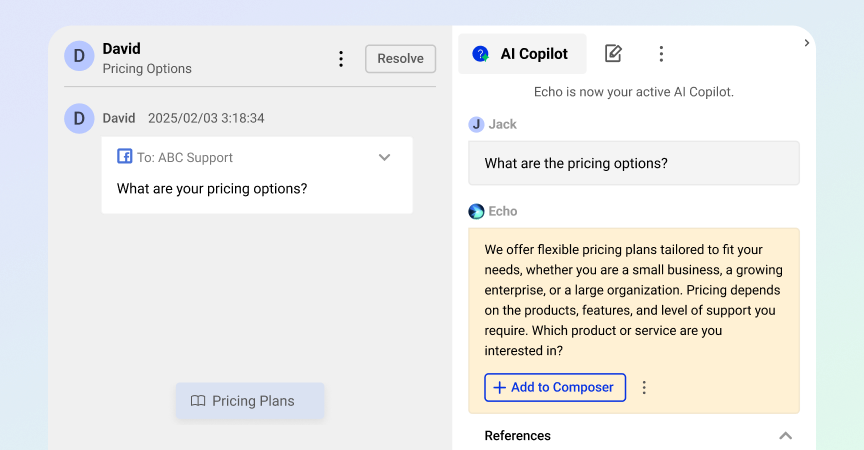
Help Your Agents Find Answers Faster With AI Copilot
Harness your knowledge resources with AI Copilot to help your agents resolve tickets faster and more confidently.
Create The Optimal Agent Experience
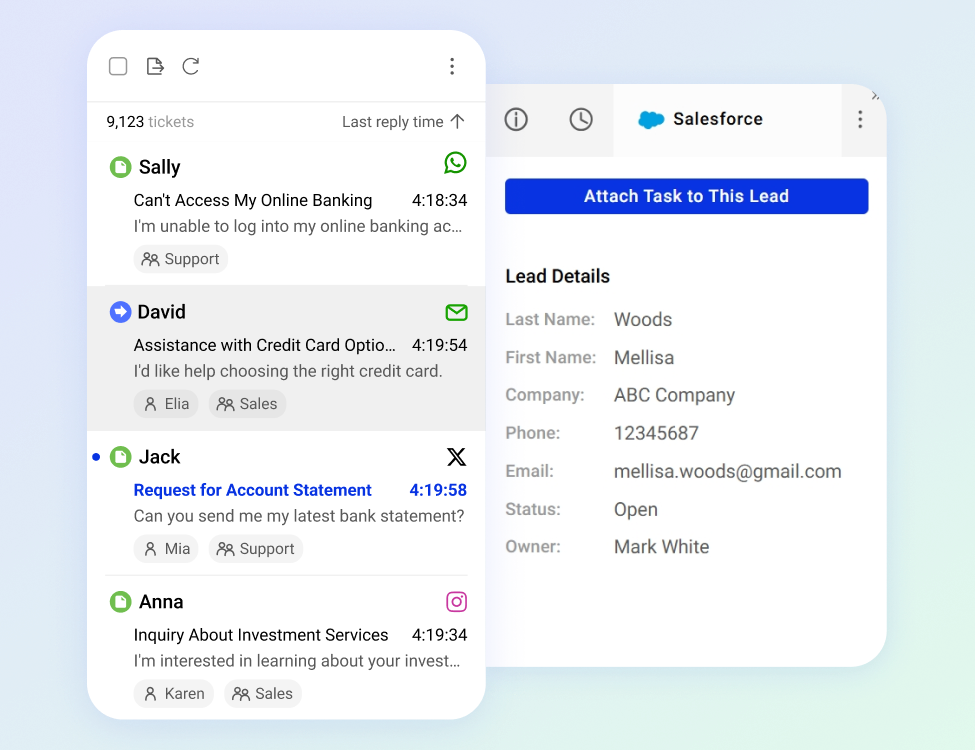
A Unified Ticketing System
No more app juggling. Give your agents a single console to manage every channel in one place, with built-in collaboration tools. Integrate your ticketing system with CRMs and other core systems for greater context across the board.
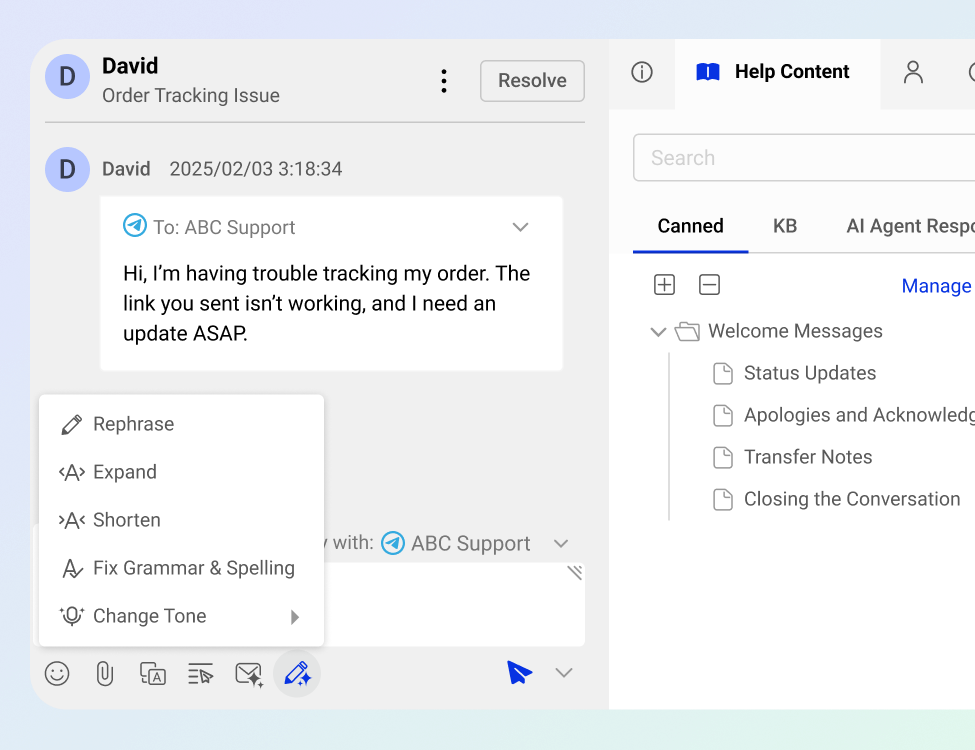
Friction-Reducing Productivity
Speed up ticket responses with automation rules, canned replies, internal notes, tagging, and customizable workflows that eliminate repetitive tasks.
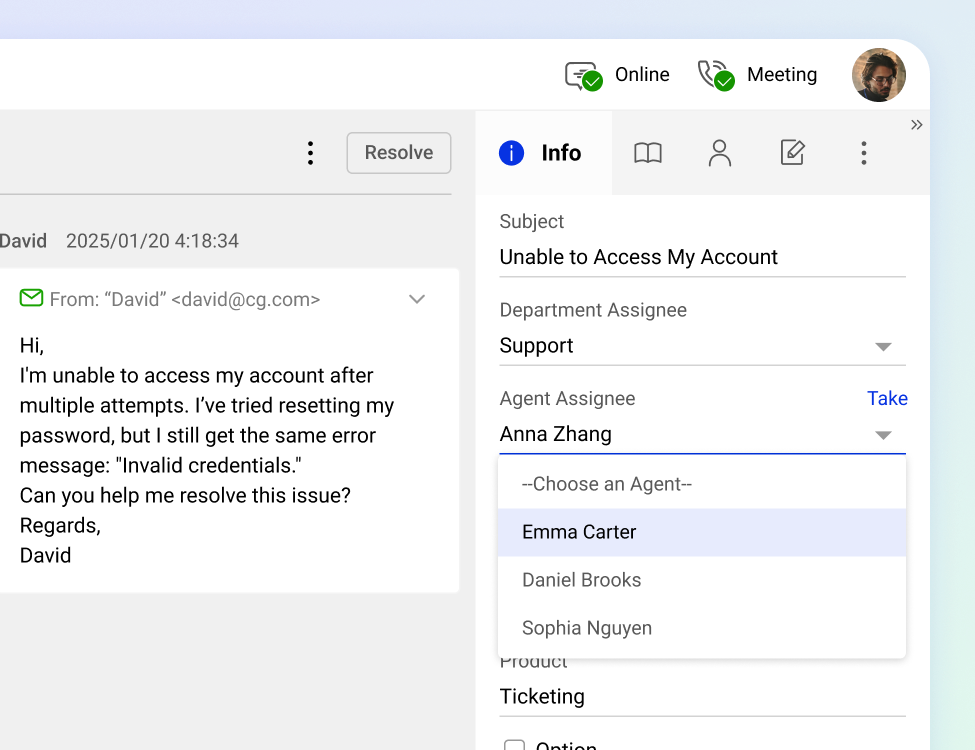
Seamless Escalation and Collaboration
Assign, reassign, and escalate tickets without losing context, ensuring real-time collaboration, smooth handoffs, and clear accountability.
Empower Your Managers for Success
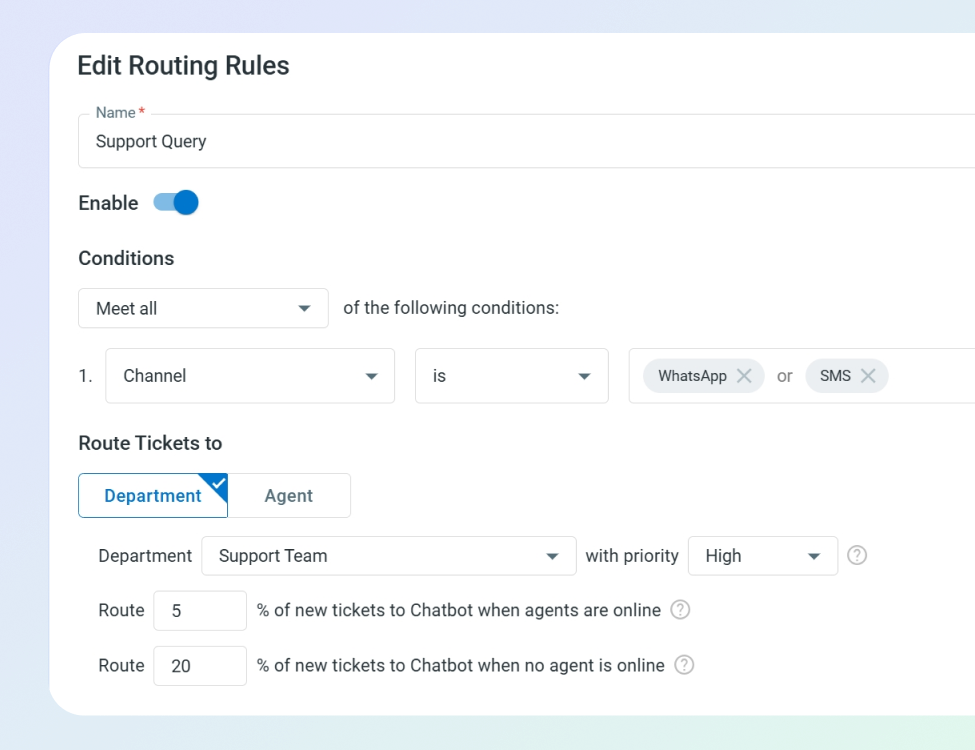
Optimal Workforce Utilization
Route tickets based on expertise, department, region, or priority to ensure efficient and accurate resolution. Use workload controls to prevent bottlenecks and reduce burnout.
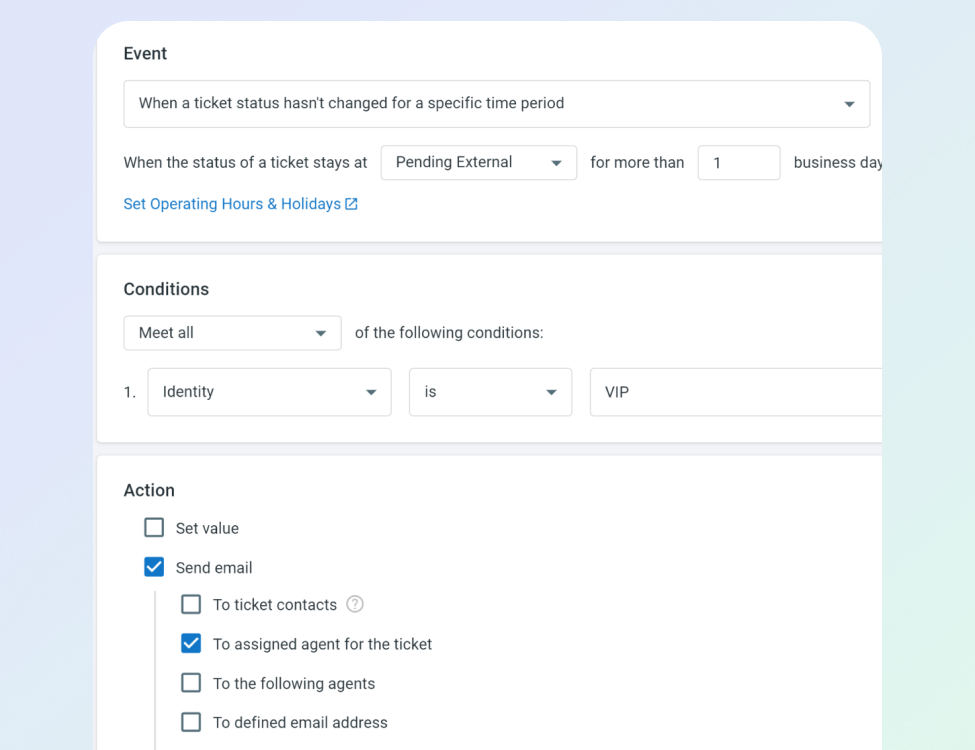
Automate For Efficiency
Send confirmations and follow-ups automatically. Flag and escalate overdue tasks and tickets instantly.
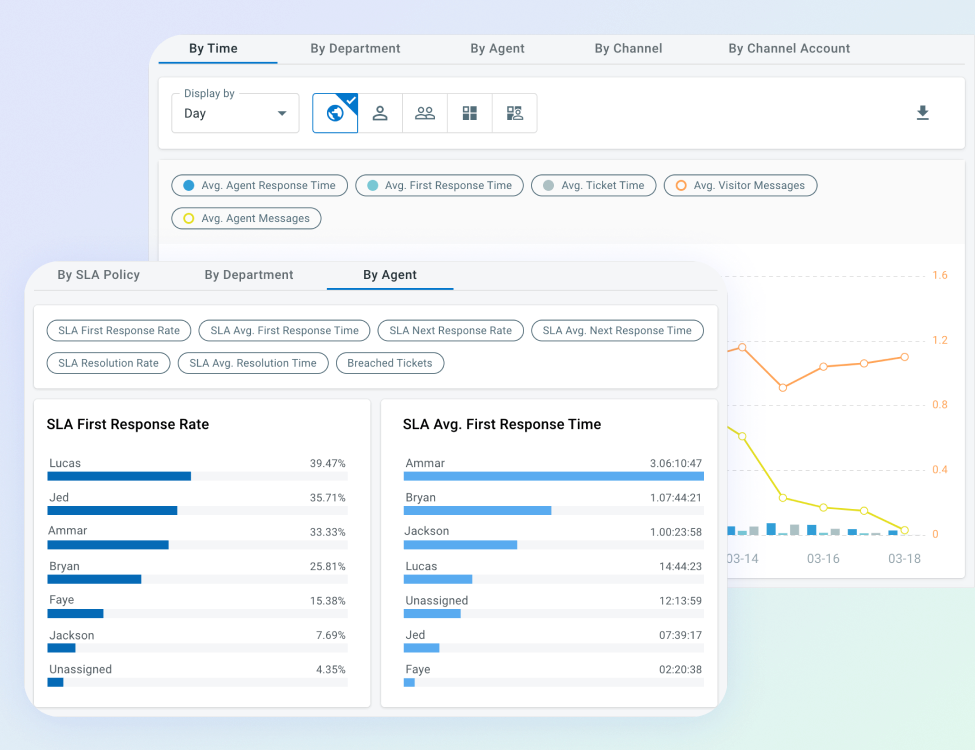
Monitor, Measure, Improve
Comm100’s robust analytics help you monitor response times, resolution rates, SLA compliance, and queue health with detailed dashboards and reporting tools that support continuous improvement.

See how AI-powered ticketing & messaging can transform customer support.
“We chose Comm100 after a lot of research and could not be happier. Their hands-on approach, passion about their software, and swift replies to any question are exactly what we were looking for. Our needs and our feedback are taken very seriously, as demonstrated through our influence on the product roadmap over the years.”
– Tom Seelbach, Technical & Admin Manager, ITSM
Security You Can Trust
Safeguard sensitive customer data with enterprise-grade security, including encryption, role-based access control, and compliance with standards such as SOC 2, ISO 27001, HIPAA, and GDPR.






Get More From Your Ticketing System

Faster resolutions through more organized workflows

Greater consistency across channels and teams

Clear visibility into performance and service quality

Stronger relationships built on fast, reliable follow-through

< 1 Day
onboarding time

< 4 Weeks
to positive ROI
Frequently Asked Questions
What channels does Comm100 Ticketing & Messaging support?
Comm100 Ticketing & Messaging consolidates conversations from email, SMS, WhatsApp, Facebook Messenger, Twitter/X, Instagram, Telegram, LINE, WeChat, Signal, and Comm100 Anytime Chat and Secure Messaging channels into a single agent console. Tickets can also be created from live chat conversations and offline messages, ensuring that no inquiry falls through the cracks when agents are unavailable.
How does ticket routing and SLA management work in Comm100?
Comm100’s routing rules automatically assign incoming tickets to specific agents or departments based on configurable conditions. You can route based on channel (all SMS tickets to one team, all email tickets to another), customer attributes (VIP customers to a dedicated team), ticket content (keywords or custom field values), time of day, or any combination of these criteria. Routing rules apply instantly when a ticket is created, eliminating the manual triage step that delays response times.
SLA policies define the service commitments your team operates under. You configure targets for first response time, next response time, and resolution time, and the system tracks every ticket against those targets in real time. The SLA clock accounts for your configured operating hours and holidays, so a ticket created at 5:01 PM on a Friday doesn’t breach your SLA at 5:02 PM if your business hours resume Monday morning.
Can Comm100 Ticketing & Messaging integrate with AI for automated ticket resolution?
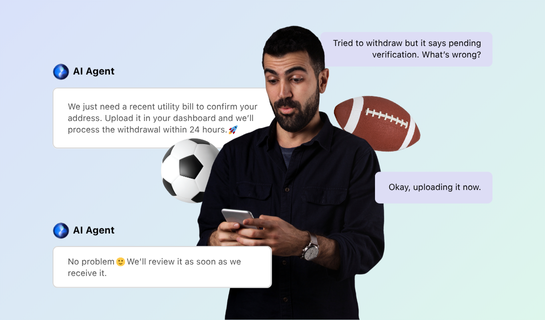
Yes. Comm100’s AI Agent can be deployed across Ticketing & Messaging channels, handling tickets autonomously for query types that don’t require human involvement. When a customer sends a WhatsApp message or an SMS asking a frequently asked question, the AI Agent can resolve the ticket by providing the answer, collecting necessary information, or completing a task like booking an appointment, then close the ticket without an agent ever seeing it.
For tickets that the AI Agent cannot resolve autonomously, it collects initial information and context before routing to a human agent with the full conversation history. This hybrid model means the agent starts with context rather than asking the customer to repeat themselves.
Within human-handled tickets, Comm100’s AI Copilot provides real-time response suggestions drawn from knowledge base articles, canned messages, and AI chatbot intents. Agents see AI-suggested responses directly in the agent console while working on tickets, which reduces drafting time and improves consistency across the team. The AI Copilot works across live chat and all Ticketing & Messaging channels (with the exception currently noted for email, which should be verified with Comm100).
What reporting and analytics does Comm100 provide for ticketing?
Comm100’s ticketing analytics cover three reporting categories: volume, efficiency, and SLA performance.
Volume reporting breaks down ticket creation by channel, giving managers visibility into which channels generate the most tickets and how that distribution changes over time. Reports can be viewed by site, agent, department, or channel account, so you can isolate performance for a specific team or communication channel.
Other reporting options include efficiency reporting and SLA performance reporting. The former tracks the operational metrics that determine cost per resolution: average agent response time, average first response time, and average time to close a ticket.
SLA performance reporting looks at SLA first response rate, SLA next response rate, and SLA resolution rate, along with the average times for each within SLA parameters.
How much does Comm100 Ticketing & Messaging cost?
Comm100 Ticketing & Messaging starts from $47/agent/month, billed annually.
Explore The Comm100 Product Suite

AI
Six AI solutions that automate, assist, and elevate every part of your support lifecycle

Live Chat
Connect in real-time with text, audio, video, screen sharing & more

Knowledge Base
Easy-to-find help resources for both customers and agents

Voice
Engage with customers via inbound and outbounds calls

Queue Management
Streamline the queueing experience to cut wait times & improve CX

Booking
Empower customers to book appointments or meetings with ease
Resources to Get You and Your Team Ahead
Expand your knowledge and improve your team’s performance with our in-depth guides, best practices, and tools.
Experience smarter support with AI-powered ticketing and messaging.
Start delivering faster customer service today!