
The Comm100 LINE Integration
Provide Real-Time, Multilingual Customer Service on LINE
Connect your LINE Official Account to Comm100 to answer customers in the app they use every day, reply in real time, and bridge language gaps with built-in auto-translation.
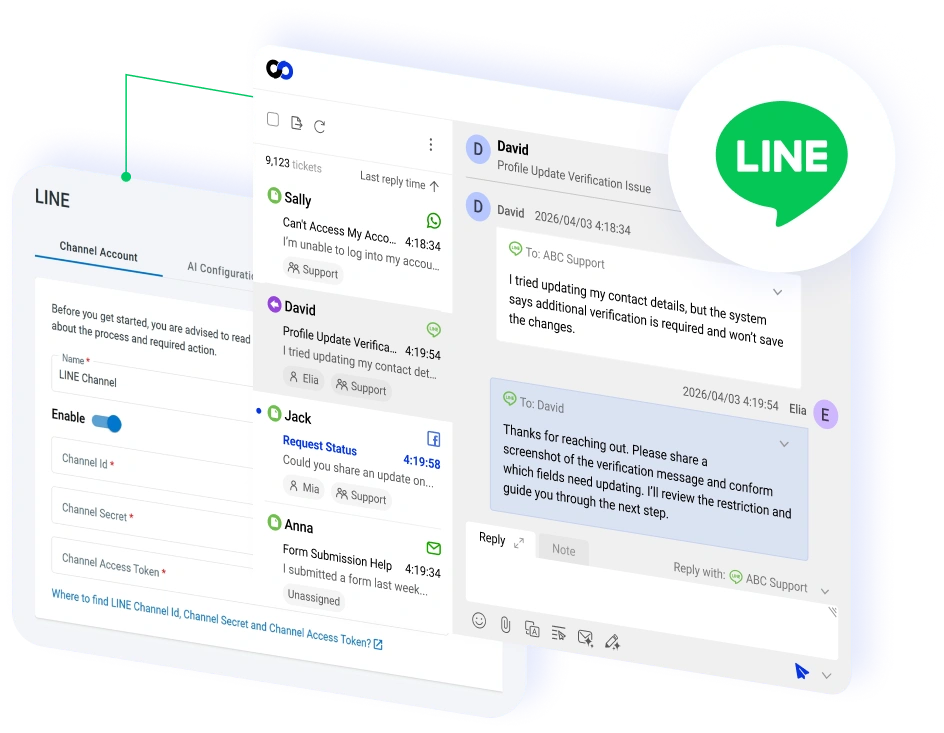




















Manage LINE Conversations from the Comm100 Agent Console
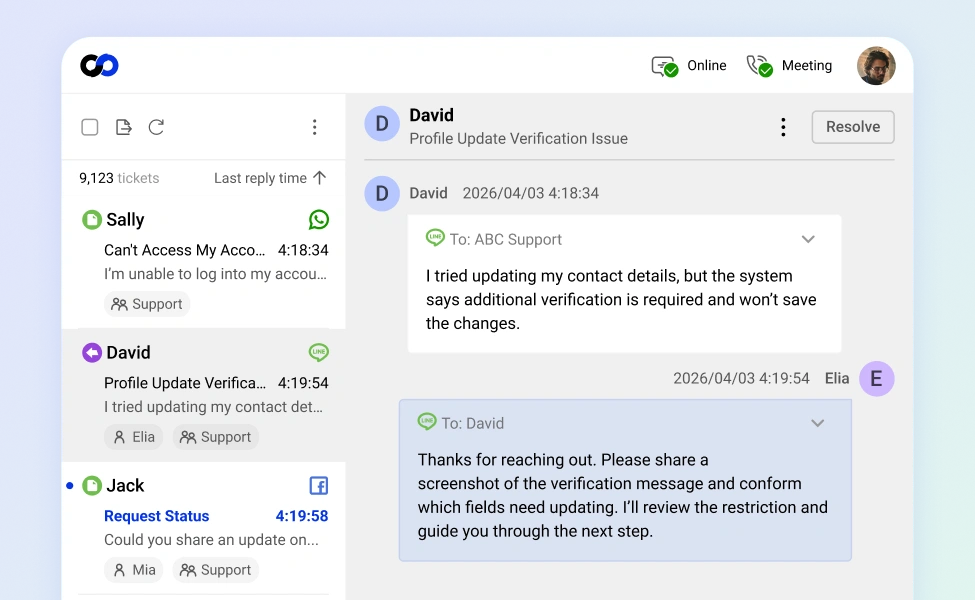
Connect your LINE Official Account to Comm100 and handle every incoming LINE message alongside 11 other support channels, without switching apps.
Messages reach your team the moment they arrive, so customers on LINE get the same quick replies they would expect on live chat.
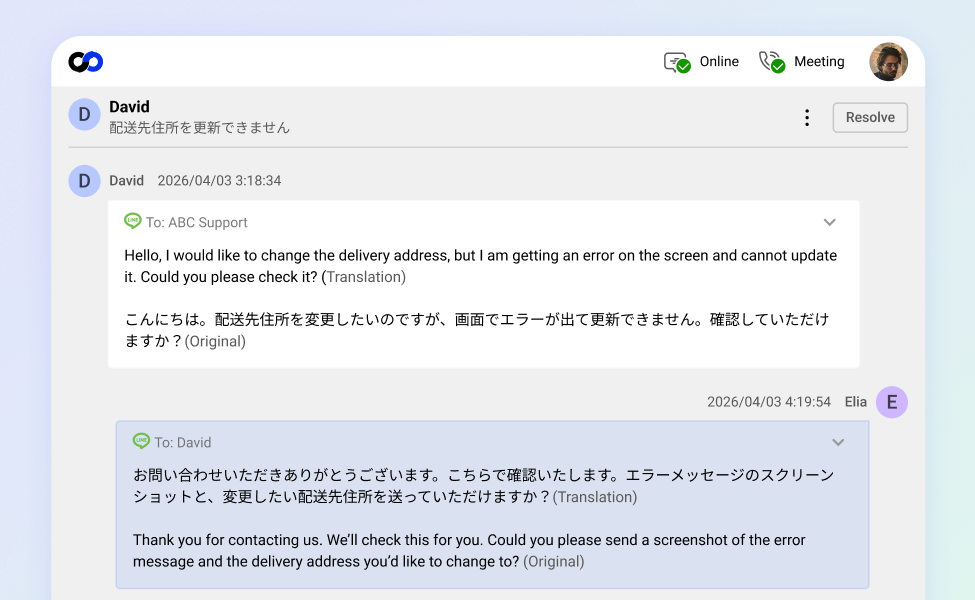
Serve Customers in Their Own Language
Comm100’s auto-translation lets your agents read incoming LINE messages and reply in their own language, while each customer sees the conversation in theirs.
For brands serving LINE’s large user base across Japan, Taiwan, and Thailand, one team can support several language markets without hiring a separate agent for each one.
Automate Routine LINE Questions with AI
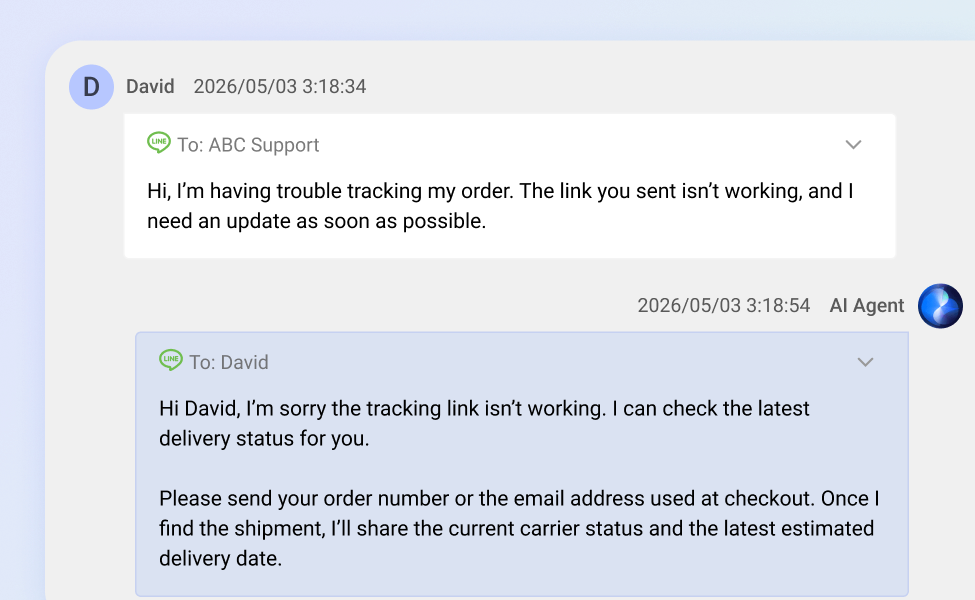
The Comm100 AI Agent answers common LINE questions on its own, so your team can spend its time on the conversations that actually need a person.
Point it at your website or upload your support documents, and it learns your business well enough to reply accurately. When a question goes beyond what it can handle, it passes the conversation to a human agent with the full message history attached.
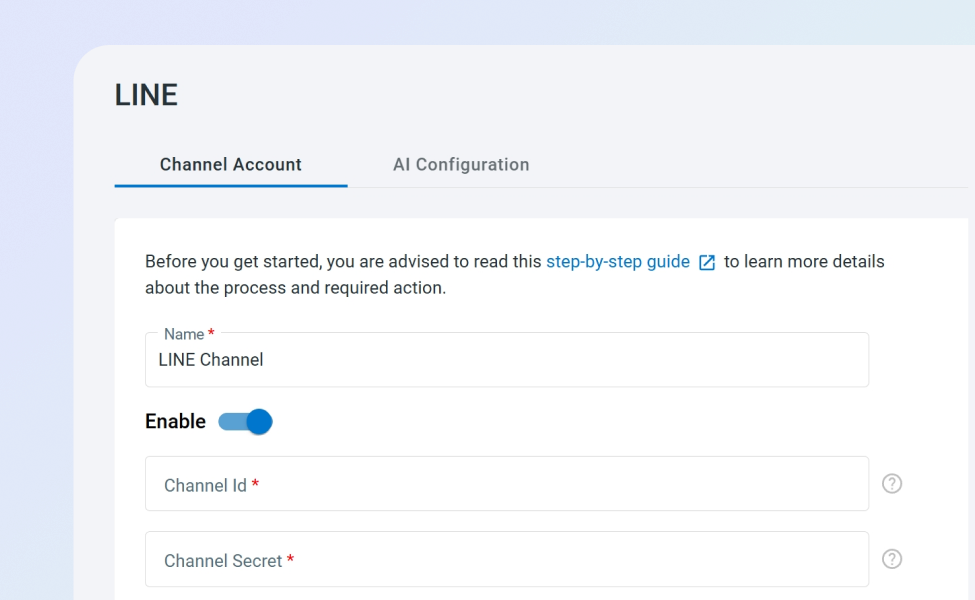
Connect with Your LINE Official Account
Setup runs through your LINE Official Account and the LINE Developers Console:
- Use your existing account: connect your current LINE Official Account in the control panel.
- Start fast: enter your credentials once and begin handling LINE conversations right away.
Frequently Asked Questions
How does Comm100's LINE integration work?
When a customer messages your LINE Official Account, Comm100 turns it into a ticket in your agent console, where your team replies without opening LINE separately. You can also deploy the Comm100 AI Agent on the LINE channel to answer routine questions automatically, so customers get a response even outside business hours.
What do I need to connect LINE to Comm100?
You need a LINE Official Account with the Messaging API enabled. From the LINE Developers Console, copy your Channel ID, Channel secret, and Channel access token, then enter them in the Comm100 control panel under Ticketing & Messaging.
Can agents handle LINE conversations in another language?
Yes. Comm100’s auto-translation lets agents reply in their own language while customers read messages in theirs, so a single team can support customers across several language markets from one console.
Can the AI Agent respond to LINE messages automatically?
Yes. The Comm100 AI Agent works on LINE the same way it does on live chat and your other connected channels. It resolves routine inquiries, pulls answers from your knowledge base or uploaded documents, and hands off to a human agent when a conversation needs one.
Will LINE conversations show up alongside my other support channels?
Yes. LINE tickets appear in the same unified agent console as live chat, email, SMS, WhatsApp, Facebook Messenger, and your other channels. Agents can see a customer’s full interaction history across every channel from one contact profile, so they have context no matter where the conversation began.
Experience the power of people-first, AI-powered customer service.
Get started today!