
The Comm100 Instagram Integration
Turn Instagram DMs into Fast, AI-Powered Customer Service
Integrate Instagram messaging with Comm100 to manage every DM in one place, answer routine questions with AI, and reply faster than the inbox you are using today.
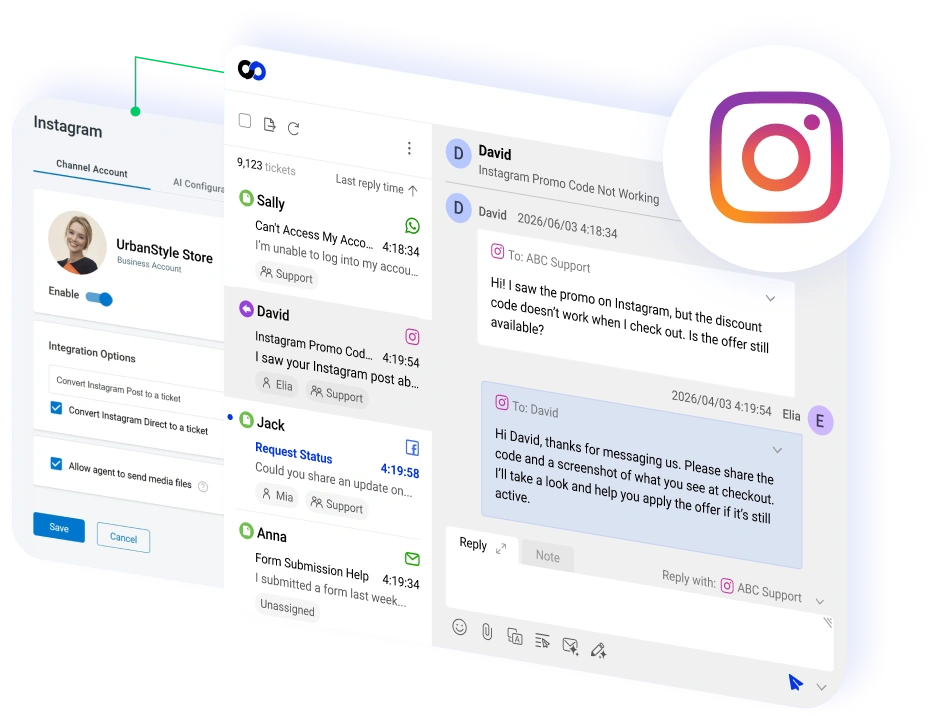




















Manage Instagram DMs from the Comm100 Agent Console
Connect your Instagram professional account to Comm100 and handle every incoming DM alongside 11 other support channels, without switching apps or logging into Instagram separately.
You can also set up the Comm100 AI Agent on Instagram so routine messages get answered automatically, even when your team is offline.
Turn Every DM into a Ticket
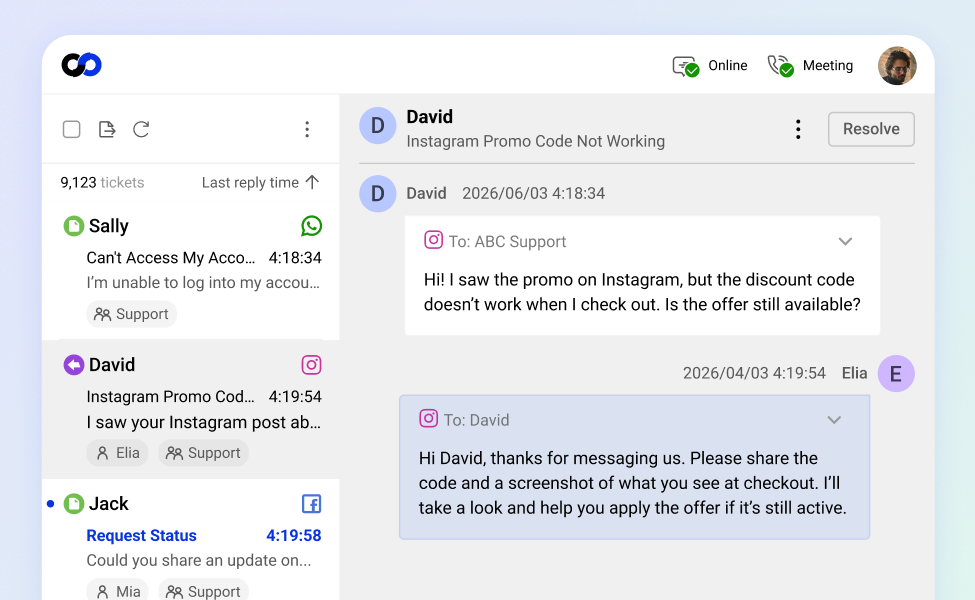
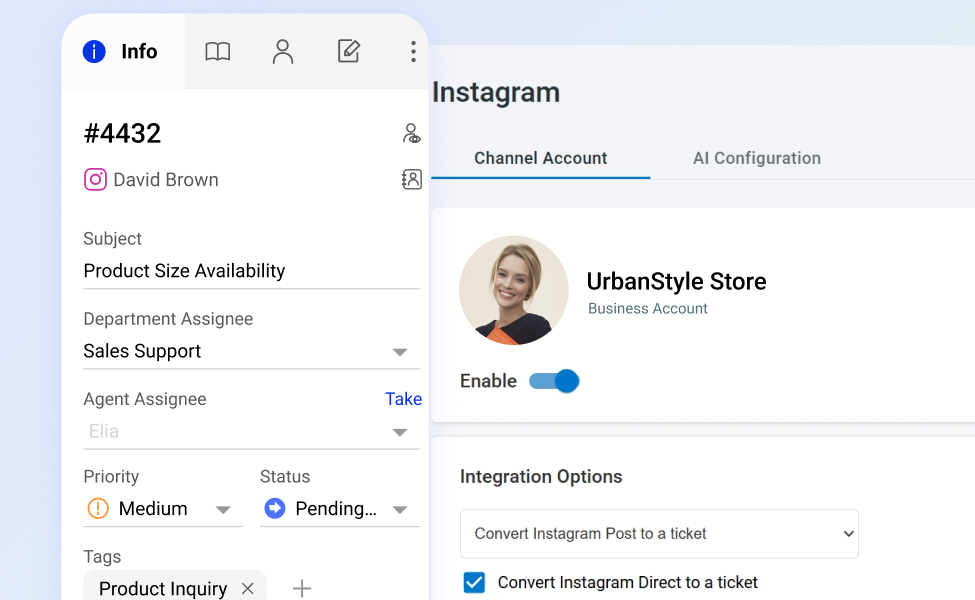
The Comm100 Instagram integration converts each incoming message into a structured ticket with priority levels, tags, and routing rules.
Agents work Instagram conversations from the same queue they use for live chat, email, and SMS, with the workflows and assignment logic they already know. Nothing gets stranded in a separate social inbox.
Automate Instagram Replies with AI
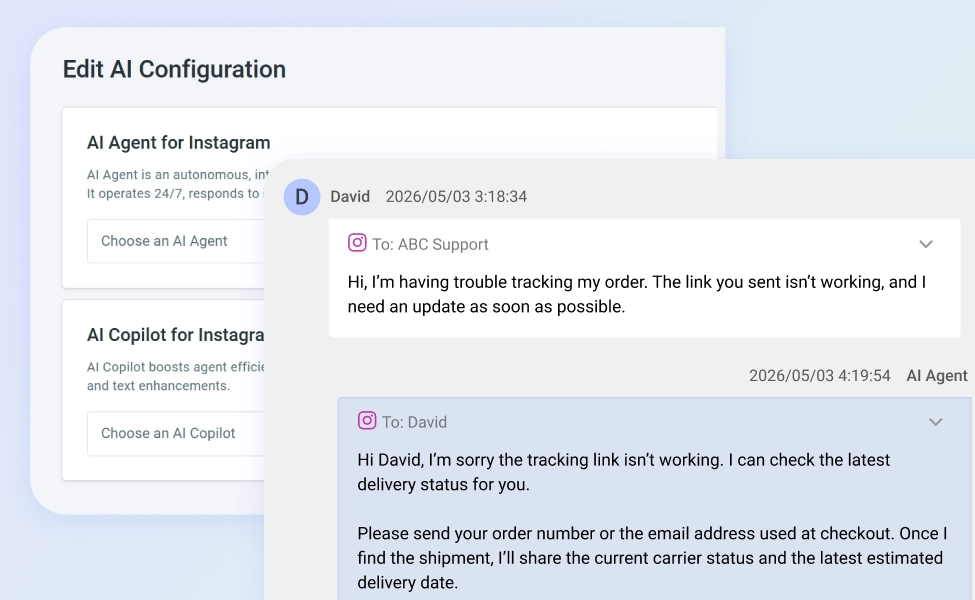
Instagram DMs are high-volume and repetitive, so the Comm100 AI Agent handles the routine ones itself, freeing your team for the conversations that need a person.
Feed it your website content or your own support docs, and it replies in a way that fits your brand. Anything it cannot resolve moves to a human agent, who picks up the thread with the whole conversation already in front of them.
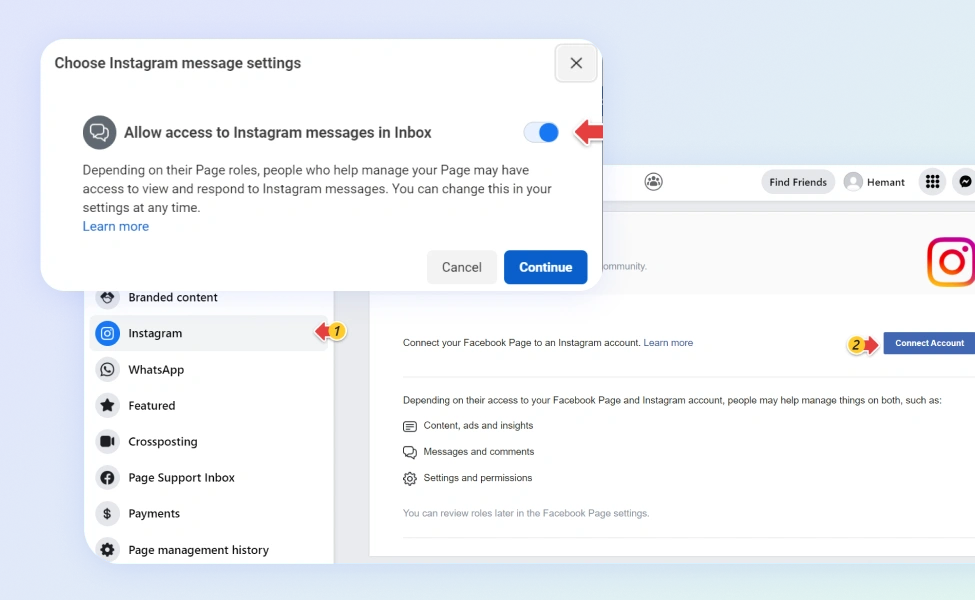
Connect Through Your Facebook Page
Your Instagram presence is already built. Connect it to Comm100 from the control panel and start handling DMs the same day, no developer and no backlog ticket.
- Link the account you already run: connect your Instagram professional account through the Facebook Page you manage.
- Switch it on: turn on message access and DMs, story replies, and mentions start landing in Comm100.
Frequently Asked Questions
How does Comm100's Instagram integration work?
When a customer sends a direct message to your Instagram professional account, Comm100 turns it into a ticket in your agent console, where your team replies without opening Instagram. You can also deploy the Comm100 AI Agent on the Instagram channel to answer routine questions automatically, so customers get a response even outside business hours.
What do I need to connect Instagram to Comm100?
You need an Instagram professional account, either Business or Creator, linked to a Facebook Page you manage. From the Comm100 control panel, go to Ticketing & Messaging, select Instagram, and connect your account through Meta. You will also need to allow message access for connected tools in your Instagram settings so messages reach Comm100.
Can the AI Agent respond to Instagram messages automatically?
Yes. The Comm100 AI Agent works on Instagram the same way it does on live chat and your other connected channels. It resolves routine inquiries, pulls answers from your knowledge base or uploaded documents, and hands off to a human agent when a conversation needs one.
Does the integration capture Instagram story replies and mentions?
Yes. Along with standard direct messages, replies to your stories and mentions of your account in other people’s stories come through as conversations in Comm100, so your team can follow up on them the same way they handle any other message.
Will Instagram conversations show up alongside my other support channels?
Yes. Instagram tickets appear in the same unified agent console as live chat, email, SMS, WhatsApp, Facebook Messenger, and your other channels. Agents can see a customer’s full interaction history across every channel from one contact profile, so they have context no matter where the conversation began.
Experience the power of people-first, AI-powered customer service.
Get started today!