It’s live! Access exclusive 2026 AI live chat benchmarks & see how your team stacks up.
Unlock the insights
It’s live! Access exclusive 2026 AI live chat benchmarks & see how your team stacks up.
Unlock the insights
Connect. Engage. Empower.
Build stronger relationships, boost team performance, and harness AI to improve the quality of your conversations.
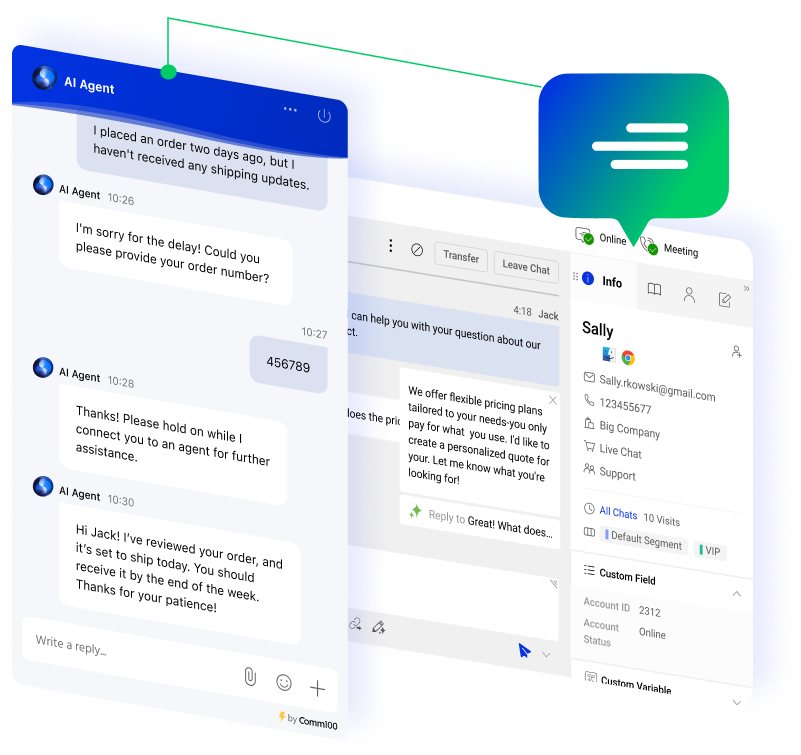






















Let the Comm100 AI Agent handle up to 80% of routine conversations, reducing agent workload.
Complex queries are seamlessly escalated to live chat agents for streamlined personalized support.

Empower your agents with AI Copilot — our advanced suggestion engine that delivers context-aware guidance in real time.
Enhance response quality and bridge communication gaps with multilingual support across 90+ languages.

Easily wrap up chats with AI Copilot and provide internal comments for comprehensive context and knowledge sharing.
Categorize interactions — like inquiries, feedback, and complaints — to inform training, identify trends, and generate tickets for critical issue resolution.

Securing sensitive customer data processed by Comm100 Live Chat is a top priority.
We adhere to stringent, industry-leading standards — including SOC 2, ISO 27001, HIPAA, and GDPR — and implement robust safeguards such as encryption and role-based access control across the platform.

“We knew that we weren’t reaching a whole demographic profile because we were only offering phone and email support. If we wanted to connect with these potential donors, we had to provide them with a digital channel that was convenient and instant — and live chat was the obvious answer.”
– Denny Michaud, Customer Relations Manager, Canadian Blood Services

Agent
Experience

Manager
Experience

Visitor
Experience
Optimized for Performance
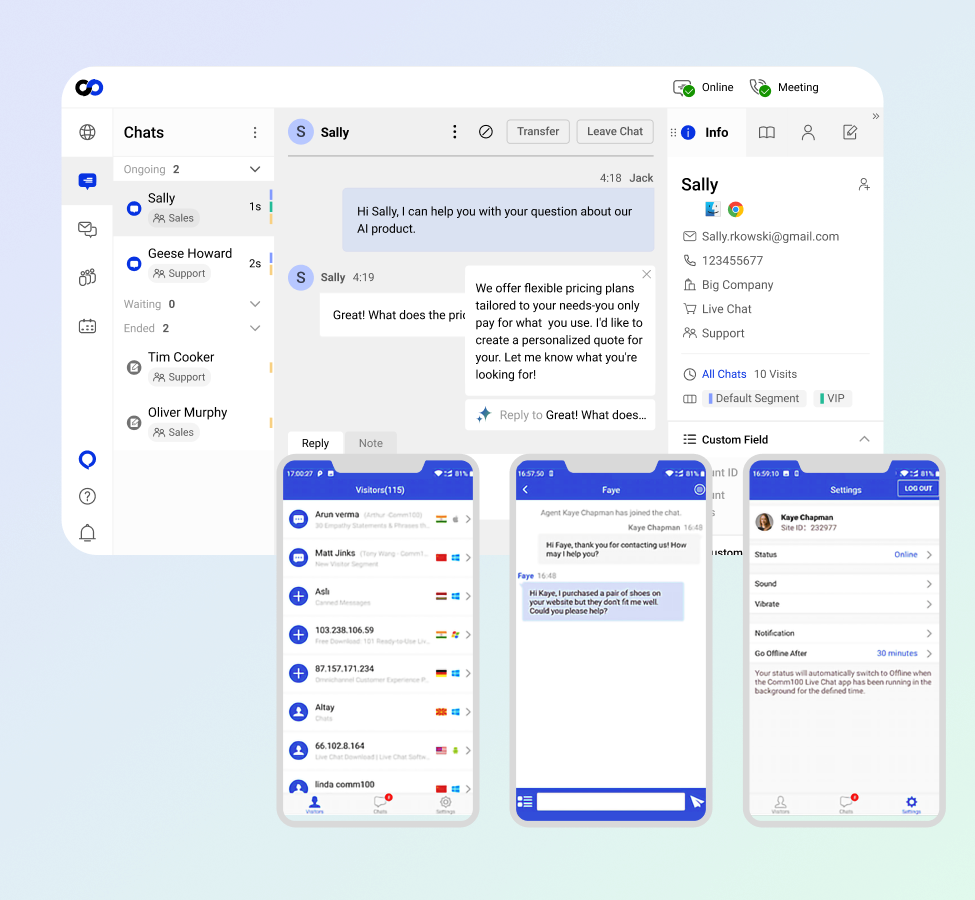
Work seamlessly across devices, channels, and platforms and efficiently manage customer interactions with Comm100’s Agent Console.
Access all conversations, visitor details, and chat history in one unified, easy-to-navigate view to boost productivity.
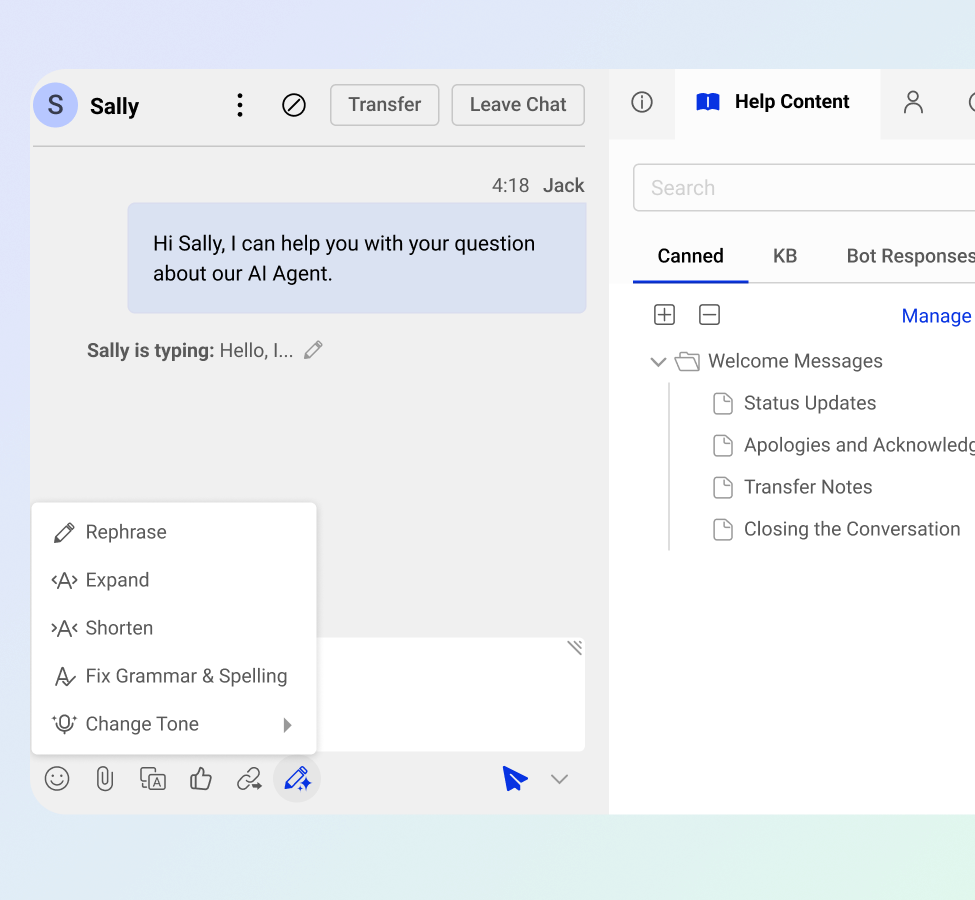
Proactively assist customers by previewing messages in real time and instantly searching your knowledge base for accurate answers.
Improve response accuracy and consistency with AI Copilot, delivering context-aware suggestions and helping agents rephrase, expand, summarize, or adjust tone for improved conversation quality.
Reduce response time with keyboard shortcuts, canned messages, and other time-saving features.

Personalize interactions by accessing the complete visitor profile. Leverage real-time details, historical interactions, and CRM data to proactively address needs and build stronger relationships.

Enhance customer support with real-time collaboration. Enable admins or senior agents to monitor chats, share notes, and provide valuable context to frontline agents during interactions.
Powered by Data for Better Results

Route chats to the best-suited agent based on location, skills, seniority, visitor segments, and departments, all within a single, streamlined console for superior customer experience.
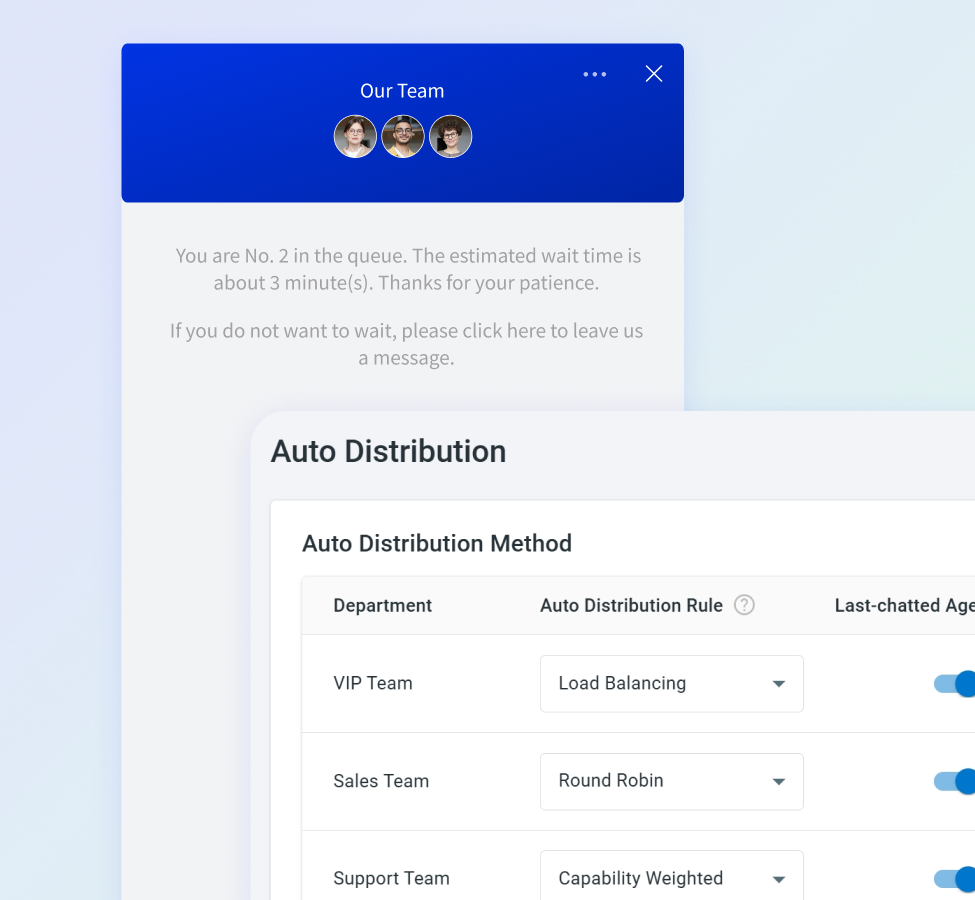
Optimize chat distribution using load balancing, capability weighting, and round-robin methods for efficient agent utilization.
Minimize visitor wait times with smart queue management. Proactively inform and notify visitors throughout the process, enhancing their experience and reducing frustration.
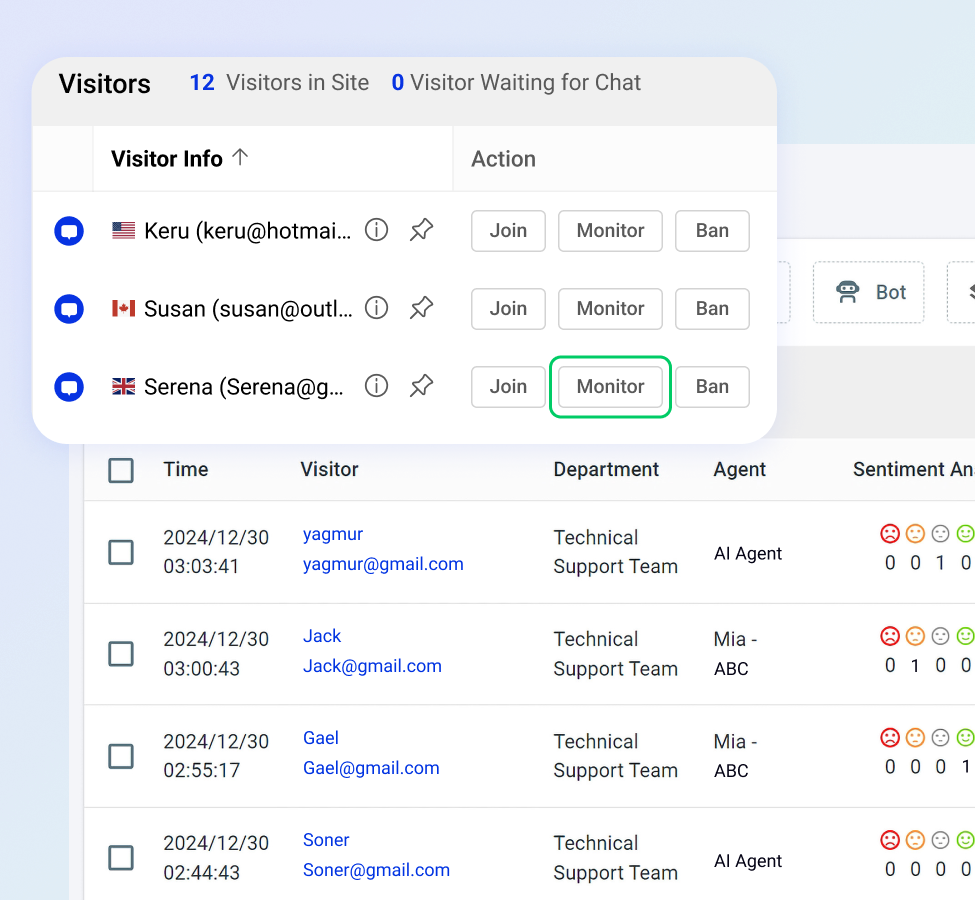
Maximize customer satisfaction by actively monitoring live chats, reviewing transcripts and AI-generated summaries, delivering live coaching, and seamlessly taking over chats as needed to guarantee positive customer interactions.

Utilize detailed reporting to track chat volumes and queue performance, evaluate agent efficiency, and optimize staffing based on wait times, peak hours, and chat transfer trends.
Leverage AI Insights to identify frustrated or disengaged customers for timely intervention, filter chats by sentiment to enhance coaching, and prioritize conversations by resolution status to quickly resolve issues and optimize resources — all empowering smarter business decisions.
Personalized for Maximum Satisfaction
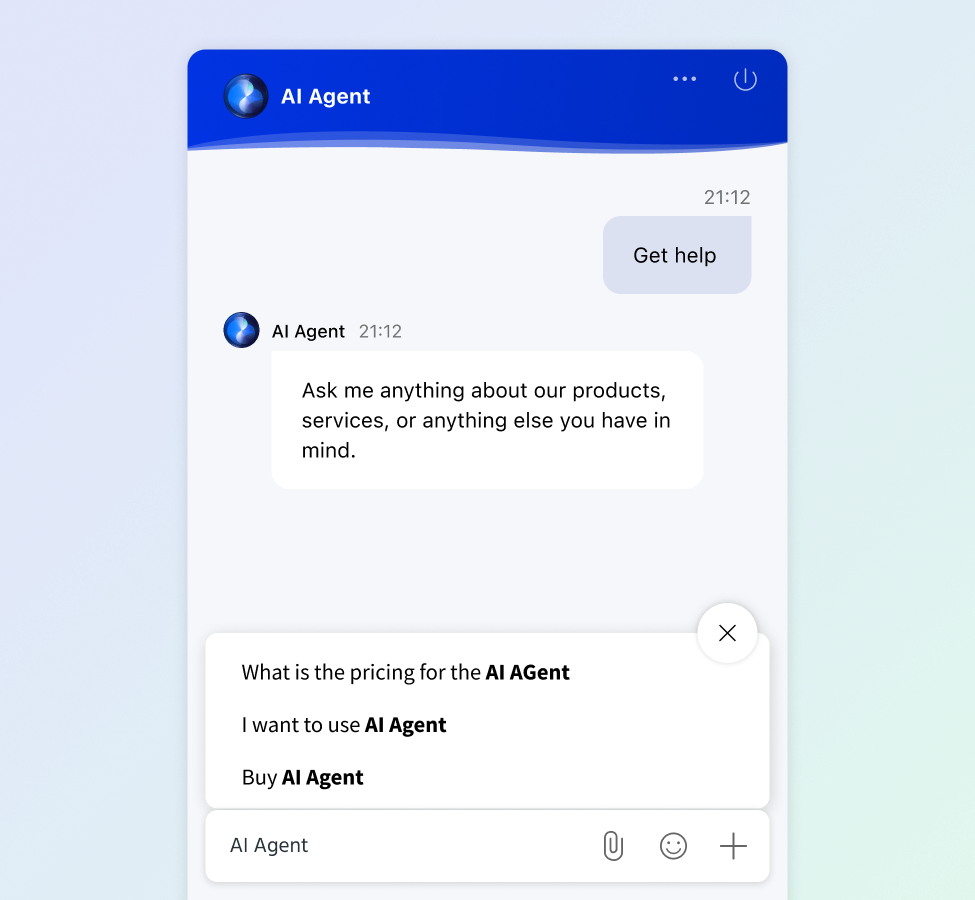
Help visitors articulate their needs quickly and accurately by intelligently suggesting relevant questions, reducing friction and streamlining interactions for both visitors and agents.

Gain complete control over the appearance of your chat window and button. Choose from different styles, colors, and backgrounds, or use your own CSS.
Dynamically adapt chat designs for targeted visitor segments or websites to create a unique brand experience.
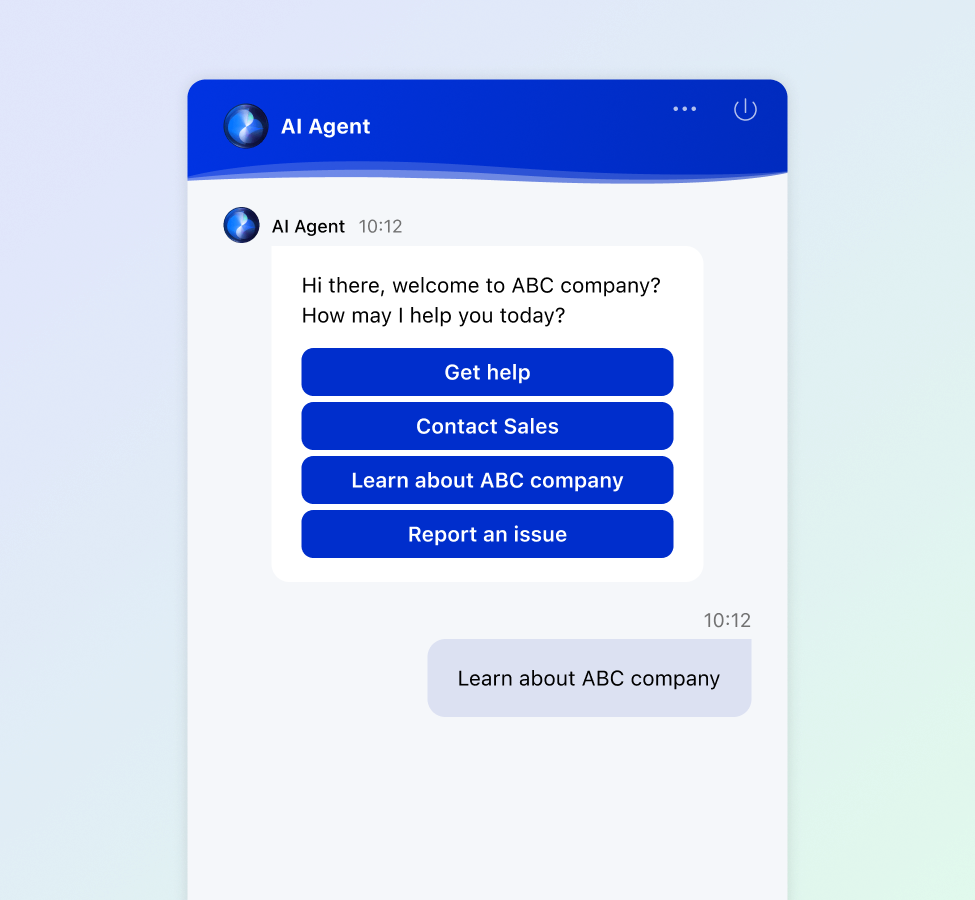
Let the Comm100 AI Agent step in when live agents are unavailable, collecting specific visitor information with human-like responses.
The AI Agent can seamlessly direct visitors to the right contact forms and automatically forward email transcripts to the designated recipients.
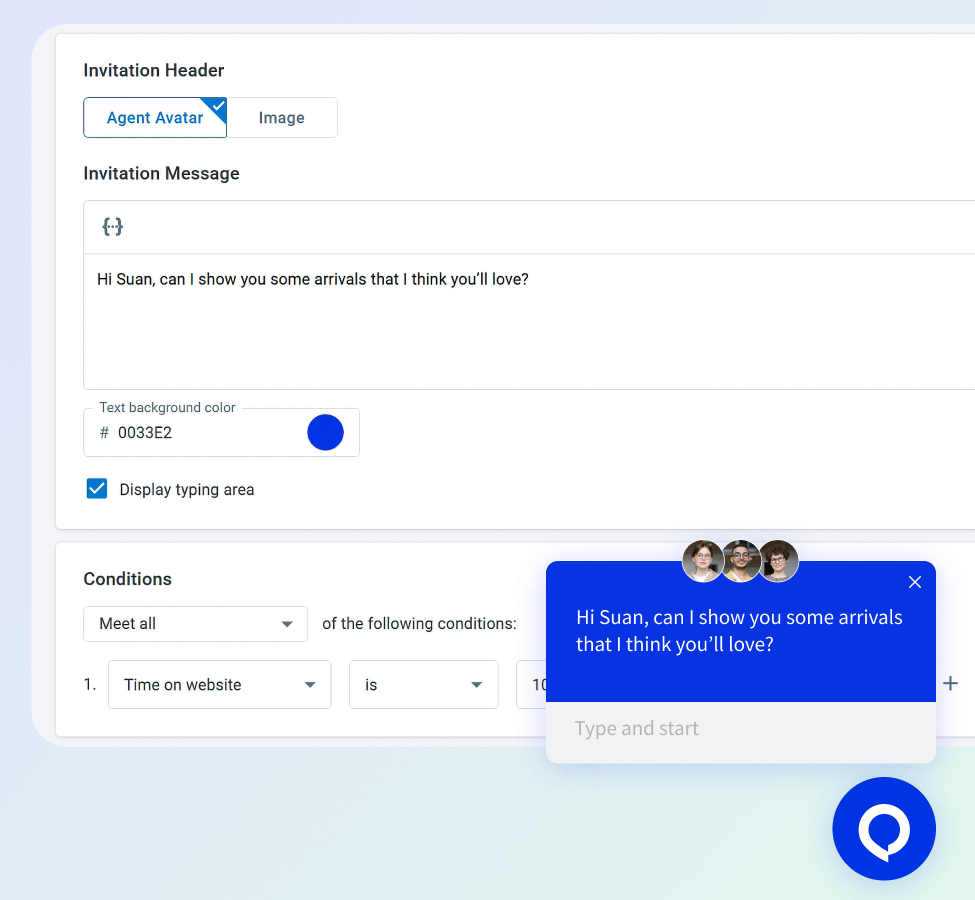
Initiate personalized visitor interactions with manual or rule-based automated invitations.
Choose from a variety of invitation styles, enrich with custom images and messages, and optimize customer engagement.
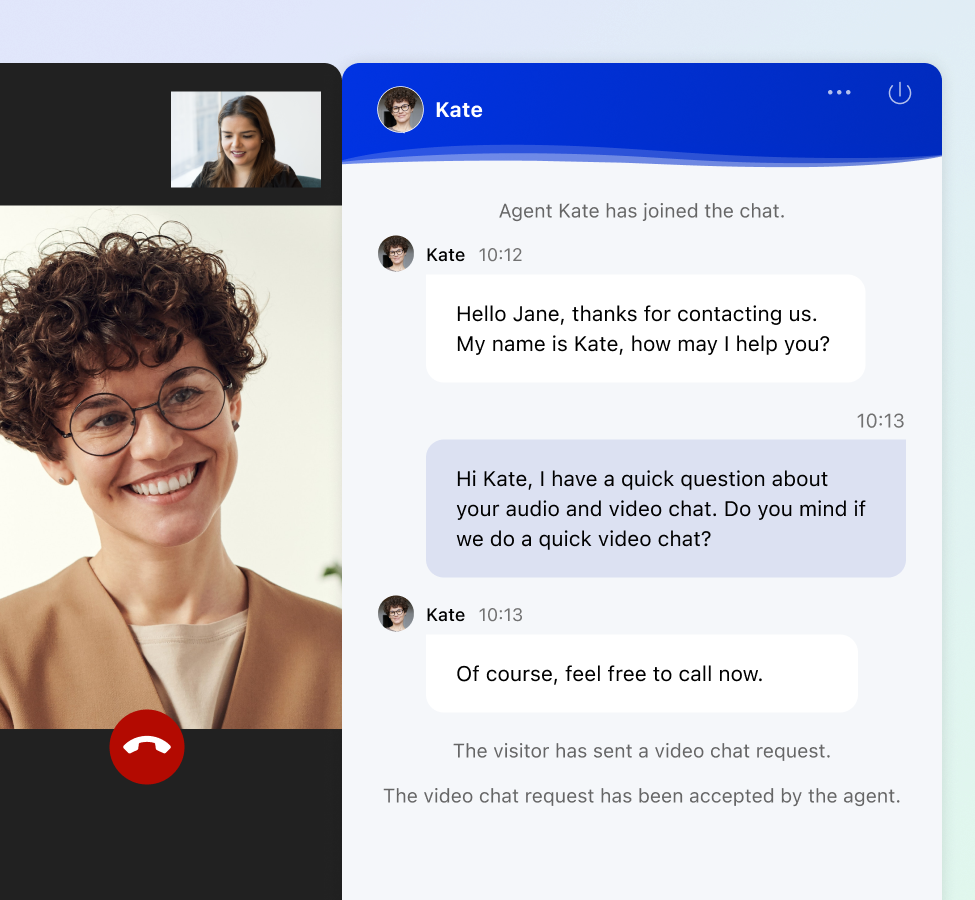
When a text chat isn't sufficient, seamlessly transition to audio or video calls for personalized support.
Accelerate resolutions with screen sharing and share files directly within the chat window for faster information exchange.

See how our live chat can transform your business.

“With Comm100 Live Chat combined with Comm100 Chatbot (now AI Agent), we can now deliver fast, efficient, 24/7 support that helps us engage with more prospective students and provide better support.”
– Victoria Anderson
Manager, Admission Operations, Undergraduate Admission and Recruitment, Queen’s University

1 Day
Deployment Period
ROI can begin< 4 weeks

4.2/5
Average CSAT
Reported across all verticals

23 Sec
Average Wait Time
Connect faster with your visitors
80+
Live Chat Features
15+
Integrations Supported
17+
Detailed Reports




AI-powered live chat software combines real-time messaging between customers and support agents with artificial intelligence that handles routine inquiries, suggests responses, and routes conversations automatically.
The AI component uses natural language processing to interpret what a visitor is asking, then either resolves the query directly through an AI chatbot or surfaces the right information for a human agent to respond faster.
Live chat connects a customer with a real person in real time through a text-based interface on a website or app. AI chatbots are software programs that simulate conversation, either through predefined scripts or through AI models that generate responses based on training data. The short answer is that live chat is human-to-human, and a chatbot is human-to-machine.
Modern platforms often treat them as a single system, where an AI chatbot greets visitors, qualifies their intent, and resolves what it can. If the issue is complex, the chatbot transfers the conversation to a human agent seamlessly, preserving the full chat history. Comm100’s platform, for example, unifies both within one console, so agents see every interaction a visitor has had with the bot before they step in.
Multichannel support means offering customer service across several channels: live chat, email, phone, social media, SMS. Omnichannel support means those channels are connected.
The distinction matters because in a multichannel setup, a customer who starts a conversation on live chat and follows up over email may encounter an agent with no visibility into the prior exchange. The customer repeats themselves, the agent lacks context, and satisfaction drops.
An omnichannel platform like Comm100 consolidates every channel into one agent workspace. When a customer messages on WhatsApp, then switches to live chat, then sends an email, the agent sees a single, continuous conversation thread regardless of channel.
Visitor history, previous interactions, and CRM data all appear in the same view. Routing rules apply consistently, so a VIP customer gets prioritized whether they contact you through Facebook Messenger or your website widget.
Yes, Comm100 offers a variety of integrations and can integrate with popular CRMs, including Salesforce, HubSpot, Microsoft Dynamics 365, and Optimove. You can also integrate with major student information systems like Ellucian.
Comm100 also offers a flexible API for custom connections. The platform also connects with popular messaging channels including WhatsApp, Facebook Messenger, Instagram, Telegram, and SMS, extending your live chat investment across every channel your customers already use.
Comm100 was built for regulated environments from the ground up. The platform combines a full AI suite (AI Agent, AI Copilot, AI Quality Assurance, AI Insights, AI Knowledge, and AI Training) with omnichannel support across live chat, email, SMS, social media, voice, and messaging apps.
That AI suite isn’t a bolt-on; it’s integrated into every stage of the support lifecycle, from the first customer question through agent coaching and quality review.
Three things set Comm100 apart in practice. First, compliance is built into the core product, not reserved for enterprise pricing tiers. SOC 2 Type II, HIPAA, PCI DSS, and ISO 27001 standards are supported across the platform, and on-premises deployment is available for organizations that need full control over where their data lives. Second, the platform is designed for teams that aren’t staffed with developers.
Third, Comm100 offers industry-specific integrations and workflows that general-purpose platforms simply don’t prioritize, including Ellucian for higher education, core banking system connectivity for credit unions, and pre-built AI intents tailored to sectors like gaming and government services.
Yes. Comm100’s proactive chat feature lets you initiate conversations with website visitors based on configurable triggers rather than waiting for them to click the chat widget. These triggers can be based on time spent on a specific page, number of pages visited, shopping cart value, geographic location, referral source, or any combination of visitor attributes.
Each proactive message can be customized per page, per audience segment, and per language. You control the frequency (so returning visitors aren’t bombarded with repeated invitations), the routing destination (specific departments or agents), and whether the initial greeting comes from the AI Agent or a human.
Comm100 supports over 100 languages through its auto-translation feature, which translates messages in both directions during a live chat session. A visitor can type in Mandarin, and the agent sees the message in English (or their preferred language).
The agent responds in English, and the visitor receives the reply in Mandarin. The translation happens in real time within the chat window, with no plugins or third-party tools required.
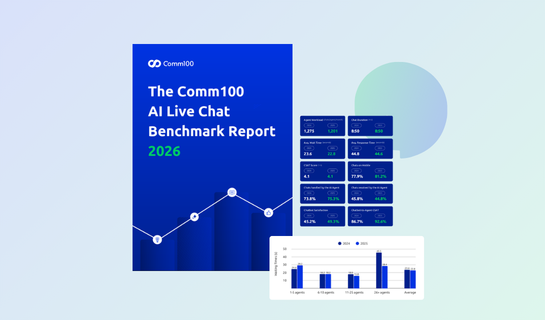
Across all industries, the average live chat wait time (the time between a visitor starting a chat and an agent accepting it) is 22.8 seconds, and the average response time during an active conversation is 44.6 seconds, based on the Comm100 2026 AI Live Chat Benchmark Report.
As a practical benchmark, wait times under 20 seconds place you in the top tier alongside industries like Consumer Services (16.3 seconds) and Banking & Finance (17.9 seconds). Response times under 35 seconds are considered best-in-class. Anything above 60 seconds on either metric signals that customers are likely experiencing friction.
Large teams of 26+ agents cut their average wait time by 37.5% year over year, largely through intelligent routing, overflow handling, and AI chatbot triage. Small teams without those tools saw wait times increase.
Live chat consistently earns the highest customer satisfaction ratings of any support channel, and the 2026 Comm100 AI Live Chat Benchmark Report puts the current average at 4.1 out of 5 (82%) for human-handled chats, a figure that has held steady even as AI has absorbed more of the front-end volume.
Live chat is synchronous, so customers get answers in real time instead of waiting hours for an email. It’s text-based, so there’s always a record of conversations. And it sits on the website at the exact moment of intent, catching questions before they become abandoned carts, lost enrollments, or escalated complaints.
No. Comm100 Live Chat is designed so that non-technical users, typically support managers, CX leads, or marketing teams, can deploy and manage the platform without ongoing developer involvement.
Initial installation is a single line of JavaScript added to your website, which most CMS platforms (WordPress, Shopify, HubSpot, Drupal, Wix, and others) support through a built-in plugin or a simple paste into the site header. Comm100 can also help with implementation.
Once the widget is live, all ongoing configuration happens through Comm100’s admin console. Chat routing rules, agent permissions, business hours, proactive chat triggers, canned responses, chat window styling, and even the design of the AI Agent’s conversation flows are all set up through visual, no-code interfaces.
Knowledge base articles for the AI Agent can be uploaded as PDFs or URLs and crawled automatically, with no training pipeline to build.
Developers are only needed when an organization wants deep custom integrations, for example, connecting Comm100 to a proprietary CRM, a custom authentication provider, or a specialized back-office system. For those cases, Comm100 offers a REST API, webhooks, and SSO support.
Comm100 Live Chat pricing starts from $31/agent/month for Live Chat Startup and $55/agent/month for Live Chat Plus. Custom pricing for Live Chat Ultra is available upon request. See our pricing page for more details.

Six AI solutions that automate, assist, and elevate every part of your support lifecycle

Email, social media, SMS and more – all from one platform

Easy-to-find help resources for both customers and agents

Engage with customers via inbound and outbounds calls

Streamline the queueing experience to cut wait times & improve CX

Empower customers to book appointments or meetings with ease
Expand your knowledge and improve your team’s performance with our in-depth guides, best practices, and tools.


See how our live chat can transform your business.