
Queue Management for Higher Education
Cut Student Wait Times Across Campus
Comm100 Queue Management organizes the walk-in lines at your busiest campus offices including admissions, advising, and financial aid, so students join the queue from their phones, wait wherever they want, and staff see demand in real time.
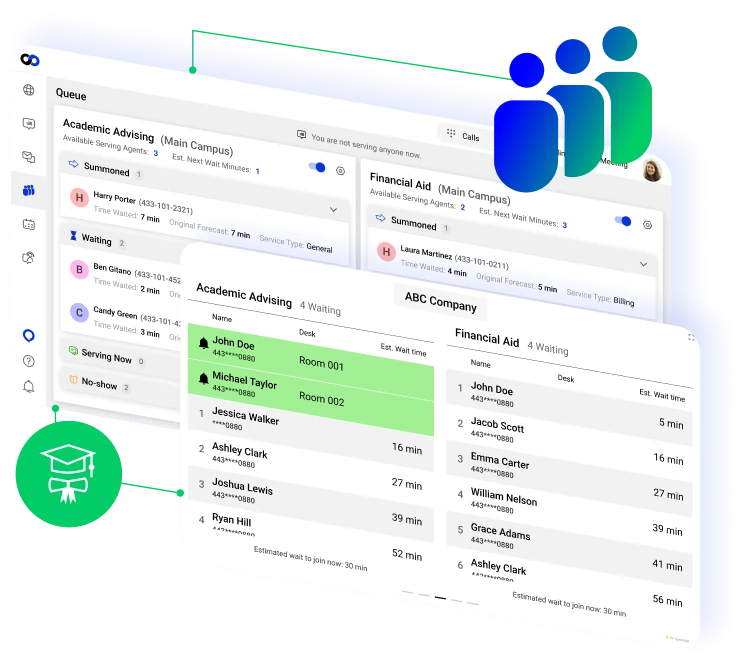












What Queue Management Means for Student Services
Comm100 Queue Management lets students check in for an in-person visit by QR code, link, or on-site kiosk, see their place in line and estimated wait time, and get SMS and email updates, while staff run the desk from one console. It manages walk-in and on-the-day flow at a campus service office, the visits an appointment tool cannot plan for.

Built for the walk-in desk
Run the advising, registrar, or financial aid desk where students show up in person and wait to be served. The queue is virtual, so students hold their place from their phone, but the visit itself is face-to-face.
The student checks in and steps away
Students check in with their name and reason for visit, watch their position update in real time, and get an SMS when their turn is near. They can delay their turn if they are not ready, so stepping away does not cost them their place.
Staff run the desk from one screen
Front-desk staff see who is waiting and how many advisors are serving, pull the next student, and re-order or push back the queue as needed. Reporting on wait time, serve time, no-shows, and throughput turns next semester’s staffing into a decision, not a guess.
One view of in-person and digital demand
Because Queue Management sits in the same platform as Live Chat and Knowledge Base, managers see walk-in queue volume and digital channel volume in one analytics dashboard. A student who visits the advising desk on Monday and chats with the same office on Wednesday shows up as one office’s demand, not two disconnected systems.
No More Bottlenecks
The Bottleneck at the Start of Every Semester
Comm100 Queue Management helps colleges and universities clear the walk-in surges that build up at admissions, advising, and financial aid desks every semester. It replaces the physical hallway line with a virtual queue students join from their phones, so they keep their place while waiting wherever it’s convenient for them.
Let students wait anywhere on campus
Students join the office queue from a QR code or link and hold their place without standing in line. They grab coffee or finish a class and come back when their turn is near.
Show the wait and cut walk-aways
Real-time position and estimated wait time remove the uncertainty that makes students give up and leave. Fewer abandoned visits means fewer unresolved enrollment issues.
Give staff a live view of demand
Staff see every queue across every office in one console and move advisors to where the line is longest. The surge becomes something to manage, not something to survive.

Cut Wait Times Without Cutting Staff
Comm100 Queue Management shortens the time students spend waiting at a service desk and gives staff the data to put advisors where the demand is.

Staff the desk by the data
Queue reporting shows when each office’s walk-in demand peaks, so you schedule advisors for the Tuesday-morning financial aid rush instead of staffing flat. During enrollment surges, that visibility is the difference between coping and drowning.

Move more students through each desk
Shorter, transparent waits move more students through each office and cut the walk-aways that leave issues unresolved. The metrics an administration asks about, average wait time and no-shows, move because the workflow changed, not because staff worked longer.
Accessible, Secure, and Ready for Campus Requirements
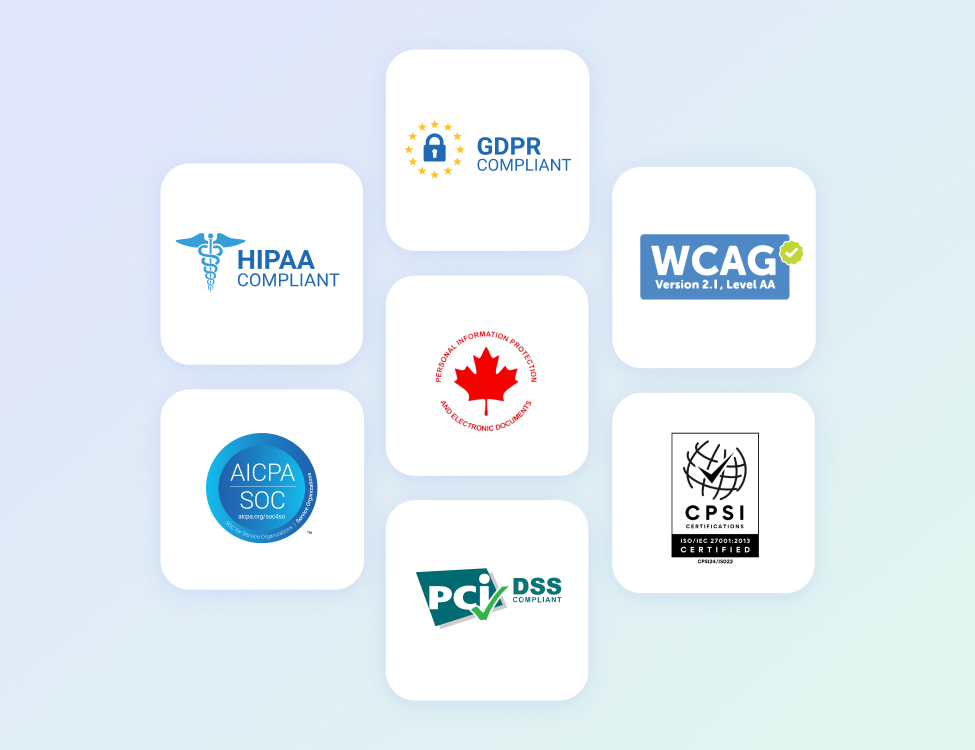
Comm100 builds Queue Management to WCAG 2.1 AA accessibility and runs it on a platform certified to SOC 2 Type II, ISO 27001, and PCI DSS, so it works for every student and keeps sensitive records protected.
Accessible for every student
Comm100 builds its student-facing interfaces to WCAG 2.1 AA, so a student using a screen reader or keyboard navigation joins and tracks a queue on equal terms. For a campus accountable to accessibility legislation, the conformance level is the detail that matters.
Built to protect student records
US and Canadian data residency, cloud or on-premises
Comm100 hosts US cloud customers on US infrastructure and Canadian cloud customers on Canadian infrastructure, and institutions with stricter requirements can run the platform on-premises, configurable for FIPPA compliance.
Queue Management for Higher Education FAQ
What is a queue management system?
Queue management software replaces physical lineups with a digital system that tracks who is waiting, how long they have waited, and who is available to serve them. In higher education, students check in for an in-person visit, join a virtual queue, and get updates on their position and wait time, so high-traffic offices like admissions, advising, and financial aid run with shorter, more visible waits.
How does virtual queue management work for campus services?
Virtual queue management lets a student check in for an in-person visit from a QR code or link, track their real-time position and estimated wait on their phone, and get an SMS when their turn is near. They wait wherever they want instead of standing in a hallway, which cuts the walk-aways that come from uncertainty, and staff run the desk from one console.
How does queue management reduce student wait times during enrollment peaks?
Queue management reduces wait times by giving students real-time visibility that keeps them from walking away, and by giving staff live demand data to move advisors to the busiest desks. Paired with an AI Agent that resolves up to 80% of routine questions online, fewer students need an in-person visit at all, so the line is shorter to begin with.
Is Comm100 Queue Management accessible and secure for student data?
Yes. Comm100 builds its student-facing interfaces to WCAG 2.1 AA and holds SOC 2 Type II, ISO 27001, and PCI DSS certifications, with data encrypted in transit and at rest. Student data stays protected with cloud or on-premises deployment and US or Canadian data hosting.
What is Comm100 Queue Management?
Comm100 Queue Management is a queue management system built into the Comm100 omnichannel platform that manages the flow of in-person visits from check-in through post-service. Students enter the queue with their name and reason for visit, receive real-time SMS and email updates on their status and estimated wait, can view their position and delay their turn, while staff see who is waiting, how many advisors are serving, and can re-order the queue as needed.
See Queue Management Work for Your Students
Comm100 Queue Management turns crowded, in-person student-services lines into an organized, measurable flow, with virtual check-in inside a people-first, AI-powered omnichannel platform. A personalized demo shows how it fits your campus and your enrollment calendar.