
Features | Agent Experience
Canned Messages
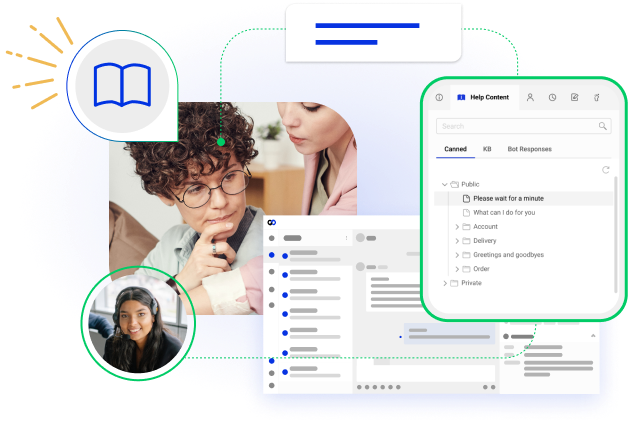
Comm100 Canned Messages let you pre-define responses for greetings, frequently asked questions, chat sign-offs, and more. Agents skip the repetitive typing and avoid typos, which improves both speed and professionalism. Canned messages are easy to find in the console, so agents answer common questions in just a few clicks.

“One of the features most commonly used by our team is Comm100’s canned messages for live chat. Having the option to enter in personalized messages to quickly choose from increases our response speed and accuracy to a great extent.”
– Brian Grosz
Director of Marketing/Sales, CheckMark
Public canned messages
Public canned messages can be accessed by all agents in their agent consoles. Only the admin agent has the permission to create/edit/delete the messages by default. Other agents can be given permission to edit canned responses too.

Private canned messages
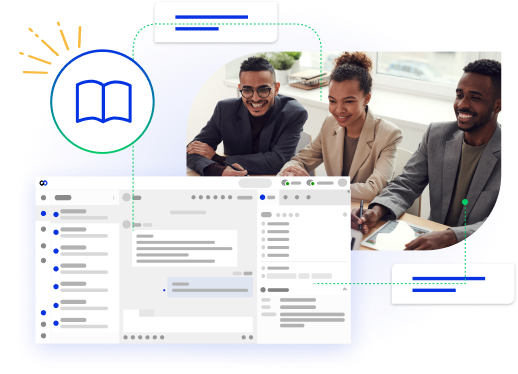
Agents can create their own private canned messages for live chat to add a personal touch to their conversations. Other agents do not have permission to edit or delete these private canned responses.
Canned messaging categories
You can create multiple categories for both public and private canned messages for live chat. Under each category, there can be multiple messages with different titles. This way, you are able to locate specific messages easily by title and category during a chat.

Send canned responses on the fly
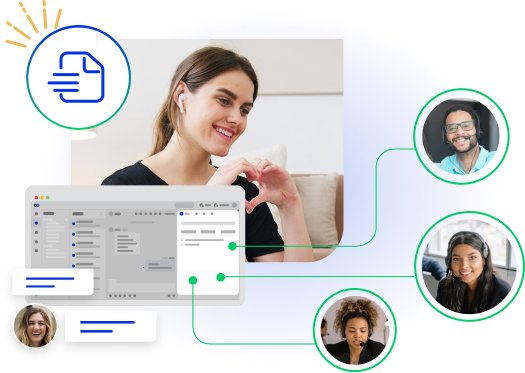
Sending canned messages is fast and convenient. Agents can simply double-click the message to send it immediately. Alternatively, the agent can click the chosen canned message and edit it if needed.
Link canned message categories to campaigns
If you’re running multiple websites with different pre-defined canned responses, Comm100 allows you to select canned message categories for certain campaigns. This means when an agent chats with a customer from a given campaign, only canned message categories selected for that campaign will be available for agents to use.


Canned message shortcuts
You can set a shortcut for each canned message and then use the shortcut to populate the message in your input box. This significantly shortens the time needed to select and send out the message, improving agent efficiency even further.

Keyword search for canned messaging
You can search your entire canned message library for specific canned responses to increase response time and ensure accuracy.

Canned messaging report
Check the total number of times each canned message is used within a given time period with the canned messaging report. This report gives you a clear picture of the utilization difference among all your canned messages, which helps you manage your canned message library and keep it refreshed according to your customers’ needs and interests.
Frequently Asked Questions
What are canned messages in live chat?
Canned messages are pre-written responses agents can insert into a chat in a few clicks. Comm100 lets you save them for greetings, frequently asked questions, sign-offs, and more, so agents avoid repetitive typing and typos while keeping replies fast and consistent.
What is the difference between public and private canned messages?
Public canned messages are available to all agents in their consoles, and by default only the admin can create, edit, or delete them, though other agents can be granted edit permission. Private canned messages are created by an individual agent for their own use, and no one else can edit or delete them.
How do agents send a canned message during a chat?
Agents double-click a message to send it immediately, or click it first to edit before sending. They can also assign each message a shortcut to drop it into the input box, or search the full library by keyword.
Can canned messages be organized into categories?
Yes. You can create multiple categories for both public and private messages, with multiple titled messages under each, so agents can find the right reply quickly by category and title during a chat.
Can canned message categories be limited to specific campaigns?
Yes. If you run multiple websites with different responses, you can assign canned message categories to specific campaigns, so agents only see the categories relevant to the campaign they are chatting on.
How do I know which canned messages are used most?
The canned messaging report shows how many times each message is used in a given period, so you can see which replies get the most use and keep your library current with what
Experience the power of people-first, AI-powered customer service.
Get started today!