
The AI Insights That Drive Smarter Business Decisions
Your Intelligent AI Analyst
AI Insights offer managers data-driven intelligence—including customer sentiment, resolution status, and key business insights—to optimize operational efficiency.
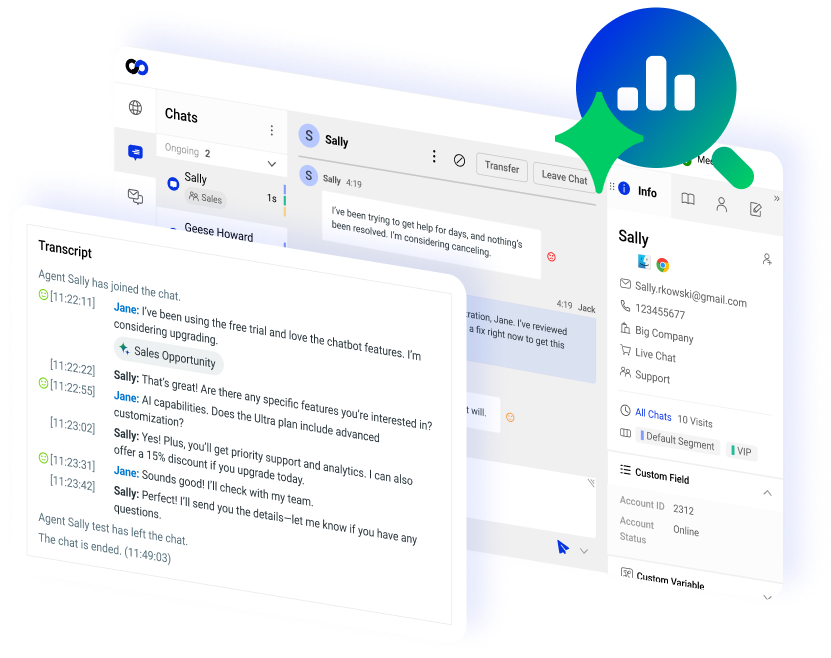




















Comm100 AI Spotlights
Identify and Act on Key Business Insights
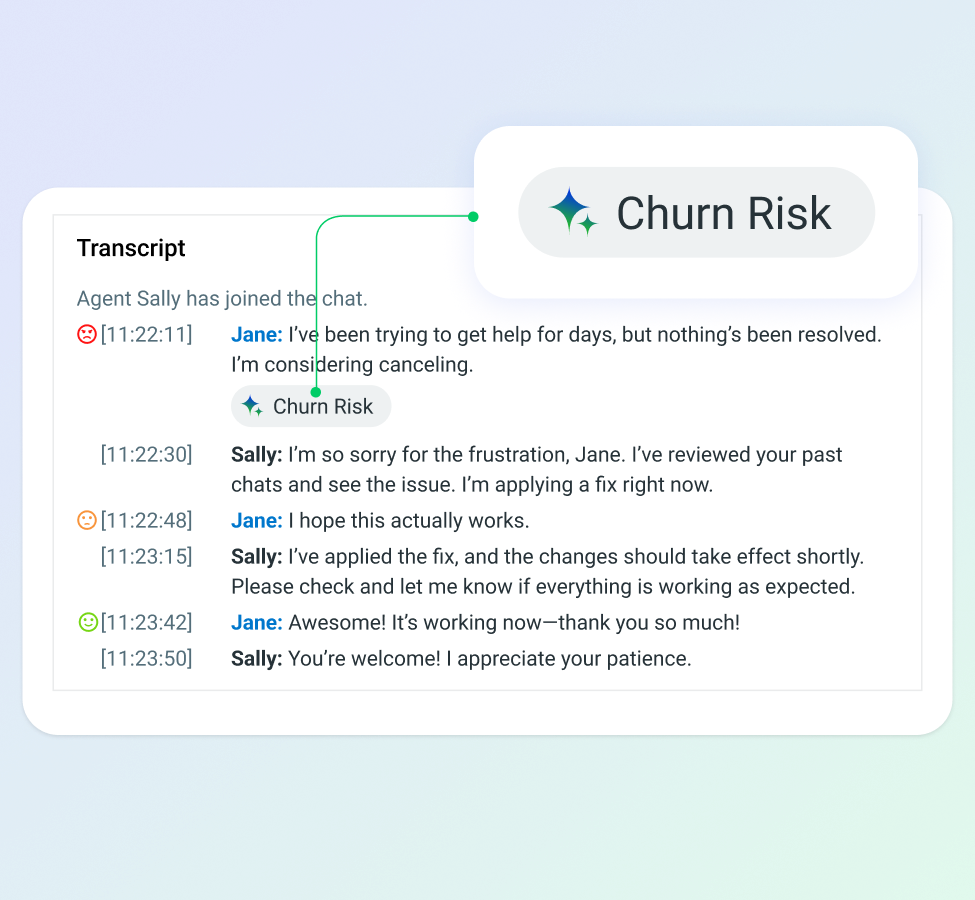
Minimize Churn Risk
Detect frustrated or disengaged customers at risk of leaving due to poor experiences or lack of engagement.
AI Insights flags these interactions, enabling proactive intervention and retention strategies.
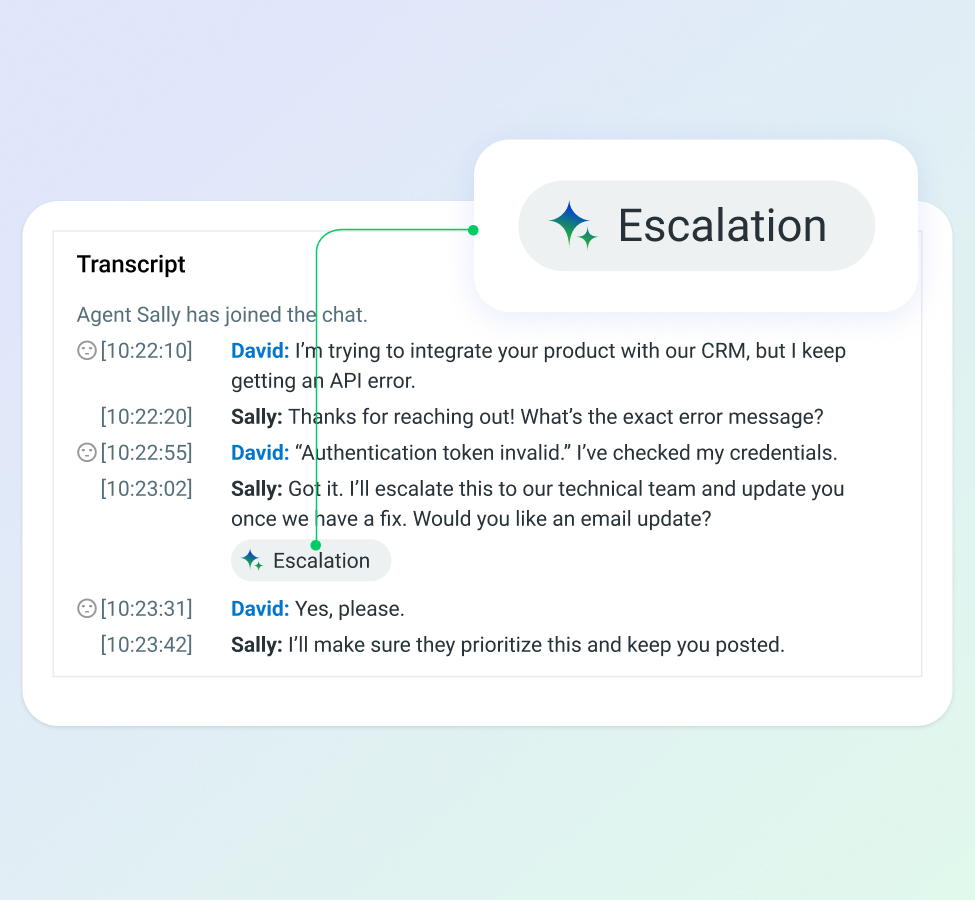
Reduce Escalations
Identify escalated customer chats involving complex issues like identity verification or payment problems. By reviewing these chats, managers can pinpoint exactly where agents struggled.
This insight enables managers to deliver targeted coaching to agents on how to handle similar situations more effectively, ultimately reducing future escalations.
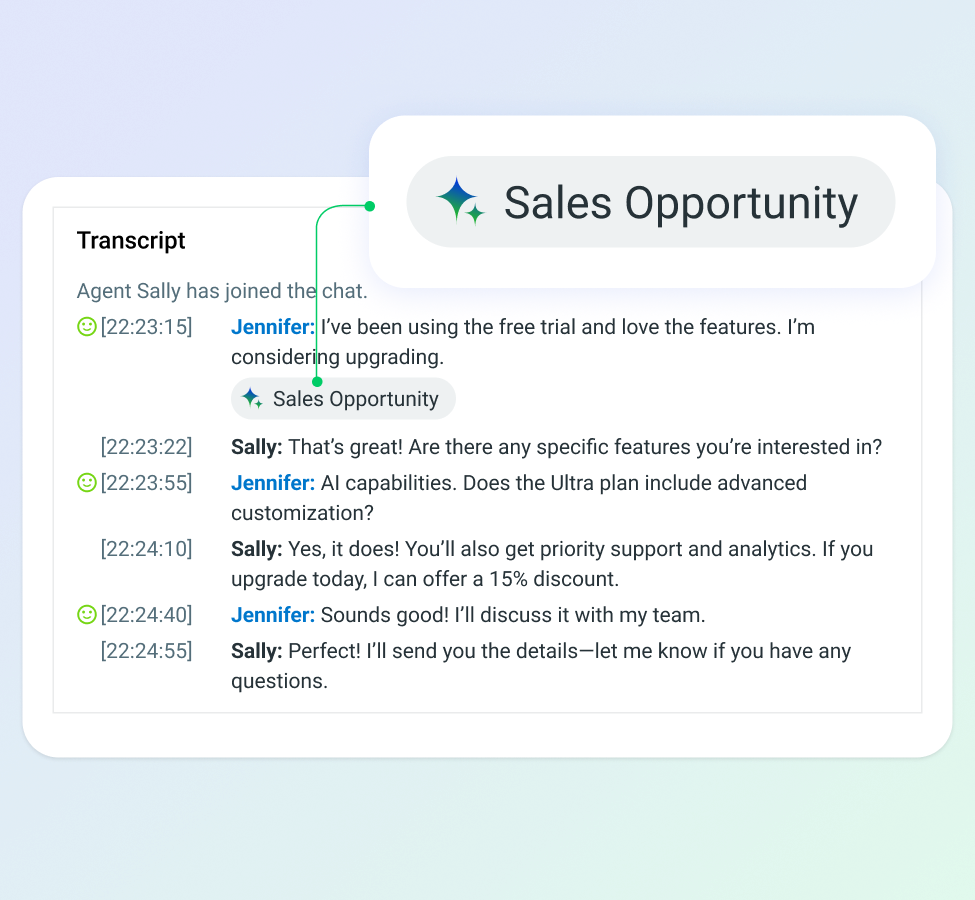
Boost Sales
Never miss a potential sale — AI Insights detects strong buying signals and highlights conversations where personalized offers can drive conversions.
Sales teams can then prioritize and tailor their outreach effectively.
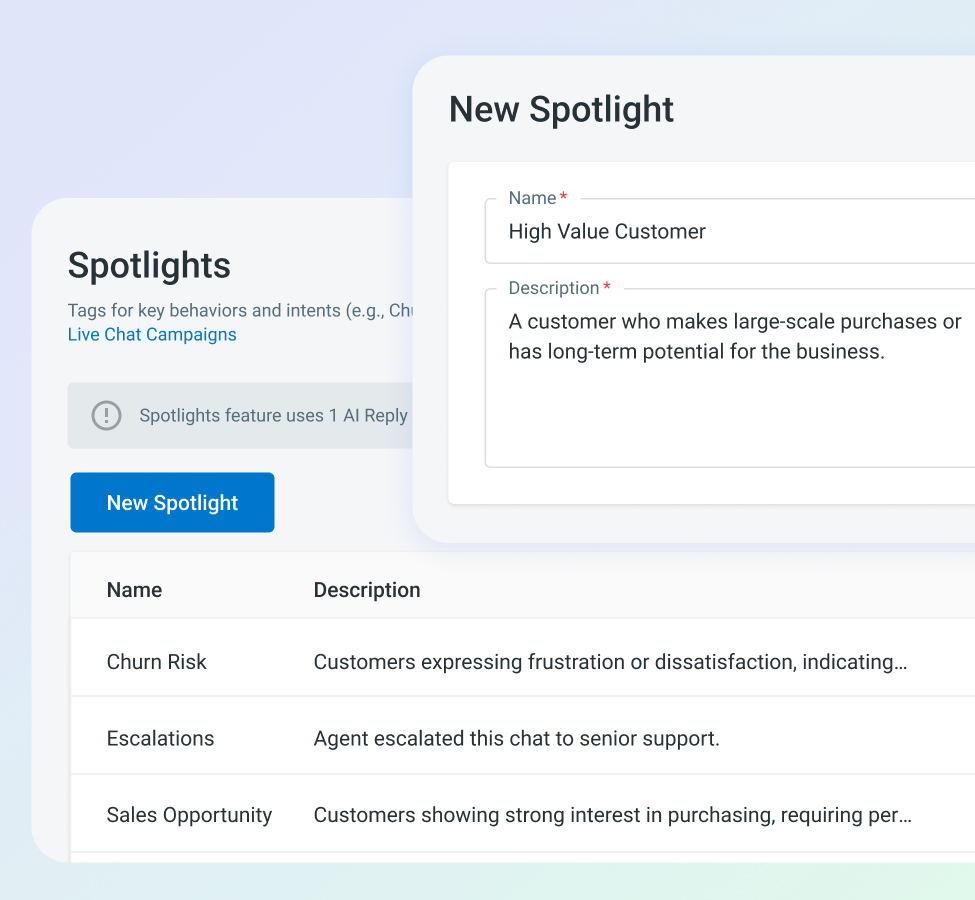
Customize Spotlights
Quickly build tailored Spotlights using natural language.
Just describe what you want to track, like: "Find chats where the customer's language is not English, and their sentiment is negative." Or "Show chats where customers mention 'feature not working' or 'keeps crashing'”. AI Insights will then spot the requested chats.
This helps managers detect recurring issues and identify product gaps.
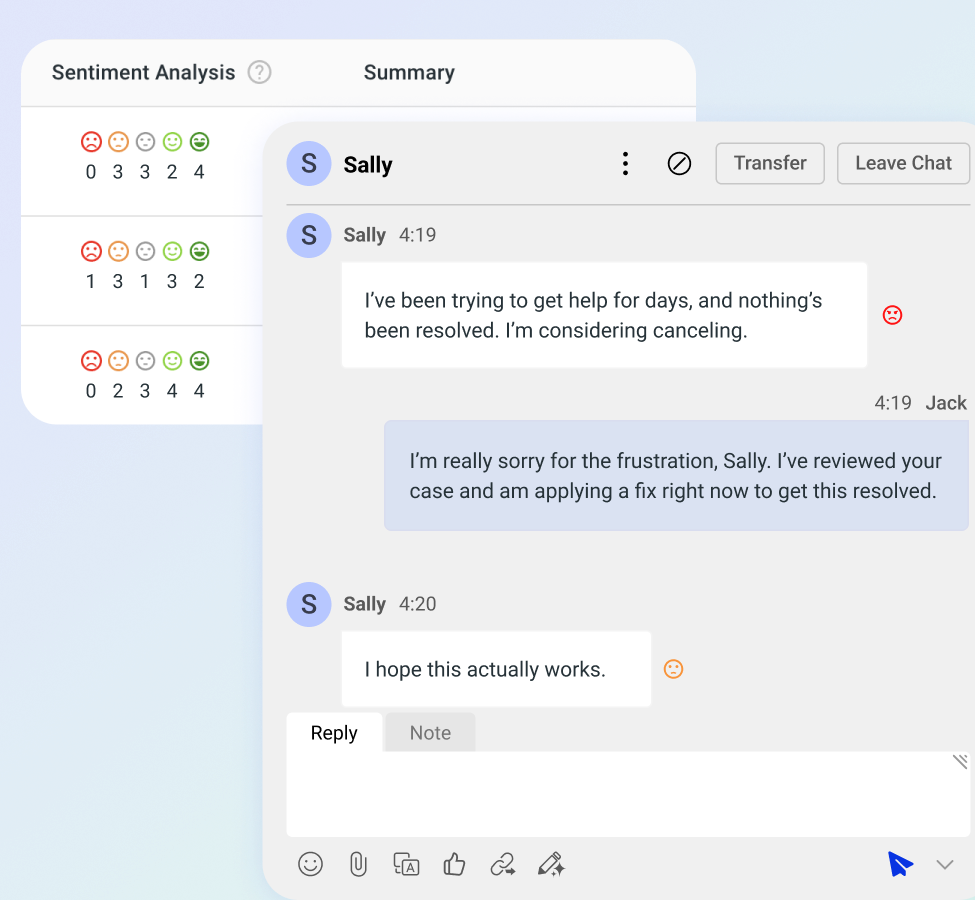
Sentiment Analysis
Coach Smarter and Respond Better
Our sentiment analysis detects customer emotions in real-time, categorizing messages as Positive, Negative, or Neutral.
For live chat, it helps agents tailor their responses to address concerns, de-escalate situations, and show empathy.
With AI Agent interactions, if negative sentiment is detected, the chat can be automatically transferred to a human agent for timely intervention, ensuring a better customer experience.
Managers can filter chat by sentiment to pinpoint areas for improvement, refine coaching strategies, and ensure agents deliver effective interactions.
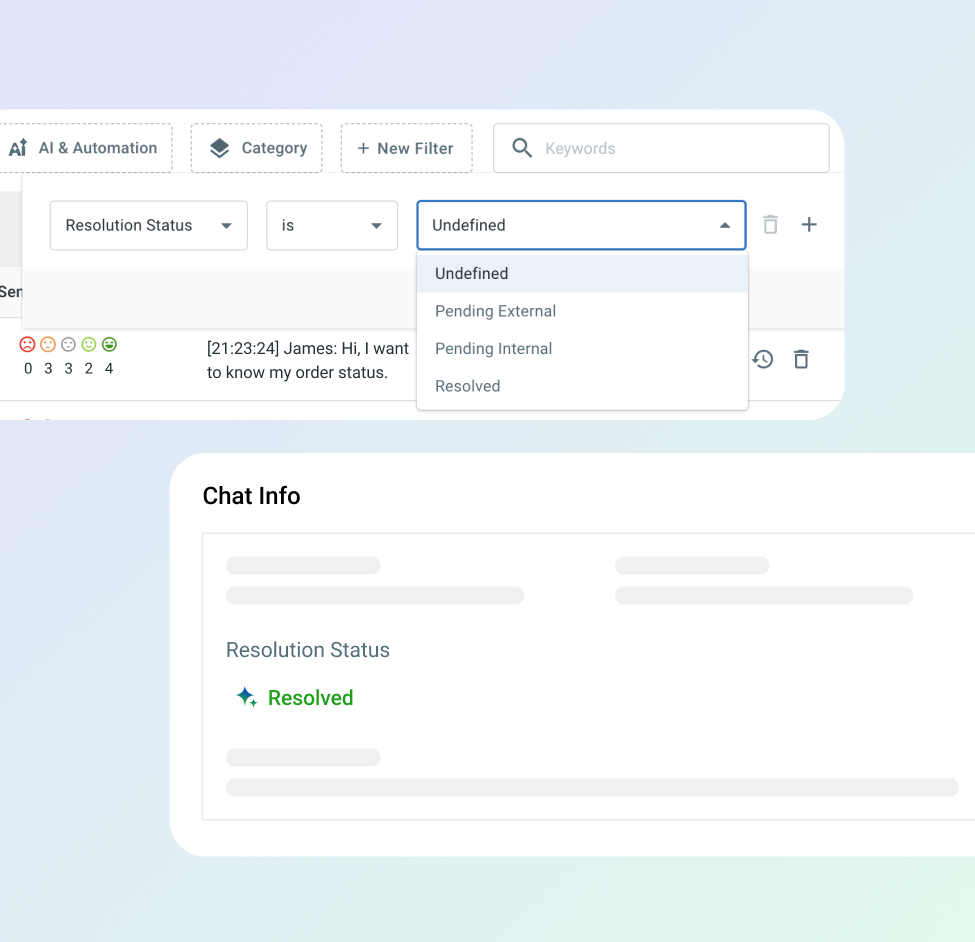
Chat Resolution Monitoring
Keep Every Case on Track
Automated resolution tracking delivers clear visibility into chat resolution status: Resolved, Pending Internal (requiring agent follow-up), Pending External (awaiting customer input), or Undefined.
Managers can then filter and prioritize chats, quickly pinpointing unresolved issues and optimizing resource allocation.
“Spotlights let me quickly analyze all types of conversations — not just between staff and members, but also between our bot and members. We can easily identify sales opportunities, understand escalated situations, and see exactly what’s happening so we can troubleshoot more effectively.“
– Matthew, Bot Developer II at Veridian Credit Union.
Frequently Asked Questions
What is Comm100 AI Insights, and how does it benefit customer support teams?
AI Insights is an AI-powered analytics tool built into the Comm100 platform that automatically analyzes customer conversations and surfaces actionable intelligence that traditional reporting misses. It functions as an intelligent analyst, reading every chat, message, and ticket interaction to identify trends, detect emotional signals, and flag critical issues so managers can act on what matters instead of sifting through thousands of transcripts manually.
- The tool benefits support teams in four specific ways:
Spotlights to automatically surface key trends and events buried within conversation data. They’re customizable using plain-language prompts too. - Sentiment analysis to track the emotional tone of every message, labeling each as Positive, Negative, or Neutral.
- Resolution monitoring tags every conversation as Resolved, Pending Internal, Pending External, or Undefined, eliminating guesswork.
- It works alongside AI Agent and AI Copilot as a business intelligence layer.
How does AI-powered sentiment analysis work in customer service?
Sentiment analysis uses natural language processing to evaluate the emotional tone of customer messages and classify them as positive, negative, or neutral. More sophisticated implementations go beyond those three categories to detect specific emotions like frustration, confusion, urgency, or satisfaction, and to track how sentiment shifts over the course of a single conversation.
The technology works by analyzing word choice, phrasing patterns, punctuation, and context. A message that says “I’ve already called three times about this” carries different sentiment signals than “Thanks, that was really helpful.” The AI reads those signals and assigns a score, which can then be aggregated across hundreds or thousands of conversations to reveal patterns.
How does Comm100 AI Insights help managers with agent coaching?
AI Insights makes coaching specific rather than generic by giving managers the ability to filter conversations by sentiment, resolution status, agent, channel, and time period, and to build custom Spotlights that surface exactly the interactions that need review.
Instead of selecting random conversations for QA, a manager can use sentiment filtering to pull every Negative-labeled conversation a particular agent handled during the past two weeks.
They can narrow further using a custom Spotlight prompt like “conversations where the agent failed to resolve a billing dispute” or “interactions that escalated due to login issues.” This surfaces exactly the interactions where the agent struggled, in the specific context where they struggled, so the coaching conversation addresses the actual performance gap.
The system also enables peer comparison without manual benchmarking. If one agent’s enrollment-related conversations consistently carry Positive sentiment and Resolved status while another agent’s enrollment conversations trend Negative with longer pending states, the data makes that contrast visible. The manager can then review the higher-performing agent’s conversations to identify specific techniques and use those as coaching examples.
Can AI Insights identify churn risks and sales opportunities from customer conversations?
Yes. Comm100 AI Insights uses its Spotlights feature to automatically flag conversations signaling churn risk or potential sales opportunities based on the content, sentiment, and resolution status of each interaction.
Churn risk detection works by identifying patterns associated with customer attrition: repeated Negative sentiment across multiple interactions, conversations tagged as Pending Internal or Undefined (indicating unresolved issues), explicit language about switching providers or canceling services, and escalation patterns that suggest eroding patience.
Managers can also create custom Spotlights to search for specific churn signals relevant to their industry. The system surfaces these conversations so retention teams can intervene before the customer makes a final decision.
Does Comm100 AI Insights require technical setup or data science expertise to use?
No. AI Insights is designed for support managers and operations leaders, not analysts or data engineers. The interface presents findings through visual dashboards that surface trends, anomalies, and flagged conversations without requiring users to write queries, build reports from scratch, or configure machine learning models.
The system works on the conversation data already flowing through the Comm100 platform. There’s no separate data pipeline to build, no CSV exports to wrangle, and no third-party BI tool to connect. If you’re using Comm100 for live chat, messaging, ticketing, or AI Agent interactions, AI Insights can analyze those conversations as part of the same platform.
How does AI conversation analytics differ from traditional customer support reporting?
Traditional reporting tells you what happened. AI conversation analytics tells you why it happened and what’s about to happen next.
AI conversation analytics adds three layers that traditional reporting lacks. The first is topic-level granularity: instead of seeing aggregate volume, you see volume broken down by the actual subjects driving contact, with trends over time for each topic.
The second is sentiment correlation: you can connect topic trends to customer emotion, identifying not just what people are asking about but how they feel about it. The third is anomaly detection: rather than waiting for a monthly report to surface a problem, the AI flags unusual spikes or shifts in real time, alerting managers to emerging issues before they become crises.
Explore the Comm100 AI Suite
Discover how our six AI solutions work together in a flywheel that accelerates your entire support lifecycle.

AI Agent
Automate 80% of customer queries with context-aware human-like AI responses

AI Insights
Gain deep visibility into chat resolutions, sentiments, and other AI-driven analytics

AI Knowledge
Find knowledge gaps, fix articles, and draft new content from real conversations

AI QA
Auto-score every conversation and turn findings into one-click coaching moments

AI Training
Convert your knowledge and QA insights into simulation-based training and quizzes

Analyze sentiment, track resolutions, and uncover key insights.