
The Comm100 RTG Integration
Support RTG Players Without Leaving Your Agent Console
Sync player information directly into Comm100 from Realtime Gaming (RTG). View account details, update player information, and save chat transcripts as RTG notes while you handle conversations across live chat and tickets.
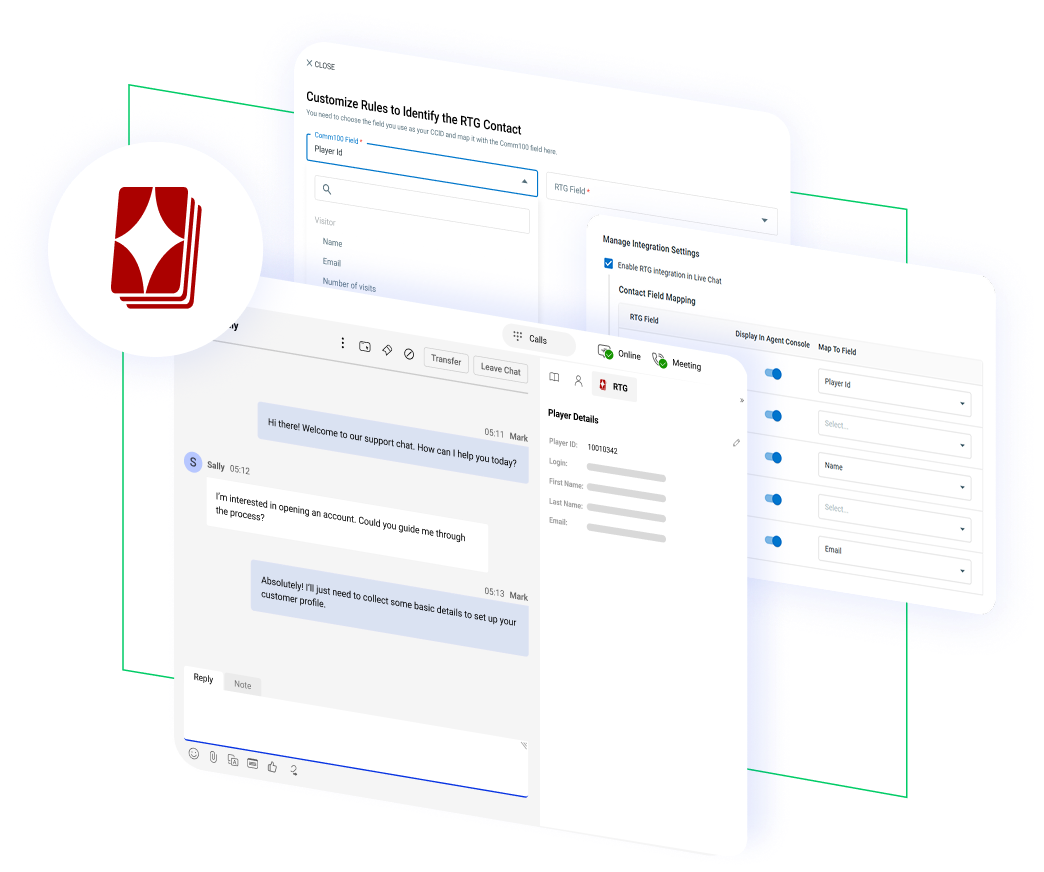




















See Every RTG Player’s Profile Inside the Agent Console
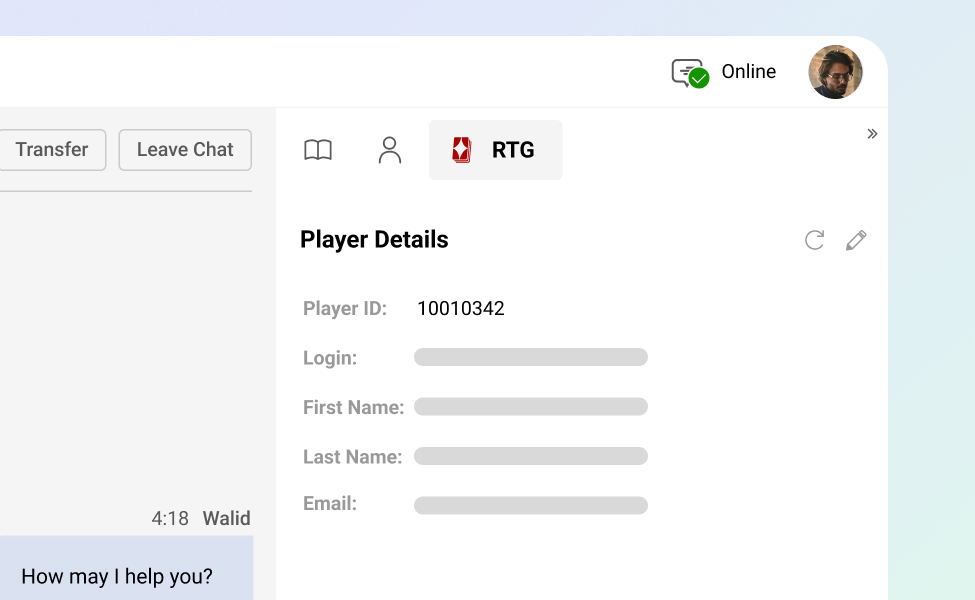
Connect your RTG account to Comm100 and a dedicated RTG tab appears under both Live Chat and Ticketing & Messaging in the Agent Console. Agents see synced player information the moment a conversation starts, including the fields you choose to map from RTG.
No tab switching, no copy-pasting account numbers between systems.
Keep RTG and Comm100 in Sync, Automatically
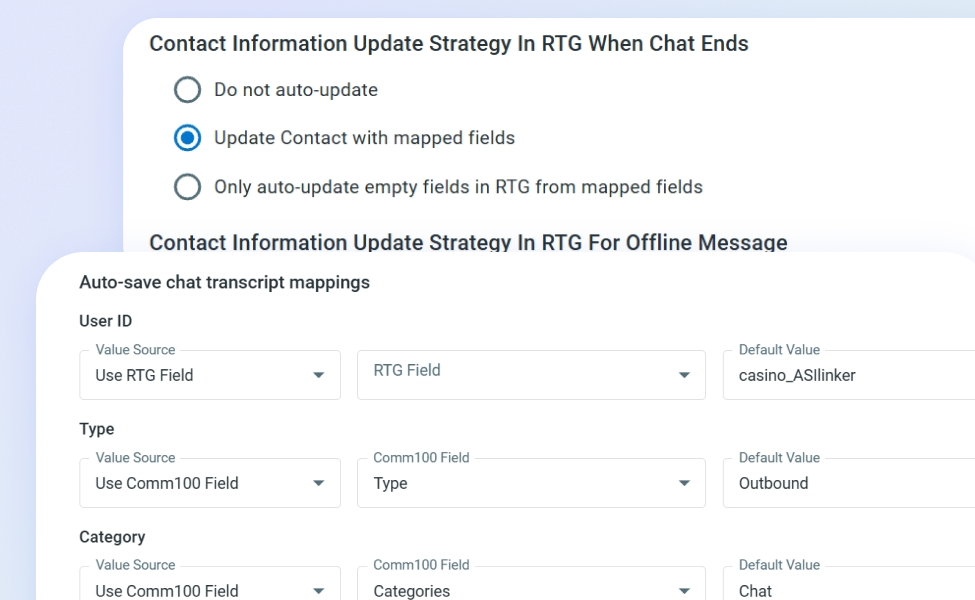
Updates flow both ways. When agents edit a player’s information during a conversation, changes sync back to RTG based on the rules you set. Choose to update all mapped fields, only fill empty fields, or skip auto-updates entirely.
The same options apply to chats, offline messages, and tickets, so your support team and your RTG records never fall out of step.
Save Every Conversation as a Note in RTG
Chat transcripts and offline messages can save automatically to the Note activity of the associated player in RTG. The next time someone reviews that player’s account, the full support history is already attached.
Useful for VIP teams tracking high-value players, compliance teams documenting responsible gambling conversations, and operations teams investigating disputes.

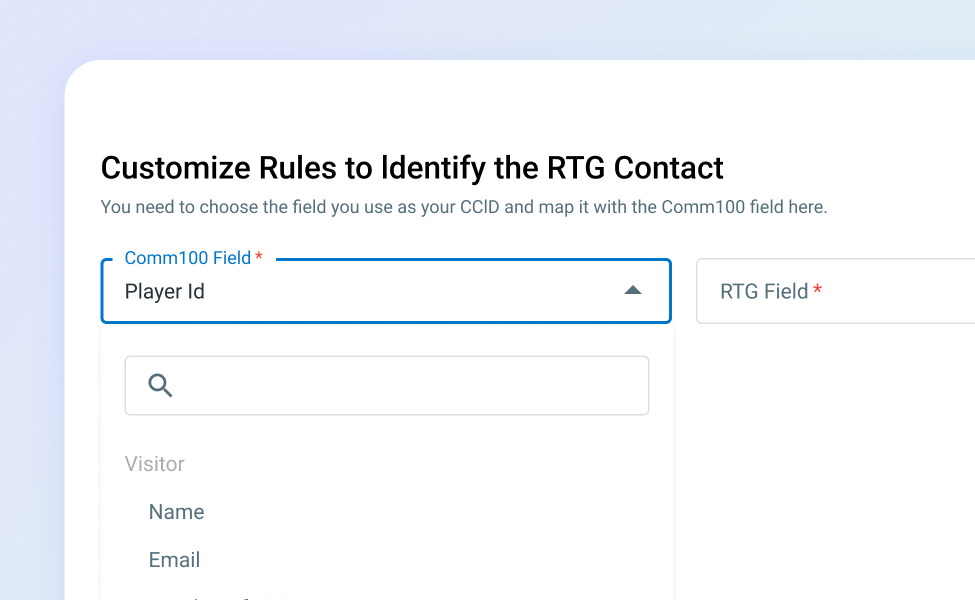
Match Players Accurately with Custom Identification Rules
Decide how Comm100 identifies an RTG player. Map any system field, pre-chat field, offline message field, or custom variable to an RTG field, and the integration pulls the right player record when those values match.
Whether your players log in with an email, a username, or a member ID, identification rules can be configured to match your account structure.
Connect in a Few Steps from Apps & Integrations
The RTG integration sits in the Apps & Integrations section of the Comm100 Control Panel. Enter your Base URL and API key, choose whether to enable the integration on Live Chat, Ticketing & Messaging, or both, and configure your field mappings and update rules.

Frequently Asked Questions
How does the Comm100 RTG integration work?
Once you connect your RTG account to Comm100 using your Base URL and API key, a dedicated RTG tab appears in the Agent Console under Live Chat and Ticketing & Messaging. Agents see synced player data the moment a conversation starts, and any changes they make to player fields during the conversation sync back to RTG based on the update rules you configure. Chat transcripts and offline messages can also save automatically as Note activities on the player’s RTG record.
What player information can agents see in the Comm100 Agent Console?
Agents see whatever RTG fields you map to Comm100. The Contact Field Mapping settings let you choose which RTG fields appear in the Agent Console and how they correspond to Comm100 contact fields. Common mappings include player ID, account balance, registration date, VIP status, and account flags, but the mapping is fully configurable based on what your operation tracks in RTG.
Does the integration sync data back to RTG automatically?
Yes, when you configure it to. The integration offers three update strategies: update all mapped fields, only update empty fields in RTG, or skip auto-updates and require manual confirmation. You can set different strategies for chat conversations, offline messages, and ticket interactions, so the level of automation matches each workflow.
Which Comm100 plan includes the RTG integration?
The RTG integration is available on the Live Chat or Ticketing & Messaging Ultra plans. Ultra also includes advanced features that iGaming operators typically need, including on-premises deployment options, advanced security configurations, and custom field mapping across the platform.
Can I use the RTG integration with both live chat and tickets?
Yes. From the integration settings, you can enable the RTG connection on Live Chat , Ticketing & Messaging, or both. Each channel has its own field mapping and update rules, so you can configure live chat behavior independently from ticket behavior if your team handles them differently.
How does this integration help iGaming compliance teams?
Auto-saving chat transcripts as Note activities in RTG creates an audit trail attached to each player’s account. Responsible gambling conversations, self-exclusion requests, and KYC-related interactions all sit on the player record where compliance teams already work. This is particularly useful for operators who need to demonstrate how flagged conversations were handled.
Experience the power of people-first, AI-powered customer service.
Get started today!