
The Comm100 Calendly Integration
Book Calendly Meetings Directly Through the Comm100 AI Agent
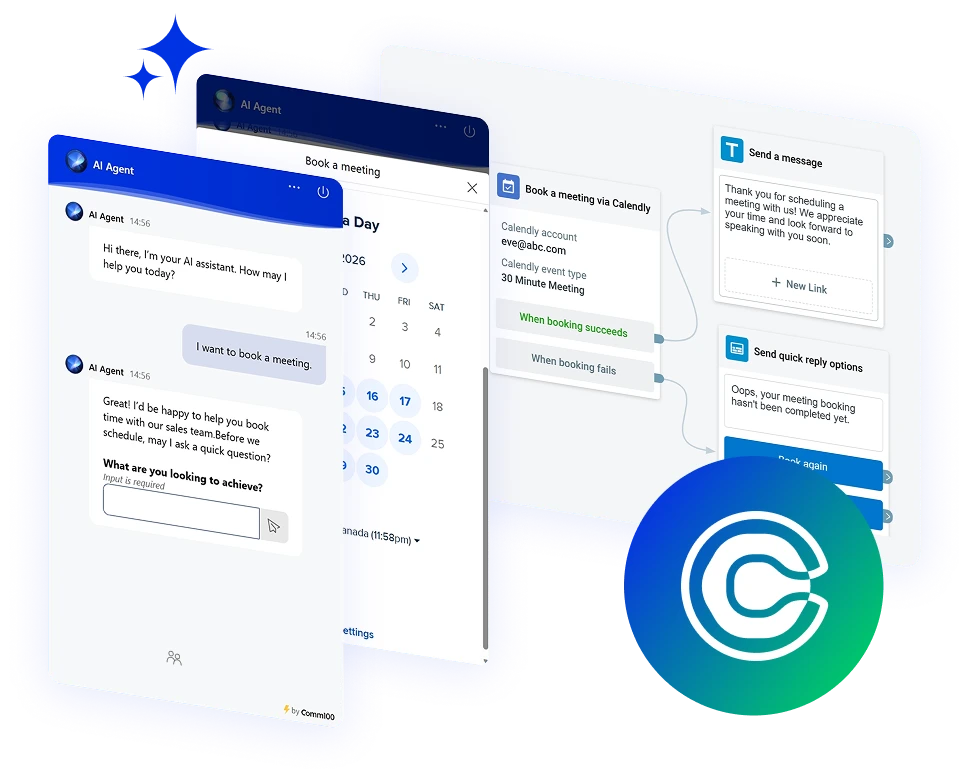




















Book Meetings Without Any Interruptions
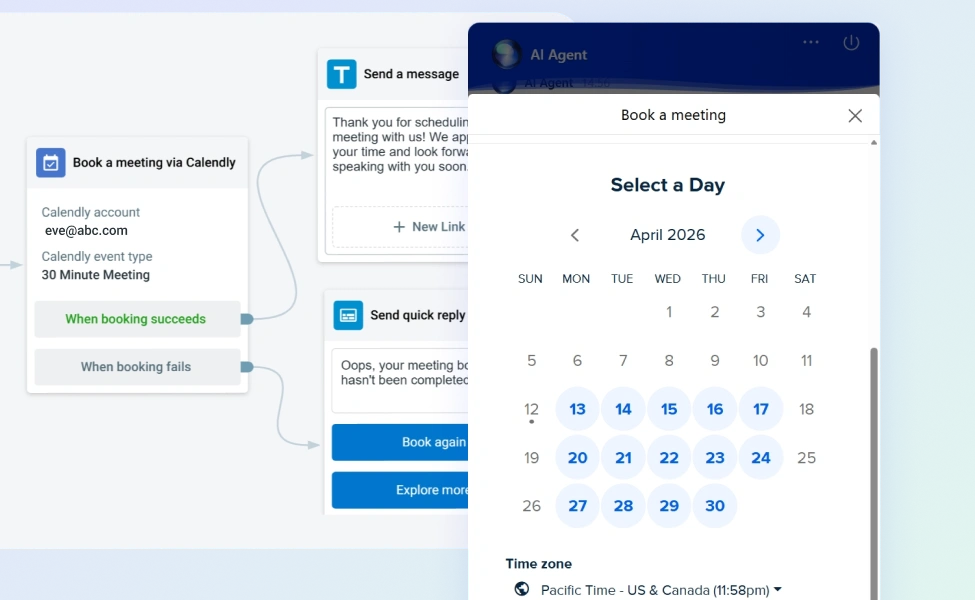
The Comm100 Calendly integration turns your AI Agent into a scheduling assistant. When a visitor needs to book a consultation, demo, or follow-up call, the AI Agent pulls available time slots from your Calendly account and confirms the booking right inside the chat conversation.
Prequalify Leads
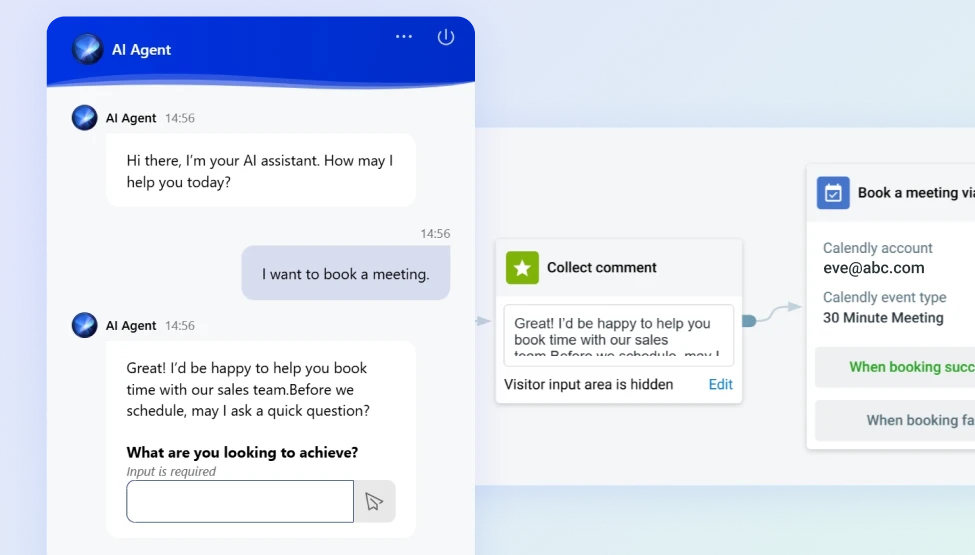
The Comm100 AI Agent can ask qualifying questions before presenting your Calendly availability, so your team’s calendar fills with conversations that are worth having.
The AI gathers the context your team needs, books the meeting, and passes along everything it learned during the chat.
Eliminate System-Juggling
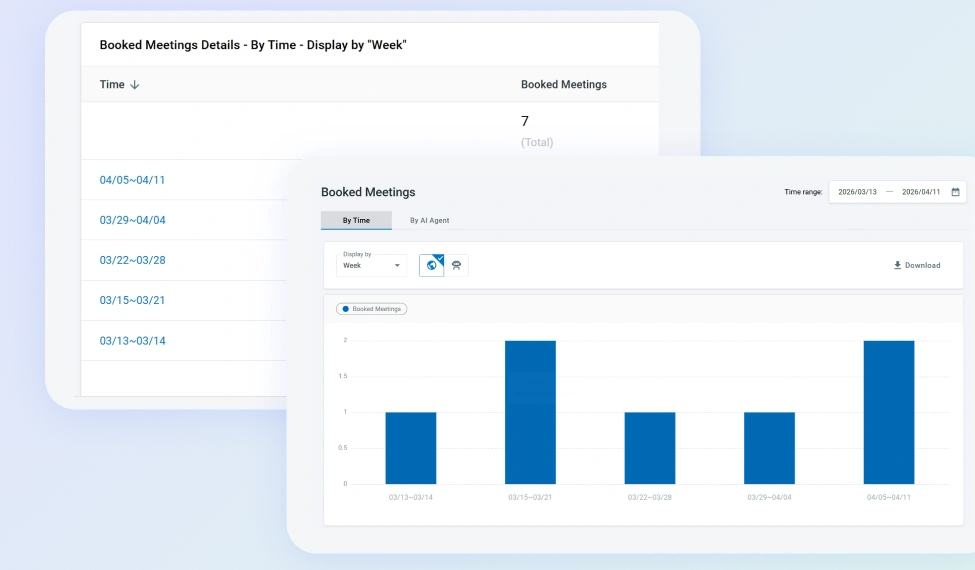
Every Calendly meeting booked through the AI Agent is tracked inside Comm100 on the Booked Meetings page, alongside the full chat transcript that led to the booking.
Frequently Asked Questions
How does the Comm100 Calendly integration work?
The Calendly live chat integration connects your Calendly account to Comm100’s AI Agent as a workflow action, letting your users book meetings from live chat directly. When a visitor requests a meeting during a live chat conversation, the AI Agent retrieves your available time slots from Calendly and lets the visitor select and confirm a booking without leaving the chat. The confirmed meeting then appears both in your Calendly calendar and on the Booked Meetings page inside Comm100.
What do I need to set up the Calendly integration?
You need an active Calendly account and access to Comm100’s AI Agent or chatbot builder. The Calendly action is configured within your AI chatbot’s workflow, where you connect your Calendly credentials and define when the booking option should be offered to visitors. Your users can schedule meetings from the AI chatbot directly.
Can the AI Agent qualify visitors before offering a booking?
Yes. You can build qualification steps into the AI Agent workflow that run before the Calendly action triggers. The AI Agent can ask about the visitor’s role, company, or reason for the meeting, and only present scheduling options if the visitor meets your criteria. All collected information carries through to the booked meeting record.
Which channels support the Calendly booking action?
The Calendly booking action is available on the live chat channel. Meetings booked through the AI Agent appear on the Booked Meetings page in Comm100 and sync to your connected Calendly calendar.
Experience the power of people-first, AI-powered customer service.
Get started today!